
SUMMARY
Managing Chronic Pain for Developers
A comprehensive guide for developers struggling with chronic pain, offering practical strategies to manage discomfort and improve well-being while working at a desk.
Keywords: chronic pain, developer health, ergonomic strategies
TABLE OF CONTENTS
1 Overview: The Silent Struggle of Desk-Bound Professionals
2 Ergonomics: Your First Line of Defense
3 Movement & Breaks: Breaking the Sedentary Cycle
4 Strength & Flexibility: Building a Resilient Body
5 Mind-Body Connection: The Role of Stress & Mental Well-being
6 Tools & Tech: Modern Aids for Pain Management
7 Seeking Professional Help: When to Consult an Expert
8 FAQ & Wrap-Up
OVERVIEW
The Silent Struggle of Desk-Bound Professionals
In the fast-paced world of software development, where deadlines loom and complex problems demand intense focus, it’s easy to overlook the physical toll of prolonged desk work. Many developers spend 8-10 hours a day, sometimes more, hunched over keyboards, staring at screens. This sedentary lifestyle, coupled with repetitive motions, creates a fertile ground for chronic pain to develop. In 2026, as remote work continues to be prevalent and screen time increases, addressing this issue is more critical than ever.
Chronic pain isn’t just a minor discomfort; it’s a persistent ache or stiffness that can last for months, sometimes years, significantly impacting quality of life, productivity, and mental well-being. Common culprits include neck and shoulder tension, lower back pain, wrist and hand issues (like carpal tunnel syndrome), and eye strain. These issues don’t just reduce your ability to code efficiently; they can bleed into your personal life, making hobbies, exercise, and even simple daily tasks difficult.
“Ignoring chronic pain is a common developer habit, but it’s a bug that won’t fix itself. Proactive management is the only patch.”
— Kwonglish
The good news is that chronic pain for desk-bound professionals is often manageable and preventable with the right strategies. This guide will walk you through practical, actionable steps you can take starting today to mitigate pain, improve your physical health, and enhance your overall well-being as a developer in 2026. We’ll cover everything from optimizing your workspace to integrating movement, exercise, and mental strategies into your daily routine. Remember, your health is your most valuable asset, and investing in it will pay dividends in both your career and personal life.
KEY POINT
Chronic pain affects a significant percentage of desk workers, including developers. Early intervention and consistent application of ergonomic principles, movement, and wellness strategies are crucial for long-term health and productivity.
ERGONOMICS
Your First Line of Defense
An ergonomically optimized workspace is the foundation of pain management for developers. It’s not about expensive gadgets, but about setting up your environment to support your body’s natural posture and minimize strain. Investing a little time and perhaps a modest budget now can prevent years of discomfort and medical expenses later.
The Ergonomic Chair: Your Throne of Productivity
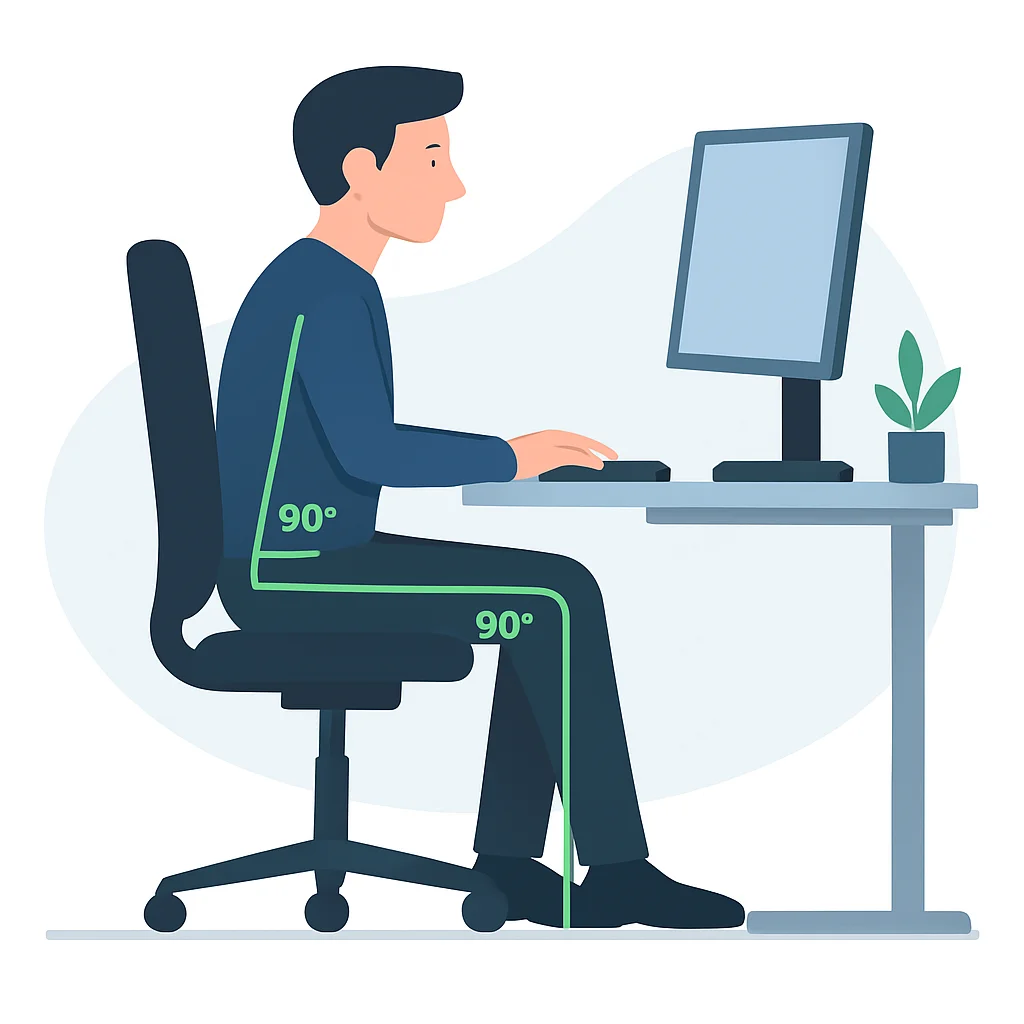
Your chair is arguably the most important piece of ergonomic equipment. Look for one with adjustable height, backrest tilt, lumbar support, and armrests. The goal is to maintain the “three 90-degree angles” rule:
- Elbows: Your forearms should be roughly parallel to the floor, forming a 90-100 degree angle at the elbow when typing.
- Hips: Your hips should be slightly higher than your knees, forming a 90-100 degree angle. Ensure your feet are flat on the floor or on a footrest.
- Knees: Knees should also be at a 90-degree angle.
Desk Height and Monitor Placement: Eye-Level Comfort
If you have a fixed-height desk, adjust your chair first, then use a footrest if your feet don’t reach the floor. For adjustable desks, set the height so your forearms are parallel to the floor when typing, with elbows at 90-100 degrees.
Your monitor should be:
- Arm’s Length Away: Approximately 20-40 inches (50-100 cm) from your eyes.
- Top at Eye Level: The top of the screen should be at or slightly below eye level. This prevents neck craning. Use risers or monitor arms if needed.
- Centered: Directly in front of you to avoid neck twisting. If using multiple monitors, place your primary monitor directly in front and secondary ones to the side.
Keyboard and Mouse: Minimizing Wrist Strain
These peripherals are responsible for much of the repetitive strain. Consider:
- Ergonomic Keyboard: Split or curved keyboards can reduce wrist deviation. Ensure your wrists are straight, not bent up or down.
- Ergonomic Mouse: Vertical mice or trackballs can reduce pronation and ulnar deviation. Experiment to find what works for you.
- Wrist Rests: Use gel wrist rests sparingly, only to rest during breaks, not while actively typing/mousing.
Ergonomic Setup Checklist
☑ Chair adjusted for 90-degree elbows, hips, and knees
☑ Feet flat on floor or footrest
☑ Monitor top at eye level, 20-40 inches away
☑ Keyboard and mouse within easy reach, wrists straight
☑ Adequate lighting to reduce eye strain
☐ Consider a standing desk or sit-stand converter
KEY POINT
Small, consistent ergonomic adjustments can make a significant difference in preventing and alleviating chronic pain. Don’t underestimate the power of proper posture and workstation setup.
WARNING
Even a perfectly ergonomic setup won’t fully protect you if you remain static for hours. The human body is designed for movement, not prolonged stillness. Combine ergonomics with regular breaks and movement.
MOVEMENT & BREAKS
Breaking the Sedentary Cycle
Even with the best ergonomic setup, sitting for extended periods is detrimental to your health. It can lead to muscle stiffness, reduced blood circulation, and increased risk of chronic diseases. The key is to integrate regular movement into your workday, breaking up long periods of sitting.
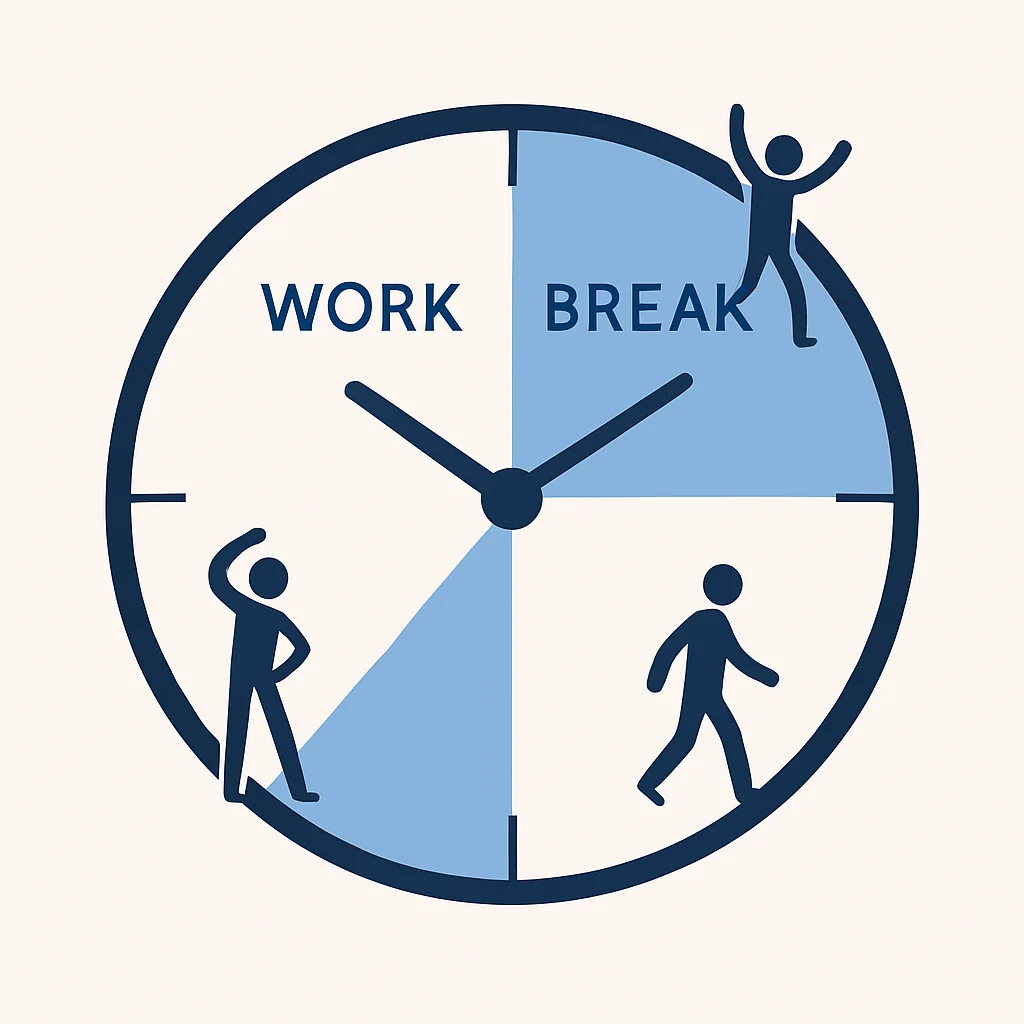
The Power of Micro-Breaks (Every 20-30 Minutes)
These are short, often unnoticed breaks that you can take without interrupting your flow too much. Think of them as quick resets:
- 20-20-20 Rule: Every 20 minutes, look at something 20 feet away for 20 seconds. This helps reduce eye strain.
- Quick Stretches: Shrug your shoulders, gently turn your neck side to side, or stretch your wrists for 10-15 seconds.
- Posture Check: Consciously readjust your posture, ensuring your back is against the chair, shoulders relaxed, and head balanced.
Scheduled Movement Breaks (Every Hour)
Aim for a 5-10 minute break every hour. This is where you actually get up and move. This could involve:
- Standing and Stretching: Stand up, do some gentle full-body stretches (neck rolls, arm circles, side bends, gentle back extensions).
- Walk Around: Grab a glass of water, walk to a different room, or step outside for a minute. Even a short walk to the printer or kitchen helps.
- Use a Standing Desk: If you have one, alternate between sitting and standing every 30-60 minutes. The variety itself is beneficial.
Incorporating Movement into Your Daily Routine
Beyond scheduled breaks, look for opportunities to move:
- Take phone calls standing or walking.
- Use stairs instead of elevators.
- Park further away or get off public transport one stop earlier.
- Do a quick 10-minute walk during your lunch break.
1
Set a Timer
Use a simple timer (e.g., Pomodoro apps, browser extensions) to remind you to take micro-breaks every 20-30 minutes and longer breaks every 60 minutes. Consistency is key.
2
Hydrate Regularly
Keep a water bottle within reach. Getting up to refill it provides a natural opportunity for a short walk and stretch. Dehydration can also contribute to muscle cramps and fatigue.
3
Incorporate Active Commutes
If possible, bike, walk, or combine public transport with walking for a portion of your commute. This adds significant movement before and after your desk time.
KEY POINT
Consistent, short bursts of movement are more effective than one long workout for counteracting the effects of prolonged sitting. Aim for at least 5-10 minutes of movement every hour, even if it’s just standing and stretching.
STRENGTH & FLEXIBILITY
Building a Resilient Body
While breaks and ergonomics are crucial for immediate relief, building a strong and flexible body is your long-term strategy against chronic pain. Weak core muscles, tight hip flexors, and imbalances in the shoulders and neck are common among developers and contribute significantly to discomfort. Regular exercise, beyond just walking, is essential.
Targeted Exercises for Common Pain Points
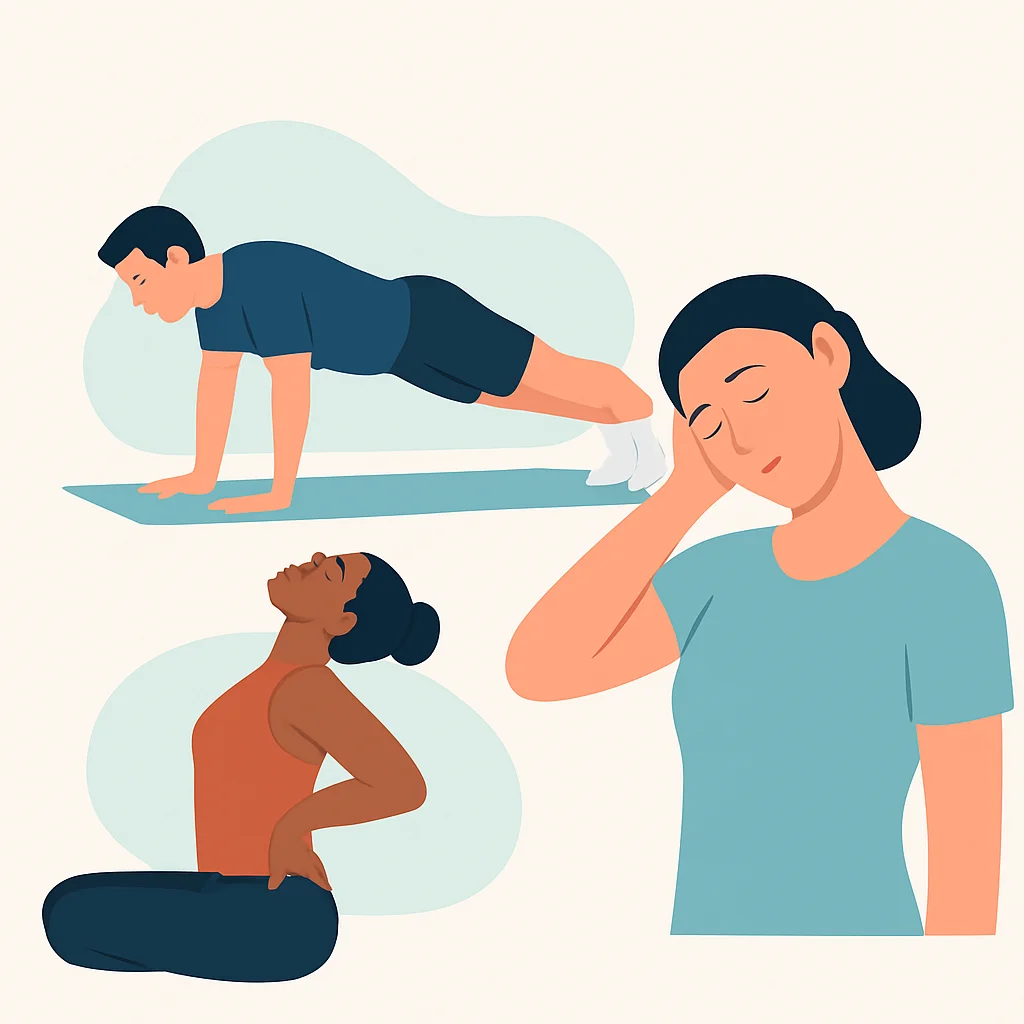
Focus on exercises that counteract the typical “developer posture” (rounded shoulders, forward head, hunched back):
- Neck & Shoulders:
- Chin tucks (strengthens deep neck flexors)
- Scapular squeezes (strengthens rhomboids and trapezius)
- Doorway stretches (opens up chest and shoulders)
- Lower Back & Core:
- Planks (strengthens core stabilizers)
- Bird-dog (improves core stability and balance)
- Cat-cow stretch (improves spinal mobility)
- Glute bridges (strengthens glutes and hamstrings, counteracts tight hip flexors)
- Wrists & Hands:
- Wrist extensions and flexions
- Finger stretches
- Forearm stretches (flexor and extensor)
Recommended Exercise Modalities
Effective Exercise Types
Yoga & Pilates — Excellent for improving flexibility, core strength, and body awareness. Many studios offer beginner-friendly classes, or you can find numerous online resources.
Strength Training — Focus on compound movements (squats, deadlifts, rows, presses) with proper form. This builds overall strength, supports joints, and improves bone density. Aim for 2-3 sessions per week.
Swimming — A low-impact, full-body workout that strengthens muscles and improves cardiovascular health without putting stress on joints.
Walking/Hiking — While we discussed breaks, dedicated longer walks (30+ minutes) are also crucial for cardiovascular health and maintaining overall mobility.
Start slowly and gradually increase intensity and duration. If you’re new to exercise or have existing pain, consult with a physical therapist or certified personal trainer to ensure proper form and avoid injury. They can help design a program tailored to your specific needs and pain points.
KEY POINT
Building strength and flexibility through consistent exercise is a critical long-term strategy for pain management. Focus on exercises that strengthen your core, glutes, and upper back, while stretching tight areas like hip flexors and chest muscles.
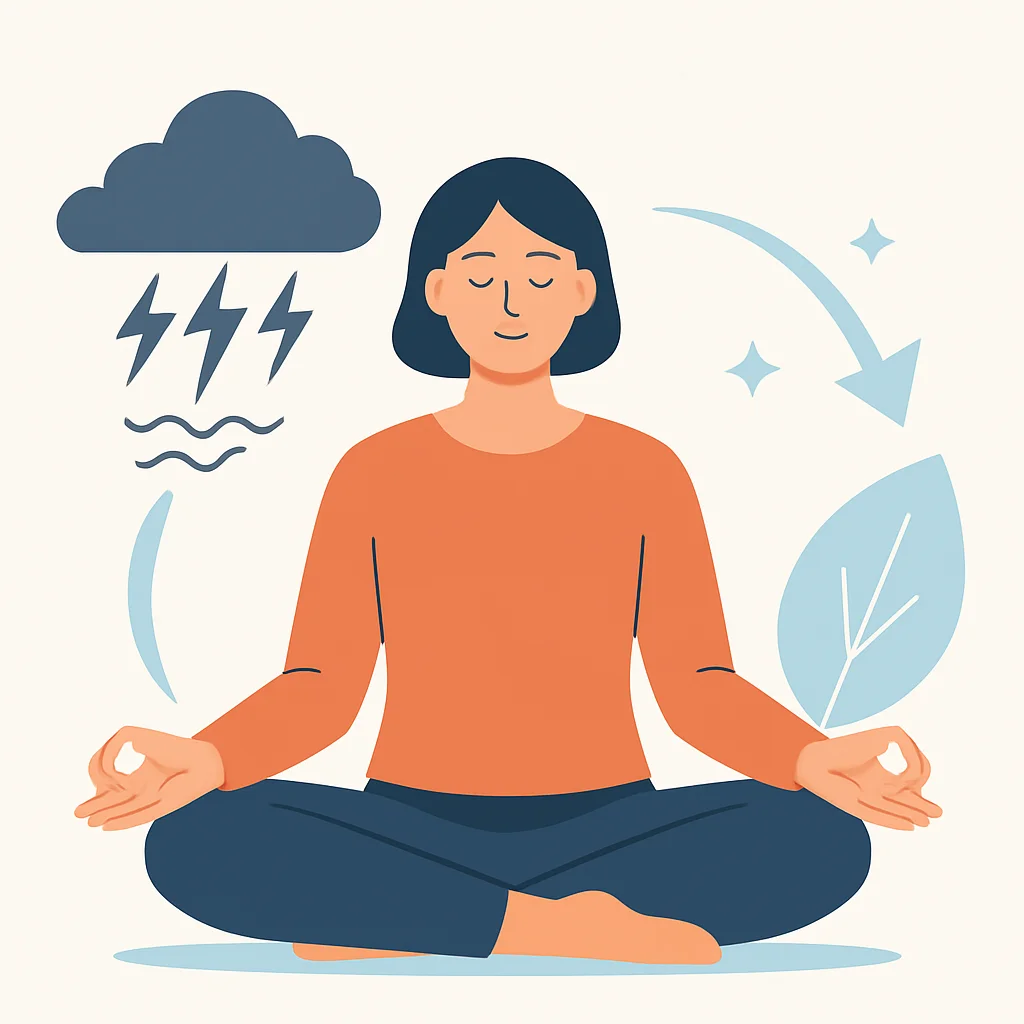
MIND-BODY CONNECTION
The Role of Stress & Mental Well-being
Chronic pain is not solely a physical phenomenon; it’s deeply intertwined with mental and emotional states. Stress, anxiety, and poor sleep can significantly exacerbate pain perception and even contribute to physical tension. Developers, often under high pressure, are particularly susceptible to this mind-body feedback loop.
Stress Management: Taming the Inner Debugger
When stressed, our bodies tend to tense up, particularly in the neck, shoulders, and jaw. This sustained tension can lead to muscle knots, headaches, and worsened chronic pain. Effective stress management is therefore an integral part of pain relief.
- Mindfulness & Meditation: Even 5-10 minutes daily can train your brain to respond differently to stress and pain signals. Apps like Calm or Headspace can guide you.
- Deep Breathing Exercises: Simple diaphragmatic breathing can activate the parasympathetic nervous system, promoting relaxation and reducing muscle tension. Try 4-7-8 breathing (inhale for 4, hold for 7, exhale for 8).
- Progressive Muscle Relaxation: Tensing and then relaxing different muscle groups can help you identify and release areas of chronic tension.
- Hobbies & Social Connection: Engaging in non-work activities and maintaining strong social ties can significantly reduce stress levels.
“The brain plays a powerful role in how we perceive and experience pain. Learning to manage stress and cultivate mental calm is not a luxury, but a necessity for chronic pain sufferers.”
— Dr. Rachel Zoffness, Pain Psychologist
The Critical Role of Sleep
Poor sleep quality can amplify pain, impair healing, and decrease your ability to cope with discomfort. Aim for 7-9 hours of quality sleep per night. Establish a consistent sleep schedule, create a relaxing bedtime routine, and optimize your sleep environment (dark, quiet, cool).
KEY POINT
Pain is not just physical; stress and poor sleep can significantly worsen its intensity and duration. Integrating mindfulness, relaxation techniques, and prioritizing good sleep hygiene are essential components of a holistic pain management strategy.
TOOLS & TECH
Modern Aids for Pain Management
The tech world, ironically, offers numerous solutions to mitigate the physical challenges it often creates. From specialized hardware to smart software, leveraging technology can significantly enhance your pain management efforts in 2026.
Hardware for a Healthier Workspace
- Standing Desks & Converters: As mentioned, alternating between sitting and standing is highly beneficial. Full standing desks offer the most flexibility, but desktop converters are a more affordable entry point. Many modern standing desks come with programmable height settings and even reminder functions.
- Ergonomic Keyboards & Mice: Beyond the basics, consider advanced options like split keyboards (e.g., Kinesis Advantage, Ergodox) for maximum wrist comfort, or trackpads/roller mice for different hand positions.
- Monitor Arms: These allow for precise positioning of your screens, enabling easy adjustment for sitting or standing, and ensuring optimal eye level.
- Footrests: If your chair height requires your feet to dangle, a footrest is essential for maintaining proper leg and hip alignment.
- Posture Correctors: While not a standalone solution, some wearable posture devices (e.g., Upright Go) can provide real-time feedback and gentle reminders to maintain good posture. Use them as a training tool, not a crutch.
Pros of Standing Desks
✔ Reduces prolonged sitting time
✔ Can alleviate back and neck pain
✔ Boosts energy levels and focus
✔ May improve metabolic health
Cons of Standing Desks
✖ Can be expensive (entry-level models start around $200-$300 in 2026)
✖ Requires a transition period to build standing endurance
✖ Standing too long can cause foot/leg fatigue or varicose veins
✖ Not a magic bullet; still requires movement and good posture
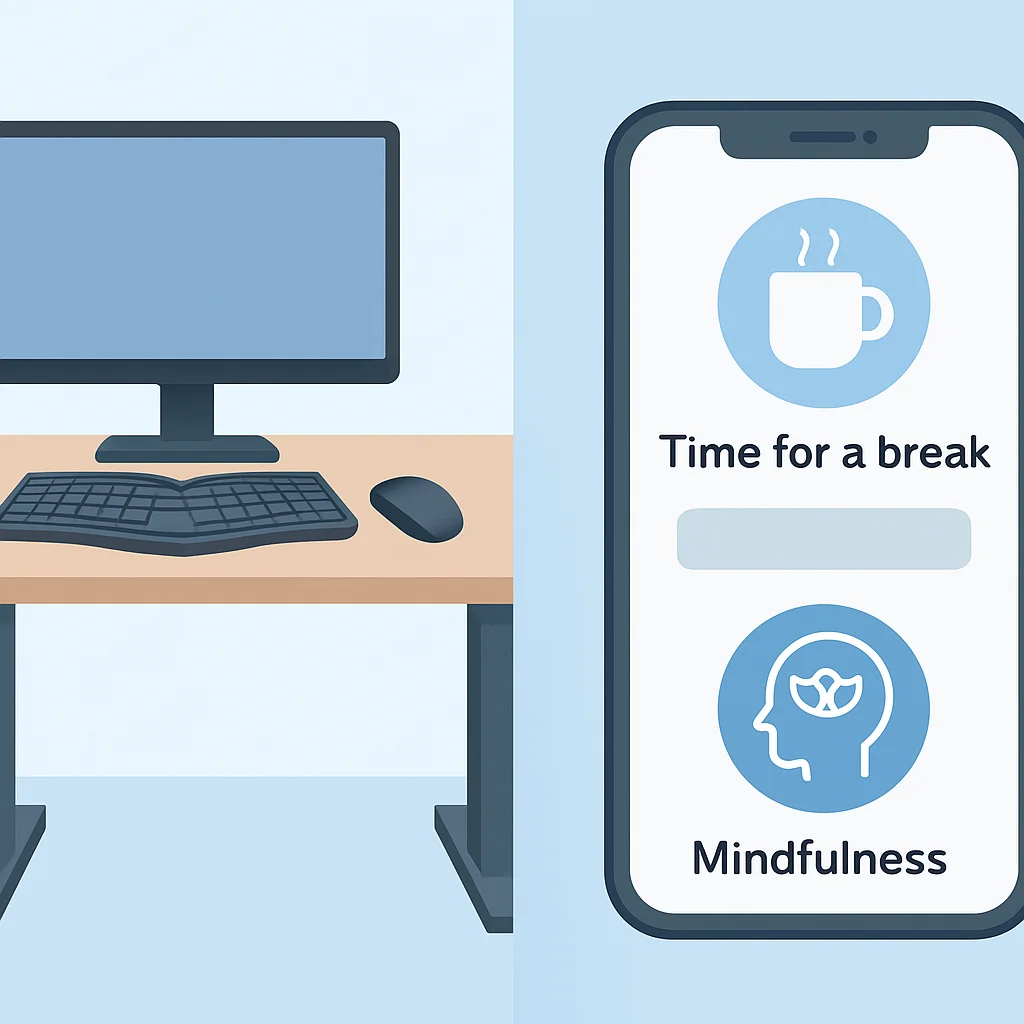
Software & Apps: Your Digital Health Coach
- Break Reminder Apps: Tools like
Stretchly,Eyeleo, or built-in OS features can prompt you to take breaks and even suggest stretches. - Ergonomic Software: Some software can track your typing habits and mouse usage, providing insights into repetitive strain patterns.
- Mindfulness Apps: As mentioned, apps like Calm, Headspace, or Insight Timer can help manage stress and improve focus, indirectly reducing pain.
- Fitness Trackers & Smartwatches: Devices like Apple Watch, Fitbit, or Garmin can remind you to move, track your steps, and monitor heart rate, encouraging a more active lifestyle.
CODE EXPLANATION
This simple Python script uses the plyer library (which needs to be installed via pip install plyer) to display desktop notifications. It sets a timer to remind you to take a 5-minute break every 60 minutes. This is a basic example; more complex scripts could integrate with system events or specific applications.
import time
from plyer import notification

# Reminder interval in seconds (60 minutes)
INTERVAL = 60 * 60
BREAK_DURATION = 5 * 60 # 5-minute break

def send_notification(title, message):
    notification.notify(
        title=title,
        message=message,
        app_name='Kwonglish Pain Manager',
        timeout=10 # Notification will disappear after 10 seconds
    )

if __name__ == "__main__":
    print("Kwonglish Pain Manager started. You will receive a break reminder every hour.")
    while True:
        time.sleep(INTERVAL)
        send_notification("Time for a Break!", "Stand up, stretch, and give your eyes a rest for 5 minutes. Your body will thank you!")
        print(f"Break reminder sent at {time.ctime()}. Next reminder in 60 minutes.")
        # Optional: Acknowledge the break by waiting for its duration before next cycle
        # time.sleep(BREAK_DURATION)
KEY POINT
Leverage both hardware and software solutions to create a pain-friendly work environment. From ergonomic peripherals to smart reminder apps, technology can be a powerful ally in your chronic pain management journey. Just remember, tools are only effective when used consistently.
PROFESSIONAL HELP
When to Consult an Expert
While self-management strategies are incredibly effective for prevention and mild discomfort, there are times when professional medical guidance is indispensable. Ignoring persistent or worsening pain can lead to more severe, long-term issues.
Recognizing When to Seek Help
You should consult a healthcare professional if:
- Your pain is severe, constant, or significantly interferes with your daily activities (work, sleep, hobbies).
- You experience numbness, tingling, or weakness in your limbs.
- Your pain doesn’t improve after several weeks of consistent self-care (ergonomics, breaks, gentle exercise).
- You notice swelling, redness, or warmth around a joint.
- You have a sudden onset of pain after an injury.
Who to Consult
- General Practitioner (GP): Your first point of contact. They can diagnose common issues, prescribe initial treatments, and refer you to specialists.
- Physical Therapist (PT): Highly recommended for musculoskeletal pain. They specialize in identifying muscle imbalances, postural issues, and movement dysfunctions. A PT can provide personalized exercises, stretches, and manual therapy. In 2026, many PTs offer virtual consultations, making it easier for remote developers to access care.
- Occupational Therapist (OT): Can provide in-depth ergonomic assessments of your workspace and suggest modifications tailored to your specific needs and job tasks.
- Chiropractor: Focuses on spinal adjustments and alignment. Ensure they are licensed and consult with your GP before starting chiropractic care, especially for acute pain.
- Pain Management Specialist: For complex or severe chronic pain, these doctors (often anesthesiologists or neurologists) offer a multidisciplinary approach, including medication, injections, and advanced therapies.
Case: The Developer with Worsening Wrist Pain
Alex, a 32-year-old backend developer, initially dismissed his mild wrist discomfort as “just part of the job.” He tried ergonomic keyboards but didn’t consistently take breaks. Over three months, the pain intensified, accompanied by numbness in his thumb and index finger, especially at night. He struggled to type for more than 30 minutes. This progression of symptoms, including numbness and severity, indicated a need for professional help. His GP referred him to a physical therapist who diagnosed early-stage carpal tunnel syndrome and provided a tailored exercise program, splint recommendations, and stricter break guidelines. Early intervention prevented the need for surgery.
WARNING
Never self-diagnose severe or persistent pain, especially if accompanied by numbness, tingling, or weakness. These symptoms can indicate nerve impingement or other serious conditions requiring prompt medical attention. Always consult a qualified healthcare professional.
FAQ
Frequently Asked Questions About Developer Pain
Q. How long does it take to see results from ergonomic changes?
A. You might feel immediate relief from acute discomfort, but significant, lasting improvements for chronic pain typically take several weeks to a few months of consistent ergonomic adjustments and complementary strategies like regular movement and stretching. Be patient and persistent.
Q. Can a standing desk really help with chronic back pain?
A. Yes, for many people, a standing desk can alleviate chronic back pain by encouraging movement and reducing the static load on the spine that comes from prolonged sitting. However, it’s crucial to alternate between sitting and standing, and to maintain good posture while standing. Standing all day without breaks can also lead to fatigue and foot pain.
Q. What’s the best type of exercise for a developer with neck and shoulder pain?
A. Exercises that strengthen the upper back (e.g., rows, scapular squeezes) and core, while stretching the chest and neck (e.g., doorway stretch, chin tucks), are often most beneficial. Low-impact activities like swimming or yoga are also excellent for overall mobility and strength. Always consult a physical therapist for personalized recommendations.
Q. How do I convince my employer to invest in ergonomic equipment?
A. Frame it as an investment in productivity and employee health. Highlight how reducing pain leads to fewer sick days, increased focus, and better quality work. Many companies have budgets for employee wellness or workplace accommodations, especially if you have a doctor’s note recommending specific equipment.
WRAP-UP
Your Health, Your Code: A Pain-Free Future
Chronic pain doesn’t have to be an inevitable part of a developer’s career. By adopting a proactive and holistic approach, you can significantly reduce discomfort, improve your physical well-being, and enhance your longevity in the tech industry. Remember the core principles:
- Optimize Your Ergonomics: Set up your workstation to support natural posture.
- Prioritize Movement: Integrate micro-breaks and regular activity throughout your day.
- Build a Resilient Body: Engage in strength and flexibility exercises consistently.
- Nurture Your Mind: Manage stress and prioritize quality sleep.
- Leverage Technology: Use tools and apps to assist your efforts.
- Seek Professional Help: Don’t hesitate to consult experts when needed.
Your health is an ongoing project, just like your code. It requires consistent effort, debugging, and iteration. By making these practical strategies a part of your daily routine in 2026, you’re not just managing pain; you’re investing in a healthier, happier, and more productive future for yourself. Keep coding, but more importantly, keep moving and taking care of your amazing body!
Take Control of Your Well-being!
Don’t let chronic pain sideline your career or your life. Start implementing these strategies today and feel the difference.
Got questions or your own pain management tips? Drop a comment below and share your insights with the Kwonglish community!