
SUMMARY
Digital Detox for Developers: Reclaim Your Focus & Well-being in 2026
Practical strategies for developers to implement a digital detox, reduce screen time, and improve mental health and productivity.
Keywords: digital detox, developer well-being, screen time reduction
TABLE OF CONTENTS
1. Overview: Why Developers Need a Digital Detox in 2026
2. Core Guide: Implementing Your Digital Detox Strategy
3. Real-World Examples & Practical Implementations
4. Caveats, Common Challenges, and Staying Consistent
5. Frequently Asked Questions (FAQ)
1. Overview: Why Developers Need a Digital Detox in 2026
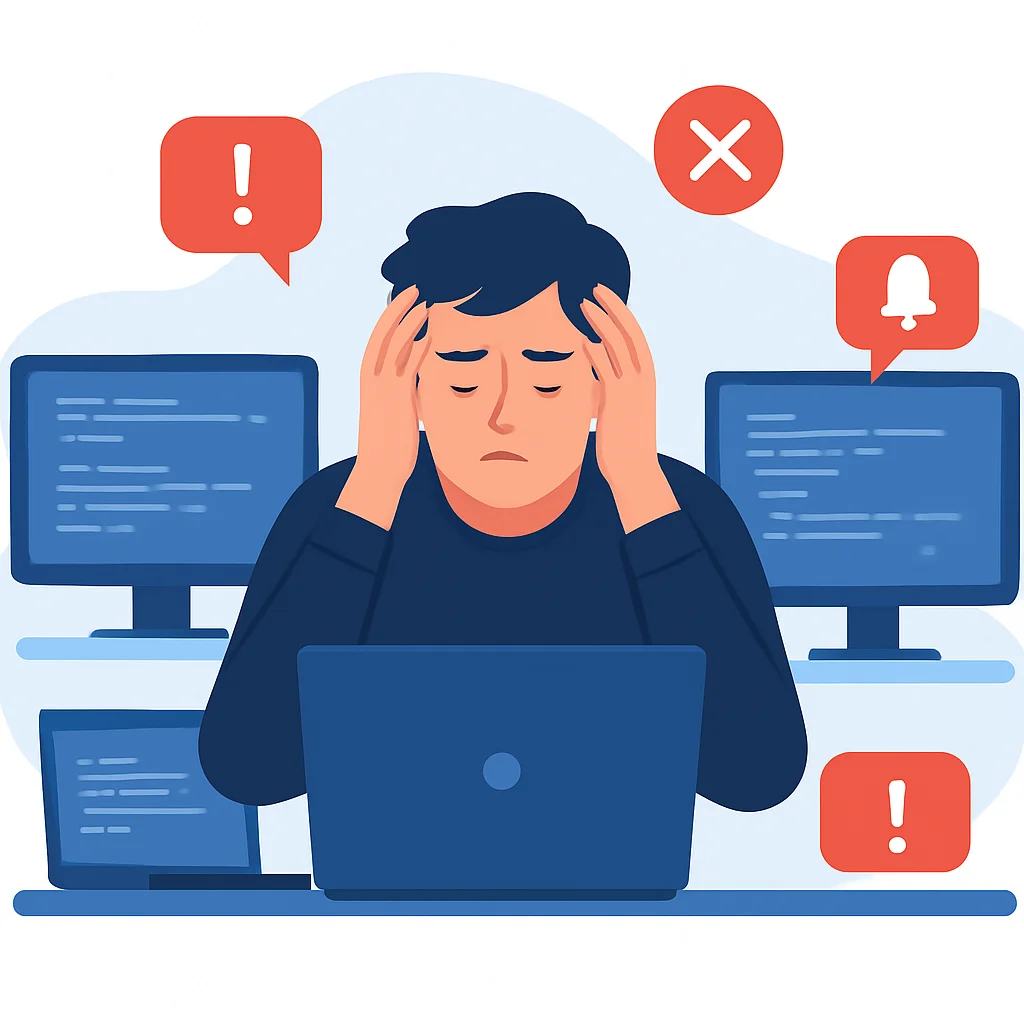
As developers, our lives are intrinsically linked to screens. From writing code and debugging to collaborating with teams and staying updated on the latest tech trends, digital interaction is our bread and butter. However, this constant connectivity, while essential for our profession, comes with a hidden cost: digital overload. In 2026, with the acceleration of remote work and always-on culture, the need for intentional digital breaks, or a “digital detox,” has never been more critical for our well-being and sustained productivity.
Think about your average workday. You likely wake up, check your phone, dive into your IDE, attend virtual meetings, respond to Slack messages, browse technical forums, and perhaps unwind with streaming services or gaming. This cycle means 10-14 hours, or even more, in front of various screens daily. While some of this is work-related, a significant portion often slips into unproductive scrolling or fragmented attention.
The consequences of this constant digital engagement are multi-faceted. Studies consistently show that excessive screen time can lead to a range of issues, from physical ailments like eye strain (known as Computer Vision Syndrome) and poor posture, to more insidious mental health challenges such as increased anxiety, decreased focus, burnout, and disrupted sleep patterns. For developers, who rely heavily on deep concentration and problem-solving abilities, these impacts can directly hinder performance and creativity.
KEY POINT
Developers are at a higher risk of digital overload due to the nature of their work. A digital detox isn’t just a luxury; it’s a strategic necessity for maintaining cognitive function, mental health, and long-term career sustainability in 2026.
Research from the University of California, Irvine, for instance, suggests that it takes an average of 23 minutes and 15 seconds to regain focus after being interrupted by a digital notification. Imagine how many such interruptions occur during your coding sessions! This constant context switching severely erodes our ability to enter and maintain a “flow state” – that highly productive, deeply focused mental space where complex problems are most efficiently solved.
Furthermore, the blue light emitted from screens suppresses melatonin production, making it harder to fall asleep and reducing the quality of rest. Poor sleep, in turn, impacts cognitive performance, mood regulation, and overall physical health. A digital detox aims to break these detrimental cycles by consciously disengaging from screens and re-engaging with the analog world, allowing our brains and bodies to reset.
This guide will provide practical, actionable strategies specifically tailored for developers to implement a digital detox in 2026. We’ll explore how to assess your current habits, set realistic boundaries, leverage tools for focus, and rediscover the joy and benefits of a life less tethered to the digital realm.
2. Core Guide: Implementing Your Digital Detox Strategy
Embarking on a digital detox isn’t about abandoning technology entirely; it’s about mindful usage and establishing healthier boundaries. For developers, this means strategically integrating detox practices without compromising essential work. Here’s a step-by-step guide to help you get started in 2026.
2.1. Assess Your Current Digital Habits
Before you can change your habits, you need to understand them. This first step is crucial for identifying your biggest digital drains and triggers.
Step 1
Track Your Screen Time
Use native screen time trackers on your smartphone (e.g., Apple’s Screen Time, Android’s Digital Wellbeing) and desktop operating systems (e.g., Windows’ Focus Assist reports, macOS’s Screen Time). Many browsers also offer extensions to track website usage. Aim to track for at least 3-5 consecutive days to get an accurate baseline, including both weekdays and weekends. Pay attention to not just total screen time, but also time spent on specific apps or websites.
Step 2
Identify Your Digital Triggers
What prompts you to pick up your phone or open an unproductive tab? Is it boredom, stress, a notification, or habit? Keep a mental note, or even a simple physical journal, for a few days. Common triggers for developers include waiting for code to compile, build times, or context switching between tasks. Recognizing these triggers is the first step to developing alternative, healthier responses.
For example, you might discover you spend 3 hours daily on social media outside of work, or that you check your email 50 times a day. These quantifiable insights will empower you to set realistic goals.
2.2. Implement Smart Notification Management
Notifications are the primary culprits behind fragmented attention. Taking control of them is one of the most impactful steps you can take.
KEY POINT
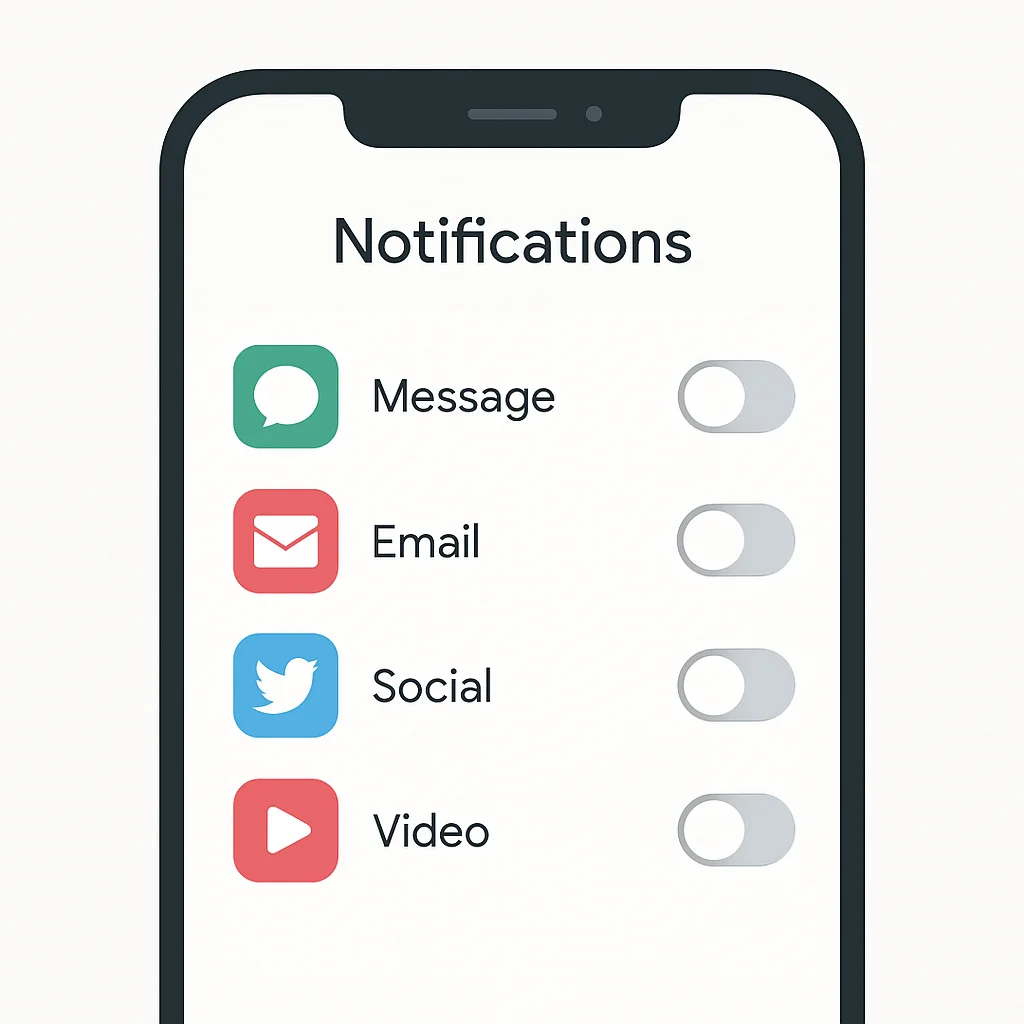
Notifications are designed to pull your attention. Disabling all non-essential notifications is the quickest win for reclaiming focus and reducing digital interruptions.
Disable Non-Essential Notifications: Go through your phone and desktop settings. Turn off notifications for all social media apps, news feeds, games, and any other app that isn’t crucial for immediate communication or work. For work-related apps like Slack or email, consider turning off visual banners and sounds, allowing you to check them intentionally at scheduled times rather than reactively.
Scheduled Do Not Disturb/Focus Modes: Utilize your device’s “Do Not Disturb” or “Focus” modes. Schedule them to activate during your deep work blocks, during meals, and for at least an hour before bedtime. Many operating systems allow you to whitelist specific contacts (e.g., family members, on-call alerts) so truly urgent messages can still get through.
Greyscale Mode: Experiment with setting your smartphone to greyscale mode. Colors are highly stimulating and designed to draw your attention. A black and white screen can significantly reduce the allure of checking your device and make apps less engaging.
2.3. Strategic Screen Time Reduction
This involves proactively creating boundaries around your digital consumption, both during and outside of work hours.
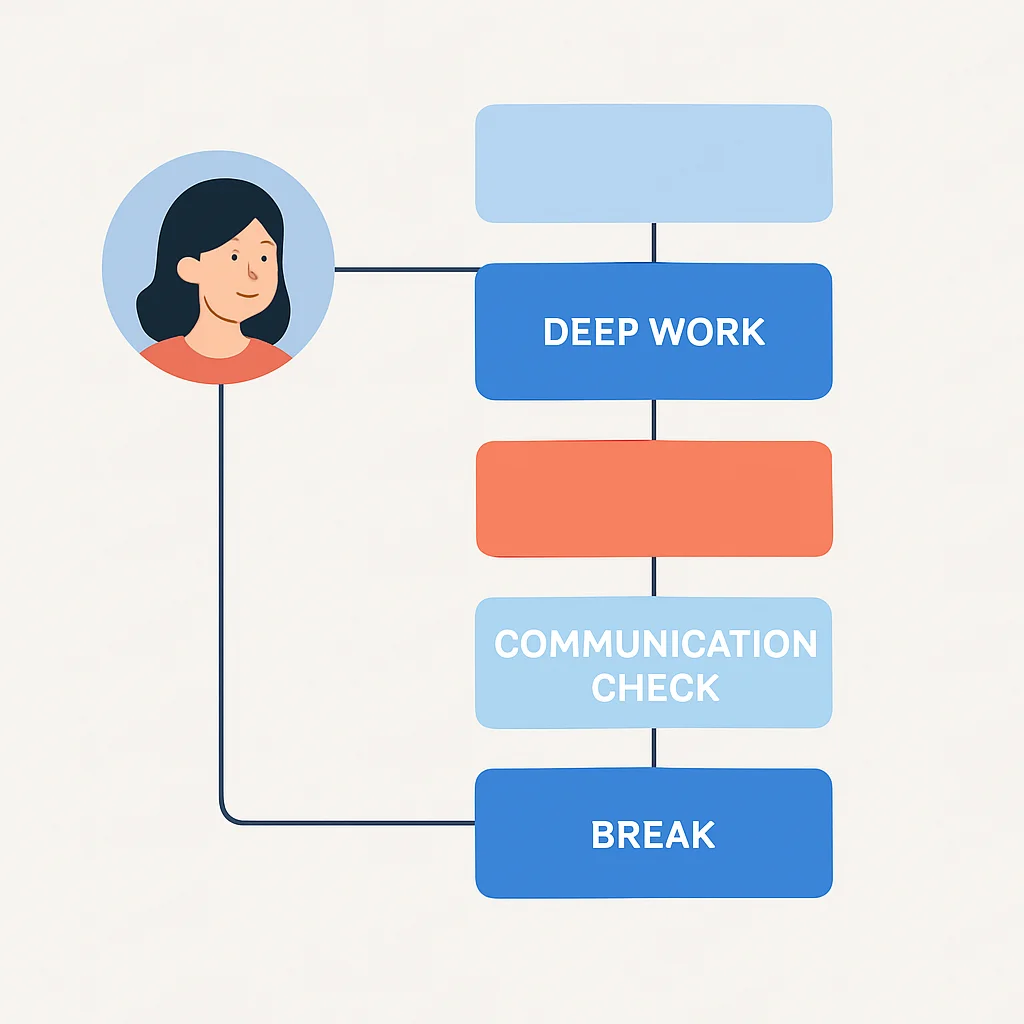
Time Blocking for Deep Work: Schedule specific blocks in your calendar for “deep work” where you commit to no distractions. During these 60-90 minute blocks, close all unnecessary tabs, mute communication apps, and focus solely on your coding task. Use techniques like the Pomodoro Technique (25 min work, 5 min break) to structure your focus.
Digital-Free Zones and Times: Designate certain areas or periods as screen-free. This could be:
- The bedroom: Charge your phone outside the bedroom and use an analog alarm clock.
- Meal times: Enjoy meals with family or friends without phones at the table.
- First and last hour of the day: Avoid screens for the first hour after waking and the last hour before bed. This significantly improves sleep quality.
KEY POINT
A “Digital Sabbath” – taking a full 24-hour break from all non-essential screens once a week – can be profoundly restorative, allowing your brain to fully disengage and recharge.
Website Blockers and Productivity Apps: Leverage tools designed to help you stay focused. Applications like Freedom, Cold Turkey, or browser extensions such as LeechBlock NG allow you to block distracting websites (social media, news, entertainment) for specified periods. Some can even block entire apps on your computer or phone.
2.4. Re-engaging with Analog Activities
The “detox” part of digital detox means filling the void left by screens with enriching, non-digital activities. This is where true rejuvenation happens.
- Read Physical Books: Rediscover the joy of reading a tangible book. It engages your brain differently, reduces eye strain, and avoids the endless rabbit holes of online content.
- Engage in Hobbies: Dust off that musical instrument, pick up painting, knitting, gardening, or any other hands-on hobby that doesn’t require a screen.
- Exercise and Outdoors: Spend time in nature. Go for a walk, run, hike, or bike ride. Physical activity is a powerful antidote to digital fatigue and boosts mood and cognitive function. Aim for at least 30 minutes of moderate activity most days.
- Journaling: Use a physical notebook to write down your thoughts, ideas, or even code snippets. This can help process emotions, foster creativity, and improve memory without digital distractions.
- Socialize In-Person: Make an effort to connect with friends and family face-to-face. Meaningful human interaction is vital for mental well-being.

2.5. Optimizing Your Digital Toolkit for Focus
While detoxing, it’s also worth optimizing the digital tools you do use to minimize their distracting potential.
- Minimalist IDE Themes: Use themes in your IDE (like VS Code, IntelliJ) that are clean, low-contrast, and reduce visual clutter. This helps your eyes and minimizes distractions.
- Browser Extensions for Productivity: Beyond blockers, consider extensions that hide distracting elements on websites, simplify interfaces, or provide quick access to focus timers.
- Automate Mundane Tasks: For developers, automating repetitive tasks can significantly reduce the amount of time spent staring at a screen doing unengaging work. Write scripts for deployments, testing, or data processing.
Here’s a simple Python script example that can serve as a “digital break reminder.” You can schedule it to run at intervals to prompt you to step away from your screen.
CODE EXPLANATION
This Python script uses the time module to pause execution and the os module to play a system sound (for macOS/Linux) and display a pop-up notification (for macOS/Linux/Windows). It’s a basic reminder to take a break every X minutes.
import time
import os
import sys

def notify(title, text):
    if sys.platform == "darwin": # macOS
        os.system(f'osascript -e \'display notification "{text}" with title "{title}"\'')
    elif sys.platform.startswith("linux"): # Linux (requires 'notify-send' package)
        os.system(f'notify-send "{title}" "{text}"')
    elif sys.platform == "win32": # Windows (requires 'plyer' library or similar)
        try:
            from plyer import notification
            notification.notify(title=title, message=text, app_name='Digital Detox Reminder')
        except ImportError:
            print("For Windows notifications, install plyer: pip install plyer")
            print(f"{title}: {text}")
    else:
        print(f"{title}: {text}")

def play_sound():
    if sys.platform == "darwin": # macOS
        os.system('afplay /System/Library/Sounds/Glass.aiff') # Or any other system sound
    elif sys.platform.startswith("linux"): # Linux (requires 'aplay' or similar)
        os.system('aplay /usr/share/sounds/gnome/default/alerts/glass.ogg') # Adjust path
    # Windows sound playing is more complex without external libraries, omitted for brevity

def digital_break_reminder(interval_minutes=25):
    print(f"Digital Break Reminder started. Will remind you every {interval_minutes} minutes.")
    while True:
        time.sleep(interval_minutes * 60) # Convert minutes to seconds
        notify("Time for a break!", "Step away from the screen, stretch, look into the distance.")
        play_sound()
        print(f"Break reminder sent at {time.strftime('%H:%M:%S')}")

if __name__ == "__main__":
    # You can change the interval here, e.g., 45 minutes
    digital_break_reminder(interval_minutes=45)
To run this script, save it as a .py file (e.g., break_reminder.py) and run it from your terminal using python break_reminder.py. For Windows, you might need to install the plyer library (pip install plyer) for desktop notifications to work correctly.
3. Real-World Examples & Practical Implementations
Let’s look at how various developers have successfully integrated digital detox principles into their demanding schedules in 2026. These examples illustrate that a detox isn’t a one-size-fits-all solution, but a customizable approach.
Case Study 1: The Focused Frontend Developer
Reduced Context Switching for Deep Work
Sarah, a frontend developer, struggled with constant interruptions from team chats and social media. Her screen time reports showed she was checking non-work apps over 70 times a day, costing her valuable focus.
Implementation: Sarah implemented strict “focus blocks” for 3 hours in the morning and 2 hours in the afternoon. During these times, she would close all communication apps (Slack, Discord) and social media tabs. She configured her phone to “Do Not Disturb” for work apps, only allowing calls from critical contacts. She scheduled dedicated times (10:30 AM and 3:30 PM) to check all non-urgent messages and social media for 15 minutes each.
Results: Within two weeks, Sarah reported a significant increase in her ability to complete complex coding tasks without interruption. Her average daily screen time on social media dropped by 60% (from 2.5 hours to 1 hour), and she felt less mentally drained by the end of the day. She estimated gaining an additional 1.5 to 2 hours of truly focused work time daily, leading to higher code quality and fewer bugs.
Case Study 2: The Burned-Out Backend Engineer
Reclaiming Weekends with a Digital Sabbath
Mark, a backend engineer, found himself constantly checking work emails and project dashboards even on weekends, leading to chronic fatigue and an inability to truly relax.
Implementation: Mark committed to a “Digital Sabbath” every Saturday. From Friday evening at 6 PM until Sunday morning at 9 AM, he would put his work laptop away, turn off work notifications on his phone, and intentionally avoid all social media and news apps. He spent this time hiking, playing board games with his family, and working on a woodworking project.
Results: Initially, Mark experienced some anxiety about missing out on urgent work messages, but his team supported his initiative. After just three weeks, he noticed a dramatic improvement in his sleep quality, waking up feeling truly refreshed. His anxiety levels significantly decreased, and he returned to work on Monday mornings with renewed energy and a clearer mind, often generating fresh ideas for complex architectural challenges. This practice became a non-negotiable part of his weekly routine.
Case Study 3: The Mobile App Architect
Optimizing Physical and Digital Environments
Emily, a mobile app architect, suffered from persistent eye strain and neck pain due to long hours in front of multiple screens, often without adequate breaks.
Implementation: Emily focused on both digital and physical adjustments. She set up her operating system’s screen time limits to enforce a 5-minute break every hour, during which she would perform the 20-20-20 rule (look at something 20 feet away for 20 seconds every 20 minutes) and gentle neck stretches. She also invested in an ergonomic setup: a standing desk, a high-quality monitor with blue light filtering, and adjusted font sizes in her IDE to reduce eye strain. She started using the greyscale mode on her phone after 7 PM.
Results: Within a month, Emily’s eye strain symptoms almost completely disappeared. Her neck pain significantly reduced, and she reported feeling more energized throughout the day. The forced breaks, initially annoying, became welcome opportunities to reset her focus and prevent mental fatigue. Her concentration improved, and she found herself naturally taking more intentional breaks even when not prompted by the timer.
KEY POINT
Successful digital detox strategies are often tailored to individual needs and work environments. Start with small, manageable changes and gradually scale up as you experience the benefits.
4. Caveats, Common Challenges, and Staying Consistent
While the benefits of a digital detox are clear, implementing and sustaining it, especially as a developer, comes with its unique set of challenges. It’s important to be aware of these pitfalls and prepare for them.
Work Requirements and Team Collaboration
Developers often work in highly collaborative environments, relying on real-time communication tools like Slack, Microsoft Teams, or Jira. Being “offline” for extended periods might seem counterproductive or even irresponsible. Here’s how to navigate this:
- Communicate with Your Team: Inform your colleagues about your intention to reduce digital distractions during specific focus blocks. Explain the benefits to your productivity. Agree on alternative communication channels for emergencies.
- Scheduled Check-ins: Instead of constant monitoring, schedule specific times to check and respond to messages. For instance, check Slack for 15 minutes every 2 hours.
- On-Call Duties: If you’re on-call, ensure critical alerts are configured to bypass your “Do Not Disturb” settings. This is a non-negotiable aspect of professional responsibility. Your personal detox shouldn’t jeopardize system stability.
The Fear of Missing Out (FOMO)
One of the strongest psychological barriers to a digital detox is FOMO. You might worry about missing important updates, social events, or the latest memes. This feeling is often amplified in the fast-paced tech world.
- Reframe Your Perspective: Instead of “missing out,” think about what you’re “gaining” – more focus, better sleep, deeper real-world connections, and improved mental clarity.
- Gradual Reduction: Don’t go cold turkey on everything at once. Start by cutting out one distracting app or dedicating one hour a day to be screen-free.
WARNING
Attempting an overly aggressive digital detox without proper planning can lead to frustration, anxiety, and quick relapse. Start small, be realistic about work demands, and gradually expand your detox efforts.
Relapses and Consistency
Just like any habit change, you’ll likely experience relapses. You might find yourself mindlessly scrolling again or picking up your phone out of habit. This is normal and not a sign of failure.
- Be Kind to Yourself: Don’t get discouraged. Acknowledge the slip, understand what triggered it, and recommit to your goals.
- Review and Adjust: Regularly review your screen time data and your detox strategy. What’s working? What isn’t? Adjust your rules and tools as needed. Perhaps a 24-hour digital sabbath is too much initially; try 12 hours first.
- Find Alternatives: When you feel the urge to pick up your phone, have a pre-planned analog activity ready. Keep a book nearby, go for a quick walk, or even just look out the window for a few minutes.
The “Always-On” Culture
The expectation to be constantly available, especially in global or remote teams, can make digital detox challenging. It requires setting firm personal boundaries.
- Define Your Work Hours Clearly: Even if working remotely, establish clear start and end times for your workday. Stick to them as much as possible.
- Utilize Status Messages: Use “Do Not Disturb” or custom status messages on communication platforms (e.g., “Focusing on X, will respond at Y time”) to manage expectations.
KEY POINT
Consistency is more important than intensity. Small, sustainable changes over time will yield far better long-term results than a drastic, short-lived attempt at a full digital blackout.
Frequently Asked Questions (FAQ)
Q. Is a digital detox practical for a developer whose job is entirely screen-based?
Absolutely. A digital detox for developers isn’t about eliminating screens entirely, but about mindful usage. It focuses on reducing non-essential screen time, managing notifications, and incorporating intentional breaks to improve focus and well-being without hindering work.
Q. How long should a digital detox last to be effective?
There’s no fixed duration. Even short, consistent efforts like a “digital hour” before bed or a 12-hour “digital sabbath” on weekends can yield benefits. For a deeper reset, some people aim for 24-72 hours, but the goal is to integrate sustainable practices, not just a one-off event.
Q. What are the immediate benefits I can expect from starting a digital detox?
Many people report immediate improvements in sleep quality, reduced eye strain, decreased anxiety, enhanced focus during work tasks, and a greater sense of presence in real-world interactions. You might also notice a boost in creativity and problem-solving abilities.
Q. How can I prevent relapse after successfully reducing my screen time?
Prevention involves continuous effort and self-awareness. Regularly review your habits, keep your non-essential notifications off, maintain your digital-free zones, and actively engage in analog hobbies. Be kind to yourself if you slip, and simply recommit to your established boundaries.
Q. What if my team or manager expects me to be constantly online and responsive?
Open communication is key. Explain your reasons for needing focused work blocks, emphasizing the productivity benefits. Set clear boundaries for your availability, utilize “Do Not Disturb” statuses, and agree on emergency contact protocols. Many workplaces are increasingly supportive of digital well-being initiatives in 2026.
Wrap-Up: Your Health is Your Best IDE
In the rapidly evolving world of software development in 2026, the tools we use are constantly being optimized for performance and efficiency. But let’s not forget the most crucial tool in our arsenal: our own minds and bodies. Just as you’d never tolerate a slow, buggy IDE, you shouldn’t accept a mind clouded by digital fatigue and constant distraction.
Implementing a digital detox isn’t about rejecting technology; it’s about mastering it. It’s about taking intentional control over your digital life to enhance your focus, creativity, and overall well-being. By doing so, you’re not just improving your personal life; you’re investing in your professional longevity and the quality of your work.
KEY POINT
Start small, be consistent, and celebrate every step towards a more balanced digital life. Your brain will thank you, and your code will show it.
Whether it’s disabling non-essential notifications, designating digital-free zones, or embracing a weekly digital sabbath, every small step contributes to a healthier, more productive you. Reclaim your focus, reduce your stress, and unlock your full potential as a developer in 2026. Your well-being is the ultimate upgrade.
Thanks for reading, fellow Kwonglish reader!
I hope this guide empowers you to take charge of your digital life and experience the profound benefits of a mindful approach to technology.
Got questions or your own digital detox tips? Drop a comment below or share your experiences on Kwonglish.com.