
SUMMARY
Sleep Optimization for Developers
This is a practical guide designed for developers looking to enhance their sleep quality, improve cognitive function, and boost productivity through scientifically supported strategies and technological tools.
Keywords: sleep optimization, developer health, cognitive function
TABLE OF CONTENTS
1 Overview: Why Sleep Matters for Developers
2 The Science of Developer Sleep: What’s Happening in Your Brain
3 Core Sleep Optimization Strategies
4 Tech Tools for Better Sleep
5 Real-World Implementation: A Developer’s Sleep Schedule
6 Caveats & Common Pitfalls
7 Frequently Asked Questions (FAQ)
8 Wrap-Up: Your Path to Restful Coding
OVERVIEW
Why Sleep Matters for Developers
Hello, fellow Kwonglish reader and developer! Have you ever found yourself staring at a screen at 2 AM, trying to debug a cryptic error, only to realize your brain feels like a bowl of cold oatmeal? Or perhaps you’ve spent an entire day pushing code, but the next morning you wake up feeling more fatigued than when you went to bed? You are not alone. In the fast-paced world of software development, it’s all too easy to let sleep take a backseat to deadlines, late-night coding sessions, and endless learning. However, here’s the kicker: sacrificing sleep isn’t merely about feeling groggy; it actively undermines your ability to produce your best work.
As developers, our primary tool is our brain. We depend on sharp cognitive functions for problem-solving, logical reasoning, creative thinking, and meticulous attention to detail. Sleep isn’t just a passive state of rest; it’s an active, essential process where your brain consolidates memories, processes information, clears out metabolic waste products, and restores neurotransmitter balance. Without sufficient, high-quality sleep, these critical functions deteriorate, leading to decreased productivity, increased error rates, and even burnout.
“Sleep is not a luxury; it’s a non-negotiable biological necessity, especially for those in cognitively demanding professions like software development.”
— Kwonglish Blog
In 2026, with the increasing demands of modern technology, optimizing your sleep isn’t just a wellness trend; it’s a strategic advantage. This guide will provide you with science-backed strategies and practical tips, along with a look at some tech tools, to help you reclaim your nights and supercharge your days. We’ll explore the ‘why’ and ‘how’ of better sleep, specifically tailored for the unique challenges faced by developers.
KEY POINT
For developers, sleep isn’t merely about rest; it’s fundamental to cognitive performance, memory consolidation, and creative problem-solving. Prioritizing sleep directly translates to better code and less burnout.
THE SCIENCE
The Science of Developer Sleep: What’s Happening in Your Brain
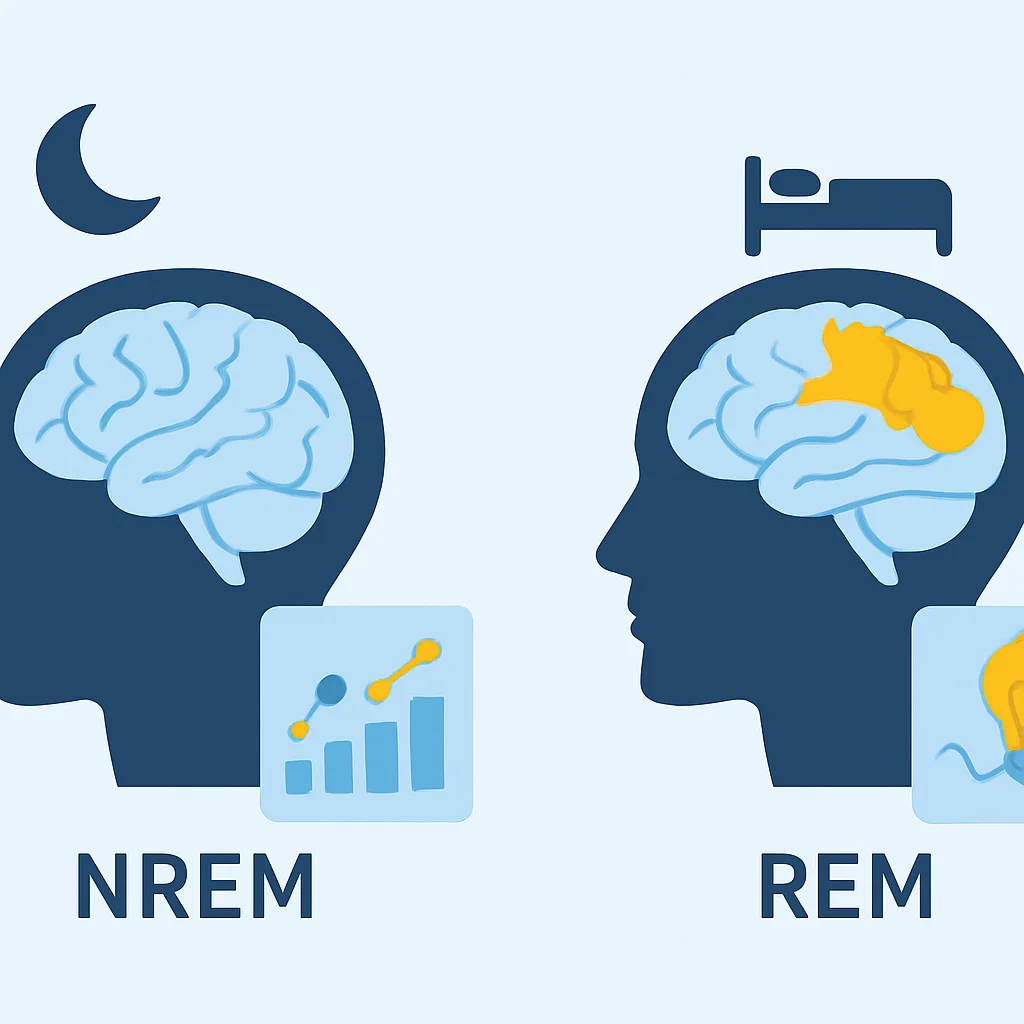
To truly optimize our sleep, it helps to understand what’s actually happening when we close our eyes. Sleep isn’t a singular, monolithic state. It’s a complex cycle divided into two main categories: Non-Rapid Eye Movement (NREM) sleep and Rapid Eye Movement (REM) sleep. These cycles repeat roughly every 90 minutes, with the proportion of each stage changing throughout the night.
NREM Sleep: The Deep Rest and Repair
NREM sleep, particularly its deepest stages (often referred to as slow-wave sleep), is crucial for physical restoration and memory consolidation. During this phase, your brain activity slows down, your heart rate and breathing become regular, and your body gets to work repairing tissues, building bone and muscle, and strengthening your immune system. For developers, this is where declarative memories (facts, figures, concepts) are transferred from short-term to long-term storage. Imagine all those new APIs, syntax rules, and architectural patterns you learned during the day – NREM sleep helps cement them.
REM Sleep: The Brain’s Playground
REM sleep is characterized by vivid dreaming, increased brain activity (often resembling wakefulness), and temporary muscle paralysis. This stage is vital for emotional regulation, problem-solving, and procedural memory consolidation – the “how-to” memories, like learning a new programming language or mastering a complex algorithm. Many developers report having “aha!” moments or solving tricky bugs after a good night’s sleep, and REM sleep is often credited for this creative processing. It’s where your brain makes novel connections and processes complex information, which is invaluable for debugging and architectural design.
Insufficient sleep, particularly deep NREM and REM, leads to a cascade of negative effects that directly impact a developer’s performance:
Impact of Sleep Deprivation on Developers
Reduced Attention & Focus – Difficulty concentrating on tasks, leading to more distractions and context switching.
Increased Error Rates – More bugs, logic flaws, and mistakes in coding, requiring extra time for debugging.
Impaired Problem-Solving – Struggles with complex algorithms, architectural decisions, and creative solutions.
Poor Memory Consolidation – Forgetting newly learned syntax, API calls, or project requirements, necessitating constant re-learning.
Decreased Emotional Regulation – Increased irritability, stress, and reduced ability to handle feedback or team conflicts.
Beyond sleep stages, our internal biological clock, the circadian rhythm, plays a massive role. This 24-hour cycle regulates various physiological processes, including sleep-wake patterns. Exposure to light, especially blue light from screens, can significantly disrupt this rhythm by suppressing melatonin production, the hormone that signals to your body it’s time to sleep. This is why late-night coding can be so detrimental to your sleep quality.
KEY POINT
Both NREM and REM sleep are critical for developers. NREM helps solidify facts and knowledge, while REM boosts creativity and complex problem-solving. Disrupting these cycles, often by late-night screen exposure, directly harms cognitive function.
STRATEGIES
Core Sleep Optimization Strategies
Now that we understand the ‘why,’ let’s dive into the ‘how.’ These strategies are actionable and designed to fit into a developer’s demanding lifestyle. Remember, consistency is key!
1. Master Your Sleep Hygiene
Sleep hygiene refers to a set of practices necessary to achieve good quality sleep on a regular basis. Think of it as setting up your environment and routine for success.
Key Sleep Hygiene Practices
☑ Consistent Sleep Schedule: Go to bed and wake up at roughly the same time every day, even on weekends. This reinforces your circadian rhythm. Aim for within a 30-minute window.
☑ Optimize Your Bedroom Environment:
Darkness: Block out all light. Use blackout curtains or an eye mask. Even small amounts of light can disrupt melatonin production. Seriously, aim for pitch black.
Coolness: The ideal bedroom temperature is between 18-20°C (65-68°F). Your body naturally cools down to initiate sleep. A cooler room helps facilitate this.
Quietness: Minimize noise. Earplugs, white noise machines, or even a fan can help mask disruptive sounds. Aim for ambient noise levels below 35 dBA.
☑ Create a Relaxing Pre-Sleep Routine: About 60-90 minutes before bed, start winding down. This could include reading a physical book, taking a warm bath, listening to calming music, or light stretching. Avoid work-related tasks, intense discussions, or planning for the next day.
☑ Limit Bedroom Activities: Your bedroom should primarily be for sleep and intimacy. Avoid working, eating, or watching TV in bed to strengthen the mental association between your bed and sleep.
2. Implement a Digital Detox
This is perhaps one of the most challenging but impactful strategies for developers. Our screens are our livelihood, but they are also potent sleep disruptors.
KEY POINT
Blue light emitted from screens suppresses melatonin, delaying sleep onset. A strict digital detox 1-2 hours before bed is crucial for regulating your circadian rhythm.
Digital Detox Best Practices
Screen Curfew: Aim to stop using all screens (computer, phone, tablet, TV) at least 60-90 minutes before your target bedtime. This allows your brain to shift out of “work mode” and reduces blue light exposure.
Blue Light Filters: Utilize software like f.lux for desktops, or built-in features like Night Shift (macOS/iOS) and Night Light (Windows/Android). Set them to activate several hours before sunset to gradually reduce blue light. While helpful, they don’t replace a full screen curfew.
Dim the Lights: In the evenings, switch to warmer, dimmer lighting in your home. Avoid bright overhead lights. Smart bulbs can be programmed to shift color temperature and brightness automatically.
No Phones in Bed: Resist the urge to scroll through social media or check emails in bed. This blurs the line between relaxation and stimulation.
3. Optimize Diet & Exercise
What you consume and how you move your body significantly impacts your sleep quality.
Diet & Exercise Guidelines for Sleep
Caffeine Cutoff: Avoid caffeine at least 6-8 hours before bedtime. Caffeine has a half-life of about 5 hours, meaning half of it is still in your system 5 hours after consumption. For someone aiming for a 10 PM bedtime, this means no coffee after 2 PM.
Alcohol Moderation: While alcohol might make you feel drowsy, it disrupts sleep architecture, particularly REM sleep, leading to fragmented and less restorative rest. Limit intake, especially close to bedtime.
Avoid Heavy Meals Before Bed: Eating a large, rich meal too close to sleep can trigger indigestion and keep your digestive system working overtime, making it harder to fall asleep. Try to finish your last substantial meal at least 2-3 hours before bed.
Regular Exercise: Consistent physical activity during the day promotes deeper, more restful sleep. However, avoid intense workouts within 2-3 hours of bedtime, as they can raise your core body temperature and stimulate your nervous system, making it harder to wind down.
Hydration: Stay well-hydrated throughout the day, but reduce fluid intake in the hour or two before bed to minimize nighttime bathroom trips.
4. Manage Stress & Mental Clutter
Developers often deal with high-stress environments, complex problems, and constant mental stimulation. This “always-on” brain state can be a significant barrier to sleep.
“The greatest challenge for a developer isn’t writing code, but turning off the compiler in their head when it’s time to sleep.”
— Kwonglish Blog
Stress Management Techniques for Better Sleep
Mindfulness & Meditation: Even 5-10 minutes of daily meditation can significantly reduce stress and improve sleep quality. Apps like Calm or Headspace offer guided sessions.
Journaling: If your mind races with thoughts about work or personal issues, try “brain dumping” them onto paper an hour or two before bed. This can help clear your mind and prevent rumination.
Deep Breathing Exercises: Simple diaphragmatic breathing can activate your parasympathetic nervous system, signaling your body to relax. Practice this during your wind-down routine.
Set Boundaries: Learn to say no to late-night work requests or commitments that infringe on your sleep time. Protecting your boundaries is crucial for long-term well-being.
5. Strategic Napping
While not a substitute for a full night’s sleep, strategic napping can be a powerful tool for developers to boost alertness and cognitive function during the day, especially after a less-than-perfect night.
KEY POINT
A “power nap” of 20-30 minutes can significantly improve alertness and performance without causing sleep inertia, making it ideal for a midday energy boost.
Napping Guidelines for Developers
Optimal Duration: Aim for a 20-30 minute nap. This allows you to get restorative NREM sleep without entering deep sleep stages, which can lead to grogginess upon waking (sleep inertia).
Timing is Key: The best time for a nap is typically in the early afternoon, between 1 PM and 3 PM, when most people experience a natural dip in alertness. Napping too late in the day can interfere with nighttime sleep.
Environment: Find a quiet, dark, and cool place to nap. If you’re at the office, a designated nap pod or even your car can work. Use an eye mask and earplugs if necessary.
Set an Alarm: Always set an alarm to ensure your nap doesn’t extend beyond the optimal duration. A gentle alarm sound is preferable.
TECHNOLOGY
Tech Tools for Better Sleep
While we just discussed a digital detox, technology isn’t inherently detrimental to sleep. When used wisely, certain tech tools can be powerful allies in your quest for optimized rest. The trick is to use them to enhance your sleep environment and track progress, rather than creating new distractions.
1. Sleep Tracking Wearables
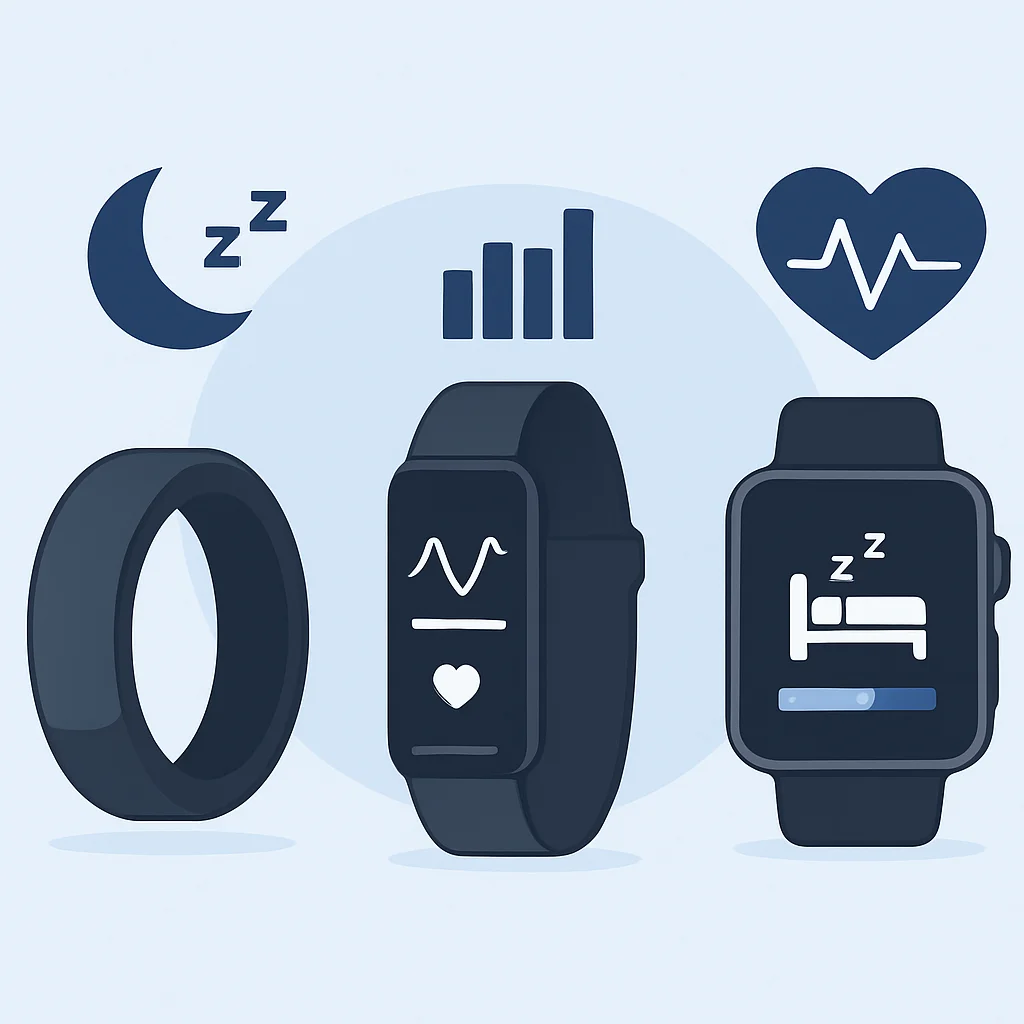
Devices like the Oura Ring, Whoop strap, or advanced smartwatches (e.g., Apple Watch, Garmin Fenix) can provide valuable insights into your sleep patterns. They typically track:
What Sleep Trackers Monitor
Sleep Stages: Estimates of time spent in light, deep (NREM), and REM sleep.
Heart Rate Variability (HRV): A key indicator of your autonomic nervous system activity and recovery.
Resting Heart Rate (RHR): A lower RHR during sleep generally indicates better cardiovascular health and recovery.
Respiratory Rate: Helps identify potential breathing irregularities.
Sleep Latency & Efficiency: How long it takes to fall asleep and the percentage of time spent asleep while in bed.
How to use them: Don’t obsess over the data, but look for trends. If your deep sleep consistently dips after late-night coding, it’s a clear signal to adjust your routine. Many devices offer daily “readiness” or “recovery” scores that can guide your training or work intensity for the day. For instance, if your Oura Ring shows a low readiness score, it might be a day to prioritize lighter tasks or take a strategic nap.
2. Smart Home Devices
Smart lighting and thermostats can automate your sleep environment for optimal conditions.
Smart Lighting (e.g., Philips Hue, Nanoleaf): Program lights to gradually dim and shift to warmer, redder tones in the evening, mimicking sunset. In the morning, they can slowly brighten with cool, blueish light to gently wake you. This supports your natural circadian rhythm.
Smart Thermostats (e.g., Ecobee, Nest): Schedule your bedroom temperature to drop to the ideal 18-20°C (65-68°F) an hour before your bedtime and perhaps slightly increase before you wake up. This pre-cooling can significantly improve sleep onset and quality.
3. Sleep-Focused Apps
Beyond meditation apps mentioned earlier, several apps specifically target sleep improvement:
Helpful Sleep Apps
Sleep Cycle: Uses your phone’s microphone or accelerometer to track your sleep phases and wakes you during your lightest sleep stage within a set window, making waking up feel more natural.
White Noise/Soundscape Apps: Apps like Noisli or myNoise offer customizable ambient sounds (rain, forest, fan, brown noise) to mask disruptive noises and create a calming background.
Cognitive Behavioral Therapy for Insomnia (CBT-I) Apps: Prescription-only apps or guided programs (e.g., Somryst, Sleepio) can offer structured therapy to address chronic insomnia, providing tools and exercises to change thoughts and behaviors around sleep. Consult a healthcare professional for these.
4. Blue Light Filtering Software/Hardware
We mentioned these earlier, but it’s worth reiterating their importance. Beyond software, consider dedicated hardware solutions.
CODE EXPLANATION
This pseudo-code snippet demonstrates how you might configure a hypothetical smart home system or a custom script to automatically adjust lighting and screen filters based on the time of day, supporting your circadian rhythm.
// Pseudo-code for a developer's smart sleep automation script (e.g., Python with smart home APIs)

import datetime
import time

# --- Configuration ---
BEDTIME_HOUR = 22 // 10 PM
WAKEUP_HOUR = 7  // 7 AM
BLUE_LIGHT_FILTER_START_HOUR = 18 // 6 PM
ROOM_TEMP_BEDTIME = 19 // Celsius
ROOM_TEMP_WAKEUP = 21 // Celsius

def set_smart_lights(color_temp, brightness):
    print(f"Setting lights to color_temp: {color_temp}K, brightness: {brightness}%")
    // Simulate API call to Philips Hue or similar
    // requests.post("https://api.smarthome.com/lights", json={"color": color_temp, "bright": brightness})

def set_thermostat(temperature):
    print(f"Setting thermostat to {temperature}°C")
    // Simulate API call to Nest/Ecobee
    // requests.post("https://api.smarthome.com/thermostat", json={"temp": temperature})

def activate_blue_light_filter_on_pc():
    print("Activating desktop blue light filter (e.g., f.lux, native OS night light)")
    // This would typically be a system-level command or an OS API call
    // os.system("fluxctl set-color-temp 2700K") // Example for f.lux CLI

def main_automation_loop():
    while True:
        now = datetime.datetime.now()
        current_hour = now.hour

        // Evening routine: Dim lights, warm colors, blue light filter, cool room
        if current_hour >= BLUE_LIGHT_FILTER_START_HOUR and current_hour < BEDTIME_HOUR:
            set_smart_lights(color_temp="2700K", brightness=40) // Warm, dim light
            activate_blue_light_filter_on_pc()
            print("Evening routine active.")

        // Pre-bed routine: Further dim, cooler room
        elif current_hour >= BEDTIME_HOUR - 1 and current_hour < BEDTIME_HOUR: // 1 hour before bedtime
            set_smart_lights(color_temp="2200K", brightness=20) // Very warm, very dim
            set_thermostat(ROOM_TEMP_BEDTIME + 1) // Start cooling down
            print("Pre-bed routine active.")

        // Bedtime: Optimal sleep environment
        elif current_hour == BEDTIME_HOUR:
            set_smart_lights(color_temp="0K", brightness=0) // Turn off lights
            set_thermostat(ROOM_TEMP_BEDTIME) // Target sleep temperature
            print("Bedtime environment set.")

        // Wake-up routine: Gradually brighten, warm room
        elif current_hour >= WAKEUP_HOUR - 1 and current_hour < WAKEUP_HOUR: // 1 hour before wake-up
            set_thermostat(ROOM_TEMP_WAKEUP - 1) // Start warming up
            set_smart_lights(color_temp="4000K", brightness=30) // Cooler, brighter
            print("Pre-wake-up routine active.")

        // Morning: Full brightness, normal temp, disable blue light filter
        elif current_hour == WAKEUP_HOUR:
            set_smart_lights(color_temp="6500K", brightness=100)
            set_thermostat(ROOM_TEMP_WAKEUP)
            print("Morning environment set.")
            // Deactivate blue light filter (not shown for simplicity, usually automatic)

        else:
            print("Default daytime settings active.")

        time.sleep(3600) // Check every hour

if __name__ == "__main__":
    main_automation_loop()
Physical Blue Light Glasses: While software filters are good, dedicated blue light blocking glasses (with amber or red lenses) worn in the evening can be even more effective at preventing melatonin suppression, especially if you absolutely must work on a screen late. Look for glasses that block 99%+ of blue light.
KEY POINT
Technology can be a powerful ally for sleep optimization. Use wearables to track trends, smart home devices to automate your environment, and apps for guided relaxation or smart alarms. Always prioritize mindful use over constant data obsession.