
SUMMARY
Cloud Cost Optimization Strategies for Developers in 2026
Practical strategies to significantly reduce your cloud spending across AWS, Azure, and Google Cloud Platform without sacrificing performance or scalability.
Keywords: cloud cost optimization, AWS cost management, Azure cost saving, GCP cost optimization, FinOps
TABLE OF CONTENTS
1. Introduction: The Imperative for Cloud Cost Optimization in 2026
2. Understanding Cloud Billing Models and Common Pitfalls
3. Optimizing Compute Resources: Right-Sizing and Beyond
4. Smart Storage Management: Tiering, Lifecycle, and Deletion
5. Navigating Network Costs: Data Transfer and Connectivity
6. Cost-Effective Managed Services: Databases, Caching, and Serverless
7. Implementing FinOps: Visibility, Governance, and Automation
8. Practical Strategies: Actionable Steps for Developers
9. Frequently Asked Questions (FAQ)
INTRODUCTION
1. The Imperative for Cloud Cost Optimization in 2026
In the rapidly evolving landscape of cloud computing, managing costs effectively has become as critical as ensuring performance and scalability. As we navigate 2026, organizations are increasingly mature in their cloud adoption, moving beyond simple migrations to optimizing their operations for maximum efficiency. However, with this maturity comes the challenge of spiraling cloud bills, often due to inefficient resource provisioning, neglected services, and a lack of clear cost visibility.
Developers, often at the forefront of deploying and managing cloud resources, play a pivotal role in this optimization journey. While their primary focus is on delivering features and maintaining application health, understanding the financial implications of their architectural decisions and resource choices is paramount. A recent report by Flexera in 2025 indicated that cloud waste continues to be a significant concern, with enterprises estimating an average of 30% of their cloud spend being wasted. For a company with an annual cloud budget of $10 million, this translates to $3 million in unnecessary expenditure.
This analysis report aims to equip developers with practical, actionable strategies to optimize cloud costs across the three major providers: Amazon Web Services (AWS), Microsoft Azure, and Google Cloud Platform (GCP). We’ll delve into specific techniques, provide comparative insights, and offer code examples to help you take control of your cloud spending without compromising your application’s reliability or your team’s agility.
“Effective cloud cost optimization isn’t just about cutting expenses; it’s about maximizing value, ensuring that every dollar spent in the cloud directly contributes to business objectives and innovation.”
KEY POINT
Cloud waste, estimated at 30% of total spend in 2025, highlights the urgent need for developers to adopt FinOps principles and cost-aware practices to drive efficiency and value.
CORE CONTENT
2. Understanding Cloud Billing Models and Common Pitfalls
Before diving into specific optimization tactics, it’s crucial to grasp the underlying billing models of the major cloud providers. While they share similarities, subtle differences can lead to unexpected costs. All three primarily use a pay-as-you-go model, but pricing varies significantly by service, region, and usage patterns.
2.1. AWS Billing Nuances
AWS offers hundreds of services, each with its own pricing structure. EC2 instances are billed per second (Linux) or per hour (Windows), S3 storage by GB-month and data transfer, Lambda by requests and GB-seconds. Key pitfalls often arise from:
- Idle Resources: EC2 instances, RDS databases, or Load Balancers running 24/7 but only used during business hours.
- Data Transfer Out: Egress traffic from AWS to the internet is significantly more expensive than ingress. Cross-region data transfer also incurs costs.
- Unattached EBS Volumes/Snapshots: Storage that is no longer used but still provisioned.
- Underutilized Reserved Instances (RIs) or Savings Plans: Purchasing RIs/SPs for instances that are later terminated or scaled down.
2.2. Azure Cost Considerations
Azure’s billing is similar, with VMs billed by the minute, storage by GB-month, and functions by execution count and resource consumption. Common cost traps include:
- VM Oversizing: Deploying VMs larger than necessary for the workload.
- Unmanaged Disks: Disks not attached to any VM.
- App Service Plan Tiers: Choosing premium tiers for non-production environments.
- Excessive Monitoring Data: Log Analytics workspaces accumulating large amounts of data.
2.3. GCP Cost Management
GCP is known for per-second billing on many services and sustained use discounts. However, vigilance is still required:
- Underutilized Compute Engine Instances: Similar to AWS/Azure, idle or oversized VMs.
- Persistent Disks: Not deleting disks after VM deletion.
- BigQuery Storage: Inactive storage costs, especially for large datasets.
- Network Egress: Data transfer out of GCP, especially across continents.
KEY POINT
Despite pay-as-you-go models, idle resources, excessive data transfer out, and unmanaged storage are universal pitfalls across AWS, Azure, and GCP, leading to significant unforeseen costs.
OPTIMIZATION STRATEGIES
3. Optimizing Compute Resources: Right-Sizing and Beyond
Compute resources, such as virtual machines and containers, often represent the largest portion of a cloud bill. Optimizing these requires a multi-faceted approach, focusing on accurate sizing, efficient utilization, and leveraging cost-effective purchasing models.
3.1. Right-Sizing Instances
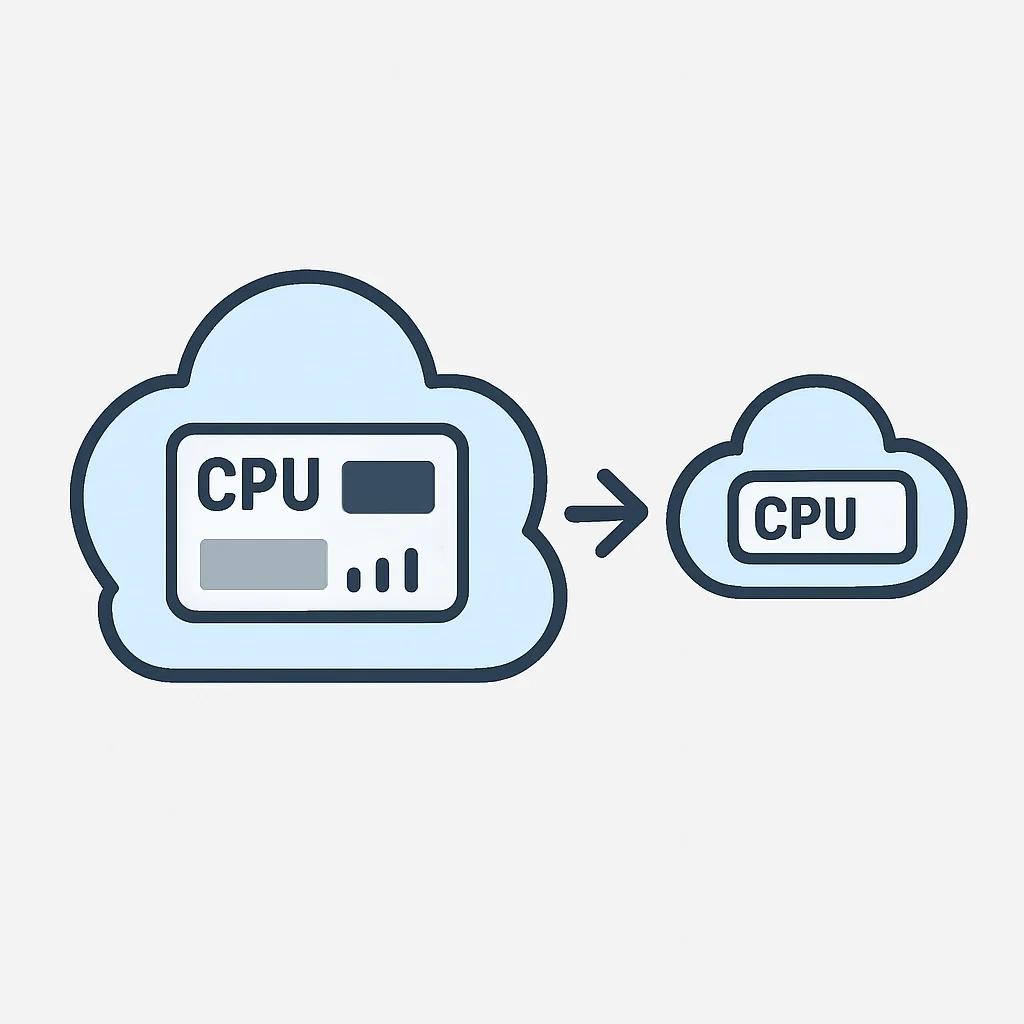
Many applications are deployed on instances larger than their actual needs, leading to significant waste. Monitoring CPU, memory, network, and disk I/O over time is crucial. Cloud providers offer tools for this:
- AWS: Utilize AWS Compute Optimizer, which analyzes historical usage and recommends optimal EC2 instance types, EBS volumes, and Lambda function configurations. It can suggest switching from an
m5.largeto at3.medium, potentially saving 30-50% on compute costs for underutilized instances. - Azure: Azure Advisor provides cost recommendations, including identifying underutilized VMs and suggesting right-sizing. It often points out VMs with average CPU utilization below 5% and memory below 20% over a 7-day period.
- GCP: GCP’s Recommender service offers machine type recommendations for Compute Engine based on usage patterns, often suggesting a custom machine type for precise resource allocation, which can be 10-20% cheaper than standard types for specific workloads.
3.2. Leveraging Discounted Purchasing Models
For predictable, long-running workloads, committing to usage can yield substantial savings:
- AWS Reserved Instances (RIs) & Savings Plans: RIs offer up to 75% discount for a 1 or 3-year commitment. Savings Plans provide even more flexibility, applying discounts across instance families and regions for compute usage. A 3-year commitment on an EC2 Savings Plan can reduce costs by up to 66%.
- Azure Reservations: Similar to AWS RIs, Azure Reservations offer up to 72% savings compared to pay-as-you-go pricing for 1 or 3-year commitments on VMs, Azure SQL Database, Cosmos DB, and more.
- GCP Committed Use Discounts (CUDs): GCP provides CUDs for 1 or 3-year commitments, offering up to 57% savings on Compute Engine and up to 70% on specific services like Cloud SQL and Google Kubernetes Engine (GKE) Autopilot.
Spot Instances / Low-Priority VMs / Preemptible VMs
AWS Spot Instances — Up to 90% off On-Demand pricing for fault-tolerant workloads (e.g., batch processing, stateless containers). Can be interrupted with 2-minute warning.
Azure Spot VMs — Up to 90% off Pay-as-you-go prices. Ideal for dev/test environments, batch jobs. Can be evicted at any time.
GCP Preemptible VMs — Up to 80% off standard prices. Instances last up to 24 hours and can be terminated with 30-second warning. Perfect for short-lived, flexible computations.
KEY POINT
For stable workloads, utilize 1-3 year commitments (RIs, Reservations, CUDs) for 50-75% savings. For fault-tolerant, flexible tasks, leverage Spot/Preemptible instances for up to 90% cost reduction.
OPTIMIZATION STRATEGIES
4. Smart Storage Management: Tiering, Lifecycle, and Deletion
Storage costs, while seemingly small per GB, can accumulate rapidly, especially with large datasets, backups, and logs. Implementing intelligent storage strategies is essential.
4.1. Leveraging Storage Tiers
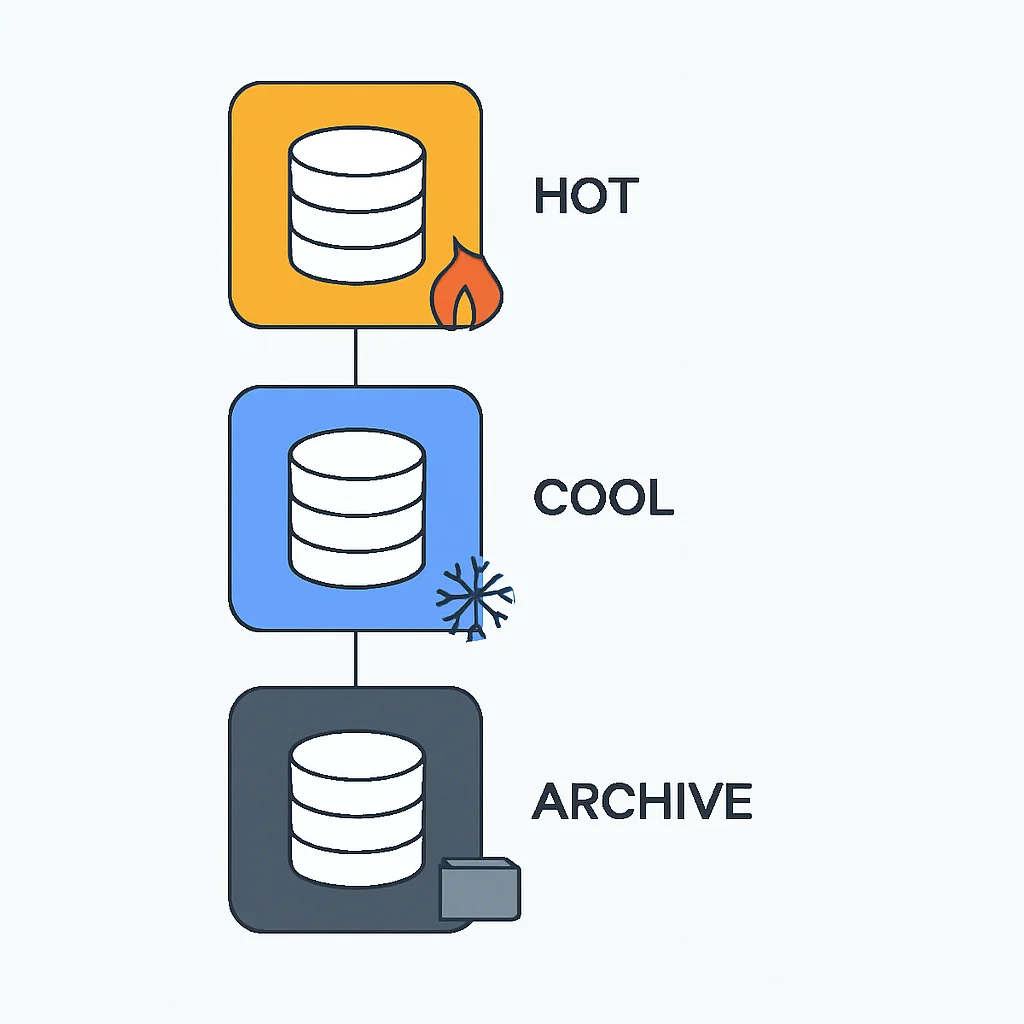
Cloud providers offer various storage classes optimized for different access patterns and retention needs. Moving data to colder tiers as it ages can dramatically reduce costs.
- AWS S3:
- S3 Standard: Frequent access.
- S3 Intelligent-Tiering: Automatically moves data between two low-latency access tiers and two infrequent access tiers based on access patterns, saving up to 68% compared to Standard.
- S3 Standard-IA (Infrequent Access): Less frequent access, rapid retrieval.
- S3 One Zone-IA: Infrequent access, single AZ (cost-effective for reconstructible data).
- S3 Glacier / Glacier Deep Archive: Archival data, lowest cost, retrieval times from minutes to hours. Glacier Deep Archive can be 95% cheaper than S3 Standard.
- Azure Blob Storage:
- Hot: Frequent access.
- Cool: Infrequent access (30 days minimum retention).
- Archive: Rare access (180 days minimum retention), lowest cost, highest retrieval latency. Archive tier is typically 70-80% cheaper than Cool.
- GCP Cloud Storage:
- Standard: Frequent access.
- Nearline: Monthly access (30 days minimum retention).
- Coldline: Quarterly access (90 days minimum retention).
- Archive: Yearly access (365 days minimum retention), lowest cost. Archive class can be 75-85% cheaper than Standard.
4.2. Implementing Lifecycle Policies
Automate the transition of objects between storage tiers or their deletion based on age or other criteria. This is a critical set-and-forget mechanism.
- AWS S3 Lifecycle Rules: Define rules to transition objects to S3-IA after 30 days, then to Glacier after 90 days, and finally delete after 365 days.
- Azure Blob Storage Lifecycle Management: Similar policies can be set to move blobs between Hot, Cool, and Archive tiers, or to delete them after a specified period.
- GCP Cloud Storage Object Lifecycle Management: Configure rules to transition objects to Nearline, Coldline, or Archive, or delete them based on age, versioning, or creation date.
CODE EXPLANATION
This Terraform snippet defines an AWS S3 bucket with a lifecycle rule. It transitions objects to the ‘STANDARD_IA’ storage class after 30 days and permanently deletes them after 365 days, ensuring cost-efficient data retention.
resource "aws_s3_bucket" "my_cost_optimized_bucket" {
  bucket = "my-kwonglish-optimized-bucket-2026"
  acl    = "private"

  lifecycle_rule {
    id = "log"

    transition {
      days          = 30
      storage_class = "STANDARD_IA"
    }

    expiration {
      days = 365
    }

    enabled = true
  }

  tags = {
    Environment = "Dev"
    Project     = "Kwonglish"
    Owner       = "Kwonglish"
  }
}
4.3. Deleting Unused and Orphaned Storage
Regularly audit and delete unattached disks, old snapshots, and orphaned backups. These “zombie resources” can quietly inflate bills.
- EBS Volumes (AWS): Use scripts or AWS Cost Explorer to identify unattached EBS volumes and delete them.
- Unmanaged Disks (Azure): Azure’s portal and CLI can help identify unattached managed and unmanaged disks.
- Persistent Disks (GCP): Ensure that when Compute Engine instances are deleted, their associated persistent disks are also deleted if no longer needed.
KEY POINT
Automate storage lifecycle management (tiering and deletion) using native cloud features and regularly audit for and eliminate orphaned storage resources to prevent silent cost creep.
OPTIMIZATION STRATEGIES
5. Navigating Network Costs: Data Transfer and Connectivity
Network costs, particularly data transfer out (egress) to the internet, are often overlooked but can become a significant portion of the cloud bill. Understanding and optimizing network traffic flow is crucial.
5.1. Minimizing Egress Traffic
Data leaving the cloud provider’s network to the public internet is expensive. Strategies to reduce this include:
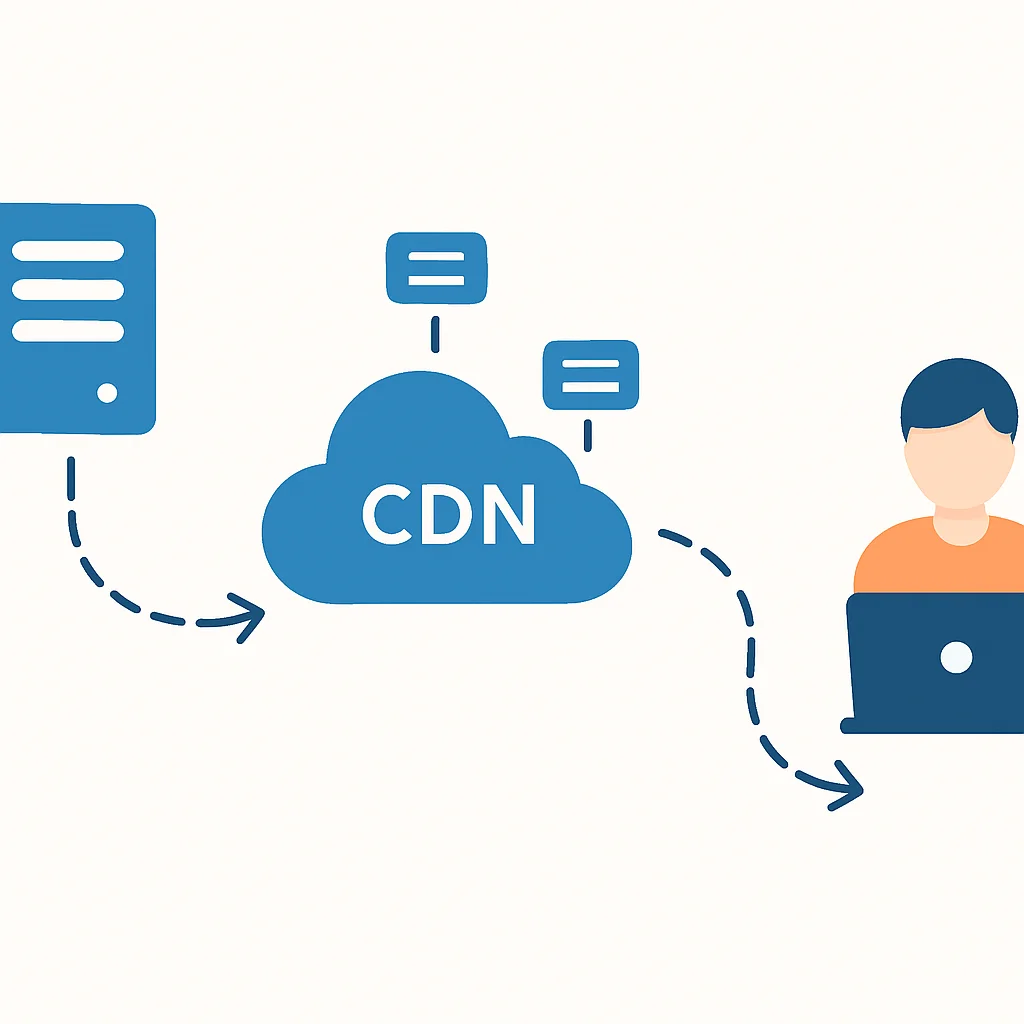
- Content Delivery Networks (CDNs): For static assets (images, videos, JS/CSS files), use AWS CloudFront, Azure CDN, or GCP Cloud CDN. CDNs cache content closer to users, reducing egress from your origin servers and often offering cheaper data transfer rates. For example, CloudFront egress can be 30-50% cheaper than EC2 egress for certain regions.
- Data Compression: Compress data before transferring it out of the cloud. Gzip compression can reduce data volume by 70-80%.
- Private Connectivity: For hybrid cloud scenarios, use AWS Direct Connect, Azure ExpressRoute, or GCP Cloud Interconnect. While these have upfront costs, they offer significantly reduced data transfer rates compared to public internet egress, sometimes by 50-70% for high volumes.
- Region Locality: Keep data and compute resources in the same region or even availability zone to avoid cross-AZ or cross-region data transfer costs, which can be substantial.
5.2. Optimizing NAT Gateway Costs
NAT Gateways (AWS), NAT Gateways (Azure), and Cloud NAT (GCP) enable private instances to connect to the internet. They incur costs based on hourly usage and data processed. For example, an AWS NAT Gateway costs approximately $0.045 per hour plus $0.045 per GB processed. If you have multiple NAT Gateways in different AZs and high data processing, this can add up.
- Consolidate NAT Gateways: If your architecture allows, consolidate to fewer NAT Gateways per region or even per VPC.
- VPC Endpoints / Private Link / Private Service Connect: For accessing other cloud services (e.g., S3, RDS, Azure Storage, GCP Cloud SQL) from private subnets, use private endpoints. This keeps traffic within the cloud provider’s network, bypassing NAT Gateway and internet egress costs. This can reduce NAT Gateway data processing by 50-80% for internal service communication.
- Proxy Servers: For specific egress patterns, a self-managed proxy server on a small instance might be cheaper than a NAT Gateway for very low traffic, but this adds operational overhead.
KEY POINT
Prioritize using CDNs for static content and private endpoints for internal cloud service communication to drastically cut down on expensive internet egress and NAT Gateway data processing costs.
OPTIMIZATION STRATEGIES
6. Cost-Effective Managed Services: Databases, Caching, and Serverless
Managed services simplify operations but can also be significant cost drivers if not managed properly. Optimization here involves selecting the right service, scaling appropriately, and leveraging serverless paradigms.
6.1. Database Optimization
- Right-Sizing: Just like EC2, ensure your RDS (AWS), Azure SQL Database, or Cloud SQL (GCP) instances are not over-provisioned. Monitor CPU, memory, and I/O.
- Serverless Databases: For intermittent or unpredictable workloads, consider AWS Aurora Serverless v2, Azure SQL Database Serverless, or GCP Cloud Spanner Serverless. These automatically scale compute capacity up and down, often saving 30-70% compared to provisioned instances for variable loads. For example, Aurora Serverless v2 charges only for the capacity consumed, down to 0.5 ACUs (Aurora Capacity Units).
- Storage Optimization: Use appropriate storage tiers for database backups. For example, moving older RDS snapshots to S3 Glacier can save costs.
- Stop Non-Production Databases: Automate stopping and starting non-production database instances outside business hours. This can cut costs by over 70% for a 5-day work week.
6.2. Caching Services
Implementing caching can reduce load on databases and compute, indirectly saving costs, but caching itself needs optimization.
- Elasticache (AWS), Azure Cache for Redis, Memorystore (GCP): Choose the right instance size and type. For example, a
cache.t3.micromight suffice for dev environments, while production might need largerm6ginstances. - Time-to-Live (TTL): Implement aggressive TTLs for cached items to ensure data freshness and prevent caches from growing unnecessarily large.
6.3. Serverless Architectures (Lambda, Azure Functions, Cloud Functions)
Serverless functions are inherently cost-effective for event-driven, intermittent workloads because you only pay for actual execution time and memory consumed.
- Memory and Duration: Optimize your function’s memory allocation and execution time. A small increase in memory can sometimes lead to a disproportionately faster execution time, resulting in lower overall cost (GB-seconds). For example, increasing a Lambda’s memory from 128MB to 256MB might halve its execution time, leading to a net cost reduction.
- Cold Starts: While not directly a cost issue, frequent cold starts can impact user experience. Provisioned Concurrency (AWS Lambda) or Premium plans (Azure Functions) can mitigate this for critical functions, but come with a cost premium. Evaluate if the performance gain justifies the cost.
KEY POINT
Embrace serverless databases and functions for variable workloads to pay only for actual usage. For provisioned managed services, diligently right-size and automate stopping non-production instances.
PROBLEM SOLVING
7. Implementing FinOps: Visibility, Governance, and Automation
FinOps is an operating model that brings financial accountability to the variable spend model of cloud, enabling organizations to make business trade-offs between speed, cost, and quality. For developers, this means integrating cost awareness into daily workflows.
7.1. Enhanced Cost Visibility and Reporting
You can’t optimize what you can’t see. Developers need access to granular cost data relevant to their services.
- Tagging Strategy: Implement a robust tagging strategy from day one. Tags like
Project,Environment(dev, staging, prod),Owner, andCostCenterallow you to break down costs by team, application, or business unit. - Cloud Cost Management Tools:
- AWS Cost Explorer / AWS Budgets: Visualize spending, identify trends, and set alerts for exceeding budget thresholds.
- Azure Cost Management + Billing: Provides dashboards, reports, and anomaly detection.
- GCP Cloud Billing Reports / Budgets & Alerts: Offers detailed cost breakdowns and forecasting.
- Third-party FinOps Platforms: Tools like CloudHealth, Flexera One, or Apptio Cloudability provide enhanced capabilities for multi-cloud cost optimization, including advanced reporting, anomaly detection, and recommendation engines.
7.2. Governance and Policy Enforcement
Prevent cost overruns by establishing guardrails and automating policy enforcement.
- Infrastructure as Code (IaC): Use Terraform, AWS CloudFormation, Azure Resource Manager templates, or GCP Deployment Manager to define and deploy resources. This ensures consistency and allows for cost-aware templates (e.g., restricting instance types, enforcing auto-shutdown tags).
- Policy as Code: Implement policies using AWS Config Rules, Azure Policy, or GCP Organization Policies. These can enforce tagging, prevent deployment of costly resources in non-production environments, or ensure resources are within budget limits. For instance, an Azure Policy can automatically audit and flag VMs that are not tagged with an ‘Environment’ tag, or block the creation of
E-seriesVMs in development subscriptions.
7.3. Automation for Cost Savings
Automating tasks like stopping/starting non-production resources, deleting old snapshots, or rightsizing instances based on recommendations is key to sustainable cost optimization.
CODE EXPLANATION
This Python script, intended for AWS Lambda, identifies EC2 instances with a ‘Schedule’ tag set to ‘off-hours’ and stops them. This is a common automation pattern to reduce costs for non-production environments during nights and weekends.
import boto3

def lambda_handler(event, context):
    ec2 = boto3.client('ec2', region_name='us-east-1')

    # Get all running instances
    reservations = ec2.describe_instances(
        Filters=[
            {'Name': 'instance-state-name', 'Values': ['running']},
            {'Name': 'tag:Schedule', 'Values': ['off-hours']}
        ]
    )['Reservations']

    instances_to_stop = []
    for reservation in reservations:
        for instance in reservation['Instances']:
            instances_to_stop.append(instance['InstanceId'])

    if instances_to_stop:
        print(f"Stopping instances: {instances_to_stop}")
        ec2.stop_instances(InstanceIds=instances_to_stop)
    else:
        print("No instances to stop with 'off-hours' schedule tag.")

    return {
        'statusCode': 200,
        'body': 'EC2 instances checked for off-hours schedule.'
    }
KEY POINT
Implement a robust tagging strategy, leverage cloud-native cost management tools, and embrace IaC and Policy as Code to enforce cost-aware governance and automate savings.
PRACTICAL APPLICATION
8. Practical Strategies: Actionable Steps for Developers
Here’s a checklist of actionable steps developers can integrate into their daily workflows for immediate and long-term cloud cost savings:
Developer’s Cloud Cost Optimization Checklist
☑ Regularly review instance/VM sizes: Use cloud provider recommendation tools (Compute Optimizer, Azure Advisor, GCP Recommender) to right-size compute resources. Aim for 20-30% CPU utilization on average for long-running services.
☑ Implement auto-shutdown for non-production environments: Tag dev/test resources and use scheduled functions (Lambda, Azure Functions, Cloud Functions) to stop them outside working hours. This can save up to 70% on compute costs for these environments.
☑ Automate storage lifecycle management: Configure S3 Lifecycle Rules, Azure Blob Storage Lifecycle Management, or GCP Cloud Storage Object Lifecycle Management to tier data to cheaper classes (IA, Glacier, Cool, Archive) and delete old versions/objects. For a 10TB dataset, moving from hot to archive can reduce monthly storage costs from ~$230 to ~$10.
☑ Utilize Spot/Preemptible Instances for flexible workloads: For batch jobs, CI/CD runners, or stateless containers, these can cut compute costs by up to 90%.
☑ Adopt CDNs for static content delivery: Reduce egress costs and improve performance by serving static assets via CloudFront, Azure CDN, or Cloud CDN.
☑ Use private endpoints for inter-service communication: Connect to databases, object storage, and other managed services via VPC Endpoints/Private Link/Private Service Connect to avoid NAT Gateway processing fees and internet egress.
☑ Implement robust tagging: Ensure all resources are tagged with Project, Environment, and Owner for accurate cost allocation and visibility.