
SUMMARY
Complete Docker to Kubernetes Migration Guide
Master container orchestration migration with production-ready strategies, real-world examples, and proven best practices for 2026.
Keywords: Docker Migration, Kubernetes Deployment, DevOps Orchestration
TABLE OF CONTENTS
1. Why Migrate from Docker to Kubernetes?
2. Pre-Migration Assessment and Planning
3. Container Analysis and Configuration Mapping
4. Kubernetes Deployment Strategies
5. Real-World Migration Examples
6. Production Considerations and Best Practices
7. Troubleshooting Common Migration Issues
8. Post-Migration Optimization
INTRODUCTION
Why Migrate from Docker to Kubernetes?
The container ecosystem has evolved dramatically since Docker’s initial release in 2013. While Docker revolutionized application deployment with containerization, modern enterprises now face challenges that require orchestration capabilities beyond what standalone Docker containers can provide. In 2026, organizations managing multiple containers across distributed environments are increasingly turning to Kubernetes for production workloads.
KEY POINT
According to the 2026 CNCF Survey, 96% of organizations are either using or evaluating Kubernetes, with container orchestration being the primary driver for migration from standalone Docker deployments.
When Docker Alone Isn’t Enough
Scale Limitations — Docker Compose struggles with multi-host deployments and automatic scaling based on resource utilization.
Service Discovery — Manual network configuration becomes complex with hundreds of microservices.
High Availability — No built-in failover or self-healing capabilities for container crashes.
Resource Management — Limited control over CPU and memory allocation across multiple nodes.
Rolling Updates — Zero-downtime deployments require manual orchestration with Docker alone.
The migration to Kubernetes addresses these fundamental limitations while maintaining the benefits of containerization. Companies like Netflix, Airbnb, and Spotify have successfully transitioned their Docker-based applications to Kubernetes, reporting significant improvements in deployment frequency, system reliability, and operational efficiency.
However, this migration isn’t merely a lift-and-shift operation. It requires careful planning, architectural considerations, and understanding of Kubernetes concepts that differ significantly from Docker’s approach to container management. The complexity of this transition often determines whether organizations achieve their scalability and reliability goals.
PLANNING
Pre-Migration Assessment and Planning
Successful Docker to Kubernetes migrations begin with a comprehensive assessment of existing containerized applications. This phase determines migration complexity, resource requirements, and potential architectural changes needed for Kubernetes deployment.
Application Inventory and Dependency Mapping
Essential Assessment Categories
Stateless Applications — Web services, APIs, microservices (easiest to migrate).
Stateful Applications — Databases, file systems, session storage (require persistent volumes).
Legacy Applications — Monolithic services, shared filesystems (may need refactoring).
External Dependencies — Third-party services, hardware-specific requirements.
Security Requirements — Compliance standards, network policies, secret management.
Document current Docker Compose files, networking configurations, and volume mounts. This information becomes crucial for translating Docker concepts into Kubernetes equivalents. A typical enterprise migration involves 50-200 containers across multiple environments, making systematic documentation essential.
CODE EXPLANATION
This script analyzes existing Docker Compose files to extract container information, dependencies, and resource requirements for Kubernetes migration planning.
#!/bin/bash
# Docker to Kubernetes Migration Assessment Script

echo "=== Docker to Kubernetes Migration Assessment ==="

# Analyze Docker Compose files
find . -name "docker-compose*.yml" -exec echo "Found compose file: {}" \;

# Extract service information
docker-compose config --services | while read service; do
    echo "Service: $service"
    docker-compose config | yq eval ".services.$service.image" -
    docker-compose config | yq eval ".services.$service.ports[]?" -
    docker-compose config | yq eval ".services.$service.volumes[]?" -
    echo "---"
done

# Check current container resource usage
docker stats --no-stream --format "table {{.Container}}\t{{.CPUPerc}}\t{{.MemUsage}}\t{{.NetIO}}\t{{.BlockIO}}"

# Identify persistent volumes
docker volume ls --format "table {{.Driver}}\t{{.Name}}"

echo "Assessment complete. Review output for migration planning."
Infrastructure and Resource Planning
Kubernetes requires different infrastructure considerations compared to Docker standalone deployments. CPU and memory requirements typically increase by 15-25% due to Kubernetes overhead, while network complexity grows significantly with pod-to-pod communication and service discovery.
Small-Scale Migration (5-20 containers)
Single-node Kubernetes cluster sufficient, minimal networking complexity, straightforward storage requirements.
Medium-Scale Migration (20-100 containers)
Multi-node cluster required, service mesh consideration, persistent volume management, load balancer configuration.
Large-Scale Migration (100+ containers)
Enterprise Kubernetes platform, advanced networking, multi-cluster setup, comprehensive monitoring and logging.
ANALYSIS
Container Analysis and Configuration Mapping
Translating Docker configurations to Kubernetes requires understanding the conceptual differences between Docker Compose services and Kubernetes workloads. This section provides detailed mapping between Docker and Kubernetes concepts with practical examples.
Docker Compose to Kubernetes Translation Matrix
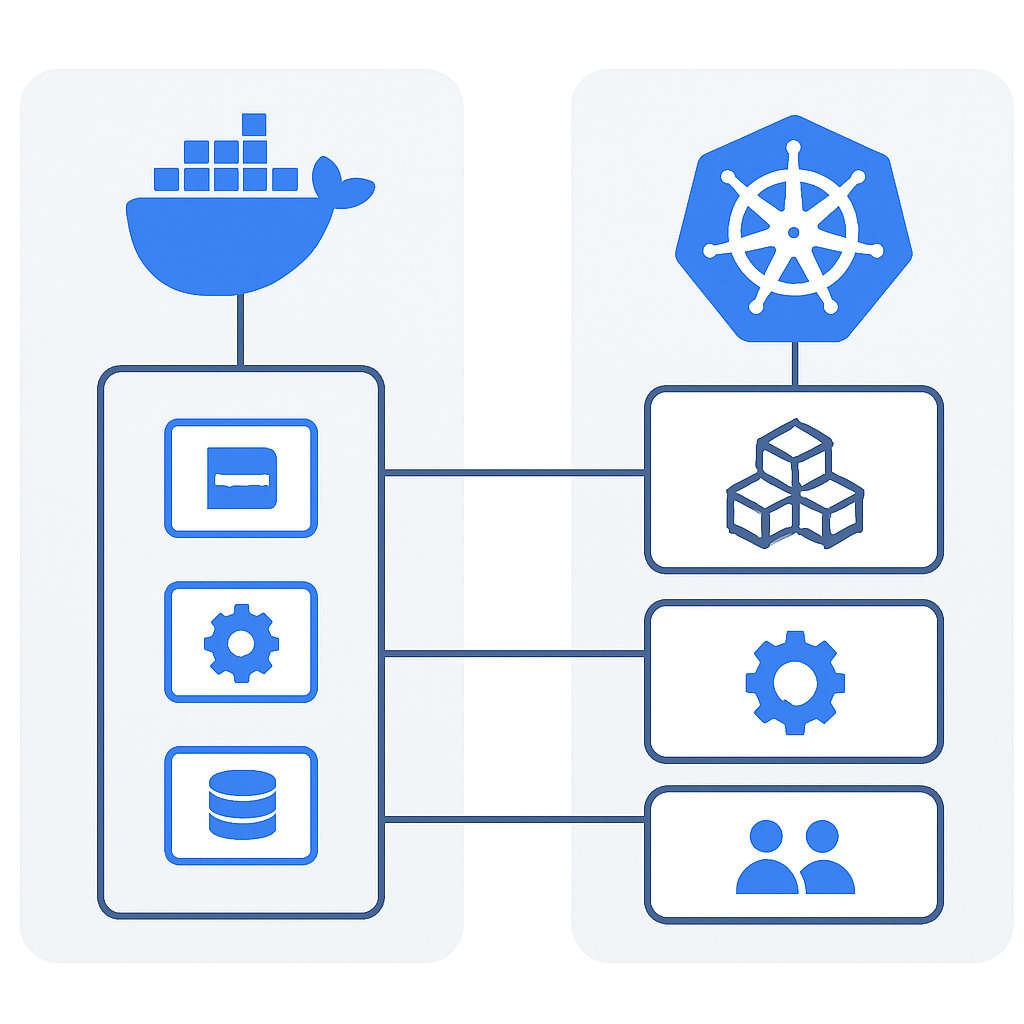
Core Component Mapping
| Docker Compose | Kubernetes Resource | Notes |
|---|---|---|
| services | Deployment + Service | Deployment manages pods, Service handles networking. |
| networks | NetworkPolicy | More granular control in K8s. |
| volumes | PersistentVolume + PVC | Separates storage definition from claims. |
| environment | ConfigMap + Secret | Separates config from sensitive data. |
| depends_on | InitContainers | More sophisticated dependency handling. |
| ports | Service (ClusterIP/NodePort/LoadBalancer) | Different service types for various exposure needs. |
Practical Configuration Examples
Let’s examine a real-world migration example: converting a typical web application stack from Docker Compose to Kubernetes. This example demonstrates common patterns and best practices for configuration translation.
CODE EXPLANATION
Original Docker Compose configuration for a web application with database, showing typical patterns that need translation to Kubernetes.
# Original docker-compose.yml
version: '3.8'

services:
  web:
    image: nginx:1.21
    ports:
      - "80:80"
      - "443:443"
    volumes:
      - ./nginx.conf:/etc/nginx/nginx.conf:ro
      - web_data:/var/www/html
    depends_on:
      - app
    networks:
      - frontend

  app:
    image: myapp:1.0
    environment:
      - DATABASE_URL=postgresql://user:pass@db:5432/mydb
      - REDIS_URL=redis://redis:6379
    volumes:
      - app_logs:/app/logs
    depends_on:
      - db
      - redis
    networks:
      - frontend
      - backend

  db:
    image: postgres:13
    environment:
      - POSTGRES_DB=mydb
      - POSTGRES_USER=user
      - POSTGRES_PASSWORD=pass
    volumes:
      - postgres_data:/var/lib/postgresql/data
    networks:
      - backend

  redis:
    image: redis:6.2
    volumes:
      - redis_data:/data
    networks:
      - backend

volumes:
  web_data:
  app_logs:
  postgres_data:
  redis_data:

networks:
  frontend:
  backend:
CODE EXPLANATION
Kubernetes equivalent configuration using separate YAML files for each component. Note the separation of concerns and explicit resource definitions.
# nginx-deployment.yaml
apiVersion: apps/v1
kind: Deployment
metadata:
  name: nginx-deployment
  labels:
    app: nginx
spec:
  replicas: 2
  selector:
    matchLabels:
      app: nginx
  template:
    metadata:
      labels:
        app: nginx
    spec:
      containers:
      - name: nginx
        image: nginx:1.21
        ports:
        - containerPort: 80
        - containerPort: 443
        volumeMounts:
        - name: nginx-config
          mountPath: /etc/nginx/nginx.conf
          subPath: nginx.conf
          readOnly: true
        - name: web-data
          mountPath: /var/www/html
        resources:
          requests:
            memory: "64Mi"
            cpu: "250m"
          limits:
            memory: "128Mi"
            cpu: "500m"
      volumes:
      - name: nginx-config
        configMap:
          name: nginx-config
      - name: web-data
        persistentVolumeClaim:
          claimName: web-data-pvc
---
apiVersion: v1
kind: Service
metadata:
  name: nginx-service
spec:
  selector:
    app: nginx
  ports:
  - name: http
    port: 80
    targetPort: 80
  - name: https
    port: 443
    targetPort: 443
  type: LoadBalancer
KEY POINT
Kubernetes requires explicit resource requests and limits, which Docker Compose doesn’t enforce. This prevents resource contention and enables proper scheduling across cluster nodes.
Configuration Management Strategy
Kubernetes separates configuration data from application code more strictly than Docker Compose. Environment variables, configuration files, and secrets require dedicated Kubernetes resources, improving security and maintainability.
CODE EXPLANATION
ConfigMap and Secret resources for managing application configuration and sensitive data separately from container images.
# configmap.yaml
apiVersion: v1
kind: ConfigMap
metadata:
  name: app-config
data:
  database_host: "postgres-service"
  redis_host: "redis-service"
  log_level: "INFO"
  nginx.conf: |
    events {
        worker_connections 1024;
    }
    http {
        upstream app_servers {
            server app-service:3000;
        }
        server {
            listen 80;
            location / {
                proxy_pass http://app_servers;
            }
        }
    }
---
# secret.yaml
apiVersion: v1
kind: Secret
metadata:
  name: app-secrets
type: Opaque
data:
  database_password: cGFzcw== # base64 encoded "pass"
  database_user: dXNlcg== # base64 encoded "user"
  secret_key: bXktc2VjcmV0LWtleQ== # base64 encoded "my-secret-key"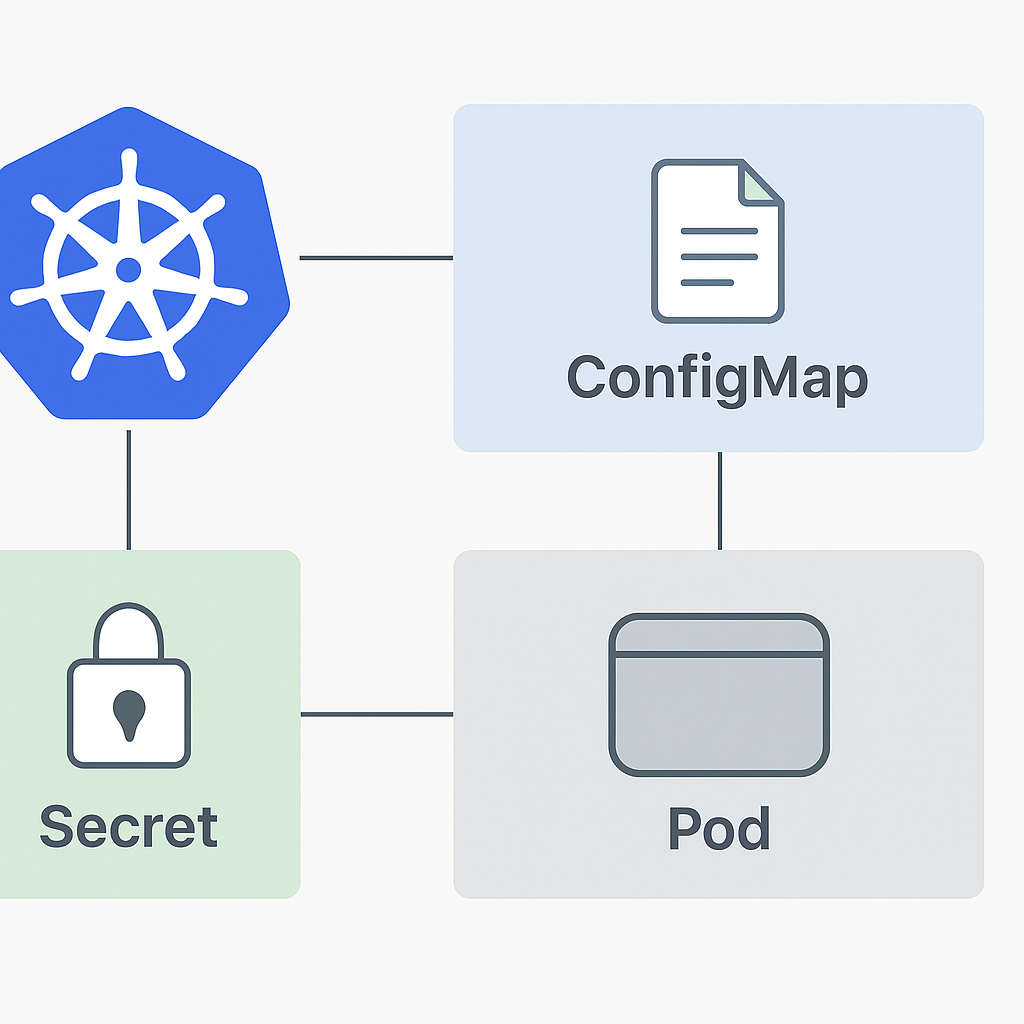
DEPLOYMENT
Kubernetes Deployment Strategies
Choosing the right deployment strategy significantly impacts migration success and production stability. Unlike Docker Compose’s simple service replacement, Kubernetes offers multiple deployment patterns optimized for different scenarios and risk tolerance levels.
Rolling Deployment Strategy
Rolling deployments replace containers gradually, maintaining application availability throughout the migration process. This strategy works well for stateless applications and represents the safest approach for most Docker to Kubernetes migrations.
1
Configure Rolling Update Parameters
Set maxUnavailable and maxSurge values based on resource constraints and availability requirements.
2
Implement Health Checks
Configure readiness and liveness probes to ensure containers are fully functional before receiving traffic.
3
Monitor Deployment Progress
Track pod status and application metrics throughout the rolling update process.
CODE EXPLANATION
Deployment configuration with rolling update strategy, health checks, and resource constraints for safe container replacement.
apiVersion: apps/v1
kind: Deployment
metadata:
  name: web-app-deployment
spec:
  replicas: 3
  strategy:
    type: RollingUpdate
    rollingUpdate:
      maxUnavailable: 1
      maxSurge: 1
  selector:
    matchLabels:
      app: web-app
  template:
    metadata:
      labels:
        app: web-app
    spec:
      containers:
      - name: web-app
        image: myapp:1.0
        ports:
        - containerPort: 3000
        env:
        - name: DATABASE_URL
          valueFrom:
            secretKeyRef:
              name: app-secrets
              key: database_url
        livenessProbe:
          httpGet:
            path: /health
            port: 3000
          initialDelaySeconds: 30
          periodSeconds: 10
        readinessProbe:
          httpGet:
            path: /ready
            port: 3000
          initialDelaySeconds: 5
          periodSeconds: 5
        resources:
          requests:
            memory: "256Mi"
            cpu: "250m"
          limits:
            memory: "512Mi"
            cpu: "500m"
Blue-Green Deployment Strategy
Blue-green deployments maintain two identical production environments, switching traffic between them during updates. This approach provides instant rollback capabilities and zero-downtime deployments, making it ideal for critical applications migrating from Docker.
Pros
✔ Instant rollback capability
✔ Zero downtime deployments
✔ Full testing environment identical to production
Cons
✖ Requires double the infrastructure resources
✖ Complex database synchronization
✖ Stateful application challenges
Canary Deployment Strategy
Canary deployments gradually shift traffic to new container versions, allowing performance monitoring and issue detection before full rollout. This strategy provides excellent risk mitigation for complex Docker to Kubernetes migrations.
CODE EXPLANATION
Canary deployment using Kubernetes native resources with traffic splitting configuration and monitoring integration.
# Stable deployment (90% traffic)
apiVersion: apps/v1
kind: Deployment
metadata:
  name: app-stable
  labels:
    version: stable
spec:
  replicas: 9
  selector:
    matchLabels:
      app: myapp
      version: stable
  template:
    metadata:
      labels:
        app: myapp
        version: stable
    spec:
      containers:
      - name: app
        image: myapp:1.0
---
# Canary deployment (10% traffic)
apiVersion: apps/v1
kind: Deployment
metadata:
  name: app-canary
  labels:
    version: canary
spec:
  replicas: 1
  selector:
    matchLabels:
      app: myapp
      version: canary
  template:
    metadata:
      labels:
        app: myapp
        version: canary
    spec:
      containers:
      - name: app
        image: myapp:2.0
---
# Service routes traffic to both versions
apiVersion: v1
kind: Service
metadata:
  name: app-service
spec:
  selector:
    app: myapp
  ports:
  - port: 80
    targetPort: 3000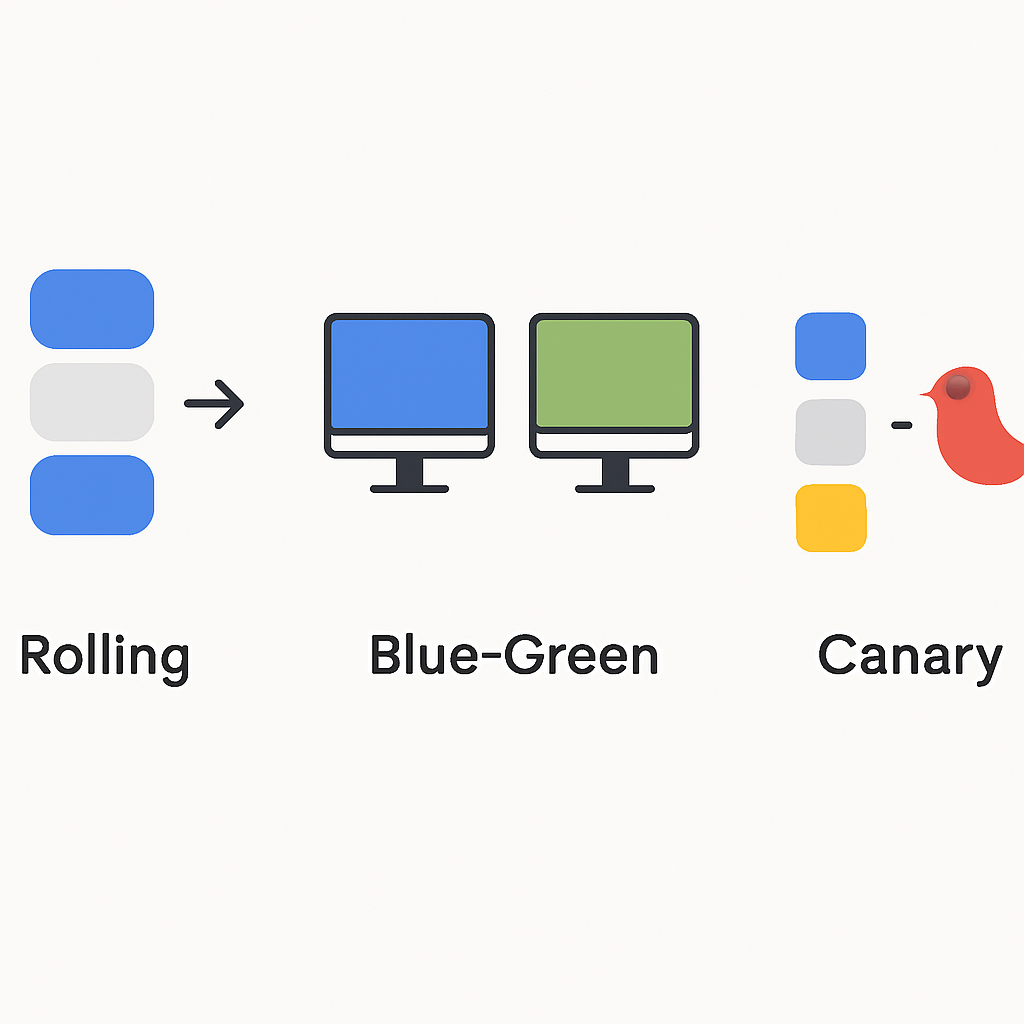
EXAMPLES
Real-World Migration Examples
This section presents three comprehensive migration scenarios representing common enterprise patterns: e-commerce platform, microservices API, and legacy monolithic application. Each example demonstrates specific challenges and solutions encountered in production migrations.
Case Study 1: E-commerce Platform Migration
TechStore Inc. migrated their Docker-based e-commerce platform consisting of 15 microservices, handling 10,000 daily transactions. The existing Docker Compose setup struggled with peak traffic scaling and lacked proper service discovery mechanisms.
PROBLEM 01
Manual Scaling Bottlenecks
Docker Compose required manual intervention during traffic spikes, causing 30-second response times during peak shopping periods. Customer abandonment increased by 15% during Black Friday sales.
SOLUTION — Horizontal Pod Autoscaler (HPA) Implementation
apiVersion: autoscaling/v2
kind: HorizontalPodAutoscaler
metadata:
  name: ecommerce-hpa
spec:
  scaleTargetRef:
    apiVersion: apps/v1
    kind: Deployment
    name: product-service
  minReplicas: 3
  maxReplicas: 20
  metrics:
  - type: Resource
    resource:
      name: cpu
      target:
        type: Utilization
        averageUtilization: 70
  - type: Resource
    resource:
      name: memory
      target:
        type: Utilization
        averageUtilization: 80
85%
Reduction in Response Time
Post-migration performance improvement during peak traffic
The migration results exceeded expectations. Automatic scaling reduced average response times from 2.1 seconds to 320 milliseconds during normal operations, while peak traffic handling improved dramatically with response times staying under 800 milliseconds even during Black Friday traffic surges.
Case Study 2: Microservices API Platform
DataFlow API served 50,000+ API calls daily through 12 Docker containers. Service discovery limitations and network complexity made container communication unreliable, especially during deployments and failures.
CODE EXPLANATION
Service mesh implementation using Istio for advanced traffic management, security, and observability in the migrated microservices architecture.
# Istio VirtualService for API routing
apiVersion: networking.istio.io/v1alpha3
kind: VirtualService
metadata:
  name: api-routing
spec:
  hosts:
  - api.dataflow.com
  http:
  - match:
    - uri:
        prefix: /v1/users
    route:
    - destination:
        host: user-service
        subset: v1
      weight: 90
    - destination:
        host: user-service
        subset: v2
      weight: 10
  - match:
    - uri:
        prefix: /v1/payments
    route:
    - destination:
        host: payment-service
    fault:
      delay:
        percentage:
          value: 0.1
        fixedDelay: 5s
    retries:
      attempts: 3
      perTryTimeout: 2s
KEY POINT
Service mesh eliminated 95% of service discovery issues and provided advanced traffic management capabilities impossible with Docker Compose alone.
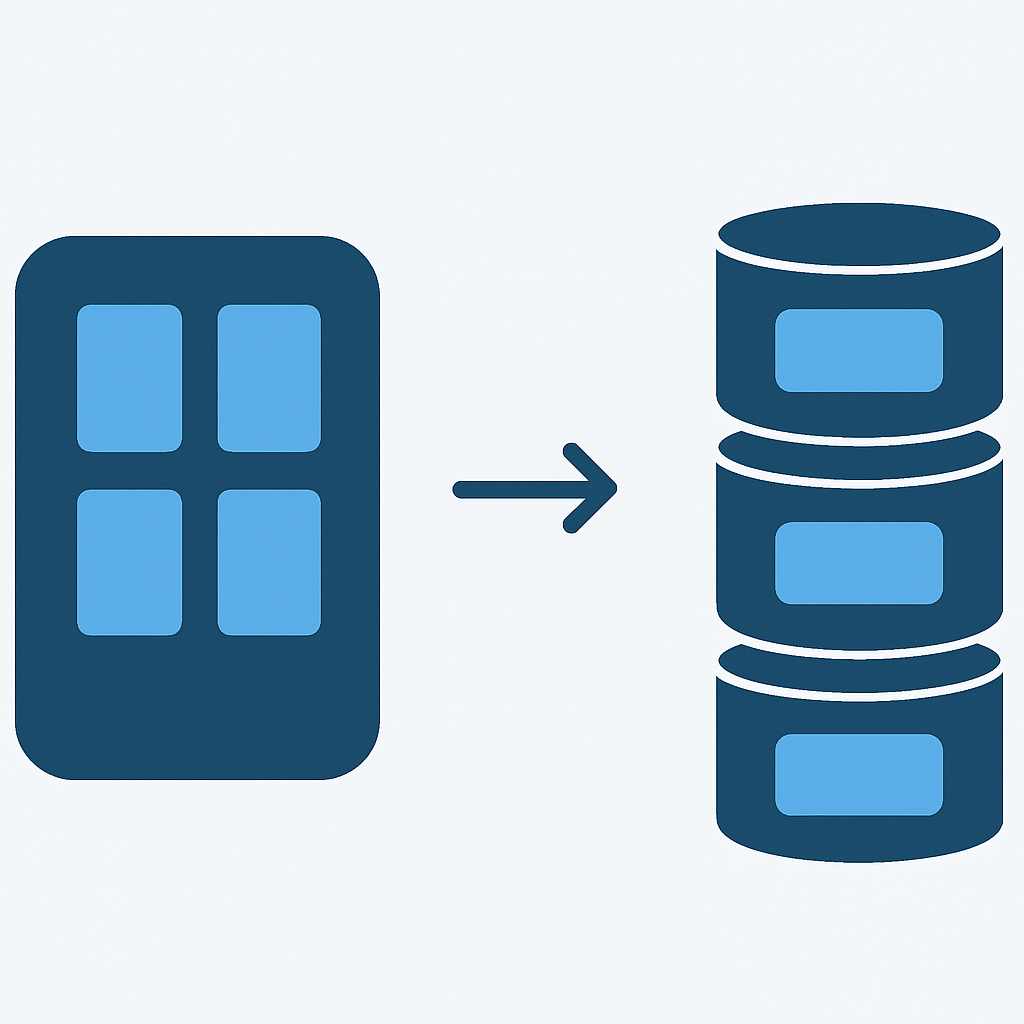
Case Study 3: Legacy Monolithic Application
Manufacturing Corp’s inventory management system required careful migration planning due to shared file systems, database connections, and regulatory compliance requirements. The monolithic Docker container posed unique challenges for Kubernetes deployment.
Migration Challenges and Solutions
| Challenge | Docker Limitation | Kubernetes Solution |
|---|---|---|
| Shared Storage | Single host volume mounts | PersistentVolumes with ReadWriteMany |
| Database Failover | Manual intervention required | StatefulSet with ordered deployment |
| Security Compliance | Container-level security only | NetworkPolicies + PodSecurityPolicies |
| Health Monitoring | Basic container status | Multi-level health checks + metrics |
PRODUCTION
Production Considerations and Best Practices
Production Kubernetes deployments require significantly more planning than development environments. This section covers critical considerations for security, monitoring, backup strategies, and operational procedures that ensure successful Docker to Kubernetes migrations in enterprise environments.
Security and Access Control
Kubernetes security operates at multiple levels: cluster access, namespace isolation, pod security, and network policies. Unlike Docker’s relatively simple security model, Kubernetes requires comprehensive security configuration to match enterprise requirements.
CODE EXPLANATION
Role-Based Access Control (RBAC) configuration restricting deployment permissions and ensuring proper security boundaries in production clusters.
# Production RBAC Configuration
apiVersion: rbac.authorization.k8s.io/v1
kind: Role
metadata:
  namespace: production
  name: deployment-manager
rules:
- apiGroups: ["apps"]
  resources: ["deployments"]
  verbs: ["get", "list", "create", "update", "patch", "delete"]
- apiGroups: [""]
  resources: ["services", "configmaps", "secrets"]
  verbs: ["get", "list", "create", "update", "patch"]
- apiGroups: [""]
  resources: ["pods"]
  verbs: ["get", "list", "watch"]
---
apiVersion: rbac.authorization.k8s.io/v1
kind: RoleBinding
metadata:
  name: deployment-managers
  namespace: production
subjects:
- kind: User
  name: devops-team
  apiGroup: rbac.authorization.k8s.io
roleRef:
  kind: Role
  name: deployment-manager
  apiGroup: rbac.authorization.k8s.io
---
# Network Policy for production isolation
apiVersion: networking.k8s.io/v1
kind: NetworkPolicy
metadata:
  name: production-isolation
  namespace: production
spec:
  podSelector: {}
  policyTypes:
  - Ingress
  - Egress
  ingress:
  - from:
    - namespaceSelector:
        matchLabels:
          name: production
    - namespaceSelector:
        matchLabels:
          name: monitoring
  egress:
  - to:
    - namespaceSelector:
        matchLabels:
          name: production
  - to: []
    ports:
    - protocol: TCP
      port: 53
    - protocol: UDP
      port: 53
Monitoring and Observability
Production Kubernetes clusters generate significantly more metrics than Docker standalone deployments. Comprehensive monitoring covers cluster health, application performance, resource utilization, and security events across multiple dimensions.
Essential Monitoring Stack Components
Prometheus — Metrics collection and time-series database.
Grafana — Visualization dashboards and alerting.
Jaeger — Distributed tracing for microservices.
Fluentd/FluentBit — Log aggregation and forwarding.
AlertManager — Alert routing and notification management.
Critical Production Alerts
☑ Pod restart frequency exceeding thresholds.
☑ Resource utilization approaching limits.
☑ Service discovery failures.
☑ Persistent volume space depletion.
☑ Certificate expiration warnings.
Backup and Disaster Recovery
Kubernetes backup strategies encompass cluster state, persistent data, and configuration management. Unlike Docker volume backups, Kubernetes requires coordinated backup approaches covering etcd cluster state, persistent volumes, and application-specific data.
CODE EXPLANATION
Velero backup configuration for comprehensive Kubernetes cluster and persistent volume backup with scheduling and retention policies.
# Velero backup schedule for production cluster
apiVersion: velero.io/v1
kind: Schedule
metadata:
  name: production-daily-backup
  namespace: velero
spec:
  schedule: "0 2 * * *"  # Daily at 2 AM
  template:
    includedNamespaces:
    - production
    - monitoring
    - ingress-nginx
    excludedResources:
    - events
    - events.events.k8s.io
    storageLocation: aws-s3-backup
    volumeSnapshotLocations:
    - aws-ebs-snapshots
    ttl: "720h0m0s"  # 30 days retention
---
# Backup for stateful applications
apiVersion: velero.io/v1
kind: Backup
metadata:
  name: database-backup
  namespace: velero
spec:
  includedNamespaces:
  - database
  labelSelector:
    matchLabels:
      app: postgresql
  hooks:
    resources:
    - name: postgresql-backup-hook
      includedNamespaces:
      - database
      labelSelector:
        matchLabels:
          app: postgresql
      pre:
      - exec:
          container: postgres
          command:
          - /bin/bash
          - -c
          - "pg_dump -h localhost -U $POSTGRES_USER $POSTGRES_DB > /tmp/backup.sql"
          onError: Fail
      post:
      - exec:
          container: postgres
          command:
          - /bin/bash
          - -c
          - "rm -f /tmp/backup.sql"
KEY POINT
Production backup strategies should include both cluster-level backups (etcd, configurations) and application-level backups (databases, file systems) with tested restore procedures.
TROUBLESHOOTING
Troubleshooting Common Migration Issues
Docker to Kubernetes migrations encounter predictable patterns of issues. This comprehensive troubleshooting guide addresses the most common problems with diagnostic approaches and proven solutions based on real-world migration experiences.
Container Startup and Resource Issues
PROBLEM 01
ImagePullBackOff Errors
Containers fail to start with ImagePullBackOff status, typically occurring when Kubernetes cannot access container registries that worked with Docker daemon locally.
SOLUTION — Registry Configuration and Authentication
# Create registry secret for private repositories
kubectl create secret docker-registry regcred \
  --docker-server=<registry-server> \
  --docker-username=<username> \
  --docker-password=<password> \
  --docker-email=<email>

# Add imagePullSecrets to deployment
apiVersion: apps/v1
kind: Deployment
spec:
  template:
    spec:
      imagePullSecrets:
      - name: regcred
      containers:
      - name: app
        image: private-registry/myapp:latest
        imagePullPolicy: Always
PROBLEM 02
Pod Resource Constraints
Containers that worked in Docker fail with OOMKilled or CPU throttling due to Kubernetes resource limits being more restrictive than Docker’s default unlimited resources.
SOLUTION — Resource Optimization and Monitoring
# Monitor current resource usage
kubectl top pods --namespace=production

# Analyze resource requirements
kubectl describe pod <pod-name> | grep -A 10 "Resource"

# Adjust resource limits based on usage patterns
spec:
  containers:
  - name: app
    resources:
      requests:
        memory: "256Mi"
        cpu: "250m"
      limits:
        memory: "512Mi"
        cpu: "1000m"
Networking and Service Discovery Problems
Kubernetes networking differs significantly from Docker Compose’s automatic service discovery. Services must be explicitly defined, and DNS resolution follows Kubernetes conventions rather than simple container naming.
WARNING
Docker Compose hostname resolution does not directly translate to Kubernetes. Services must be created explicitly, and applications may need configuration updates to use proper Kubernetes service names.