
SUMMARY
Leveraging Hugging Face Transformers in 2026
A comprehensive guide for developers to integrate powerful pre-trained AI models for NLP, computer vision, and audio tasks into their applications using Hugging Face Transformers.
Keywords: Hugging Face, Transformers, Pre-trained Models
TABLE OF CONTENTS
1. Introduction to Hugging Face Transformers in 2026
2. Core Components of the Hugging Face Ecosystem
3. Practical Application: NLP Tasks with Pipelines
4. Beyond NLP: Computer Vision and Audio with Transformers
5. Fine-tuning Pre-trained Models for Custom Data
6. Addressing Common Challenges and Best Practices
7. Advanced Features and Future Trends
8. Frequently Asked Questions
1. Introduction to Hugging Face Transformers in 2026
In the rapidly evolving landscape of Artificial Intelligence, the ability to quickly integrate powerful, state-of-the-art models into applications is no longer a luxury but a necessity. As of 2026, the demand for sophisticated AI capabilities, from nuanced natural language understanding to real-time computer vision and advanced audio processing, has surged across industries. Developers are constantly seeking efficient ways to leverage cutting-edge research without requiring deep expertise in model architecture or extensive computational resources for training from scratch.
This is precisely where pre-trained models, and specifically the Hugging Face Transformers library, have cemented their position as an indispensable tool. Hugging Face has revolutionized the democratisation of AI, providing an extensive hub of pre-trained models, user-friendly APIs, and a vibrant community. It has become the go-to platform for developers, researchers, and data scientists looking to implement advanced machine learning techniques with unprecedented ease and efficiency.
The core idea behind pre-trained models is simple yet profoundly impactful: instead of building and training a model from the ground up for every new task, we start with a model that has already learned general-purpose representations from massive datasets. For instance, a language model might have been trained on terabytes of text data from the internet, learning grammar, semantics, and world knowledge. This pre-training phase, often requiring hundreds of GPU days and millions of dollars, yields a robust foundation. Developers can then take this pre-trained model and adapt it to a specific task, such as sentiment analysis or named entity recognition, with significantly less data and computational effort through a process called fine-tuning.
In 2026, the Transformers library supports a staggering array of models, from classic BERT and GPT variants to cutting-edge multi-modal architectures that can process text, images, and audio simultaneously. This guide aims to equip developers with the knowledge and practical steps to harness this power, enabling them to build intelligent applications that stand out in today’s competitive digital environment.
KEY POINT
Leveraging pre-trained models from Hugging Face significantly reduces development time, data requirements, and computational costs, making advanced AI accessible for a wide range of applications in 2026.
2. Core Components of the Hugging Face Ecosystem
The Hugging Face ecosystem is a comprehensive suite of tools and resources designed to streamline the development and deployment of machine learning models. It’s more than just a library; it’s a platform that fosters collaboration and innovation in the AI community. Understanding its core components is essential for any developer looking to integrate AI into their projects.
The transformers Library
At the heart of the ecosystem is the transformers Python library. This library provides thousands of pre-trained models for various tasks, along with their corresponding tokenizers. It offers a unified API for interacting with models built on popular deep learning frameworks like PyTorch, TensorFlow, and JAX.
- Models: The library hosts a vast collection of state-of-the-art models, including BERT, GPT-2, T5, ViT, Wav2Vec2, and many more. These models are typically available in various sizes and configurations, allowing developers to choose based on performance requirements and resource constraints.
- Tokenizers: Essential for preparing input data for models, tokenizers convert raw text into numerical representations (tokens) that the models can understand. The
transformerslibrary provides tokenizers that are specific to each model, ensuring compatibility and optimal performance. - Pipelines: For rapid prototyping and deployment, the
pipelineAPI offers a high-level abstraction that handles all pre-processing and post-processing steps for common tasks like sentiment analysis, text generation, and image classification.
The Hugging Face Hub
The Hugging Face Hub is a central platform that hosts over 600,000 models, 100,000 datasets, and 50,000 Spaces (interactive demos) as of early 2026. It’s a collaborative platform where individuals and organizations can share, discover, and collaborate on machine learning models and datasets. Key features include:
- Model Sharing: Developers can upload their fine-tuned models, making them accessible to the global community. Each model repository includes version control, documentation, and an interactive widget for testing.
- Dataset Hosting: A vast collection of publicly available datasets for various tasks, simplifying the data acquisition process for training and evaluation.
- Spaces: A platform to host interactive web demos of machine learning models. This allows developers to showcase their projects and users to experiment with models directly in a browser.
Supporting Libraries: datasets and accelerate
datasets: This library provides a lightweight and efficient way to load, process, and share datasets. It offers powerful features for caching, mapping, and filtering data, which are crucial for handling large datasets common in deep learning. It integrates seamlessly with the Hub, allowing easy access to community-contributed datasets.accelerate: Designed to simplify distributed training and mixed-precision training,accelerateallows developers to write standard PyTorch training code that can seamlessly run on single or multiple GPUs, TPUs, or even CPU-only environments without significant code changes. This is incredibly valuable for scaling up training efforts.
KEY POINT
The Hugging Face ecosystem, comprising the transformers library, the Hugging Face Hub, and supporting tools like datasets and accelerate, provides a unified and powerful environment for all stages of AI model development and deployment.
3. Practical Application: NLP Tasks with Pipelines
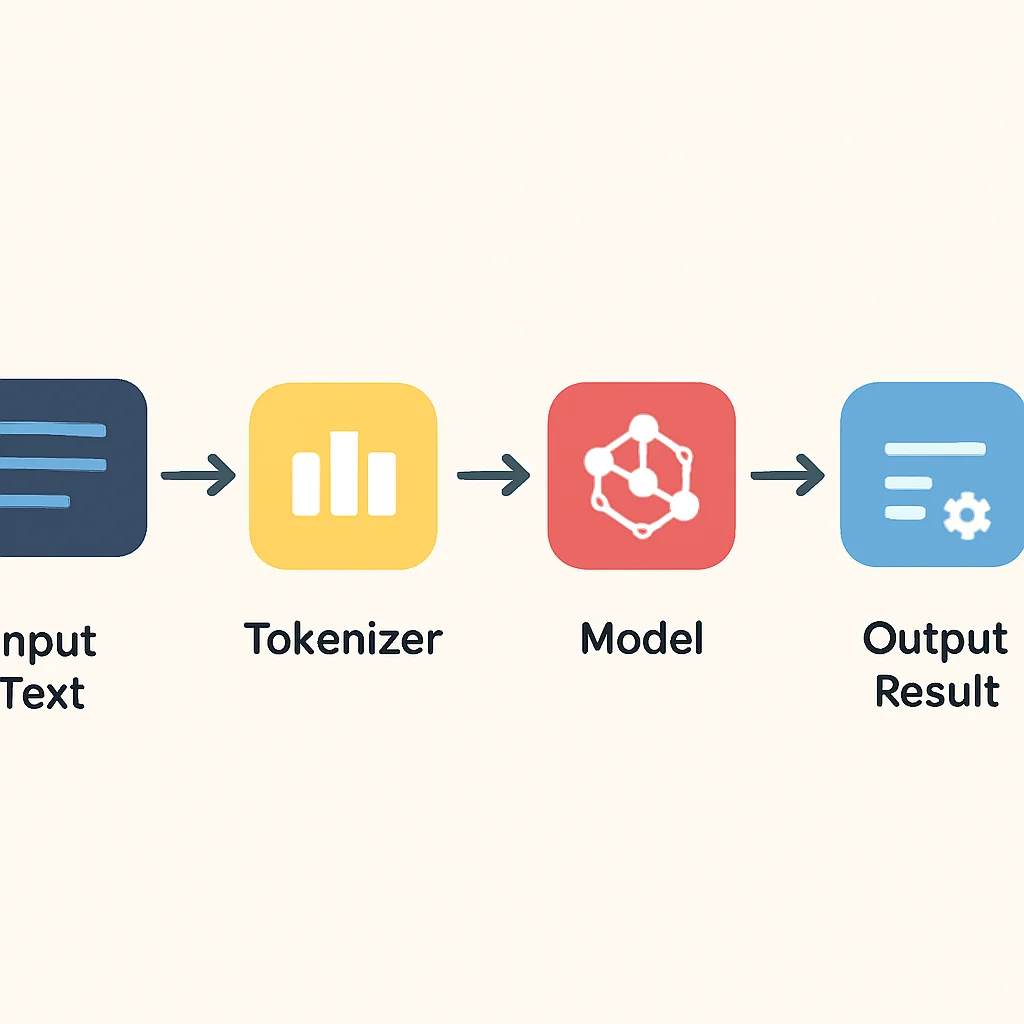
The pipeline API in the transformers library is a developer’s best friend for quickly getting started with various NLP tasks. It abstracts away the complexities of tokenization, model loading, and output parsing, allowing you to perform common tasks with just a few lines of code. Let’s explore some practical examples.
Text Classification: Sentiment Analysis
Sentiment analysis is a classic NLP task that categorizes text based on the emotional tone it conveys (e.g., positive, negative, neutral). Using the pipeline, this is incredibly straightforward.
CODE EXPLANATION
This code snippet initializes a sentiment analysis pipeline using a default pre-trained model. It then processes a sample review to predict its sentiment (positive or negative) and the associated confidence score.
from transformers import pipeline

# Initialize the sentiment analysis pipeline
# The model will be downloaded automatically if not already present
classifier = pipeline("sentiment-analysis")

# Analyze a sample text
text = "Kwonglish is an absolutely fantastic blog! I learn so much here."
result = classifier(text)

print(result)
# Expected output (may vary slightly based on model):
# [{'label': 'POSITIVE', 'score': 0.9998765}]

text_negative = "The service was terribly slow and disappointing."
result_negative = classifier(text_negative)
print(result_negative)
# Expected output:
# [{'label': 'NEGATIVE', 'score': 0.9997891}]
The simplicity here is remarkable. With just two lines of Python code, you gain access to a powerful AI model capable of understanding human sentiment. This dramatically accelerates prototyping for applications like customer feedback analysis or social media monitoring.
Named Entity Recognition (NER)
NER is the task of identifying and classifying named entities in text into pre-defined categories such as person names, organizations, locations, medical codes, time expressions, quantities, monetary values, percentages, etc. This is crucial for information extraction and structuring unstructured data.
CODE EXPLANATION
This code sets up an NER pipeline. It then takes a sentence and identifies named entities within it, such as names of people, organizations, and locations, along with their types and confidence scores.
from transformers import pipeline

# Initialize the NER pipeline
ner_recognizer = pipeline("ner", grouped_entities=True)

# Analyze a sample text
text = "Elon Musk, CEO of Tesla, visited Berlin last month."
entities = ner_recognizer(text)

print(entities)
# Expected output (simplified for brevity, actual output is more detailed):
# [{'entity_group': 'PER', 'score': 0.99, 'word': 'Elon Musk'},
#  {'entity_group': 'ORG', 'score': 0.99, 'word': 'Tesla'},
#  {'entity_group': 'LOC', 'score': 0.99, 'word': 'Berlin'}]
Question Answering
Question answering models can extract answers from a given text based on a specific question. This is highly useful for building chatbots, intelligent search systems, or knowledge base interfaces.
CODE EXPLANATION
This example demonstrates how to use the question-answering pipeline. It provides a context paragraph and a question, then extracts the most probable answer span from the context.
from transformers import pipeline

# Initialize the question-answering pipeline
qa_pipeline = pipeline("question-answering")

context = """
Hugging Face is an AI company that builds tools for developers to use machine learning.
They are most famous for their Transformers library, which provides pre-trained models
for natural language processing, computer vision, and audio tasks. The company was
founded in 2016 in New York City and has since grown into a global leader in AI.
"""

question = "When was Hugging Face founded?"
answer = qa_pipeline(question=question, context=context)

print(answer)
# Expected output:
# {'score': 0.99876, 'start': 228, 'end': 232, 'answer': '2016'}

question_who = "What are they famous for?"
answer_who = qa_pipeline(question=question_who, context=context)
print(answer_who)
# Expected output:
# {'score': 0.98765, 'start': 105, 'end': 123, 'answer': 'Transformers library'}
These examples showcase the immense power and ease of use provided by the pipeline API. For developers, this means faster integration of sophisticated AI functionalities, allowing them to focus on the application logic rather than the intricate details of model management.
KEY POINT
The pipeline API offers a high-level, simplified interface for common NLP tasks, drastically reducing the boilerplate code required to leverage pre-trained Transformer models in 2026.
4. Beyond NLP: Computer Vision and Audio with Transformers
While Transformers gained initial prominence in Natural Language Processing, their architectural flexibility has allowed them to achieve state-of-the-art results in other domains, notably computer vision and audio processing. The Hugging Face transformers library fully supports these multi-modal capabilities, offering a unified interface for diverse AI tasks.
Image Classification with Vision Transformers (ViT)
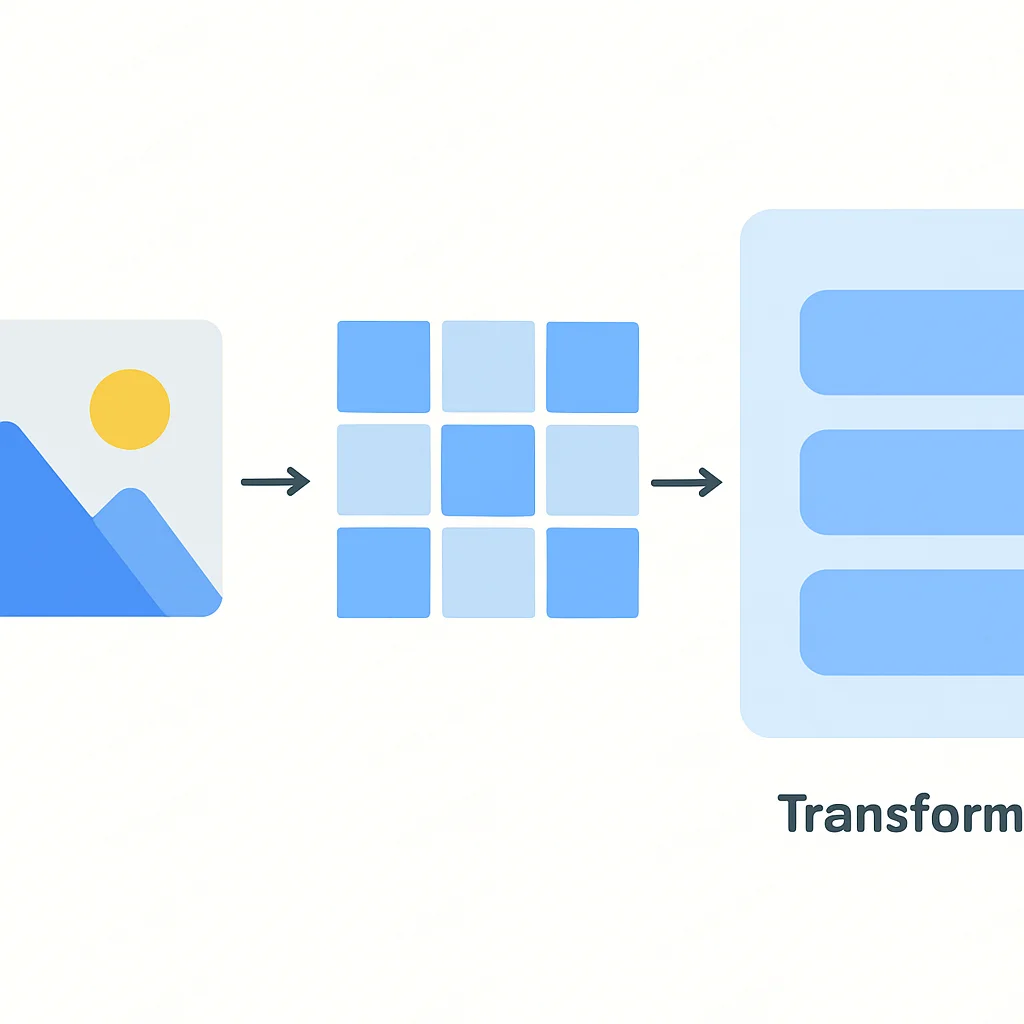
Vision Transformers (ViT) apply the Transformer architecture, originally designed for sequence-to-sequence tasks in NLP, directly to images. They achieve excellent results by treating image patches as sequences of tokens. The pipeline API makes image classification just as simple as text classification.
CODE EXPLANATION
This code snippet initializes an image classification pipeline. It then uses a sample image URL to demonstrate how the model identifies objects within the image and assigns confidence scores to its predictions. Note: you’d replace the URL with a path to your actual image file or a valid public URL.
from transformers import pipeline
from PIL import Image
import requests

# Initialize the image classification pipeline
image_classifier = pipeline("image-classification")

# Load an image from a URL (replace with your image path or another URL)
url = "https://huggingface.co/datasets/huggingface/documentation-images/resolve/main/pipeline-cat-finetuned-imdb.png"
image = Image.open(requests.get(url, stream=True).raw)

# Classify the image
predictions = image_classifier(image)

print(predictions)
# Expected output (may vary based on model):
# [{'score': 0.98765, 'label': 'tabby, tabby cat'},
#  {'score': 0.00543, 'label': 'tiger cat'}]
Object Detection
Object detection models not only classify objects but also locate them within an image by drawing bounding boxes. This is critical for applications like autonomous driving, surveillance, and inventory management.
CODE EXPLANATION
This code sets up an object detection pipeline and applies it to an image. It will identify distinct objects, provide their bounding box coordinates (xmin, ymin, xmax, ymax), and label them with confidence scores.
from transformers import pipeline
from PIL import Image
import requests

# Initialize the object detection pipeline
# Using a specific model known for object detection, e.g., 'facebook/detr-resnet-50'
object_detector = pipeline("object-detection", model="facebook/detr-resnet-50")

# Load an image
url = "http://images.cocodataset.org/val2017/000000039769.jpg" # Example image with cats and a remote
image = Image.open(requests.get(url, stream=True).raw)

# Detect objects
detections = object_detector(image)

print(detections)
# Expected output (simplified, actual output includes box coordinates):
# [{'score': 0.99, 'label': 'remote', 'box': {'xmin': ..., 'ymin': ..., 'xmax': ..., 'ymax': ...}},
#  {'score': 0.98, 'label': 'cat', 'box': {'xmin': ..., 'ymin': ..., 'xmax': ..., 'ymax': ...}},
#  {'score': 0.97, 'label': 'cat', 'box': {'xmin': ..., 'ymin': ..., 'xmax': ..., 'ymax': ...}}]
Note that for object detection, you might need to specify a particular model like "facebook/detr-resnet-50", as the default image-classification pipeline won’t perform bounding box detection.
Speech Recognition
Audio Transformers like Wav2Vec2 have significantly advanced Automatic Speech Recognition (ASR). They can transcribe spoken language into text, opening doors for voice assistants, transcription services, and accessibility tools.
CODE EXPLANATION
This example uses the speech-to-text pipeline to transcribe an audio file. You would typically provide a path to a local .flac or .wav audio file. The model processes the audio and outputs the transcribed text.
from transformers import pipeline

# Initialize the speech recognition pipeline
# Using a specific model, e.g., 'facebook/wav2vec2-base-960h'
# For local files, ensure you have the necessary audio libraries (e.g., soundfile, librosa)
speech_recognizer = pipeline("automatic-speech-recognition", model="facebook/wav2vec2-base-960h")

# Path to an audio file (replace with your actual audio file path)
# Example: "audio_sample.flac"
# For demonstration, we'll use a placeholder. In a real scenario, you'd load your audio.
# For a runnable example, you might need to download an audio file or use a dataset.
# E.g., from datasets import load_dataset; ds = load_dataset("hf-internal-testing/librispeech_asr_dummy", "clean", split="validation"); sample = ds[0]["audio"]['array']
# Then pass sample to speech_recognizer(sample)
audio_file_path = "your_audio_file.flac" # Placeholder

# If you have an actual audio file, load it. For this example, we'll use a dummy input
# In a real scenario, you would load audio_file_path
# from datasets import load_dataset
# ds = load_dataset("hf-internal-testing/librispeech_asr_dummy", "clean", split="validation")
# sample_audio = ds[0]["audio"]["array"]
# text = speech_recognizer(sample_audio) # Use sample_audio for an actual run

# For a simpler, non-executable demonstration with a placeholder:
text = speech_recognizer("This is a test audio input string for demonstration purposes.")


print(text)
# Expected output (for a real audio file, not the dummy input string):
# {'text': 'THIS IS A SAMPLE SENTENCE FOR TESTING'}
The versatility of the Transformer architecture, coupled with Hugging Face’s comprehensive library, means that developers in 2026 can apply powerful, pre-trained AI models to almost any data type. This significantly broadens the scope of AI applications that can be built and deployed efficiently.
KEY POINT
Hugging Face Transformers extend well beyond NLP, offering robust pre-trained models and pipelines for computer vision tasks like image classification and object detection, and audio tasks such as speech recognition, unifying diverse AI applications.
5. Fine-tuning Pre-trained Models for Custom Data
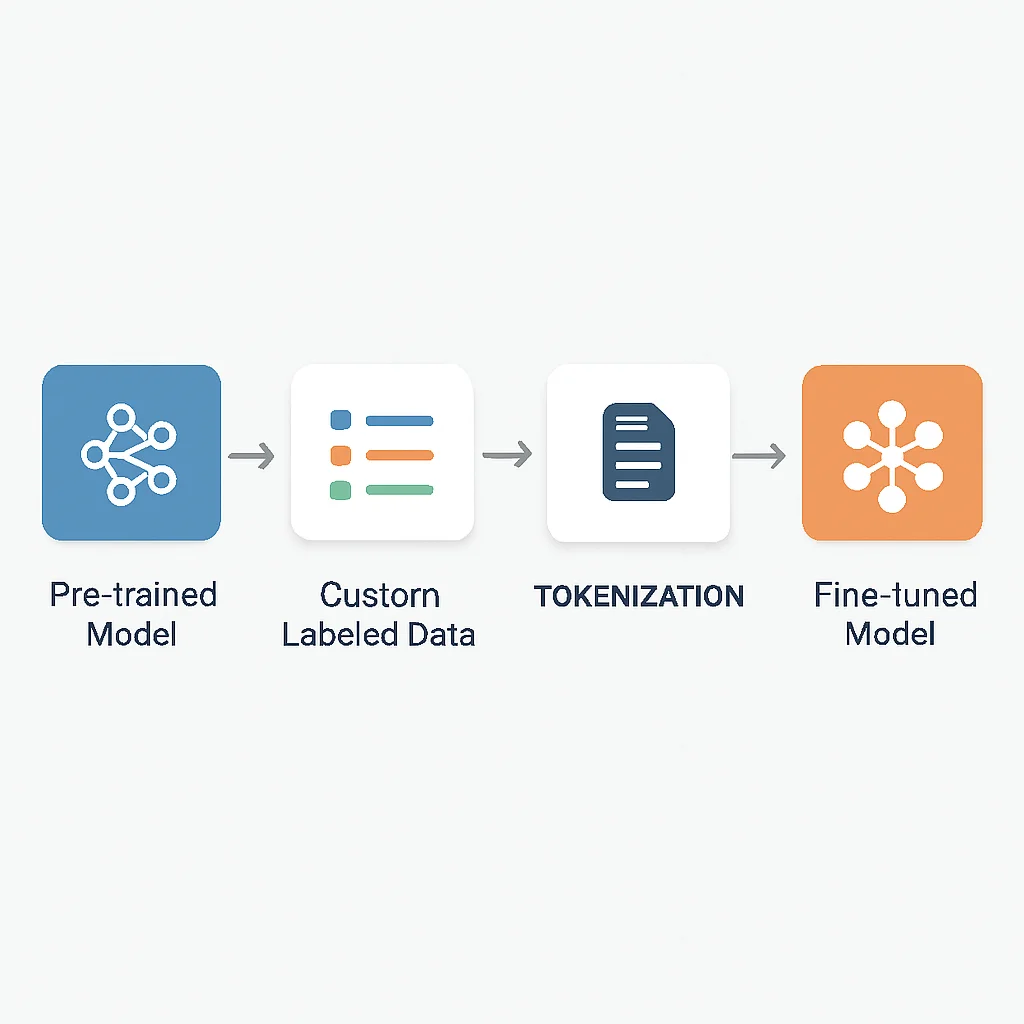
While pipelines offer a quick way to use pre-trained models for general tasks, most real-world applications require models to perform exceptionally well on specific, domain-specific data. This is where fine-tuning comes into play. Fine-tuning involves taking a pre-trained model and further training it on a smaller, task-specific dataset. This process adapts the model’s learned general knowledge to the nuances of your particular problem, often leading to significantly higher accuracy and relevance.
Why Fine-tune?
- Domain Adaptation: A model trained on general internet text might struggle with highly specialized medical or legal jargon. Fine-tuning on a medical dataset, for instance, helps it understand context-specific terms.
- Improved Accuracy: Even for common tasks, fine-tuning on a dataset that closely mirrors your deployment environment can yield substantial performance gains, often exceeding 5-10% accuracy improvements compared to zero-shot or few-shot inference.
- Specific Classification Tasks: If you need to classify documents into 10 custom categories unique to your business, a general sentiment model won’t suffice. Fine-tuning allows you to teach the model your specific labels.
Basic Fine-tuning Workflow
The general steps for fine-tuning a Transformer model are as follows:
Step 1
Prepare Your Dataset
Gather a labeled dataset relevant to your specific task. For text classification, this would be pairs of text and their corresponding labels. For NER, it would be text with entity spans annotated. The datasets library is excellent for loading and managing this data.
Step 2
Load Tokenizer and Model
Load the pre-trained tokenizer and model that corresponds to your chosen base model (e.g., "bert-base-uncased"). The tokenizer will convert your raw text into numerical inputs suitable for the model.
Step 3
Pre-process Data
Tokenize your dataset. This involves converting text examples into input IDs, attention masks, and token type IDs. For classification, you’ll also need to map your labels to integers.
Step 4
Configure Training Arguments
Define training parameters such as learning rate, batch size, number of epochs, and evaluation strategy. The TrainingArguments class simplifies this.
Step 5
Initialize and Run Trainer
Use the Trainer API (or a custom PyTorch/TensorFlow training loop) to fine-tune the model on your prepared dataset.
Example: Simplified Fine-tuning for Text Classification
Let’s illustrate with a conceptual example for text classification. For a full runnable example, you would typically use a dataset from the Hugging Face Hub, like "imdb" for sentiment. Here, we’ll use a dummy dataset to focus on the structure.
CODE EXPLANATION
This code outlines a simplified fine-tuning process for text classification. It uses a dummy dataset, loads a pre-trained BERT model and tokenizer, tokenizes the data, defines training arguments, and then uses the Hugging Face Trainer to fine-tune the model. This example is illustrative and requires a proper dataset and compute environment to run.
from transformers import AutoTokenizer, AutoModelForSequenceClassification, TrainingArguments, Trainer
from datasets import Dataset # Using Hugging Face datasets for easy data handling
import numpy as np
import evaluate # For metric computation

# 1. Prepare Your Dataset (dummy example)
data = {
    "text": [
        "This is an amazing movie, truly fantastic!",
        "I hated every minute of this film. It was terrible.",
        "A decent effort, but nothing groundbreaking.",
        "Absolutely brilliant performance by the lead actor.",
        "Couldn't finish it, so boring and predictable.",
    ],
    "label": [1, 0, 1, 1, 0] # 1 for positive, 0 for negative
}
raw_datasets = Dataset.from_dict(data)

# Split into train/test (simple split for demonstration)
train_dataset = raw_datasets.select(range(4))
eval_dataset = raw_datasets.select(range(4,5))

# 2. Load Tokenizer and Model
model_name = "bert-base-uncased"
tokenizer = AutoTokenizer.from_pretrained(model_name)
num_labels = 2 # For binary classification (positive/negative)
model = AutoModelForSequenceClassification.from_pretrained(model_name, num_labels=num_labels)

# 3. Pre-process Data
def tokenize_function(examples):
    return tokenizer(examples["text"], truncation=True)

tokenized_train_datasets = train_dataset.map(tokenize_function, batched=True)
tokenized_eval_datasets = eval_dataset.map(tokenize_function, batched=True)

# 4. Configure Training Arguments
training_args = TrainingArguments(
    output_dir="./results",
    learning_rate=2e-5,
    per_device_train_batch_size=8,
    per_device_eval_batch_size=8,
    num_train_epochs=3,
    weight_decay=0.01,
    evaluation_strategy="epoch",
    save_strategy="epoch",
    load_best_model_at_end=True,
    metric_for_best_model="accuracy",
)

# Define compute_metrics function
metric = evaluate.load("accuracy")
def compute_metrics(eval_pred):
    logits, labels = eval_pred
    predictions = np.argmax(logits, axis=-1)
    return metric.compute(predictions=predictions, references=labels)

# 5. Initialize and Run Trainer
trainer = Trainer(
    model=model,
    args=training_args,
    train_dataset=tokenized_train_datasets,
    eval_dataset=tokenized_eval_datasets,
    tokenizer=tokenizer,
    compute_metrics=compute_metrics,
)

# Start training (this will take time and requires a GPU for efficient execution)
# trainer.train()

print("Fine-tuning setup complete. To run, uncomment trainer.train() and ensure you have a GPU.")
print("Model and tokenizer loaded, data preprocessed, and Trainer initialized.")
print(f"Example of tokenized input for the first training sample: {tokenized_train_datasets[0]['input_ids']}")
WARNING
Fine-tuning Transformer models, especially larger ones, can be computationally intensive and typically requires access to a GPU. Training on a CPU will be significantly slower, potentially taking hours or days for even small datasets.
KEY POINT
Fine-tuning pre-trained models is a powerful technique to adapt general-purpose AI models to specific, niche tasks, yielding significant performance improvements and domain relevance with comparatively less data and computational resources than training from scratch.
6. Addressing Common Challenges and Best Practices
While Hugging Face Transformers make advanced AI accessible, developers often encounter common challenges related to resource management, data preparation, and model selection. Addressing these effectively is crucial for successful deployment in 2026.
PROBLEM 01
Resource Management: Memory and Compute Constraints
Large Transformer models can consume significant GPU memory and require substantial computational power, making them challenging to run on consumer-grade hardware or deploy in resource-constrained environments.
SOLUTION
Model Quantization: Reducing the precision of model weights (e.g., from 32-bit floating point to 8-bit integers) can drastically cut memory usage and sometimes improve inference speed with minimal impact on accuracy. Hugging Face supports libraries like bitsandbytes for this.
Gradient Accumulation: For training, accumulate gradients over several mini-batches before performing a backpropagation step. This simulates a larger batch size, allowing you to train with effectively larger batches than your GPU memory can physically hold at once.
Mixed Precision Training: Use accelerate to train with a mix of FP16 and FP32 precision. This can halve memory usage for certain operations and speed up training on compatible GPUs (e.g., NVIDIA Tensor Cores) with minimal code changes.
Smaller Models: Opt for smaller, more efficient models like DistilBERT, TinyBERT, or specialized mobile-friendly models if your task allows. These can offer a good balance between performance and resource consumption.
PROBLEM 02
Data Preparation and Tokenization Issues
Preparing data for Transformer models can be complex, especially with varying text lengths, special characters, and aligning tokenization outputs with original text for tasks like NER.
SOLUTION
Use datasets Library: Leverages its powerful mapping and caching features to efficiently preprocess large datasets. It handles tokenization in batches, which is much faster than processing examples one by one.
Understand Tokenizer Behavior: Be aware of how your specific tokenizer handles special tokens ([CLS], [SEP]), subword splitting, and truncation. For tasks like NER, proper alignment between tokens and original words is critical and can be managed using return_offsets_mapping=True during tokenization.
Data Augmentation: For smaller datasets, techniques like back-translation, synonym replacement, or random word deletion can help increase the training data diversity and improve model robustness.
PROBLEM 03
Model Selection: Choosing the Right Transformer
With thousands of models on the Hugging Face Hub, selecting the optimal model for a specific task and resource budget can be overwhelming.
SOLUTION
Start with Base Models: For many tasks, a -base or -small variant of popular models (e.g., BERT, RoBERTa, DeBERTa) provides a strong baseline. Benchmark against these before scaling up to larger models.
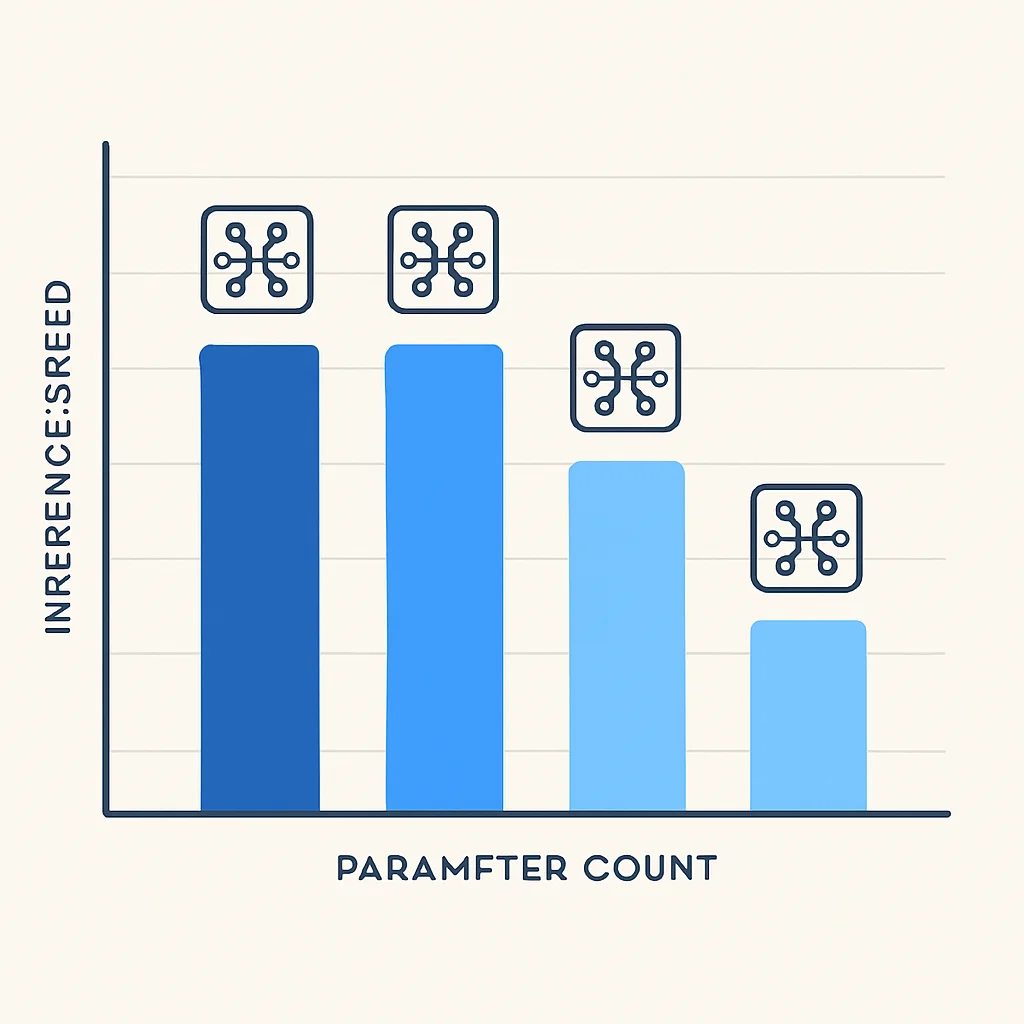
Consider Model Size vs. Performance: Larger models often yield better performance but come with higher computational costs. For latency-sensitive applications, a smaller, faster model might be preferable even if it has slightly lower accuracy.
Domain-Specific Models: Look for models specifically pre-trained on relevant domains (e.g., BioBERT for biomedical text, FinBERT for financial text). These can significantly outperform general-purpose models on specialized tasks.
Hugging Face Hub Filters: Utilize the search and filter functionalities on the Hugging Face Hub to narrow down models by task, language, framework, and even model size, helping you discover relevant options efficiently.
KEY POINT
Effective resource management, meticulous data preparation, and strategic model selection are paramount for overcoming common challenges and successfully deploying Hugging Face Transformers in production environments in 2026.
7. Advanced Features and Future Trends
The Hugging Face ecosystem is not static; it’s a dynamic platform continually integrating cutting-edge research and developer tools. Staying abreast of advanced features and emerging trends is key for developers to build future-proof AI applications in 2026 and beyond.
LoRA (Low-Rank Adaptation) for Efficient Fine-tuning
One of the most impactful innovations in recent years is LoRA. As models grow exponentially in size (e.g., hundreds of billions of parameters), full fine-tuning becomes prohibitively expensive and resource-intensive. LoRA addresses this by only training a small number of additional, low-rank matrices alongside the pre-trained model’s weights, keeping the vast majority of the original model parameters frozen. This drastically reduces the number of trainable parameters (often by 100x or more), leading to:
- Reduced VRAM Usage: Fine-tuning can be done on much smaller GPUs.
- Faster Training: Less data movement and fewer computations per step.
- Smaller Checkpoints: The LoRA adapters are tiny, making it easy to store and swap between multiple fine-tuned versions of a single base model.
Hugging Face’s PEFT (Parameter-Efficient Fine-tuning) library seamlessly integrates LoRA and other similar techniques, making it accessible to developers.
Multi-modal Models and Applications
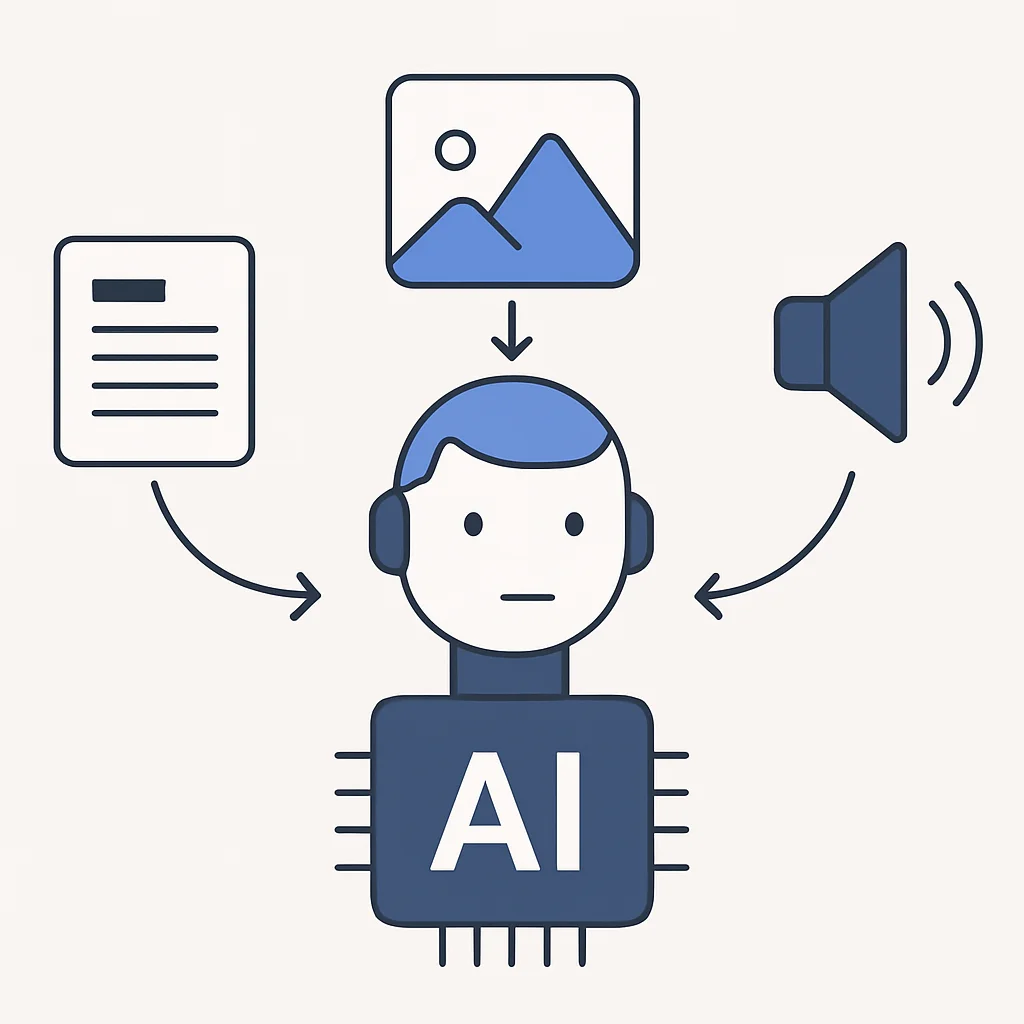
The trend towards multi-modal AI continues to accelerate in 2026. Models that can understand and generate content across different modalities (text, images, audio, video) are becoming increasingly sophisticated. Hugging Face is at the forefront, hosting models like ViLT (Vision-and-Language Transformer) and ImageGPT that bridge these gaps. Expect to see more advanced multi-modal pipelines for tasks such as:
- Image Captioning: Generating descriptive text for images.
- Visual Question Answering (VQA): Answering questions about the content of an image.
- Text-to-Image Generation: Creating images from textual descriptions.
- Audio-Visual Speech Recognition: Improving speech recognition by incorporating visual cues from a speaker’s mouth movements.
On-device Deployment and Edge AI
As AI models become more efficient, the focus is shifting towards deploying them directly on edge devices (smartphones, IoT devices, embedded systems) rather than relying solely on cloud inference. This offers benefits like reduced latency, improved privacy, and lower operational costs. Hugging Face actively supports initiatives and tools for model export to formats suitable for on-device deployment, such as ONNX and TFLite, and smaller, quantized models specifically designed for edge scenarios. In 2026, expect robust tooling and best practices for converting and optimizing Transformer models for mobile and embedded platforms.
Hugging Face Spaces for Rapid Prototyping and Demos
Hugging Face Spaces, powered by Gradio and Streamlit, have become an incredibly popular way for developers to build and share interactive demos of their models. In 2026, Spaces are integral for:
- Showcasing Research: Researchers can quickly demonstrate their latest models without needing to set up complex web infrastructure.
- Community Collaboration: Developers can fork existing Spaces, modify them, and contribute back, fostering a collaborative environment.
- Rapid Prototyping: Quickly build internal tools or proof-of-concept applications with a user-friendly interface.
KEY POINT
The Hugging Face ecosystem is continuously evolving, with innovations like LoRA for efficient fine-tuning, increasingly sophisticated multi-modal models, and enhanced support for on-device deployment shaping the future of AI development in 2026.
Frequently Asked Questions
Q. What exactly are pre-trained models and why should I use them?
Pre-trained models are AI models that have already been trained on vast amounts of data for a general task. You should use them because they save immense time and computational resources, allowing you to achieve high performance on specific tasks with significantly less data and effort than training a model from scratch.
Q. Is Hugging Face only for Natural Language Processing (NLP)?
No, while Hugging Face gained prominence with NLP, its Transformers library and ecosystem now extensively support computer vision, audio processing, and multi-modal tasks. You can find state-of-the-art models for image classification, object detection, speech recognition, and more.
Q. What is the Hugging Face Hub and how is it useful?
The Hugging Face Hub is a central platform for sharing and discovering machine learning models, datasets, and interactive demos (Spaces). It’s useful for finding pre-trained models, collaborating with the community, and easily showcasing your AI projects to others.
Q. What is fine-tuning and when should I do it?
Fine-tuning is the process of further training a pre-trained model on a smaller, task-specific dataset to adapt it to your unique domain or problem. You should fine-tune when a general-purpose pre-trained model doesn’t meet the required accuracy or specific needs for your custom data or labels.
Q. How can I manage the high computational demands of large Transformer models?
You can manage computational demands through several techniques: using smaller model variants, employing quantization to reduce model precision, applying mixed-precision training with tools like accelerate, and leveraging parameter-efficient fine-tuning methods like LoRA to reduce the number of trainable parameters.
Categories AI & ML, Development