
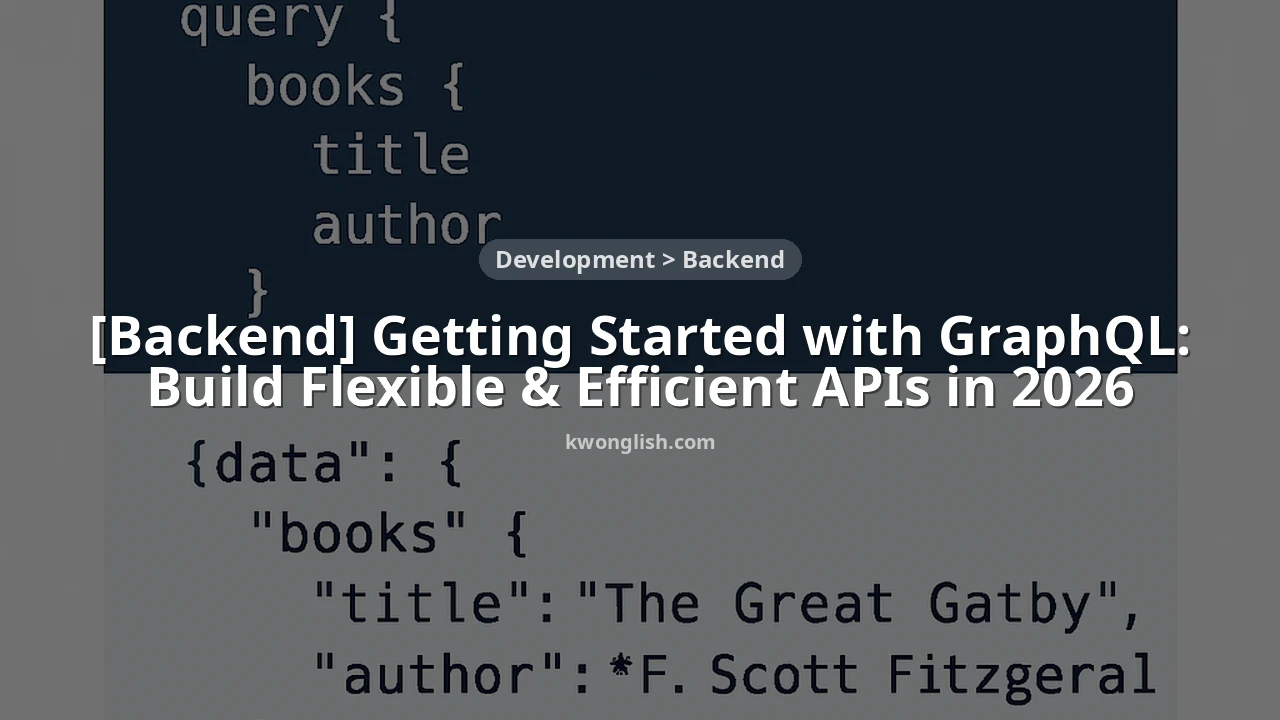
Getting Started with GraphQL: Build Flexible & Efficient APIs in 2026
Unlock the power of GraphQL to build modern, flexible, and efficient APIs that empower your clients.
Keywords: GraphQL, API Development, Backend
TABLE OF CONTENTS
1. The Evolution of API Design: Why GraphQL in 2026?
2. GraphQL Fundamentals: Core Concepts Explained
3. Designing Your First GraphQL API Schema
4. Building a Simple GraphQL Server with Node.js and Apollo
5. Overcoming Common GraphQL Challenges
6. Conclusion: The Future is Flexible with GraphQL
INTRODUCTION
1. The Evolution of API Design: Why GraphQL in 2026?
In the rapidly evolving landscape of software development, the way we design and consume APIs profoundly impacts application performance, development speed, and maintainability. For years, REST (Representational State Transfer) has been the dominant architectural style for web services. Its simplicity and stateless nature made it an excellent choice for many use cases. However, as applications grew more complex and client requirements became more dynamic, REST’s limitations started to surface, leading to challenges like over-fetching and under-fetching data.
Enter GraphQL, a query language for your API, and a server-side runtime for executing queries by using a type system you define for your data. Developed by Facebook in 2012 and open-sourced in 2015, GraphQL offers a paradigm shift. Instead of multiple endpoints returning fixed data structures, GraphQL provides a single endpoint where clients can request precisely the data they need, no more, no less. This flexibility is a game-changer, especially in 2026, where diverse clients (web, mobile, IoT, smart devices) demand optimized data delivery and rapid feature iteration.
KEY POINT
GraphQL addresses critical shortcomings of traditional REST APIs, primarily the issues of over-fetching (receiving more data than needed) and under-fetching (requiring multiple requests to get all necessary data), by empowering clients to specify their data requirements precisely.
REST vs. GraphQL: A Modern Comparison
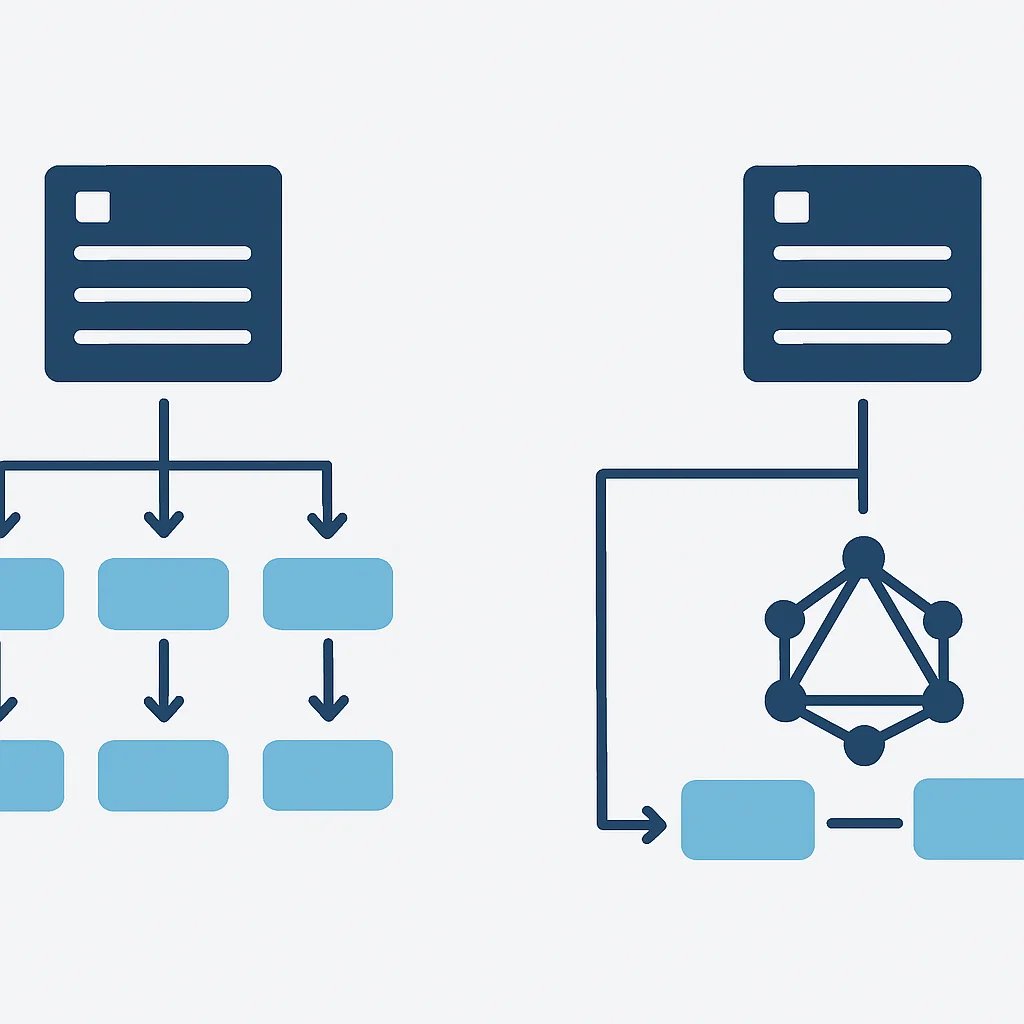
To truly appreciate GraphQL, it’s essential to understand its core differences from REST. Imagine building an e-commerce application. With REST, fetching details for a product, its reviews, and the user who wrote each review might look like this:
1. GET /products/{id}: To get product details.
2. GET /products/{id}/reviews: To get reviews for that product.
3. For each review, GET /users/{userId}: To get the reviewer’s details.
This results in multiple round trips to the server, increasing latency and bandwidth usage. Furthermore, the /products/{id} endpoint might return 50 fields, but your UI only needs 5. This is over-fetching.
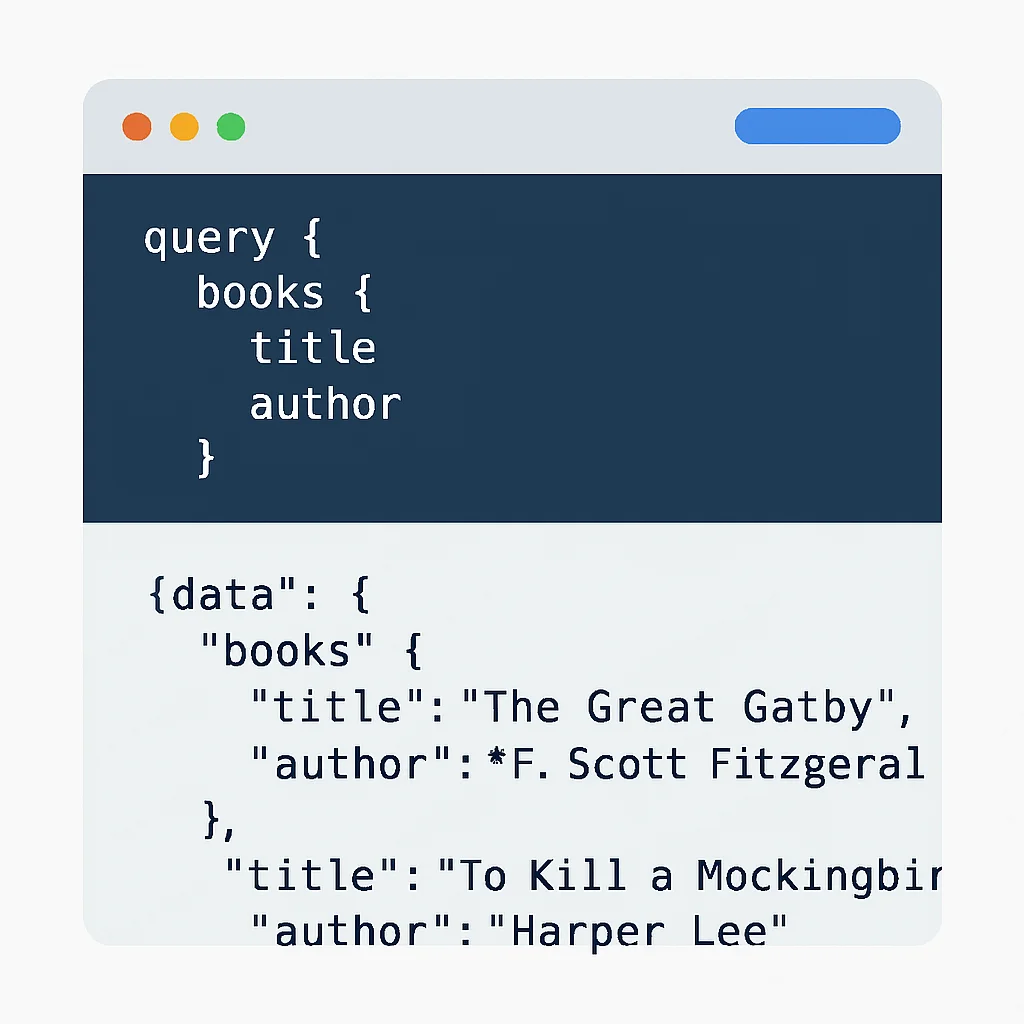
With GraphQL, a single query could fetch all this data in one go:
CODE EXPLANATION
This GraphQL query requests a product by its ID, and for that product, it asks for its name and description. It also requests associated reviews, and for each review, it specifies the ID, rating, comment, and the author’s name.
query GetProductDetailsWithReviews($productId: ID!) {
  product(id: $productId) {
    name
    description
    reviews {
      id
      rating
      comment
      author {
        name
      }
    }
  }
}
This single request yields precisely the data structure defined by the client, minimizing network overhead and improving client-side performance. In 2026, where mobile network optimizations and instant user experiences are paramount, GraphQL’s efficiency is a significant competitive advantage.
CORE CONCEPTS
2. GraphQL Fundamentals: Core Concepts Explained
To get started with GraphQL, it’s crucial to grasp its fundamental building blocks. These concepts form the bedrock of any GraphQL API.
The GraphQL Schema Definition Language (SDL)
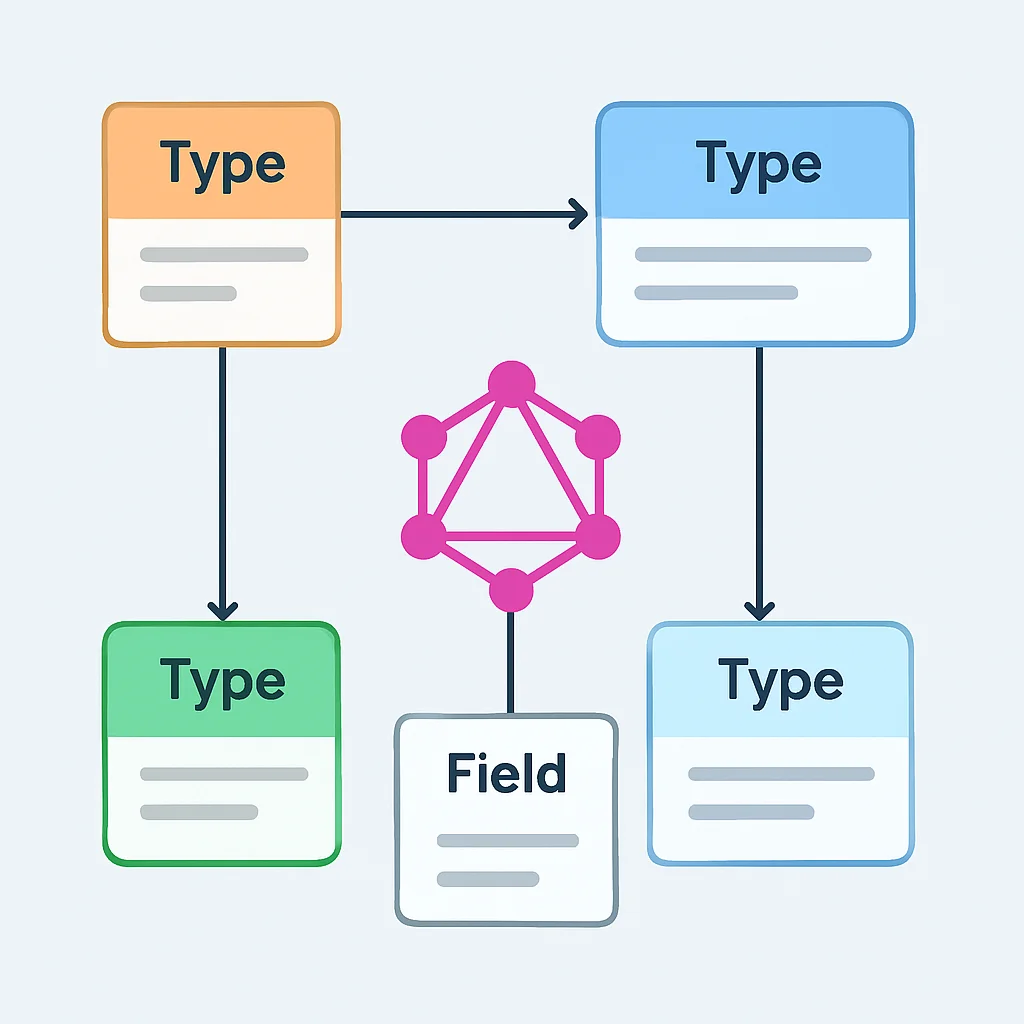
At the heart of every GraphQL API is its schema. The schema is a strongly typed contract between the client and the server, defining all possible data that clients can query or modify. It’s written using the GraphQL Schema Definition Language (SDL), which is syntax-agnostic to any programming language. This allows front-end and back-end teams to agree on data structures upfront, fostering better collaboration.
CODE EXPLANATION
This SDL defines two custom types: Book and Author. It also defines a Query type, which is the entry point for all read operations, allowing clients to fetch a list of books or a single book by its ID. The exclamation mark ! indicates a non-nullable field.
type Book {
  id: ID!
  title: String!
  author: Author!
  publishedYear: Int
}

type Author {
  id: ID!
  name: String!
  books: [Book!]!
}

type Query {
  books: [Book!]!
  book(id: ID!): Book
}
This schema defines Book and Author types, their fields, and relationships. It also specifies a Query type, which is the root type for all read operations.
Key Schema Elements
Types — Define the structure of objects (e.g., Book, Author).
Fields — Attributes of a type (e.g., title for Book).
Scalars — Primitive types like ID, String, Int, Float, Boolean.
Exclamation Mark (!) — Denotes a non-nullable field, meaning it must always return a value.
Queries, Mutations, and Subscriptions
GraphQL operates on three main types of operations:
1. Queries: These are for fetching data, similar to GET requests in REST. Clients specify the shape of the data they want, and the server responds with exactly that data. A query typically starts with the query keyword (though it’s optional for simple queries).
2. Mutations: These are for modifying data, analogous to POST, PUT, DELETE requests in REST. Mutations explicitly state their intent to change data. They always start with the mutation keyword.
3. Subscriptions: These are for real-time data updates, allowing clients to receive continuous streams of data when specific events occur on the server. Subscriptions typically use WebSockets to maintain a persistent connection. This is invaluable for applications requiring live updates, such as chat applications, stock tickers, or notification systems.
CODE EXPLANATION
This subscription listens for new book additions. Whenever a new book is added to the system, the client will automatically receive its ID, title, and the author’s name without needing to poll the server.
subscription NewBookAdded {
  bookAdded {
    id
    title
    author {
      name
    }
  }
}
KEY POINT
The GraphQL schema acts as a single source of truth, enabling robust type validation and introspection. This allows tools like GraphQL Playground or GraphiQL to automatically generate documentation and provide auto-completion for client developers, significantly improving developer experience.
API DESIGN
3. Designing Your First GraphQL API Schema
Designing a robust and intuitive GraphQL schema is perhaps the most critical step in building a successful GraphQL API. A well-designed schema is self-documenting, easy to consume, and extensible. Let’s walk through some principles and considerations.
Schema-First vs. Code-First Development
There are two primary approaches to schema development:
1. Schema-First (SDL-First): You define your schema using GraphQL SDL first, then write the code (resolvers) that implements that schema. This approach emphasizes the contract and facilitates front-end and back-end team collaboration, as the schema can be shared and discussed before implementation begins. Tools can generate boilerplate code from the SDL.
2. Code-First: You write your schema directly in your programming language using libraries that provide decorators or builder patterns. The library then generates the SDL. This can be more convenient for smaller teams or projects where the backend team also manages the schema definition and prefers to keep everything in a single language context.
For beginners, the schema-first approach is often recommended as it clearly separates schema definition from implementation, making the core concepts easier to grasp.
KEY POINT
When designing your schema, think from the client’s perspective. What data do they need? How do different pieces of data relate? GraphQL is about modeling your data as a graph, not as distinct resources like in REST.
Best Practices for Schema Design
1. Name Fields Intuitively: Use clear, descriptive names for types and fields. For example, User.email instead of User.usr_eml.
2. Use Non-Nullable Fields Wisely: The ! operator ensures a field will always return a value. Overuse can lead to brittle schemas; underuse can lead to unexpected null values. A good rule of thumb: if the absence of a value would break your UI, make it non-nullable.
3. Model Graph, Not Database: Your GraphQL schema shouldn’t be a direct mirror of your database tables. It should represent the data as a coherent graph that clients can easily traverse. For instance, a User type might have a posts: [Post!]! field, even if your database uses a foreign key on the Post table.
4. Pagination: For lists that can grow large, implement pagination (e.g., cursor-based or offset-based) to prevent performance issues and allow clients to fetch data incrementally. The Relay Cursor Connections Specification is a popular standard.
5. Versioning: GraphQL APIs are designed to be versionless. Instead of creating /v1/products and /v2/products, you evolve your single schema by adding new fields and types. When fields become deprecated, mark them as such in the schema, and clients can gradually transition. This is a significant advantage over REST’s common practice of path-based versioning, which can lead to API sprawl.
Consider an example of a simple blog API schema:
CODE EXPLANATION
This schema defines Post and Comment types, with relationships between them. The Query type allows fetching all posts or a single post by ID. The Mutation type defines operations to create a new post or add a comment to an existing post.
type Post {
  id: ID!
  title: String!
  content: String!
  author: String!
  comments: [Comment!]!
  createdAt: String!
}

type Comment {
  id: ID!
  text: String!
  author: String!
  post: Post!
  createdAt: String!
}

type Query {
  posts: [Post!]!
  post(id: ID!): Post
}

type Mutation {
  createPost(title: String!, content: String!, author: String!): Post!
  addComment(postId: ID!, text: String!, author: String!): Comment!
}
This schema clearly defines the data types and the operations clients can perform, providing a robust foundation for your API.
PRACTICAL GUIDE
4. Building a Simple GraphQL Server with Node.js and Apollo
Now that we understand the core concepts, let’s get our hands dirty and build a basic GraphQL server using Node.js and Apollo Server. Apollo is a popular, robust, and community-driven platform for GraphQL, offering excellent tools for both client and server-side development.
Step 1: Project Setup and Dependencies
First, create a new Node.js project and install the necessary packages:
CODE EXPLANATION
These commands initialize a new Node.js project and install apollo-server (the core GraphQL server) and graphql (the GraphQL specification implementation). nodemon is added as a dev dependency for automatic server restarts during development.
mkdir graphql-server-2026
cd graphql-server-2026
npm init -y
npm install apollo-server graphql
npm install --save-dev nodemon
Update your package.json to include a start script:
CODE EXPLANATION
This snippet adds a start script that uses nodemon to run index.js. nodemon will automatically restart the server whenever code changes are detected, which is great for development.
{
  "name": "graphql-server-2026",
  "version": "1.0.0",
  "description": "",
  "main": "index.js",
  "scripts": {
    "start": "nodemon index.js"
  },
  "keywords": [],
  "author": "",
  "license": "ISC",
  "dependencies": {
    "apollo-server": "^3.13.0",
    "graphql": "^16.8.1"
  },
  "devDependencies": {
    "nodemon": "^3.1.0"
  }
}
Step 2: Define Your Schema (typeDefs)
Create an index.js file and define your GraphQL schema using the gql tag from apollo-server.
CODE EXPLANATION
This code defines our GraphQL schema using SDL. We have a Book type, an Author type, and the root Query and Mutation types. It’s the same schema we discussed earlier.
// index.js
const { ApolloServer, gql } = require('apollo-server');

// 1. Define your schema using GraphQL Schema Definition Language (SDL)
const typeDefs = gql`
  type Book {
    id: ID!
    title: String!
    author: Author!
    publishedYear: Int
  }

  type Author {
    id: ID!
    name: String!
    books: [Book!]!
  }

  type Query {
    books: [Book!]!
    book(id: ID!): Book
    authors: [Author!]!
    author(id: ID!): Author
  }

  type Mutation {
    addBook(title: String!, authorId: ID!, publishedYear: Int): Book!
    addAuthor(name: String!): Author!
  }
`;
Step 3: Implement Resolvers
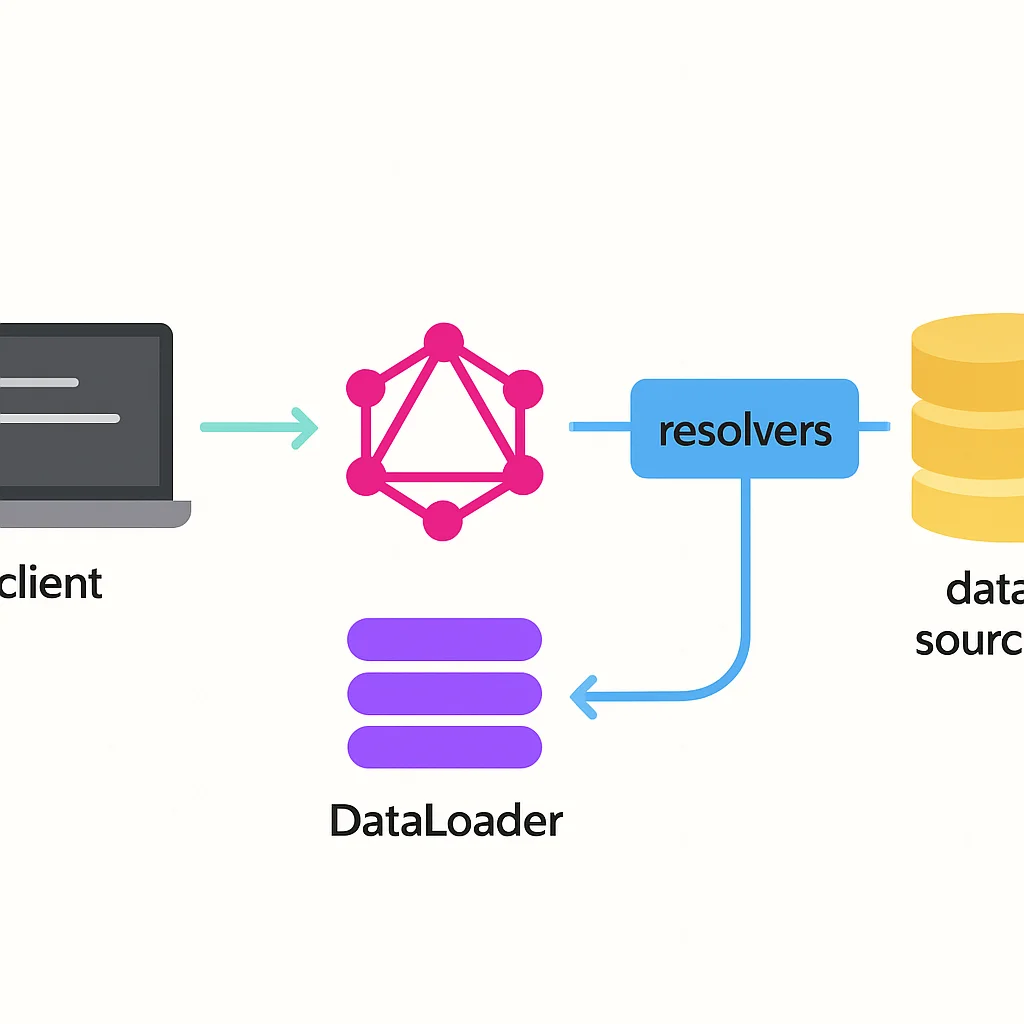
Resolvers are functions that tell GraphQL how to fetch the data for a particular field. Every field in your schema needs a corresponding resolver function. For this example, we’ll use in-memory data, but in a real application, resolvers would interact with databases, microservices, or other data sources.
CODE EXPLANATION
Here, we define our mock data and the resolver functions. The Query resolvers handle fetching lists of books/authors or single items by ID. The Mutation resolvers handle adding new books or authors. Crucially, the Book.author and Author.books resolvers show how to resolve nested relationships.
// ... (typeDefs from above)

// Mock data
const authors = [
  { id: '1', name: 'J.K. Rowling' },
  { id: '2', name: 'Stephen King' },
  { id: '3', name: 'George R.R. Martin' },
];

const books = [
  { id: '101', title: 'Harry Potter and the Sorcerer\'s Stone', authorId: '1', publishedYear: 1997 },
  { id: '102', title: 'The Lord of the Rings', authorId: '3', publishedYear: 1954 }, // intentionally wrong authorId for demonstration
  { id: '103', title: 'It', authorId: '2', publishedYear: 1986 },
  { id: '104', title: 'A Game of Thrones', authorId: '3', publishedYear: 1996 },
];

// 2. Implement resolvers
const resolvers = {
  Query: {
    books: () => books,
    book: (parent, { id }) => books.find(book => book.id === id),
    authors: () => authors,
    author: (parent, { id }) => authors.find(author => author.id === id),
  },
  Mutation: {
    addBook: (parent, { title, authorId, publishedYear }) => {
      const newBook = { id: String(books.length + 101), title, authorId, publishedYear };
      books.push(newBook);
      return newBook;
    },
    addAuthor: (parent, { name }) => {
      const newAuthor = { id: String(authors.length + 1), name };
      authors.push(newAuthor);
      return newAuthor;
    },
  },
  Book: {
    author: (parent) => authors.find(author => author.id === parent.authorId),
  },
  Author: {
    books: (parent) => books.filter(book => book.authorId === parent.id),
  },
};
KEY POINT
Resolvers are the bridge between your GraphQL schema and your actual data sources. They can be synchronous or asynchronous, allowing you to fetch data from databases, microservices, or even external APIs.
Step 4: Initialize and Start Apollo Server
Finally, create an instance of ApolloServer, passing in your typeDefs and resolvers, and then start the server.
CODE EXPLANATION
This code instantiates ApolloServer with our schema and resolvers, then starts it on port 4000. It also prints a message indicating where the server is running, including the URL for Apollo Sandbox, which is a powerful in-browser IDE for interacting with GraphQL APIs.
// ... (resolvers from above)

// 3. Create an ApolloServer instance
const server = new ApolloServer({ typeDefs, resolvers });

// 4. Start the server
server.listen().then(({ url }) => {
  console.log(`🚀 Server ready at ${url}`);
  console.log(`Explore your API at ${url}`);
});
Now, run npm start in your terminal. You should see output similar to:
🚀 Server ready at http://localhost:4000/
Explore your API at http://localhost:4000/
Open http://localhost:4000/ in your browser. You’ll be greeted by Apollo Sandbox, a powerful IDE for testing your GraphQL API. You can explore the schema, run queries, and test mutations.
CHALLENGES & SOLUTIONS
5. Overcoming Common GraphQL Challenges
While GraphQL offers immense benefits, it also introduces new considerations and challenges that developers must address to build performant and secure APIs. Let’s look at some common issues and their solutions.
PROBLEM 01
The N+1 Problem in Nested Data Fetching
When fetching a list of items and then a related field for each item, GraphQL’s resolver-per-field model can lead to the “N+1 problem.” For example, fetching 100 books and their authors might result in 1 (for books) + 100 (for each author) = 101 database queries. This severely impacts performance.
SOLUTION — Use DataLoaders for Batching and Caching
DataLoader is a utility that provides a consistent API over various remote data sources and allows for automatic batching and caching. It collects all individual load calls that happen in a single “tick” of your event loop and then dispatches them in a single batch to your backend. This transforms N individual queries into 1 batch query.
To implement, you create a DataLoader instance for each type of data you need to fetch (e.g., one for authors). Inside your resolvers, instead of directly querying the database for each author, you call context.dataLoaders.authorLoader.load(authorId).
CODE EXPLANATION
This example shows how to integrate DataLoader. We create an AuthorLoader that batches author IDs and fetches them in a single database call. The context object is used to make the DataLoader available to all resolvers, ensuring efficient data fetching for related entities.
// index.js (simplified for DataLoader context)
const DataLoader = require('dataloader');
const { ApolloServer, gql } = require('apollo-server');

// ... typeDefs and mock data (authors, books) ...

// Batch function for authors
const batchAuthors = async (ids) => {
  console.log(`Batching authors with IDs: ${ids}`); // See this log once for multiple author lookups
  // In a real app, this would be a single database query like:
  // return db.getAuthorsByIds(ids);
  return ids.map(id => authors.find(author => author.id === id));
};

const resolvers = {
  // ... Query and Mutation resolvers ...
  Book: {
    author: (parent, args, context) => {
      // Use DataLoader from context
      return context.dataLoaders.authorLoader.load(parent.authorId);
    },
  },
  Author: {
    books: (parent) => books.filter(book => book.authorId === parent.id),
  },
};

const server = new ApolloServer({
  typeDefs,
  resolvers,
  context: () => ({
    // Initialize DataLoaders in the context for each request
    dataLoaders: {
      authorLoader: new DataLoader(batchAuthors),
    },
  }),
});

server.listen().then(({ url }) => {
  console.log(`🚀 Server ready at ${url}`);
});
PROBLEM 02
Authentication and Authorization
Securing a GraphQL API requires careful handling of authentication (who is this user?) and authorization (is this user allowed to do this?). Since there’s often a single endpoint, middleware approaches used in REST need adaptation, and authorization needs to be applied at a granular field level.
SOLUTION — Context and Directive-based Authorization
Authentication can be handled at the server level using standard HTTP headers (e.g., JWT in an Authorization header). Apollo Server’s context function is ideal for extracting and validating user information from the request and making it available to all resolvers.
Authorization can then be implemented within resolvers, checking the user’s role or permissions. For more complex scenarios, custom GraphQL directives (e.g., @auth(requires: ADMIN)) can provide declarative authorization logic directly in the schema, enhancing readability and maintainability.
CODE EXPLANATION
This snippet shows how to set up the context function in Apollo Server to extract a user from an authentication token. This user object is then available in every resolver, allowing for granular authorization checks (e.g., only an admin can add a book).
// index.js
const { ApolloServer, gql } = require('apollo-server');
const jwt = require('jsonwebtoken'); // npm install jsonwebtoken

// ... typeDefs, mock data, resolvers ...

const server = new ApolloServer({
  typeDefs,
  resolvers,
  context: ({ req }) => {
    // Get the authorization token from the headers
    const token = req.headers.authorization || '';
    let user = null;

    try {
      // Verify token and extract user
      if (token) {
        // In a real app, you'd use a secret key from environment variables
        user = jwt.verify(token.replace('Bearer ', ''), 'MY_SECRET_KEY_2026');
      }
    } catch (error) {
      console.warn('Authentication error:', error.message);
      // Optionally, throw new AuthenticationError('Invalid token');
    }

    // Add user to the context
    return { user };
  },
});

// Example resolver with authorization check
const resolvers = {
  // ... other resolvers ...
  Mutation: {
    addBook: (parent, { title, authorId, publishedYear }, context) => {
      if (!context.user || context.user.role !== 'ADMIN') {
        throw new Error('Unauthorized: Only admins can add books');
      }
      // ... actual addBook logic ...
      const newBook = { id: String(books.length + 101), title, authorId, publishedYear };
      books.push(newBook);
      return newBook;
    },
  },
};

server.listen().then(({ url }) => {
  console.log(`🚀 Server ready at ${url}`);
});
KEY POINT
Performance optimization in GraphQL is crucial. Beyond DataLoaders, consider techniques like query complexity analysis to prevent overly expensive queries, persist queries for faster parsing, and implement response caching at the server edge using tools like Apollo Server’s built-in cache control directives.
Frequently Asked Questions about GraphQL
Q. What is the main advantage of GraphQL over REST?
The primary advantage of GraphQL is its flexibility in data fetching. Clients can request exactly the data they need in a single request, eliminating over-fetching (receiving too much data) and under-fetching (needing multiple requests for all data) commonly found in REST APIs. This leads to more efficient data transfer and faster application performance.
Q. Is GraphQL suitable for all types of applications?
GraphQL excels in applications with complex, evolving data requirements and diverse client platforms (web, mobile, IoT). For very simple APIs with stable data structures or microservices that communicate internally with fixed contracts, REST might still be a simpler choice. However, for modern, data-intensive applications in 2026, GraphQL often provides significant benefits.
Q. How does GraphQL handle real-time data updates?
GraphQL uses a concept called “Subscriptions” for real-time data. Subscriptions allow clients to subscribe to specific events and receive live data updates from the server, typically over a WebSocket connection. This is ideal for features like live chat, notifications, or real-time dashboards.
Q. What is the “N+1 problem” in GraphQL and how is it solved?
The N+1 problem occurs when fetching a list of items and then, for each item, making a separate database query for related data, leading to N+1 queries. It’s typically solved using a technique called “batching” with tools like DataLoader. DataLoader collects all individual data requests within a single event loop tick and dispatches them in one optimized batch query to the database, significantly improving performance.
Q. Do I need to replace all my existing REST APIs with GraphQL?
Not necessarily. Many organizations adopt GraphQL incrementally, often by building a GraphQL “gateway” or “federation layer” that sits in front of existing REST APIs. This allows you to leverage your existing infrastructure while providing a flexible GraphQL interface to your clients, allowing for a smooth transition and coexistence.
WRAP-UP
6. Conclusion: The Future is Flexible with GraphQL
As we navigate 2026, the demand for highly performant, flexible, and developer-friendly APIs continues to grow. GraphQL has firmly established itself as a powerful solution for these modern challenges. Its schema-first approach, coupled with the ability for clients to precisely define their data needs, offers significant advantages over traditional REST APIs, particularly in complex, interconnected application ecosystems.
We’ve covered the fundamentals, from defining your schema with SDL to implementing resolvers and setting up a basic server with Apollo. We’ve also touched upon critical performance considerations like the N+1 problem and strategies for authentication and authorization. While there’s a learning curve, the benefits in terms of developer experience, client efficiency, and API evolution are substantial.
“GraphQL empowers developers to build APIs that are not just functional, but truly optimized for the diverse and dynamic needs of modern clients.”
The ecosystem around GraphQL, with tools like Apollo, Relay, and various client libraries, is mature and continues to innovate. For any backend developer looking to future-proof their API design and provide an exceptional experience for client-side teams, diving into GraphQL is an investment that will pay dividends. The flexibility it offers ensures that your API can adapt and scale with the ever-changing demands of technology, making it a cornerstone of efficient backend development in 2026 and beyond.
Thanks for reading!
We hope this guide helped you take your first steps into the powerful world of GraphQL.
Got questions or want to share your GraphQL journey? Drop a comment below!