

SUMMARY
Best Note-Taking & Knowledge Management Apps for Developers in 2026
A comprehensive comparison of top note-taking and knowledge management tools tailored for developer workflows.
Keywords: Obsidian, Notion, Evernote
TABLE OF CONTENTS
1. The Developer’s Brain: Why Knowledge Management is Essential
2. Deep Dive: Top Note-Taking & Knowledge Management Apps for Developers
3. Solving Developer Challenges with the Right Tools
4. Practical Application: Optimizing Your Developer Workflow
5. Choosing Your Champion: Conclusion & Future Outlook
6. Frequently Asked Questions (FAQ)
BACKGROUND
The Developer’s Brain: Why Knowledge Management is Essential
In the fast-paced world of software development, information is currency. Developers are constantly learning new languages, frameworks, design patterns, debugging complex issues, and integrating diverse systems. The sheer volume of technical knowledge, project specifics, and daily insights can quickly become overwhelming. Without an effective system to capture, organize, and retrieve this information, productivity suffers, and valuable insights are lost to the sands of time.
Think about it: how many times have you struggled to remember a specific command-line argument, a unique solution to a bug you previously fixed, or the architectural decision behind a particular component? Relying solely on memory or scattered browser bookmarks is inefficient and unsustainable. This is where dedicated note-taking and knowledge management (KM) applications become indispensable tools in a developer’s arsenal. In 2026, the landscape of these tools is more diverse and powerful than ever, offering specialized features that cater directly to the unique demands of development work.
The goal of this report is to provide a comprehensive analysis of the leading note-taking and knowledge management applications that are particularly relevant for developers today. We’ll delve into their core functionalities, strengths, weaknesses, and how they can be leveraged to streamline your workflow, accelerate learning, and build a robust personal or team knowledge base. We’ll compare three prominent contenders: Obsidian, Notion, and Evernote, each offering a distinct philosophy and feature set.
KEY POINT
Effective knowledge management is not just about storing information; it’s about creating a system where knowledge is easily discoverable, interconnected, and actionable, significantly boosting a developer’s long-term productivity and problem-solving capabilities.
CORE CONTENT
Deep Dive: Top Note-Taking & Knowledge Management Apps for Developers
Choosing the right knowledge management tool is a critical decision that can profoundly impact a developer’s daily workflow. Each application brings its own philosophy to the table, catering to different preferences and use cases. Let’s break down Obsidian, Notion, and Evernote to understand where they shine for the developer community in 2026.
1. Obsidian: The Local-First, Graph-Oriented Personal Wiki
Obsidian has rapidly gained traction among developers and knowledge workers for its unique approach to note-taking. It operates on a local-first principle, meaning your notes are plain Markdown files stored directly on your computer. This gives you absolute ownership and control over your data, a feature highly valued by those concerned with privacy and long-term data portability. The core strength of Obsidian lies in its ability to create a “second brain” through powerful bi-directional linking and a visual graph view that illustrates the connections between your ideas.
Obsidian Key Features for Developers
Local Markdown Files — Full data ownership, future-proof format, easy Git integration for version control and backup.
Bi-directional Linking & Graph View — Connect ideas, code snippets, and project documentation effortlessly, visualizing relationships.
Extensive Plugin Ecosystem — Hundreds of community plugins (e.g., Dataview, Excalidraw, Templater, various code snippet managers) extend functionality significantly, catering to specific developer needs.
Command Palette & Keyboard-centric Workflow — Highly efficient for quick navigation and task execution without touching the mouse.
Customization — Themes, CSS snippets, and customizable hotkeys allow for a highly personalized environment.
For developers, Obsidian excels as a personal knowledge base, a project documentation hub, and a sophisticated code snippet manager. Its reliance on Markdown means code blocks are natively supported and rendered beautifully. The ability to link specific lines of code or sections of documentation makes it incredibly powerful for dissecting complex systems or remembering context for future reference. While it lacks native real-time collaboration, its file-based nature makes it highly compatible with Git, allowing teams to version control their documentation like code.
2. Notion: The All-in-One Workspace for Teams and Individuals
Notion has cemented its position as a versatile all-in-one workspace, beloved by startups, teams, and individuals for its incredible flexibility. Unlike Obsidian, Notion is primarily cloud-based, offering robust real-time collaboration features. Its strength lies in its modular “blocks” system and powerful databases, which can be customized to create virtually any kind of information structure – from simple notes and wikis to complex project management boards, CRM systems, and content calendars.
Notion Key Features for Developers
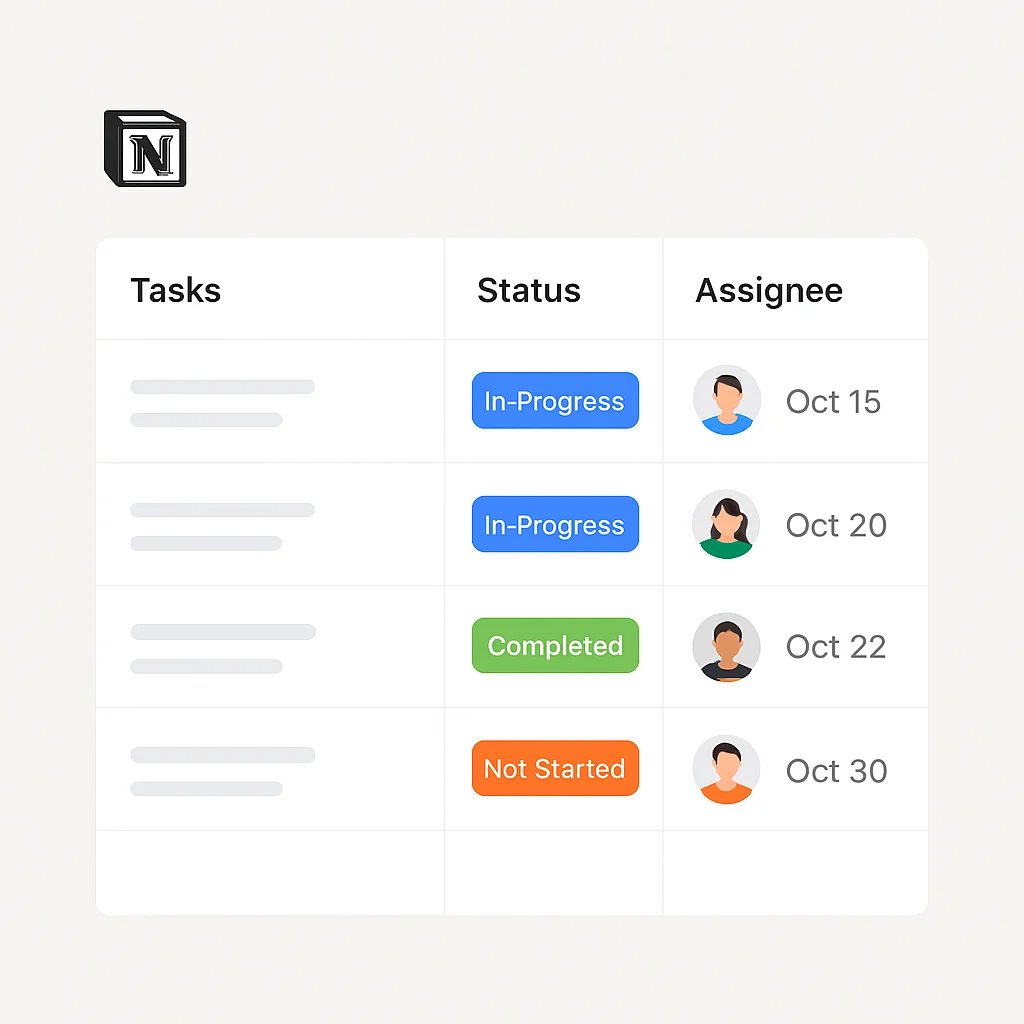
Powerful Databases — Organize tasks, bugs, API endpoints, and project documentation with customizable properties, views (table, board, calendar, gallery, timeline), and relations.
Real-time Collaboration — Ideal for team documentation, sprint planning, shared knowledge bases, and collaborative design docs.
Rich Content Blocks — Embed code blocks, diagrams, videos, PDFs, and almost any web content directly into pages.
Templates & Integrations — A vast library of community and official templates, plus integrations with tools like GitHub, Jira, Slack, and more.
API Access — Programmatic access to your Notion workspace allows for advanced automation and custom integrations.
For development teams, Notion shines as a central hub for all project-related information. You can manage sprints, track bugs, host API documentation, and maintain a company-wide knowledge base, all within a single environment. Its database capabilities are particularly potent for organizing structured data, which is common in development. While it does support Markdown, its primary strength isn’t in plain text editing but in its rich block-based content creation and database functionalities. The API has matured significantly by 2026, enabling developers to build powerful custom workflows and integrations, making it even more appealing for tech-centric organizations.
3. Evernote: The Veteran Note-Taker with Robust Search
Evernote, a pioneer in the note-taking space, has been around since 2008 and continues to be a reliable choice for millions of users. It offers a more traditional note-taking experience centered around notebooks, notes, and tags. While it may not have the developer-specific features of Obsidian or the database power of Notion, Evernote’s strength lies in its unparalleled web clipping capabilities, robust search functionality (including searching text within images and PDFs), and reliable cross-platform synchronization.
Evernote Key Features for Developers
Superior Web Clipper — Easily save articles, documentation, or code examples from the web, often preserving formatting and context.
Powerful Search — Quickly find any note, even text within attached documents, PDFs, or handwritten notes within images.
Reliable Cross-Platform Sync — Access your notes seamlessly across desktop, web, and mobile devices.
Email to Note — Forward emails directly into Evernote to save important conversations or newsletters.
Simple Note Organization — Straightforward notebook and tagging system for quick categorization of information.
For developers, Evernote is an excellent choice for capturing quick research, saving useful tutorials, documenting meeting notes, or maintaining a personal swipe file of interesting code patterns. Its strength lies in its ability to be a digital filing cabinet for all sorts of unstructured and semi-structured information you encounter daily. While it supports basic code blocks, it’s not optimized for heavy code management or complex architectural diagrams in the same way Obsidian or Notion might be. Its pricing model, particularly for advanced features, can be a point of consideration for some users.
KEY POINT
The choice between Obsidian, Notion, and Evernote often boils down to your primary use case: Obsidian for personal, interconnected knowledge graphs and code management; Notion for collaborative team workspaces and structured data; and Evernote for robust web clipping and universal information capture.
Comparative Analysis: Obsidian vs. Notion vs. Evernote (2026)
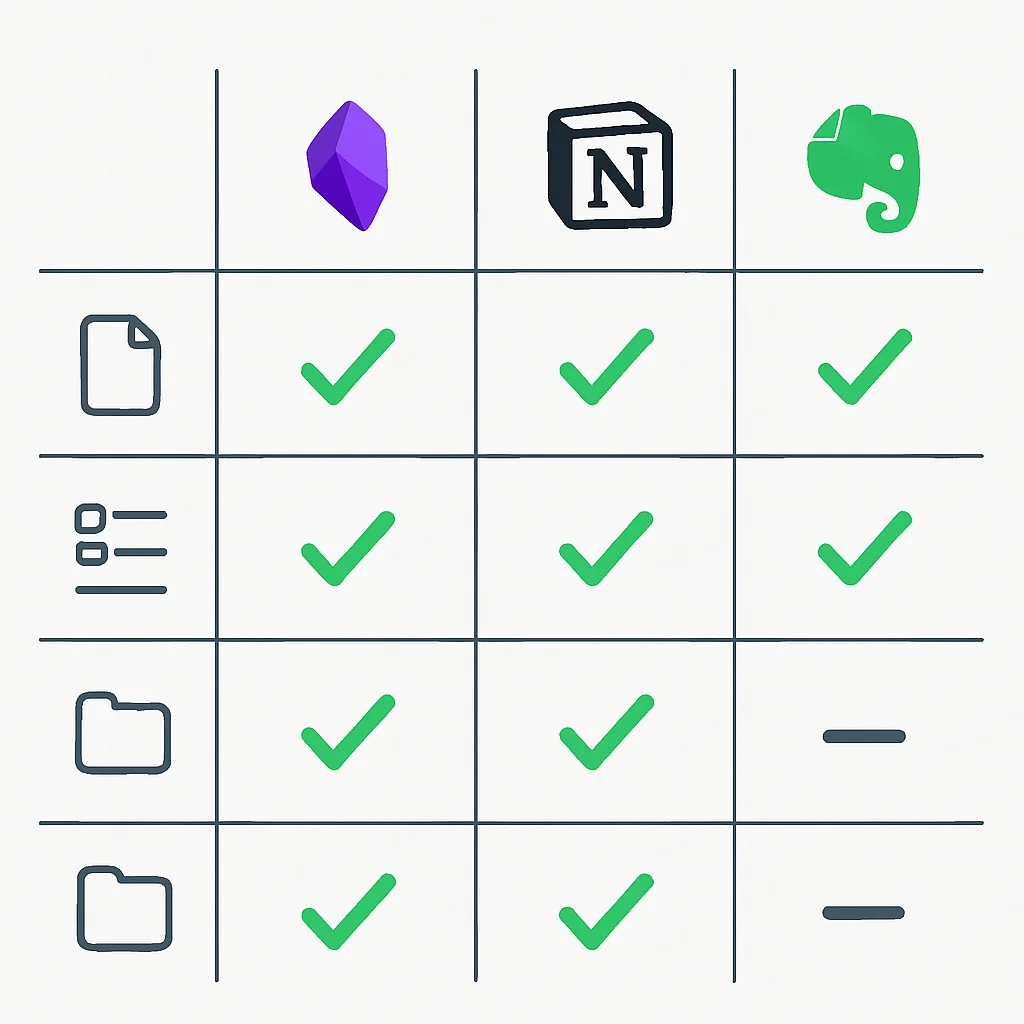
To help you make an informed decision, let’s look at a side-by-side comparison of key features relevant to developers.
Feature Comparison Matrix
| Feature | Obsidian | Notion | Evernote |
|---|---|---|---|
| Data Storage | Local Markdown files | Cloud-based proprietary format | Cloud-based proprietary format |
| Markdown Support | Excellent (native & extended) | Good (block-based) | Basic |
| Collaboration | Via Git/external tools | Real-time, robust | Limited sharing |
| Databases/Structured Data | Via plugins (e.g., Dataview) | Extremely powerful, native | No dedicated databases |
| Extensibility/Plugins | Vast, community-driven | API, limited plugins/integrations | Limited integrations |
| Web Clipper | Via community plugins | Good, native | Excellent, native |
| Offline Access | Full (local files) | Partial/Cached | Full (Premium) |
| Pricing Model | Free (core), Paid (Sync/Publish) | Free (basic), Paid (Plus/Business) | Free (limited), Paid (Personal/Professional) |
| Developer-Centric Score (1-10) | 9 | 8 | 6 |
PROBLEM SOLVING
Solving Developer Challenges with the Right Tools
Developers face a unique set of challenges when it comes to knowledge management. Let’s explore how our featured applications provide solutions to some of these common pain points in 2026.
PROBLEM 01
Efficiently Managing & Retrieving Code Snippets
Developers constantly reuse code snippets, commands, or configuration examples. Losing track of these valuable pieces of code can lead to wasted time re-writing or searching through old projects.
SOLUTION — Structured Snippet Management
Obsidian: Leverage native Markdown code blocks with syntax highlighting. Use the Templater plugin to create snippet templates and the Dataview plugin to query and list snippets based on tags (e.g., #python-snippet, #bash-command). Bi-directional links allow you to connect snippets to projects or problems they solved.
Notion: Create a dedicated “Code Snippets” database. Each entry can be a page with a code block, language property, tags, and a description. You can add a URL property for source links. The database allows for powerful filtering and sorting.
Evernote: Save code snippets as individual notes, using tags and notebooks for organization. The robust search capabilities make it easy to find specific snippets later, even if they’re embedded in larger articles.
CODE EXPLANATION
This is an example of a Python code snippet demonstrating a simple function, formatted within a Markdown code block. This is how it would appear in Obsidian or Notion (using their code block feature).
def calculate_fibonacci(n):
    """
    Calculates the nth Fibonacci number.
    Args:
        n (int): The position in the Fibonacci sequence.
    Returns:
        int: The nth Fibonacci number.
    """
    a, b = 0, 1
    for _ in range(n):
        a, b = b, a + b
    return a

# Example usage:
# [[Fibonacci Sequence]]
print(f"The 10th Fibonacci number is: {calculate_fibonacci(10)}")
PROBLEM 02
Documenting Complex Architectural Designs
Software architecture can be incredibly intricate, involving multiple services, data flows, and external integrations. Documenting these designs in an understandable and maintainable way is crucial for team alignment and future reference.
SOLUTION — Visual & Linked Documentation
Obsidian: Use the Excalidraw plugin to embed hand-drawn-style diagrams directly into your notes. Link components within the diagram to other detailed notes. The graph view helps visualize the overall architecture’s interconnectedness. You can also use Mermaid syntax for diagrams.
Notion: Leverage rich content blocks to embed diagrams created in tools like Lucidchart or Miro. Create dedicated pages for each service or component and link them together. Notion’s hierarchical page structure and inline linking make it excellent for building a comprehensive architectural wiki.
Evernote: While less ideal for complex, interconnected diagrams, Evernote can store screenshots of diagrams, flowcharts, or whiteboard sessions. Its powerful search can find text within these images, making it useful for capturing visual information quickly.
PROBLEM 03
Facilitating Team Collaboration on Documentation
For development teams, shared understanding and collaborative documentation are paramount. Ensuring everyone has access to the latest information and can contribute easily is a common hurdle.
SOLUTION — Real-time Shared Workspaces
Notion: This is where Notion truly shines. Its real-time collaborative editing, granular sharing permissions, comments, and mentions make it an ideal platform for team wikis, sprint boards, and shared knowledge bases. Multiple team members can work on the same document simultaneously.
Obsidian: While not built for real-time collaboration, teams can use Obsidian by syncing their vaults via cloud services like Dropbox or Google Drive, or more robustly, by placing the vault under Git version control. This allows for asynchronous collaboration, with Git handling version history and conflict resolution, which many developers are already familiar with.
Evernote: Evernote offers basic sharing of individual notes or entire notebooks. It’s suitable for sharing static information or simple collaborative lists, but lacks the real-time editing and advanced team features of Notion.
PRACTICAL APPLICATION
Practical Application: Optimizing Your Developer Workflow
Now that we’ve explored the capabilities of these tools, let’s look at some practical ways to integrate them into your daily developer workflow in 2026. Effective integration is key to maximizing their value.
Setting Up Obsidian for Developer Notes
1
Create a Dedicated Vault
Start by creating a new Obsidian vault specifically for your developer notes. This keeps your technical knowledge separate and organized. You can store this vault in a cloud-synced folder (like Dropbox, Google Drive, OneDrive) for basic sync, or initialize a Git repository within the vault for robust version control.
2
Install Essential Developer Plugins
From the Community Plugins section, install plugins like:
- Templater: For creating dynamic note templates (e.g., for new projects, daily logs, or bug reports).
- Dataview: To query and display data from your notes, creating dynamic lists of projects, tasks, or snippets.
- Excalidraw: For embedding hand-drawn diagrams (architecture, flowcharts) directly into your notes.
- Code Mirror Options: Enhances code block features like line numbers.
3
Create Custom Templates for Efficiency
Templates are a game-changer. For example, create a “New Project” template with predefined sections for goals, tech stack, key contacts, and a task list. Or a “Bug Report” template with fields for reproduction steps, expected behavior, actual behavior, and links to relevant code.
CODE EXPLANATION
This is an example of an Obsidian Templater template for a new project note. It automatically inserts the current date and provides a structured outline, encouraging consistent documentation.
---
title: <% tp.file.title %>
date: <% tp.date.now("YYYY-MM-DD") %>
project_status: In Progress
tech_stack: []
tags: [project, development]
---

# <% tp.file.title %>

## 🚀 Overview
A brief description of the project's purpose and scope.

## 🎯 Goals
- [ ] Goal 1
- [ ] Goal 2

## 🛠️ Tech Stack
- Frontend:
- Backend:
- Database:
- Deployment:

## 📝 Key Notes & Decisions
- [[<% tp.file.title %> - Architecture]]
- [[<% tp.file.title %> - API Design]]

## 📌 Tasks
```dataview
TASK
WHERE contains(file.tags, "task") AND contains(file.path, "<% tp.file.folder(true) %>")
SORT file.name ASC
```

## References
- [Link to external documentation](https://example.com)
4
Integrate with Git (Optional but Recommended)
For a robust backup and version history, initialize a Git repository in your Obsidian vault. Commit regularly. This is particularly useful if you’re collaborating or want to track changes to your knowledge base over time, just like you would with code. Tools like Obsidian Git plugin can automate this process.
Leveraging Notion Databases for Project Tracking
Notion’s databases are incredibly powerful for structured data. Here’s a quick guide to setting up a “Developer Tasks” database:
Step 1: Create a New Database
Add a new page and select “Table – Full page” or “Board – Full page” to create your database.
Step 2: Define Properties
Add relevant properties for developer tasks:
- Name: (Title property) Task description.
- Status: (Select property) e.g., “To Do”, “In Progress”, “Code Review”, “Done”.
- Priority: (Select property) e.g., “High”, “Medium”, “Low”.
- Assignee: (Person property) Assign tasks to team members.
- Due Date: (Date property) For deadlines.
- Project: (Relation property) Link to a “Projects” database.
- Tags: (Multi-select property) e.g., “frontend”, “backend”, “bug”, “feature”.
Step 3: Create Different Views
Transform your database into various views for different needs:
- Board View: Grouped by “Status” for a Kanban-style sprint board.
- Calendar View: Display tasks by “Due Date” for a visual timeline.
- Table View: Filtered by “Assignee” to see individual workloads.
This setup allows development teams to manage their entire workflow, from task assignment and progress tracking to linking tasks directly to relevant documentation pages within Notion. The versatility of databases makes it a powerful tool for agile development.
KEY POINT
The true power of these tools for developers lies in their customization and integration capabilities. Tailoring templates, plugins, and database structures to your specific workflow can yield significant gains in efficiency and organization.
Frequently Asked Questions (FAQ)
Q. Which note-taking app is best for personal code snippets and learning?
For personal code snippets, learning, and building an interconnected knowledge graph, Obsidian is generally considered the best choice due to its local-first Markdown files, powerful linking, and extensive plugin ecosystem specifically catering to developers.
Q. Can I use these apps for team collaboration on technical documentation?
Yes, Notion is exceptionally strong for real-time team collaboration on technical documentation, wikis, and project management. Obsidian can be used for team collaboration by leveraging Git for version control and asynchronous contributions.
Q. Is it possible to migrate notes between these different applications?
Migration is generally easiest into or out of Obsidian, as it uses plain Markdown files. Notion offers import/export functionalities (often to Markdown or CSV), and Evernote allows export to HTML or its own proprietary format, ENEX. Direct, seamless migration between all three can be challenging due to their differing data structures, but Markdown acts as a good intermediary.
Q. Do these tools offer good offline access for developers working remotely or on the go?
Obsidian offers full offline access as all your notes are stored locally on your device. Notion provides partial offline access by caching recently viewed pages, but requires an internet connection for full functionality and syncing. Evernote offers full offline access for premium subscribers, syncing notes to your device for anytime availability.
WRAP-UP
Choosing Your Champion: Conclusion & Future Outlook
The ideal note-taking and knowledge management app for a developer in 2026 isn’t a one-size-fits-all solution. It depends heavily on your individual workflow, team requirements, and philosophical approach to data ownership. If you prioritize control, local data, and building a deeply interconnected personal knowledge graph with extensive customization, Obsidian is likely your champion. If you need an all-in-one collaborative workspace with powerful databases for project management and team documentation, Notion stands out. For those who value robust web clipping, universal information capture, and a reliable cross-platform experience with excellent search, Evernote remains a strong contender.
Many developers even adopt a hybrid approach, using Obsidian for deep personal knowledge work and code snippets, while leveraging Notion for team-wide project management and shared documentation. Evernote might serve as a complementary tool for quick web captures and research. The key is to experiment, understand your needs, and integrate the chosen tool(s) seamlessly into your daily development routine.
Looking ahead, the trend for knowledge management tools will likely continue towards greater extensibility, AI-powered insights, and more sophisticated linking capabilities. As development practices evolve, so too will the tools that help us manage the ever-growing complexity of technical information. Choosing wisely now will empower you to stay productive and informed for years to come.
Thanks for reading!
We hope this detailed analysis helps you navigate the world of note-taking and knowledge management tools and find the perfect fit for your developer workflow in 2026.
Got feedback or questions about your favorite developer productivity tools? Drop a comment below and share your insights!
Related Posts
- [Tools & Productivity] Essential Browser Extensions for Developers in 2026: Boost Your Workflow & Debugging
- [Tools & Productivity] Boost Your Browser: Essential Extensions for Developers in 2026
- [Tools & Productivity] Top Task Management Tools for Developers in 2026: Boost Productivity & Ship Code Faster