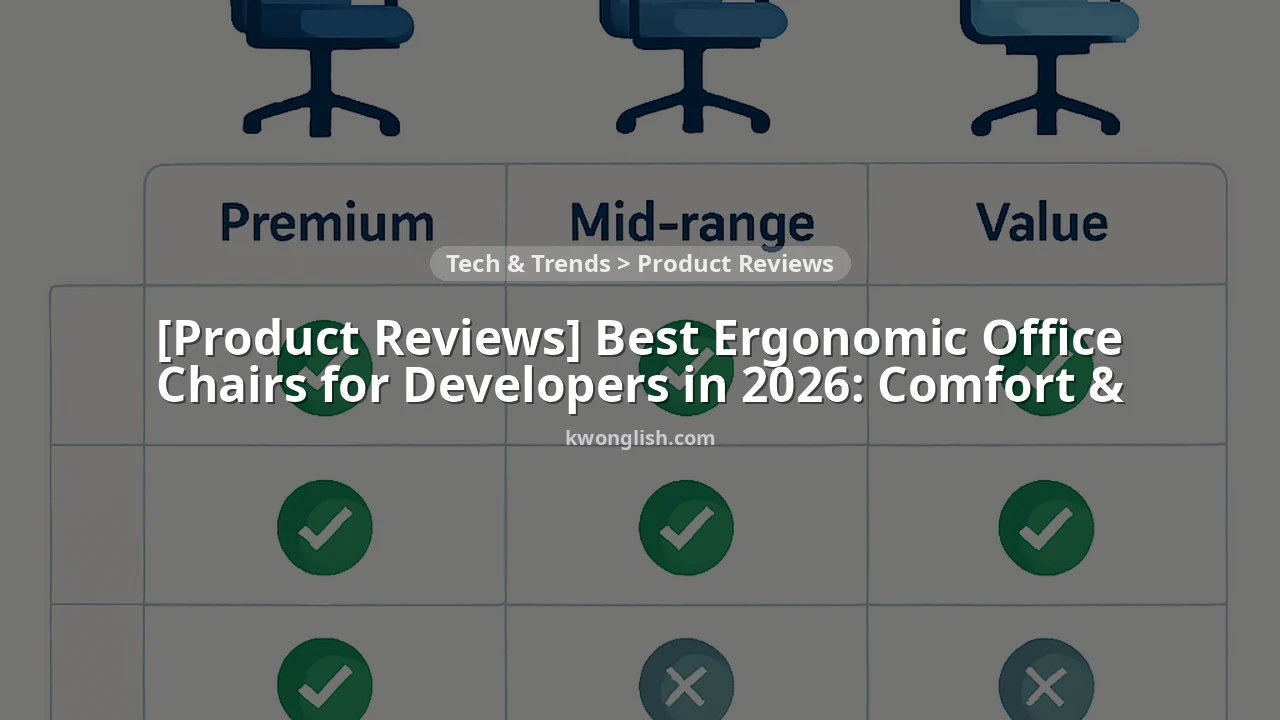
SUMMARY
Best Ergonomic Office Chairs for Developers in 2026
This post provides a thorough review of the essential features of ergonomic office chairs tailored for developers, emphasizing comfort, adjustability, and long-term health benefits for your coding environment.
Keywords: developer comfort, ergonomic chair, long hours
TABLE OF CONTENTS
1. Why Ergonomics Matter for Developers in 2026
2. Design & Build Quality: What to Look For
3. Key Features That Make a Chair “Developer-Friendly”
4. The Pros & Cons of Investing in a Premium Ergonomic Chair
5. Ergonomic Chair Categories: A Feature Comparison
6. Verdict & Kwonglish Rating
7. Frequently Asked Questions (FAQ)
Why Ergonomics Matter for Developers in 2026
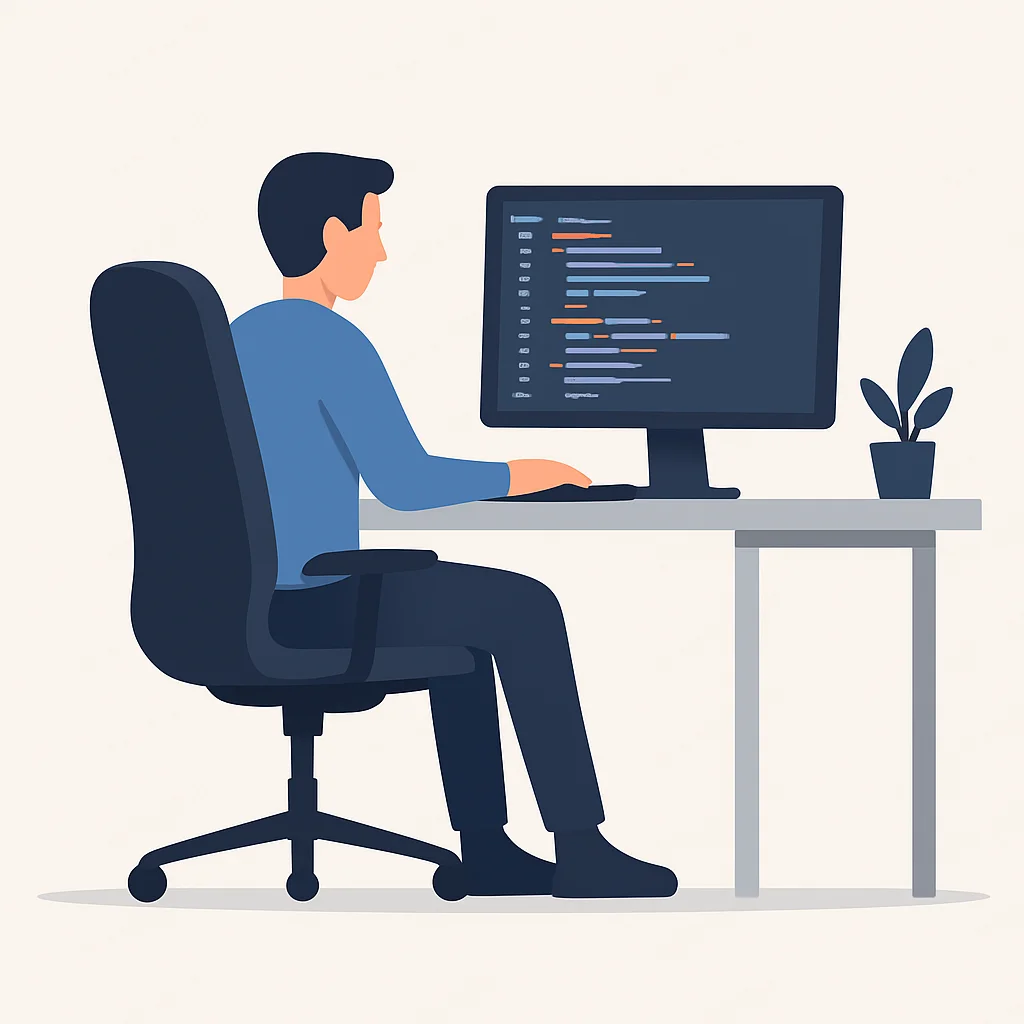
As a developer, I have experienced the challenges of long hours spent hunched over a keyboard, gazing at multiple screens. Whether you are debugging intricate code, developing new features, or collaborating online, the physical demands are substantial. In 2026, with remote work becoming increasingly common and projects becoming more complex, having a proper ergonomic setup is not merely a luxury; it is essential for your health, productivity, and career longevity.
Typically, a developer’s workday involves sitting for 8 to 12 hours, and sometimes even longer during peak periods. This sedentary lifestyle, coupled with poor posture, can result in various health problems: chronic back pain, neck stiffness, shoulder tension, carpal tunnel syndrome, and even more severe musculoskeletal disorders. These issues are not trivial; they can greatly affect your concentration, slow down your coding speed, and even necessitate time off work.
Investing in a high-quality ergonomic office chair is one of the most prudent choices you can make for both your professional and personal health. It is not solely about comfort; it is about providing your body with the necessary support to maintain a healthy posture, minimize strain, and enable you to remain focused and productive for extended periods. A well-designed ergonomic chair conforms to your body, encouraging natural spinal alignment and evenly distributing pressure, which can significantly improve how you feel after a long coding session.
KEY POINT
Consider an ergonomic chair as an investment in your career. Preventing chronic pain and maintaining optimal physical condition for coding is far more cost-effective than managing medical treatments and lost productivity later on. It is truly a “prevention is cheaper than cure” situation.
When discussing the “best” ergonomic chairs for developers in 2026, we are not merely considering aesthetics. We are examining features such as advanced adjustability, high-quality materials, and thoughtful engineering that directly cater to the unique requirements of a coder. This includes support for various postures, compatibility with dynamic setups (like standing desks), and durability to endure years of rigorous use. The cost of a truly exceptional ergonomic chair can range from approximately $500 to well over $1500, but as we will discuss, the value it provides often far exceeds the initial investment.
Design & Build Quality: What to Look For
Beyond the appealing marketing, the true measure of an ergonomic chair lies in its design and build quality. For developers, a chair is not just a piece of furniture; it is a vital tool that must perform reliably for thousands of hours. Here is what Kwonglish looks for when assessing the construction and aesthetics of a top-tier ergonomic chair:
Materials That Matter
The selection of materials significantly affects comfort, durability, and breathability. For the seat and back, high-density foam is a common choice, providing excellent support that does not flatten over time. However, many premium chairs now use advanced mesh materials, especially on the backrest and sometimes the seat. Mesh, like those from Herman Miller or Steelcase, is excellent for airflow, preventing sweat buildup during long sessions, and conforms to your body’s contours for dynamic support. Some chairs also offer high-quality fabric or even vegan leather options that combine durability with a softer feel.
Robust Frame and Components
The chair’s underlying structure is crucial. Look for frames made from reinforced steel or polished aluminum. These materials provide exceptional stability and can endure the daily demands of a developer’s workflow. Plastic components, while lighter, should be high-grade, reinforced nylon to ensure longevity. The casters (wheels) are another often-overlooked detail; smooth-gliding, durable wheels are essential for effortless movement, especially if you frequently shift between multiple monitors or reach for different tools. Many chairs offer options for hard floors or carpeted surfaces.
Aesthetics and Integration
While performance is paramount, the visual appeal of a chair in your workspace should not be overlooked. Modern ergonomic chairs have evolved beyond purely functional designs, now offering sleek, sophisticated aesthetics that seamlessly integrate into contemporary home offices or corporate settings. Minimalist designs, neutral color schemes, and clean lines are common. A well-designed chair can enhance your workspace, making it a more enjoyable and inspiring environment for coding. After all, if you are going to spend a significant portion of your day in it, it should look good!
Key Features That Make a Chair “Developer-Friendly”
Not all ergonomic chairs are created equal, and for developers, certain features transition from “nice-to-have” to “absolutely essential.” Here is a breakdown of the critical adjustments and design elements that truly make a chair suitable for long hours of intense coding.
Comprehensive Adjustability: Your Body’s Best Friend
This is arguably the most crucial aspect. A truly ergonomic chair should be highly customizable to fit your unique body shape and preferences. Generic chairs often require you to adapt to them; an ergonomic chair adapts to you.
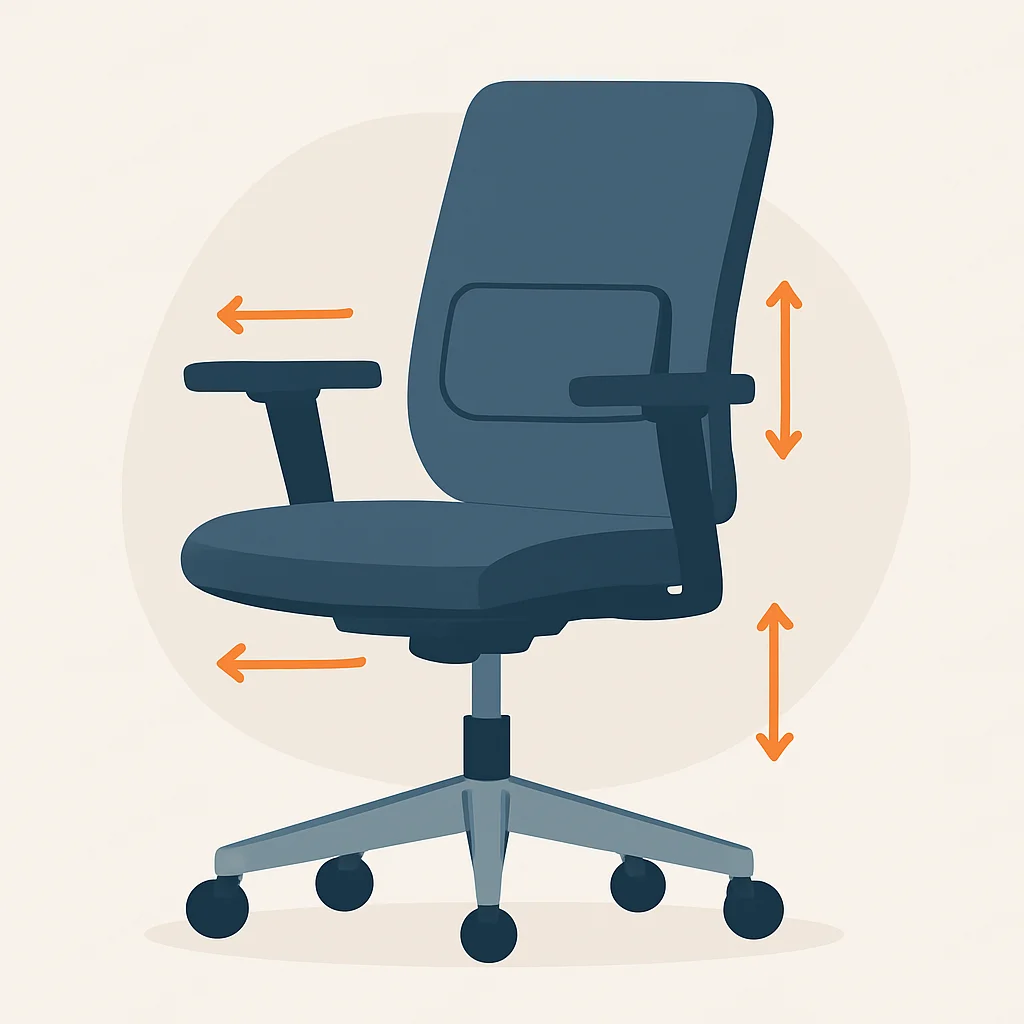
Lumbar Support: This is non-negotiable. Look for dynamic lumbar support that adjusts both in height and depth. Some chairs offer adaptive lumbar systems that automatically flex with your movement, providing continuous support to the natural curve of your lower spine. This prevents slouching and reduces pressure on your discs.
4D Armrests: For developers, armrest adjustability is paramount. “4D” means they can move up/down (height), forward/backward (depth), in/out (width), and pivot (angle). This allows you to position your forearms parallel to the floor, supporting your wrists and reducing strain on your shoulders and neck while typing and mousing. Incorrect armrest height can lead to serious issues like carpal tunnel syndrome.
Seat Depth Adjustment: This feature allows you to slide the seat pan forward or backward. It is vital for ensuring that there is a 2-3 finger gap between the edge of the seat and the back of your knees, preventing pressure on your thighs and promoting healthy circulation. This is especially important for individuals with longer or shorter legs.
Synchronous Tilt & Tension Control: A good ergonomic chair allows the backrest and seat to recline in a coordinated motion (synchronous tilt), maintaining an open hip angle. Tension control lets you adjust the resistance of the recline, while multiple lock positions allow you to fix the chair at your preferred angle for different tasks, from intense focus to relaxed thinking.
Adjustable Headrest/Neck Support: While not every developer needs a headrest, it can be a lifesaver for those who lean back to think or take calls. A good headrest should adjust in height and angle to support the natural curve of your neck, preventing forward head posture and associated neck strain.
Superior Support and Pressure Distribution
Beyond adjustability, how the chair supports your body’s natural curves and distributes your weight is critical. High-quality chairs are designed to promote a neutral spine position, often described as an “S-curve.” This reduces compression on your spinal discs and muscles. The seat pan should be contoured to distribute pressure evenly across your thighs and buttocks, preventing “hot spots” that can lead to discomfort or even numbness over time. Materials like responsive mesh or multi-density foam are excellent at achieving this.
KEY POINT
Remember the 90-90-90 rule for optimal posture: Your hips, knees, and ankles should all be at approximately 90-degree angles. Your feet should be flat on the floor (or a footrest), your forearms parallel to the floor, and your gaze level with the top third of your monitor. A good ergonomic chair facilitates achieving this.
Developer-Specific Considerations
Developers often have unique workstation setups. If you use a standing desk, look for chairs with a wider height adjustment range. If you have multiple monitors, the ability to swivel easily and maintain support is key. Durability for 8-12+ hours of daily use is non-negotiable; cheaper chairs simply won’t hold up. Consider the warranty too – top brands offer 10-12 year warranties, a testament to their build quality.
CODE EXPLANATION
Just as an ergonomic chair adapts to your body, a good developer’s website adapts to different screen sizes. This simple CSS snippet demonstrates how to make a basic container element responsive, ensuring content looks good whether you’re viewing it on a large desktop monitor (where you code!) or a mobile device.
.container {
  width: 90%;
  max-width: 1200px;
  margin: 0 auto;
  padding: 20px;
  box-sizing: border-box; /* Include padding in element's total width and height */
}

@media (max-width: 768px) {
  .container {
    width: 95%;
    padding: 15px;
  }
}

@media (max-width: 480px) {
  .container {
    width: 100%;
    padding: 10px;
  }
}
The Pros & Cons of Investing in a Premium Ergonomic Chair
Deciding to invest in a high-end ergonomic chair is a significant choice, both financially and practically. Let’s evaluate the advantages against the potential downsides.
Pros
✓ Improved Health & Well-being: Significantly reduces the risk of back pain, neck strain, and other musculoskeletal issues common among developers. Promotes better posture and circulation.
✓ Increased Productivity & Focus: When you’re not constantly shifting or distracted by discomfort, you can concentrate better on your code. This translates to higher quality work and faster problem-solving.
✓ Long-Term Cost Savings: While the upfront cost is higher, a quality ergonomic chair can last 10-15 years or more. This makes it a better long-term investment than buying multiple cheaper chairs that quickly wear out and offer inadequate support. Plus, avoiding medical bills for chronic pain is a huge saving.
✓ Enhanced Comfort: Designed for extended sitting, these chairs offer unparalleled comfort, making those marathon coding sessions feel less taxing on your body.
✓ Customization for Your Body: Extensive adjustability means the chair can be tailored precisely to your body type and preferred working posture, something generic chairs simply cannot do.
Cons
✗ High Initial Cost: This is the biggest barrier. Premium ergonomic chairs typically range from $500 to $2000+, which is a significant upfront investment for many.
✗ Learning Curve for Adjustments: With so many adjustments, it can take some time and experimentation to find your optimal settings. Some users might feel overwhelmed initially.
✗ Can Be Bulky: Many high-performance chairs are designed for robust support and may have a larger footprint than minimalist chairs, which might not suit smaller spaces.
✗ Not All Chairs Fit All Bodies: Even within premium brands, some models are designed for specific height/weight ranges. It’s crucial to check specifications and, if possible, try the chair before buying.
WARNING
Even the best ergonomic chair isn’t a magic bullet. It must be used correctly, with proper posture, and complemented by regular movement breaks. Aim to stand up and stretch for 5-10 minutes every hour, or at least every 90 minutes. Static posture, even good static posture, is still static. Movement is key!
Ergonomic Chair Categories: A Feature Comparison
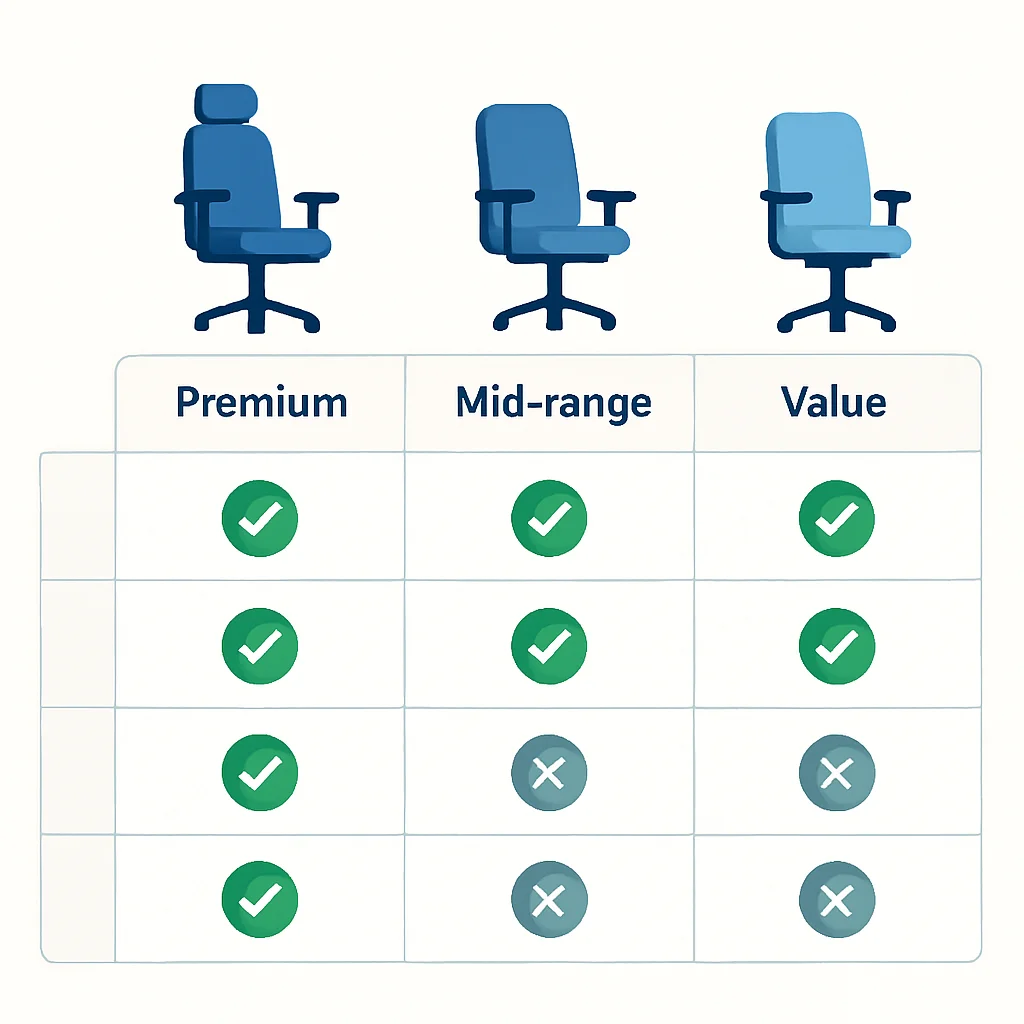
Instead of reviewing specific models, let’s explore the different categories of ergonomic chairs available in 2026 and what you can expect from each. This helps you understand where your investment goes and what features are prioritized.
Premium Ergonomic (e.g., Herman Miller, Steelcase)
These are the industry leaders, often setting the standard for ergonomic design and innovation. They are built to last decades and offer unparalleled support.
Mid-Range Performance (e.g., Secretlab, ErgoTune, some Humanscale models)
Excellent balance of features, comfort, and price. Often incorporate many high-end features with slightly different materials or fewer extreme adjustments.
Value Ergonomic (e.g., Sihoo, some Staples/Office Depot brands)
These chairs offer basic ergonomic adjustments at a much lower price point. Good for those on a tight budget or who don’t spend extreme hours sitting.
Feature Comparison Table (General Categories)
| Feature | Premium Ergonomic | Mid-Range Performance | Value Ergonomic |
|---|---|---|---|
| Price Range | $1000 – $2000+ | $400 – $999 | $150 – $399 |
| Lumbar Support | Advanced, dynamic, fully adjustable (height & depth) | Adjustable (height, sometimes depth) | Fixed or basic adjustable |
| Armrests | 4D (height, depth, width, pivot) | 3D (height, depth, pivot) or 4D | 2D (height) or fixed |
| Materials | High-grade mesh, full-grain leather, premium foam, aluminum frame | Quality mesh/fabric, PU leather, high-density foam, steel frame | Basic mesh/fabric, standard foam, plastic frame |
| Tilt Mechanism | Synchronous tilt, advanced tension, multiple lock positions | Synchronous tilt, tension, few lock positions | Basic tilt, limited lock positions |
| Warranty | 10-12+ years | 3-7 years | 1-3 years |
| Target User | Professionals, heavy users (8-12+ hrs/day), those with existing pain | Dedicated users (6-8 hrs/day), those seeking good value | Casual users (4-6 hrs/day), students, temporary setups |
Verdict & Kwonglish Rating
After evaluating all the factors – the critical need for proper support for developers, the features that truly make a difference, and the long-term health and productivity benefits – my conclusion is clear: investing in a high-quality ergonomic office chair is not merely advisable, it is essential for any serious developer in 2026. It is an investment in your health, your career, and your overall quality of life.
The “best” chair is not a single model, but rather the one that perfectly fits your body, your specific needs, and your budget within the premium or mid-range categories. Prioritize comprehensive adjustability, durable materials, and a reputable brand with a solid warranty. Do not compromise on lumbar support, 4D armrests, and seat depth adjustment – these are the non-negotiables for long coding sessions.
If you are spending 40+ hours a week coding, a chair in the $800-$1500 range will likely provide the best balance of features, durability, and long-term comfort. For those with existing back pain or who simply demand the absolute best, the top-tier premium chairs, while costly, often pay for themselves many times over in terms of health benefits and sustained productivity. Remember, a cheap chair can be the most expensive mistake you make for your body.

9.2
/ 10
Essential investment for developer health and productivity.
Frequently Asked Questions (FAQ)
Q. Why are ergonomic chairs particularly important for developers?
A. Developers spend exceptionally long hours in a seated position, often focusing intensely on screens. This sedentary nature, combined with repetitive motions and cognitive load, makes them highly susceptible to musculoskeletal issues like back pain and carpal tunnel syndrome. An ergonomic chair provides the necessary support and adjustability to mitigate these risks, promoting long-term health and sustained productivity.
Q. What’s the most crucial feature to look for in an ergonomic chair?
A. While many features are important, comprehensive adjustability is arguably the most crucial. This includes highly adjustable lumbar support, 4D armrests, and seat depth adjustment. These features allow the chair to be precisely customized to your unique body dimensions and preferred working posture, which is key to effective ergonomic support.
Q. How often should I take breaks even with an ergonomic chair?
A. Even with the best ergonomic chair, regular movement is vital. Aim to take a short break (5-10 minutes) every hour, or at least every 90 minutes. Stand up, stretch, walk around, and give your eyes a break from the screen. This helps maintain circulation, reduces muscle fatigue, and boosts overall alertness.
Q. Are expensive chairs always better?
A. Generally, higher-priced ergonomic chairs from reputable brands offer superior build quality, more advanced adjustability, better materials, and longer warranties. However, “better” is subjective; the best chair for you is one that fits your body perfectly and provides adequate support for your specific needs, regardless of its price relative to the absolute top-tier models. Always prioritize fit and features over brand name alone.
Thanks for reading, fellow coder!
I hope this in-depth exploration of ergonomic office chairs assists you in making an informed decision for your workstation in 2026. Your health and comfort are paramount, especially when you’re dedicating so much mental energy to crafting exceptional code.
Do you have questions or a favorite chair you swear by? Leave a comment below and share your insights with the Kwonglish community!