
SUMMARY
WebAssembly for Frontend Developers
Explore how WebAssembly (WASM) is revolutionizing frontend development, boosting performance and enabling new web capabilities in 2026.
Keywords: WebAssembly, Frontend Performance, WASM Integration
TABLE OF CONTENTS
1. Introduction: The Rise of WebAssembly in Frontend
2. Demystifying WebAssembly (WASM): What It Is and How It Works
3. The Performance Edge: Why WASM Excels
4. Beyond Performance: Unlocking New Web Capabilities
5. Practical Integration: Bringing WASM into Your Frontend Projects
6. Navigating Challenges and Finding Solutions
7. The Future Landscape of WASM in Frontend Development
8. Frequently Asked Questions
INTRODUCTION
The Rise of WebAssembly in Frontend
In the fast-evolving world of web development, pushing the boundaries of what browsers can do is a constant pursuit. For frontend developers, the demand for richer, more interactive, and incredibly fast user experiences has never been higher. This is where WebAssembly (WASM) steps in as a game-changer, fundamentally altering how we approach high-performance web applications. As we navigate through 2026, WASM isn’t just a niche technology; it’s becoming an indispensable tool for frontend developers looking to boost performance and unlock new capabilities that were once exclusive to native applications.
Historically, JavaScript has been the sole language for client-side scripting, a powerful but sometimes performance-constrained solution for CPU-intensive tasks. While JavaScript engines have become incredibly optimized, there are inherent limits when dealing with complex calculations, 3D rendering, video processing, or game logic directly in the browser. WebAssembly addresses these limitations by providing a binary instruction format for a stack-based virtual machine. It’s designed as a compilation target for high-level languages like C, C++, Rust, and even Go, allowing developers to bring their existing, highly optimized codebases directly to the web with near-native execution speeds.
The journey of WASM from an experimental concept to a W3C standard has been swift and impactful. Its adoption across major browsers like Chrome, Firefox, Safari, and Edge ensures broad compatibility, making it a reliable foundation for modern web applications. In 2026, we see WASM not just as a performance accelerator but as a key enabler for a new generation of web experiences that blur the lines between desktop and browser. This report will deep dive into what WASM means for you, the frontend developer, and how you can leverage its power to build truly exceptional web products.
KEY POINT
WebAssembly (WASM) is a binary instruction format designed as a compilation target for languages like C, C++, and Rust, enabling near-native performance for computationally intensive tasks directly within web browsers, significantly expanding what’s possible for frontend applications in 2026.
CORE CONTENT
Demystifying WebAssembly (WASM): What It Is and How It Works
To truly harness WebAssembly, it’s crucial to understand its fundamental nature and operational mechanics. At its heart, WASM is not a programming language you write directly (though you can, it’s generally not practical). Instead, it’s a low-level binary format that acts as a compilation target. Think of it as an assembly language for the web, but one that’s designed for efficient parsing and execution by modern web browsers.
What WebAssembly Is (and Isn’t)
WASM modules are compact, portable, and designed to load quickly. They run in a sandboxed environment, similar to JavaScript, ensuring security and isolation from the host system. This means WASM cannot directly access your file system or network without explicit permission from the JavaScript host environment. This security model is critical for its widespread adoption.
It’s important to clarify that WASM is not a replacement for JavaScript. Rather, it’s a complementary technology. JavaScript remains the glue for DOM manipulation, event handling, and managing the overall application flow. WASM excels at the heavy lifting – the computational tasks that would otherwise strain JavaScript’s performance. They work together, with JavaScript providing the interface and WASM handling the underlying complex logic.
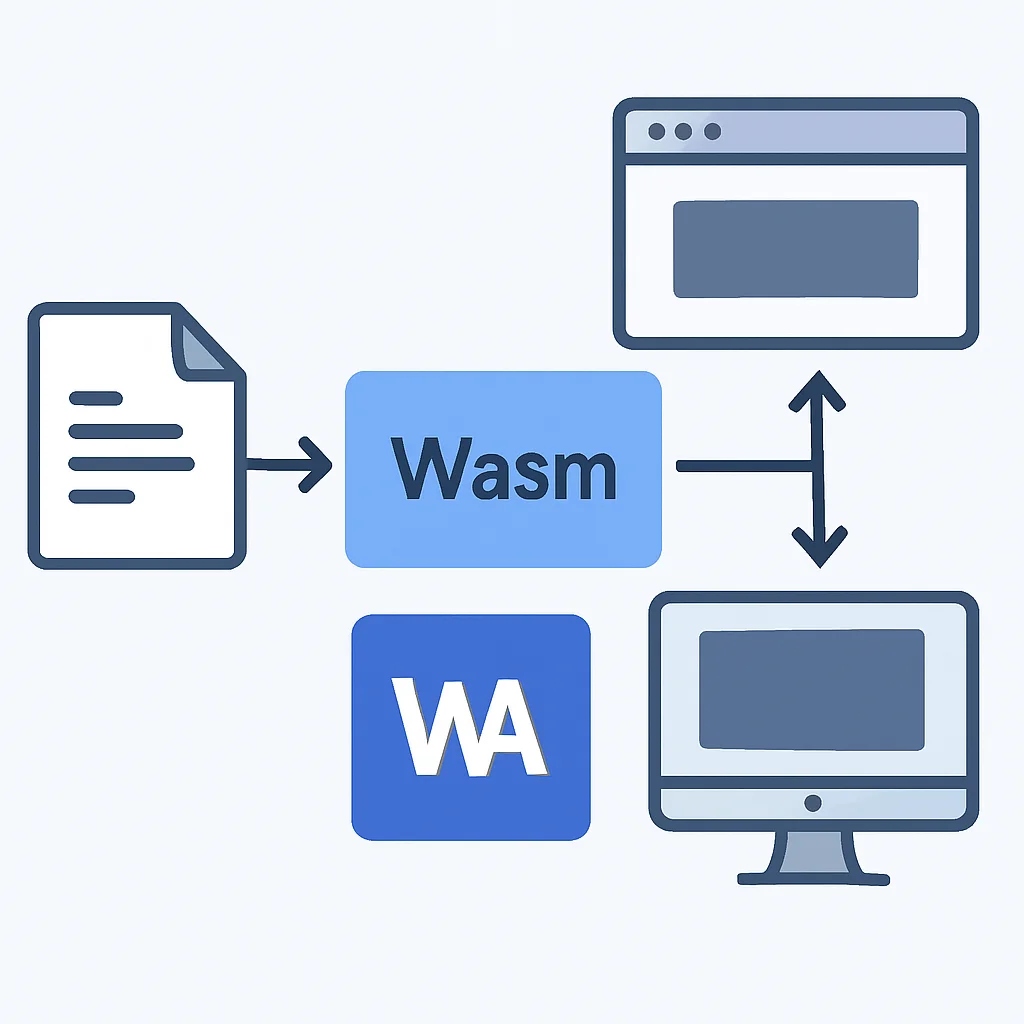
The WebAssembly Execution Model
When a browser encounters a WASM module, it goes through a rapid compilation and instantiation process:
1. Loading: The browser fetches the .wasm file, which is much smaller and faster to parse than typical JavaScript.
2. Decoding: The binary format is quickly decoded into an intermediate representation.
3. Compilation: This intermediate representation is then compiled into machine code by the browser’s JavaScript engine (which now includes a WASM engine). This compilation is highly optimized and often happens in parallel with decoding.
4. Instantiation: The compiled module is instantiated, creating a WebAssembly.Instance object. This instance contains exported functions, memory, and tables that JavaScript can interact with.
5. Execution: JavaScript can then call the exported WASM functions, which execute at near-native speed.
This efficient pipeline is a key reason for WASM’s performance benefits. Its binary format is specifically designed for rapid parsing and direct compilation to machine code, bypassing many of the optimizations and JIT compilation steps that JavaScript requires, especially during initial load.
WASM vs. JavaScript: A Comparative Analysis
While both JavaScript and WebAssembly run in the browser, their design goals and strengths differ significantly. Understanding these distinctions is crucial for deciding when and where to apply each technology.
WebAssembly vs. JavaScript: Key Differences
Execution Speed: WASM consistently offers near-native performance, often 10-800% faster for CPU-bound tasks compared to optimized JavaScript. This is due to its low-level nature and ahead-of-time compilation.
Language Support: WASM is a compilation target, supporting languages like C, C++, Rust, Go, and more. JavaScript is its own high-level language.
Memory Management: WASM modules manage their own linear memory space, offering fine-grained control often seen in system-level languages. JavaScript uses automatic garbage collection.
Ecosystem & Tooling: JavaScript boasts a massive ecosystem for UI, DOM manipulation, and web APIs. WASM’s ecosystem is growing, focused on performance-critical modules and leveraging existing native libraries.
File Size & Load Time: WASM’s binary format is compact, leading to smaller file sizes and faster parsing/compilation, particularly beneficial for large applications.
A practical example of this difference can be seen in image processing. A complex filter applied to a high-resolution image in JavaScript might take hundreds of milliseconds, potentially causing UI jank. The same operation implemented in C++ and compiled to WASM could complete in tens of milliseconds, providing a buttery-smooth user experience. This isn’t to say JavaScript is slow, but rather that WASM is purpose-built for scenarios where raw computational power is the primary bottleneck.
KEY POINT
WASM is a low-level binary format, compiled from languages like Rust or C++, offering near-native execution speed in a browser’s sandboxed environment. It complements JavaScript by handling computationally intensive tasks, rather than replacing it, achieving superior performance for specific workloads.
PERFORMANCE
The Performance Edge: Why WASM Excels
The most touted benefit of WebAssembly is its unparalleled performance for web applications. This isn’t just marketing hype; it’s a direct consequence of its design. For frontend developers, understanding where these performance gains come from is key to identifying suitable use cases and maximizing impact.
Faster Startup Times
One of the immediate advantages of WASM is its efficiency in loading and parsing. Unlike JavaScript, which is a text-based language requiring parsing, abstract syntax tree (AST) generation, and then JIT compilation, WASM is a compact binary format. This means:
✓ Smaller Download Sizes: WASM binaries are often significantly smaller than their JavaScript equivalents for the same functionality, especially for large libraries or complex algorithms. This reduces network transfer time.
✓ Faster Parsing: Browsers can parse WASM binaries much faster than JavaScript source code. Parsing a WASM module can be 20-30x faster than parsing the equivalent JavaScript. This drastically cuts down on the time-to-interactive for heavy applications.
✓ Efficient Compilation: WASM is designed to be easily translated into machine code, often leveraging existing JIT compiler infrastructure. This “ahead-of-time” compilation can happen even before the module is fully downloaded, leading to near-instant execution readiness.
For example, a large scientific computation library that might be 5MB as JavaScript could be compiled down to a 1MB WASM module. Not only is the download faster, but the browser can parse and compile that 1MB WASM module in a fraction of the time it would take for the 5MB JavaScript file, leading to a much snappier user experience.
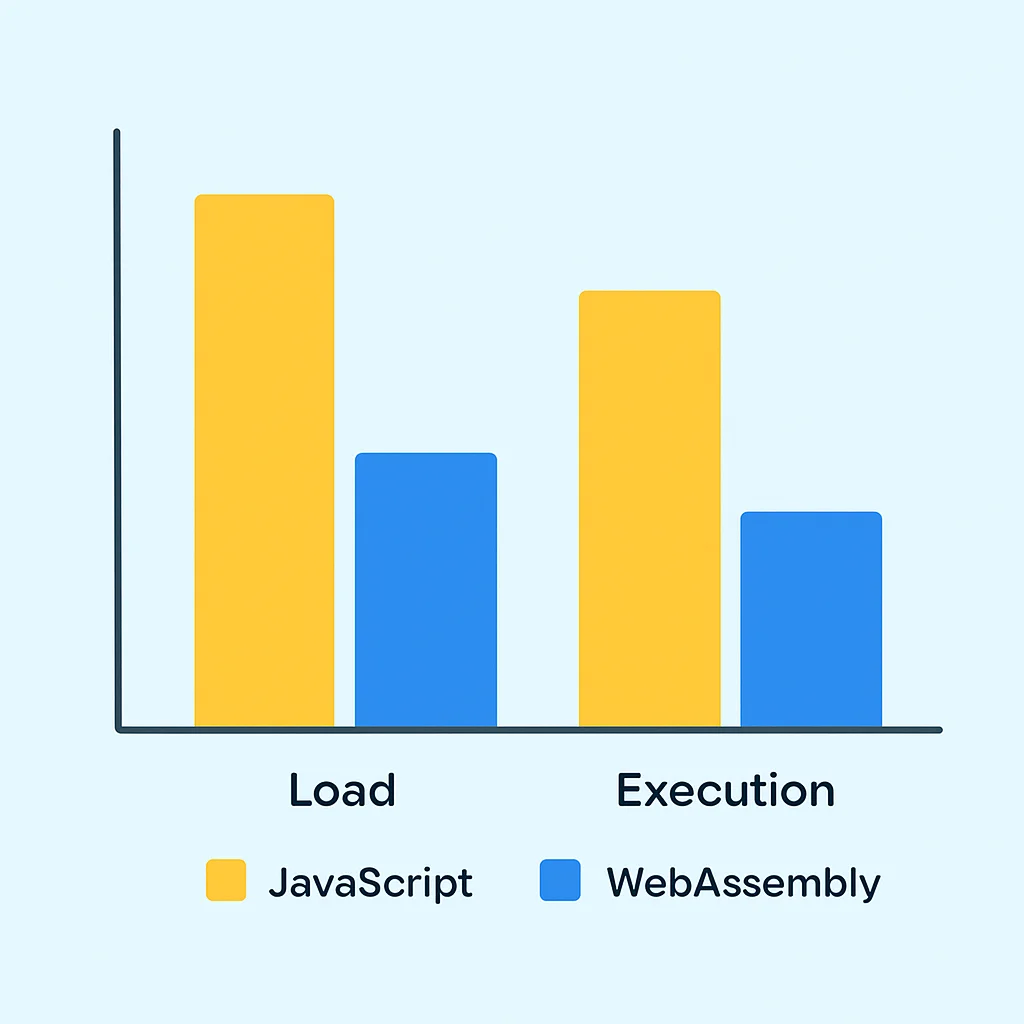
Blazing Fast Runtime Execution
Once loaded, WASM truly shines in its execution speed. This is particularly noticeable for CPU-bound tasks, where WASM can outperform JavaScript by a significant margin. Benchmarks consistently show WASM running code anywhere from 1.2x to 10x faster than highly optimized JavaScript, and in some extreme cases, even more.
The reasons for this superior runtime performance include:
✓ Predictable Performance: WASM’s static typing and low-level nature allow for more aggressive optimizations by the browser’s engine. Unlike JavaScript, where types can change dynamically, WASM’s types are known at compile time, reducing runtime overhead.
✓ Direct Memory Access: WASM operates on a linear memory space, giving languages like C++ and Rust direct control over memory allocation and deallocation. This avoids the overhead of garbage collection pauses inherent in JavaScript, which can cause micro-stutters in real-time applications.
✓ SIMD Support: Modern WASM engines support Single Instruction, Multiple Data (SIMD) operations. This allows a single instruction to operate on multiple data points simultaneously, providing massive speedups for parallelizable tasks such as image processing, video codecs, and cryptographic operations.
Real-World Performance Gains
Image Filtering — Applying a complex filter (e.g., Gaussian blur) to a 4K image: JavaScript might take 300ms, while WASM (from C++) could complete it in ~50ms, a 6x speedup.
Video Encoding/Decoding — Processing a video stream for real-time effects: WASM can achieve near-native framerates, crucial for applications like live video conferencing or in-browser editing, where JavaScript struggles to keep up.
Game Physics Engine — Running complex physics simulations: A WASM-compiled physics engine can handle hundreds of simultaneous collisions with minimal frame drops, offering a significantly smoother gaming experience compared to a JavaScript-only implementation.
These performance characteristics make WASM ideal for any part of your frontend application that demands high computational throughput without blocking the main thread or causing UI freezes. It’s about offloading the heaviest tasks to a more efficient runtime, allowing JavaScript to focus on its strengths.
KEY POINT
WASM delivers superior performance through faster load times (due to smaller binary size and rapid parsing/compilation) and significantly quicker runtime execution (thanks to static typing, direct memory control, and SIMD support), often achieving 5-10x speedups for CPU-intensive web tasks compared to JavaScript.
CAPABILITIES
Beyond Performance: Unlocking New Web Capabilities
While performance is a primary driver, WebAssembly’s true revolutionary potential for frontend developers lies in its ability to unlock entirely new categories of web applications and user experiences. It’s about bringing functionalities that were once confined to desktop or native environments directly into the browser.
Porting Existing Codebases to the Web
One of the most impactful capabilities of WASM is its role as a compilation target for languages like C, C++, and Rust. This means that vast libraries and applications written over decades in these languages can now be compiled and run directly in the browser.
Consider the implications:
✓ Leveraging Legacy Code: Companies with significant investments in C++ desktop applications (e.g., CAD software, video editors) can now port their core logic to the web, offering browser-based versions without a complete rewrite.
✓ Access to High-Performance Libraries: Scientific computing libraries (e.g., OpenCV for computer vision, BLAS/LAPACK for linear algebra), cryptographic algorithms, and complex physics engines can be used directly in the browser, bypassing server-side processing for many tasks.

Enabling Desktop-Grade Applications on the Web
With WASM, the web browser transforms into a powerful application platform capable of handling tasks previously thought impossible or impractical.
Use Case: In-Browser Video Editing
Sophisticated video editing software, traditionally desktop-only, can now perform real-time effects, transitions, and rendering directly in the browser by compiling its core video processing engines (e.g., FFmpeg) to WASM. This eliminates the need for server-side rendering or heavy client-side downloads, offering a seamless user experience.
Use Case: High-Performance Gaming
Complex 3D games with advanced physics, AI, and graphics rendering, built using engines like Unity or Unreal, can be compiled to WASM. This allows them to run directly in the browser with near-native frame rates and responsiveness, making cloud gaming more viable and accessible.
Use Case: AI/Machine Learning Inference
Running AI models (e.g., for image recognition, natural language processing) directly in the user’s browser via WASM-compiled TensorFlow.js or ONNX Runtime offers significant privacy benefits (data never leaves the device) and reduces server load, enabling real-time, personalized AI experiences.
Prominent examples already exist. Figma, a popular design tool, leverages WASM to run its core rendering engine in the browser, achieving desktop-level performance. Google Earth’s web version also uses WASM for its 3D rendering capabilities. These applications demonstrate the tangible shift towards powerful, browser-native experiences that WASM facilitates.
KEY POINT
WASM extends frontend capabilities by allowing the porting of high-performance C/C++/Rust codebases to the web, enabling desktop-grade applications like sophisticated video editors, 3D games, and AI inference models to run directly in the browser with near-native performance and rich interactivity.
PRACTICAL APPLICATION
Practical Integration: Bringing WASM into Your Frontend Projects
For frontend developers, the most critical aspect of WebAssembly is how to actually integrate it into existing projects and workflows. The process involves compiling code from a source language (like Rust or C++) into WASM and then loading and interacting with that WASM module from JavaScript.
Tooling for WASM Compilation
The choice of source language often dictates the tooling.
✓ Emscripten (C/C++): This is the most mature and widely used toolchain for compiling C/C++ code to WASM. It provides a full LLVM-based compiler, a C/C++ standard library port, OpenGL/WebGL emulation, and utilities to generate JavaScript “glue code” for seamless integration.
✓ wasm-pack (Rust): For Rust developers, wasm-pack is the go-to tool. It streamlines the process of building Rust code into WASM modules that can be easily consumed by JavaScript or TypeScript applications, generating the necessary glue code and TypeScript definitions.
✓ TinyGo (Go): While Go’s official compiler can target WASM, TinyGo is an alternative compiler designed for small places, making it ideal for generating compact WASM binaries for web use.
Let’s consider a simple example using Rust and wasm-pack, which is gaining significant traction in the frontend community due to Rust’s memory safety and performance.
CODE EXPLANATION
This Rust code defines a simple function add_numbers that takes two 32-bit integers and returns their sum. The #[wasm_bindgen] macro makes this function callable from JavaScript once compiled to WebAssembly.
// src/lib.rs (Rust code)
use wasm_bindgen::prelude::*;

#[wasm_bindgen]
pub fn add_numbers(a: i32, b: i32) -> i32 {
    a + b
}

// To compile:
// 1. Install Rust and wasm-pack: `curl https://sh.rustup.rs -sSf | sh` then `cargo install wasm-pack`
// 2. Create a new Rust lib project: `cargo new --lib my_wasm_lib`
// 3. Add wasm-bindgen to Cargo.toml: `wasm-bindgen = "0.2"`
// 4. Build to WASM: `wasm-pack build --target web`
After running wasm-pack build --target web, a pkg directory will be created containing the .wasm file and a JavaScript glue file.
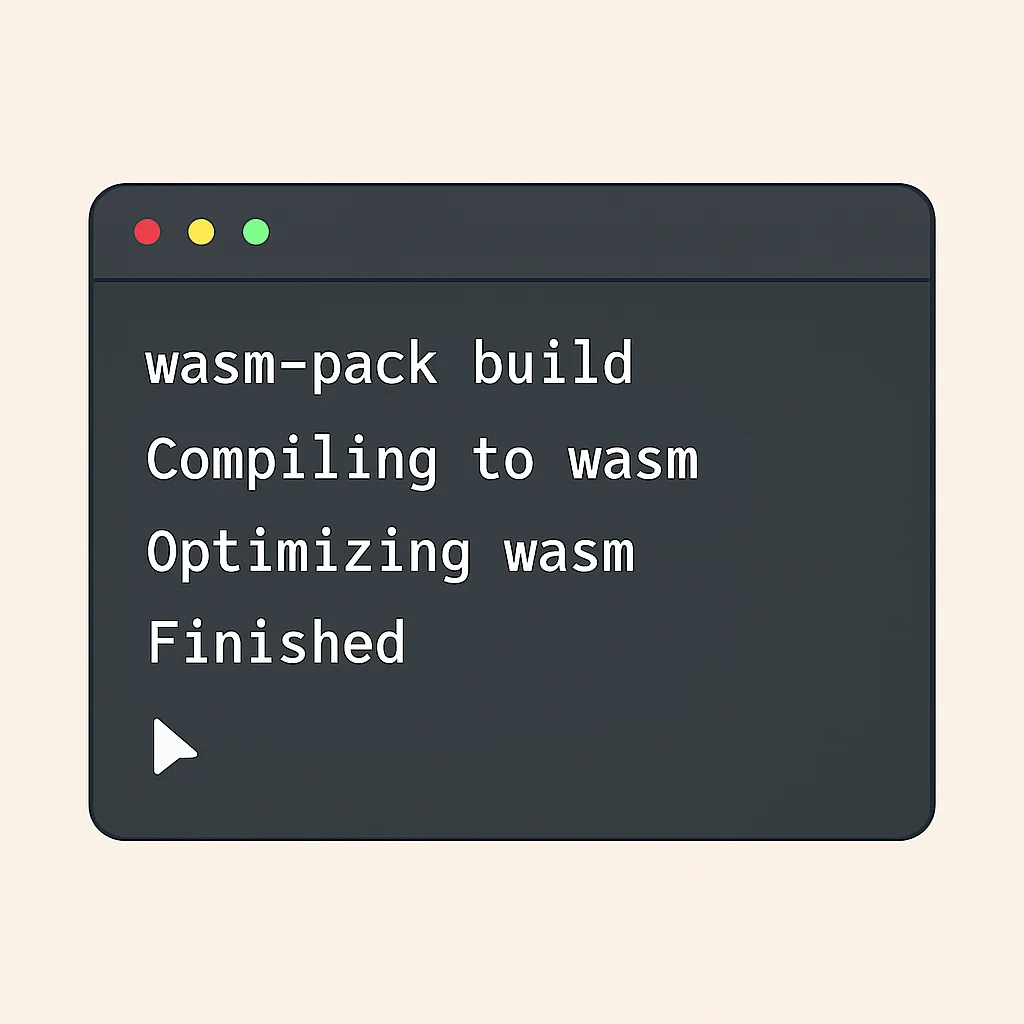
Loading and Interacting with WASM from JavaScript
Integrating the compiled WASM module into your frontend application is straightforward, especially with the glue code generated by tools like wasm-pack.
CODE EXPLANATION
This JavaScript code imports the WASM module and its generated glue code. It then calls the add_numbers function, demonstrating how JavaScript can seamlessly interact with functions exported from WebAssembly. The import * as wasm statement loads the entire module.
// public/index.js (JavaScript code)
import * as wasm from "../pkg/my_wasm_lib"; // Adjust path as needed

document.addEventListener('DOMContentLoaded', () => {
    const num1 = 100;
    const num2 = 250;
    const result = wasm.add_numbers(num1, num2); // Call WASM function

    console.log(`The sum of ${num1} and ${num2} from WASM is: ${result}`);
    // Expected output: "The sum of 100 and 250 from WASM is: 350"

    document.getElementById('wasm-output').innerText = `WASM Result: ${result}`;
});

// For a basic HTML file:
//
//
//
//     WASM Example
//
//
//     WebAssembly Integration
//     Loading WASM...
//  //
//
For more advanced scenarios, such as passing complex data structures (strings, arrays, objects) between JavaScript and WASM, the glue code generated by tools like wasm-bindgen (part of wasm-pack) handles the serialization and deserialization automatically. This abstraction simplifies the development experience, allowing frontend developers to focus on application logic rather than low-level memory management.
KEY POINT
Integrating WASM involves compiling source code (e.g., Rust with wasm-pack, C++ with Emscripten) into a .wasm module, then importing and interacting with its exported functions via generated JavaScript glue code, simplifying data exchange and function calls between the two environments.
PROBLEM SOLVING
Navigating Challenges and Finding Solutions
While WebAssembly offers tremendous advantages, adopting it isn’t without its challenges. Frontend developers new to WASM may encounter hurdles related to debugging, module size, and the interoperability overhead between JavaScript and WASM. Fortunately, the ecosystem is rapidly maturing, providing robust solutions for these common issues.
PROBLEM 01
Debugging WebAssembly Code
Debugging compiled WASM code can be more complex than debugging JavaScript, as you’re working with a lower-level binary format. Traditional source maps, while available, can sometimes be less intuitive for languages like C++ or Rust.
SOLUTION — Leverage Browser DevTools & Source Maps
Modern browser developer tools (Chrome, Firefox, Edge) offer excellent support for debugging WebAssembly. They can load source maps generated by your compilation toolchain (e.g., Emscripten, wasm-pack), allowing you to set breakpoints, inspect variables, and step through your original C++, Rust, or Go code directly in the browser’s debugger. Ensure your build process includes source map generation.
CODE EXPLANATION
This Emscripten command compiles a C++ file to WebAssembly, generating both the WASM binary and a source map (.wasm.map) for debugging. The -g flag is crucial for including debug information.
// Example Emscripten command for C++ with source maps
emcc my_module.cpp -o my_module.html -s WASM=1 -g
PROBLEM 02
Managing Module Size and Load Performance
While WASM binaries are generally compact, including entire large libraries can still result in substantial file sizes. This can impact initial load times, especially for users on slower networks or mobile devices.
SOLUTION — Optimize Compilation & Utilize Code Splitting
Employ aggressive optimization flags during compilation (e.g., -Oz for Emscripten, opt-level="s" for Rust). Tree-shaking and dead code elimination are also vital. For larger applications, consider code splitting: break your WASM module into smaller, independently loadable chunks. Only load the WASM modules that are immediately necessary for the current view or functionality, and lazy-load others as needed. This is analogous to JavaScript code splitting.
CODE EXPLANATION
This JavaScript snippet demonstrates dynamic importing of a WASM module, similar to how you would lazy-load a JavaScript module. The module is only fetched and instantiated when the loadWasmModule function is called, improving initial page load performance.
// Dynamic import of a WASM module
async function loadWasmModule() {
    const wasm = await import("../pkg/another_wasm_lib");
    console.log("WASM module loaded dynamically!");
    // Use wasm.someFunction() here
}

// Trigger loading on user interaction or specific event
document.getElementById('load-button').addEventListener('click', loadWasmModule);
PROBLEM 03
Interoperability Overhead Between JS and WASM
While JS and WASM can communicate, frequent calls between them, especially with large data transfers, can introduce overhead. Each call involves a context switch and potential data serialization/deserialization, which can negate performance gains if not managed carefully.
SOLUTION — Batch Operations & Direct Memory Access
Minimize the number of JS-WASM calls by batching operations. Instead of calling a WASM function for each individual data point, pass an entire array or buffer at once. Utilize WASM’s linear memory: JavaScript can directly read from and write to WASM’s memory via WebAssembly.Memory and TypedArray views. This avoids costly data copying between the two environments. For Rust, wasm-bindgen helps optimize this by passing references.
CODE EXPLANATION
This Rust code defines a function to process an array of numbers. Instead of passing individual numbers, JavaScript can pass a pointer to a pre-allocated array in WASM memory, and WASM can directly modify it. This minimizes interop overhead.
// Rust function to process an array in WASM memory
#[wasm_bindgen]
pub fn process_array(ptr: *mut u8, len: usize) {
    let slice = unsafe { std::slice::from_raw_parts_mut(ptr, len) };
    for i in 0..len {
        slice[i] = slice[i] * 2; // Example: double each element
    }
}

// JavaScript side (simplified)
// const { memory, process_array, __wbindgen_malloc } = wasm_module;
// const array_len = 1000;
// const ptr = __wbindgen_malloc(array_len);
// const wasm_array = new Uint8Array(memory.buffer, ptr, array_len);
// wasm_array.set(myJsArray); // Copy JS array data to WASM memory
// process_array(ptr, array_len); // Call WASM to process
// // Read results from wasm_array
KEY POINT
Common WASM challenges include debugging (solved by browser DevTools and source maps), large module sizes (addressed by aggressive optimization and code splitting), and JS-WASM interop overhead (mitigated by batching operations and direct memory access via WebAssembly.Memory).
WRAP-UP
The Future Landscape of WASM in Frontend Development
As we look ahead to the remainder of 2026 and beyond, WebAssembly is poised for even greater impact on frontend development. Its evolution is not static; several key advancements are shaping its future, promising to make it even more powerful and versatile.
WASI and the Component Model
The WebAssembly System Interface (WASI) is a standardized modular system interface for WebAssembly. Its goal is to make WASM a universal runtime, capable of running securely outside the browser (e.g., on servers, IoT devices) with access to system resources like files and network sockets, while maintaining its sandboxed security model. For frontend, this means a broader ecosystem of pre-built WASM components that can be shared and reused across different environments, including the browser.
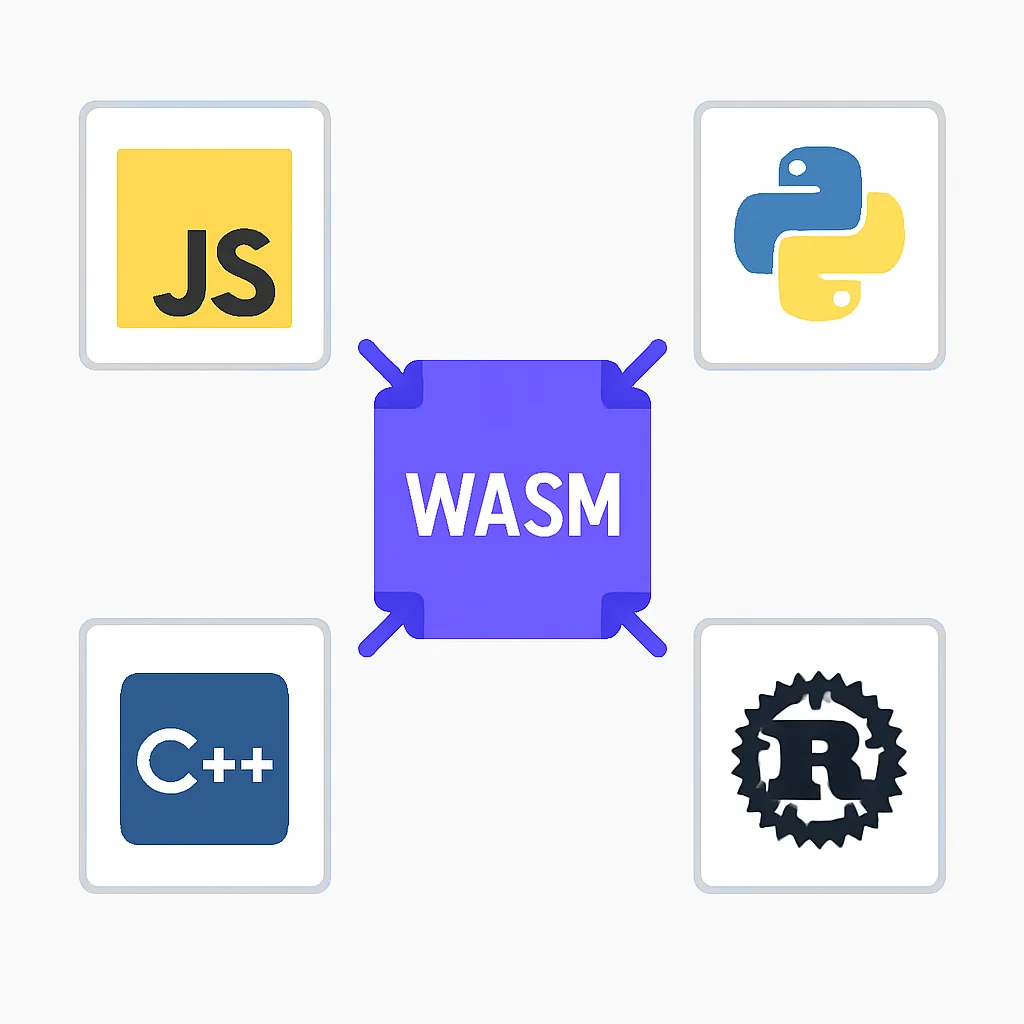
Building on WASI, the WASM Component Model is a revolutionary proposal that allows for the creation of interoperable WASM modules that can communicate seamlessly, regardless of the language they were written in. This will enable developers to compose complex applications from smaller, language-agnostic components, similar to how modern frontend frameworks compose UI elements. Imagine a Rust-based image processing component effortlessly interacting with a Python-based machine learning component, all running within the same WASM environment in your browser. This will massively boost reusability and modularity.
Garbage Collection and DOM Access
One of the current limitations of WASM is its lack of direct access to the DOM and its manual memory management, which can be challenging for languages without automatic garbage collection. However, proposals like WASM-GC aim to bring garbage collection capabilities directly to WebAssembly. This would allow languages like Java, Kotlin, and C# to compile more efficiently to WASM, further expanding the range of languages that can target the web.
Furthermore, direct WASM-DOM integration is being explored. If WASM modules could directly manipulate the DOM (instead of going through JavaScript), it could unlock new levels of performance for UI rendering in certain scenarios, although this is a complex area with significant security considerations.
WASM’s Expanding Horizons
Serverless & Edge Computing — WASM’s lightweight, secure, and fast startup properties make it an ideal runtime for serverless functions and edge computing environments, reducing cold start times and resource consumption.
Blockchain & Smart Contracts — WASM is gaining traction as a target for smart contract execution, offering deterministic and efficient computation for decentralized applications.
Desktop Applications — Frameworks like Tauri allow developers to build desktop applications using web technologies, with WASM handling performance-critical components and Rust for the backend, offering a lightweight alternative to Electron.
In conclusion, WebAssembly is not just a transient trend but a foundational technology that is reshaping the web. For frontend developers in 2026, understanding and embracing WASM means being equipped to build more performant, capable, and innovative web applications than ever before. It’s an exciting time to be on the frontend, with WASM opening up a universe of possibilities.
KEY POINT
The future of WASM in frontend includes WASI and the Component Model for universal, interoperable modules, and upcoming features like WASM-GC and direct DOM access, which will further expand language support and performance potential, cementing WASM’s role as a core web technology.
FAQ
Frequently Asked Questions
Q. Do I need to learn a new programming language like Rust or C++ to use WebAssembly?
Not necessarily. While WASM is compiled from languages like Rust or C++, frontend developers can often integrate pre-compiled WASM modules into their JavaScript applications without writing low-level code. However, learning a WASM-compatible language will unlock the full potential for custom high-performance logic.
Q. Will WebAssembly replace JavaScript for frontend development?
No, WebAssembly is designed to complement JavaScript, not replace it. JavaScript remains essential for DOM manipulation, interacting with web APIs, and managing overall application flow. WASM excels at computationally intensive tasks, allowing JavaScript to focus on its strengths while offloading heavy lifting for superior performance.
Q. What kind of performance gains can I expect from using WASM?
For CPU-bound tasks such as complex calculations, 3D rendering, or video processing, WASM can offer significant performance improvements, often ranging from 2x to 10x or even more compared to optimized JavaScript. It also generally provides faster parsing and loading times due to its compact binary format.
Q. Is WebAssembly secure?
Yes, WebAssembly runs in a secure, sandboxed environment within the browser, similar to JavaScript. It cannot directly access system resources or the DOM without explicit permission and interaction through JavaScript, ensuring a robust security model for web applications.
Thanks for reading!
We hope this deep dive into WebAssembly has equipped you with the knowledge to push the boundaries of frontend development in 2026.
Got questions or exciting WASM projects? Drop a comment below or share your thoughts on Kwonglish!