
SUMMARY
Cloud Gaming in 2026: Your Ultimate Guide
This is your comprehensive guide to the leading cloud gaming services in 2026, where we compare Xbox Cloud Gaming, GeForce NOW, and Amazon Luna.
Keywords: Cloud Gaming, Xbox Cloud Gaming, GeForce NOW, Amazon Luna
TABLE OF CONTENTS
1. The Cloud Gaming Revolution in 2026
2. How Cloud Gaming Works: The Magic Behind Your Screen
3. Deep Dive: Xbox Cloud Gaming
4. Deep Dive: NVIDIA GeForce NOW
5. Deep Dive: Amazon Luna
6. Performance, Visuals, and Latency: The Nitty-Gritty
7. Pros & Cons of Each Service
8. Kwonglish Verdict & Recommendations
9. Frequently Asked Questions (FAQ)
OVERVIEW
The Cloud Gaming Revolution in 2026
Hello, gamers! Get ready as we dive into the amazing world of Cloud Gaming in 2026! If you haven’t had the chance to experience gaming without a console or a high-end PC, you’re in for a treat. Cloud gaming has evolved from a niche idea to a mainstream reality, transforming how we access and enjoy our favorite titles. Today, we’ll dissect the giants of the industry: Xbox Cloud Gaming, GeForce NOW, and Amazon Luna. We’ll examine what makes each service unique, how they compare, and which one is the best fit for your gaming lifestyle this year.
The days of needing to invest heavily in hardware to play the latest AAA games are over. Cloud gaming services stream games directly to your devices, similar to how you stream movies or TV shows. This means your older laptop, tablet, or even smartphone can become a powerful gaming device, capable of running graphically demanding titles at high quality. It’s a significant breakthrough for accessibility and convenience, allowing millions to enjoy gaming who might not have the means or space for traditional setups.
In 2026, technology has advanced to a point where latency is minimal, visual quality often rivals local play for many users, and game libraries are more extensive than ever. The competition among these platforms has spurred innovation, leading them to offer unique features, improved performance, and more flexible subscription models. Whether you’re a casual player wanting to explore, or a hardcore enthusiast looking to broaden your gaming experience without overspending, cloud gaming has something to offer everyone. Let’s dive into this ultimate guide!
KEY POINT
Cloud gaming in 2026 provides high-fidelity gaming on nearly any device, removing the need for costly hardware and making gaming more accessible than ever.
THE TECH
How Cloud Gaming Works: The Magic Behind Your Screen
Have you ever wondered how you can play a massive, graphically intense game like Starfield on your phone without any downloads? It’s not magic, but it feels quite close! At its core, cloud gaming works by shifting the heavy processing of game operations to powerful remote servers. When you start a game on a cloud gaming service, you’re essentially connecting to a super-computer located in a data center somewhere.
Here’s a simplified overview of the process:
● Input: You press a button on your controller or keyboard. This input is transmitted over the internet to the remote server.
● Processing: The server, equipped with high-end GPUs and CPUs, processes your input, runs the game, and renders the graphics in real-time.
● Streaming: The rendered video and audio are compressed and streamed back to your device over the internet.
● Output: Your device receives the stream and displays it on your screen, making it appear as if the game is running locally.
This entire process occurs in milliseconds. The key to a satisfying cloud gaming experience is a fast, stable internet connection with low latency. The lower the latency (the time it takes for your input to reach the server and the video to return), the more responsive and enjoyable your gaming experience will be. In 2026, advancements in network infrastructure, such as broader 5G coverage and fiber optic expansion, along with more efficient video compression algorithms, have significantly enhanced the cloud gaming experience, making it feasible for even competitive online games.
What’s truly groundbreaking is the freedom it provides. Imagine starting a game on your PC, then seamlessly continuing on your tablet during your commute, and finishing it on your smart TV later that evening, all without needing to transfer save files or re-download anything. That’s the promise, and increasingly, the reality of cloud gaming. It’s about removing barriers between devices and granting you access to your games, anytime, anywhere.
KEY POINT
Cloud gaming relies on remote servers processing games and streaming the video/audio to your device, necessitating a fast and low-latency internet connection for optimal performance.
SERVICE DEEP DIVE
Deep Dive: Xbox Cloud Gaming
Let’s begin with a service that many gamers are already familiar with: Xbox Cloud Gaming, previously known as Project xCloud. This is Microsoft’s powerful entry into the cloud gaming arena, exclusively available as part of the Xbox Game Pass Ultimate subscription. If you’re already subscribed to Game Pass Ultimate for your console or PC, you essentially receive cloud gaming as a fantastic bonus. It’s an incredible value proposition, providing access to a vast library of games that you can stream directly to your phone, tablet, PC, or even some smart TVs.
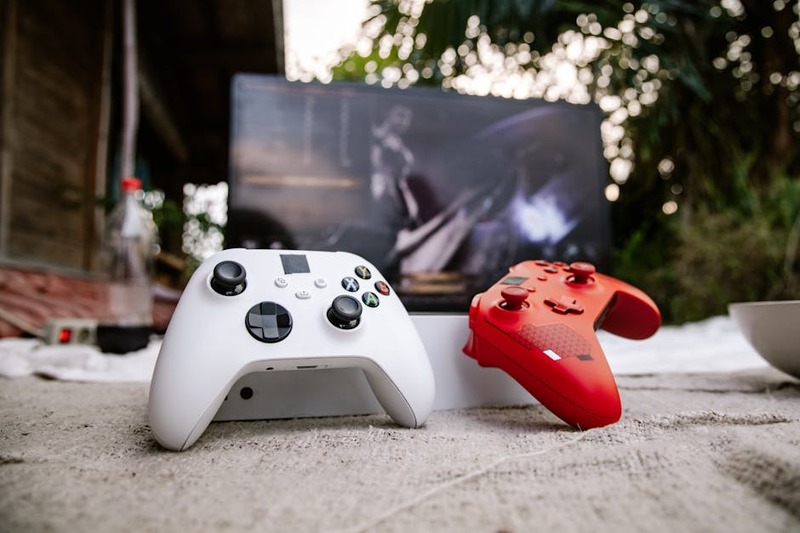
In 2026, Xbox Cloud Gaming utilizes custom Xbox Series X hardware in its data centers, ensuring that you’re getting a top-tier console experience even while streaming. This means games look and perform just as they would on a local Series X, often at 1080p resolution and a smooth 60 frames per second. The integration with the existing Game Pass library is seamless; any game available on the cloud is clearly marked, and your saves carry over between cloud, console, and PC versions of the game, which is incredibly convenient.
Getting Started & Game Library
Setting up Xbox Cloud Gaming is straightforward. If you have Game Pass Ultimate, simply download the Xbox app on your mobile device or PC, or visit the Xbox website. Connect a compatible controller (an Xbox wireless controller is ideal, but many others work), and you’re ready to go. For touch-screen devices, many games now feature custom touch controls, which serve as a surprisingly functional alternative for casual play. The library includes hundreds of Game Pass titles, from first-party blockbusters like Halo Infinite and Forza Horizon 5, to a wide array of indie gems and third-party hits. The selection rotates, with new games added regularly, ensuring there’s always something fresh to play.
Unique Features & Experience
One of the standout features is the ability to jump into a game instantly. No downloads, no installations, just click and play. This is perfect for trying out new games without committing hard drive space or waiting. The integration with the Xbox ecosystem is also a significant advantage, allowing you to transition seamlessly between playing on your console and streaming on the go. Picture being mid-raid in Destiny 2 on your Xbox, then needing to leave the house, and simply picking up right where you left off on your tablet using Xbox Cloud Gaming. It’s incredibly powerful for gamers who value flexibility and convenience.
KEY POINT
Xbox Cloud Gaming is bundled with Game Pass Ultimate, providing a vast library of games streamed from Xbox Series X hardware, with seamless cross-device save synchronization.
SERVICE DEEP DIVE
Deep Dive: NVIDIA GeForce NOW
Next, we have NVIDIA GeForce NOW, a fundamentally different service compared to Xbox Cloud Gaming. Instead of providing a curated library of games, GeForce NOW offers access to a powerful virtual PC in the cloud, allowing you to stream games you already own from your existing PC game libraries like Steam, Epic Games Store, GOG, and Ubisoft Connect. This “bring your own games” model is a major attraction for PC gamers who have already invested heavily in their digital collections but lack the local hardware to run them optimally.
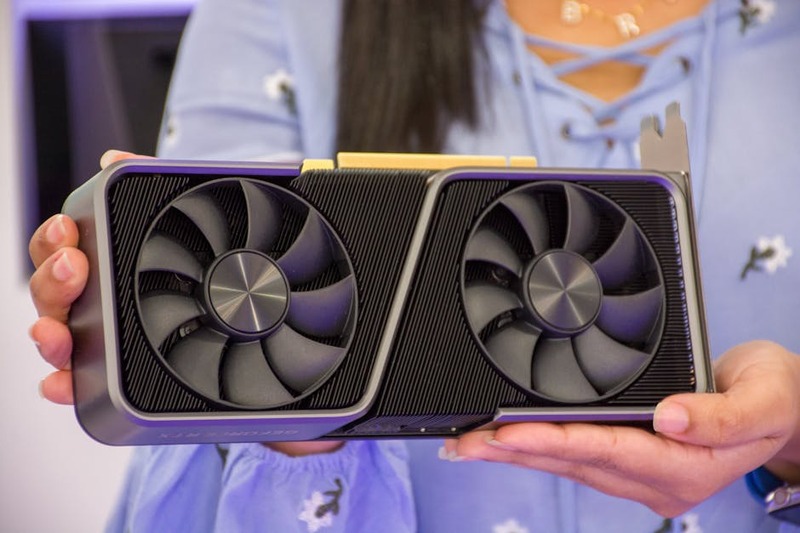
In 2026, GeForce NOW boasts an impressive array of subscription tiers, including a free tier (with limited session times and potential wait queues) and paid tiers like Priority and Ultimate. The Ultimate tier, in particular, is a game-changer, offering access to servers equipped with the latest NVIDIA RTX GPUs, delivering resolutions up to 4K at 120 FPS or even 240 FPS for competitive gaming, complete with ray tracing and DLSS. It’s like having a top-of-the-line gaming PC, remotely accessible on almost any device, from Chromebooks to Macs and Android phones.
Getting Started & Game Library
To get started with GeForce NOW, download their dedicated app on your preferred device. Once logged in, link your various game store accounts. The service will then show you which of your owned games are compatible with GeForce NOW (the list of supported games is extensive and regularly updated). When you launch a game, GeForce NOW connects you to a virtual machine, logs you into your store account, and you’re ready to play. It’s a bit more involved than Xbox Cloud Gaming’s instant launch, but the trade-off is access to your own purchases.
The library is truly vast, limited only by the games NVIDIA has onboarded to the service. This includes thousands of titles, from the latest AAA releases like Cyberpunk 2077 with full ray tracing, to beloved classics and competitive esports titles. If you own it and it’s supported, you can play it with stunning performance, making it a dream for existing PC gamers.
Unique Features & Experience
The biggest unique selling point of GeForce NOW is undoubtedly the sheer power and fidelity it offers, especially with the Ultimate tier. Playing a game like Alan Wake 2 with path tracing enabled on a Mac or a low-end laptop is nothing short of incredible. Furthermore, the support for a wide range of devices, including Apple devices (via Safari or native apps), gives it an edge in cross-platform accessibility. It’s designed for the gamer who wants to play their owned PC games at maximum settings without the expense of a physical high-end rig.
KEY POINT
GeForce NOW streams games you already own from PC storefronts, providing powerful virtual gaming PCs with options for 4K/120FPS and ray tracing via its Ultimate tier.
SERVICE DEEP DIVE
Deep Dive: Amazon Luna
Completing our trio of cloud gaming giants in 2026 is Amazon Luna. Luna adopts a slightly different approach, focusing on a channel-based subscription model. While it may not have the same brand recognition as Xbox or the raw power of GeForce NOW, Luna finds its niche, particularly for Amazon Prime members. If you’re already integrated into the Amazon ecosystem, Luna provides a convenient and accessible entry point into cloud gaming.
Luna’s core offering includes a rotating selection of games available for free to Amazon Prime subscribers. Beyond that, you can subscribe to various “channels” which are essentially themed game libraries. These include the Luna+ Channel (a general library of games), the Ubisoft+ Channel (offering many Ubisoft titles), and sometimes other specialized channels. This modular approach allows users to pay only for the content they want to access, which can be cost-effective for specific types of gamers.
Getting Started & Game Library
Getting started with Amazon Luna is incredibly simple. It’s accessible through web browsers on many devices, dedicated apps, and directly on Amazon Fire TV devices. Luna also has its own proprietary controller, the Luna Controller, which connects directly to Amazon’s cloud servers via Wi-Fi, theoretically reducing input latency compared to Bluetooth controllers. While not mandatory, it does provide a very smooth experience.
The game library varies significantly based on your subscriptions. The free Prime Gaming selection often includes a handful of popular titles, perfect for casual play. The Luna+ Channel boasts a decent collection across genres, while the Ubisoft+ Channel is a treasure trove for fans of Assassin’s Creed, Far Cry, and Rainbow Six games. While it may not have the extensive library of Game Pass or the “bring your own” flexibility of GeForce NOW, Luna’s curated channels offer quality over quantity in a focused manner.
Unique Features & Experience
Luna’s deep integration with the Amazon ecosystem is its strongest unique selling point. If you own a Fire TV Stick or a Fire Tablet, Luna is practically built-in, providing a seamless experience. The Luna Controller’s direct Wi-Fi connection to the cloud servers is also a notable innovation, aiming to minimize latency. Furthermore, the ability to stream games directly from Twitch (via the “Watch with Friends” feature) adds a social element, allowing you to play with streamers or friends effortlessly. It’s an excellent option for families or those seeking a simple, integrated cloud gaming solution.
KEY POINT
Amazon Luna employs a channel-based subscription model, offering free games for Prime members and a proprietary Wi-Fi connected controller for reduced latency, with strong integration into the Amazon ecosystem.
PERFORMANCE ANALYSIS
Performance, Visuals, and Latency: The Nitty-Gritty
Now, let’s get down to the details. How do these services actually feel while playing? This is where the rubber meets the road, and factors like your internet connection, proximity to data centers, and the service’s underlying technology really come into play. In 2026, all three services have made significant advancements, but there are still distinct differences in their performance profiles.
Visual Fidelity
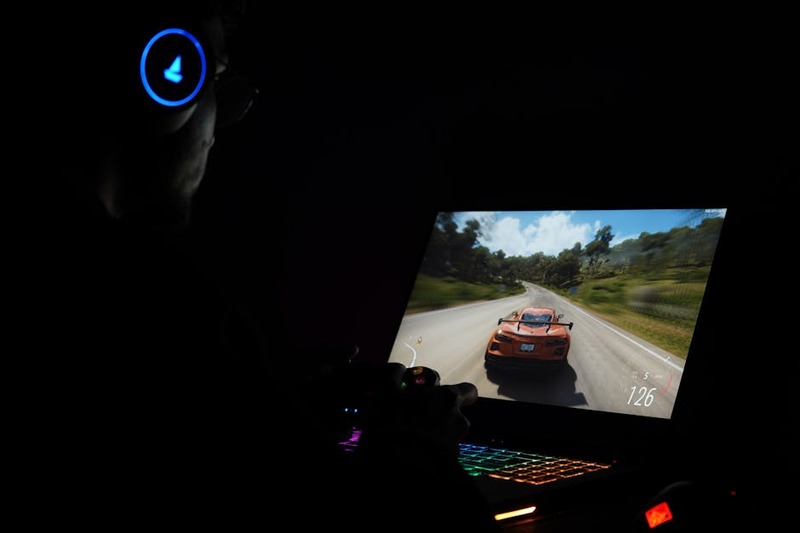
GeForce NOW, particularly its Ultimate tier, is the undisputed leader in this category. With support for up to 4K resolution at 120 FPS, full ray tracing, and DLSS, it delivers graphics that often surpass even the latest consoles, especially on a local machine with similar specifications. The visual quality is stunning, with sharp details and vibrant colors. Xbox Cloud Gaming generally targets 1080p at 60 FPS, closely mirroring the Xbox Series X experience. While not 4K, it still provides a very high-quality stream that looks excellent on most screens. Amazon Luna typically streams at 1080p 60 FPS as well, with some titles potentially offering 4K. Its visual quality is solid, but generally not as cutting-edge as GeForce NOW’s top tier.
Input Latency
This is arguably the most crucial factor for a good cloud gaming experience. Lower latency means your button presses register faster, making games feel more responsive. All services have invested heavily in reducing latency. GeForce NOW is often praised for its low latency, especially for its paid tiers. NVIDIA’s expertise in GPU and streaming technology truly shines, making even competitive games feel playable. Xbox Cloud Gaming has also improved significantly, offering respectable latency that’s perfectly adequate for most single-player and casual multiplayer games. For highly competitive esports, it might still introduce a slight disadvantage compared to local play. Amazon Luna, with its proprietary Luna Controller directly connecting to the cloud, aims to minimize latency at the hardware level. In practice, its latency is competitive with Xbox Cloud Gaming, providing a smooth experience for the vast majority of games.
Your internet connection plays a significant role here. For an optimal experience across all services, a minimum of 20-30 Mbps download speed is recommended, but 50+ Mbps is ideal, especially for 4K streaming. A wired Ethernet connection will generally provide lower and more consistent latency than Wi-Fi, though modern Wi-Fi 6/6E routers can also deliver excellent results.
Audio Quality
Audio quality is generally excellent across all three platforms. You’ll experience clear, uncompressed audio that enhances immersion. Any noticeable audio delay is usually linked to overall network latency rather than specific audio compression issues. It’s safe to say that for most users, audio will not be a differentiating factor among these services.
KEY POINT
GeForce NOW excels in visual fidelity (up to 4K/120FPS with ray tracing), while all three services provide competitive low-latency experiences, heavily reliant on a fast and stable internet connection (50+ Mbps recommended).
COMPARISON
Pros & Cons of Each Service
Choosing the right cloud gaming service can be challenging, as each has its own strengths and weaknesses. To assist you in making a decision, let’s break down the individual pros and cons of Xbox Cloud Gaming, GeForce NOW, and Amazon Luna in 2026.
Xbox Cloud Gaming
Pros
✓ Included with Game Pass Ultimate, offering incredible value.
✓ Vast and curated library of hundreds of games, including Xbox first-party titles on day one.
✓ Seamless save synchronization across console, PC, and cloud.
✓ Instant play with no downloads or installations.
✓ Excellent touch controls for many mobile games.
Cons
✗ Max resolution typically 1080p, no 4K streaming.
✗ Requires a Game Pass Ultimate subscription, no standalone cloud-only option.
✗ Library rotates, so games can leave the service.
✗ Can’t play games you already own outside of the Game Pass library.
NVIDIA GeForce NOW
Pros
✓ Play games you already own from PC storefronts (Steam, Epic, etc.).
✓ Ultimate tier offers incredible performance: up to 4K/120FPS, ray tracing, DLSS.
✓ Broad device compatibility, including Macs and Chromebooks.
✓ Free tier available to try the service (with limitations).
✓ Excellent for competitive multiplayer due to low latency.
Cons
✗ Requires you to own the games (no included library with paid tiers).
✗ Not all PC games are supported, though the list is very large.
✗ Free tier has session limits and potential wait times.
✗ Setup can be slightly more involved than other services.
Amazon Luna
Pros
✓ Free rotating selection of games for Amazon Prime members.
✓ Deep integration with Amazon ecosystem (Fire TV, Twitch).
✓ Channel-based subscriptions allow for flexible content access.
✓ Luna Controller’s Wi-Fi connection can reduce latency.
✓ Simple and accessible, especially for new cloud gamers.
Cons
✗ Game library can be less extensive compared to competitors unless subscribing to multiple channels.
✗ Less focus on cutting-edge graphical performance (e.g., no dedicated ray tracing tiers).
✗ Reliance on channel subscriptions can add up in cost.
✗ Limited geographical availability compared to Xbox Cloud Gaming and GeForce NOW.
VERDICT
Kwonglish Verdict & Recommendations
After thoroughly exploring Xbox Cloud Gaming, GeForce NOW, and Amazon Luna, it’s evident that cloud gaming in 2026 is robust, diverse, and ready for prime time. The “best” service truly depends on your individual gaming habits, existing game library, and budget. There’s no single winner for everyone, but there’s definitely a perfect fit for you.
Overall Kwonglish Rating for Cloud Gaming in 2026
9.0
/ 10
Cloud gaming has finally reached its peak, providing compelling alternatives to traditional gaming.
Here are our recommendations based on different gamer profiles:
For the Value Seeker & Casual Gamer
Xbox Cloud Gaming is your best choice. If you already have (or are considering) Game Pass Ultimate, the cloud gaming feature is an incredible bonus that adds immense flexibility. Its vast, curated library and instant-play nature make it perfect for exploring new games or continuing your adventures on the go without any extra cost beyond your subscription.
For the PC Gamer with a Large Library
NVIDIA GeForce NOW is undoubtedly the best choice. If you’ve invested heavily in PC games on platforms like Steam or Epic Games Store, GeForce NOW allows you to leverage that investment to play your titles at stunning visual fidelity, even on underpowered devices. The Ultimate tier is essential for those who demand the best graphics and lowest latency, making it ideal for competitive players or those who simply want to experience games at their absolute best.
For the Amazon Ecosystem Enthusiast & Families
Amazon Luna shines brightest here. If you’re a Prime member or have multiple Fire TV devices, Luna offers a super convenient and integrated experience. Its channel-based model can be cost-effective if you only care about specific publishers (like Ubisoft) or just want a rotating selection of free games. It’s also very user-friendly, making it a great option for families or those new to cloud gaming.
Ultimately, cloud gaming is here to stay and will only continue to improve. Experiment with the free trials where available, test your internet connection, and find the service that best unlocks your gaming potential in 2026. Happy streaming, Kwonglish fam!
Frequently Asked Questions (FAQ)
Q. What is the minimum internet speed for cloud gaming in 2026?
For a good experience, a stable internet connection with at least 20-30 Mbps download speed is recommended. However, for 1080p 60FPS or 4K streaming, 50+ Mbps is ideal to ensure smooth gameplay and minimal visual artifacts.
Q. Do I need to own games to play on cloud gaming services?
It depends on the service. Xbox Cloud Gaming requires an Xbox Game Pass Ultimate subscription which includes a library of games. GeForce NOW allows you to stream games you already own from PC storefronts like Steam. Amazon Luna offers a rotating selection of games for Prime members and also has channel subscriptions for additional game libraries.
Q. Can I play cloud games on any device?
Most cloud gaming services support a wide range of devices, including smartphones (Android, iOS), tablets, PCs (Windows, macOS, ChromeOS), and smart TVs. Specific compatibility can vary by service, but the goal is broad accessibility.
Q. Is input latency still a major issue with cloud gaming in 2026?
While latency will always be a factor compared to local gaming, significant advancements in 2026 have minimized its impact. For most casual and single-player games, latency is barely noticeable. For highly competitive multiplayer games, a very fast internet connection and wired setup are still recommended, but the experience is far better than in previous years.
Q. Which cloud gaming service offers the best graphics in 2026?
NVIDIA GeForce NOW, particularly its Ultimate tier, generally offers the best graphical fidelity, with support for up to 4K resolution at 120 FPS, ray tracing, and DLSS. Xbox Cloud Gaming and Amazon Luna typically target 1080p at 60 FPS, which still provides a high-quality visual experience.
Thanks for reading, Kwonglish Fam!
We hope this ultimate guide to cloud gaming in 2026 helps you navigate the exciting landscape of game streaming. The future of gaming is here, and it’s more accessible than ever!
Got feedback or questions about your cloud gaming experiences? Drop a comment below and let us know your thoughts!