
SUMMARY
Integrating Payment Gateways: A Developer’s Guide to Secure In-App Payments in 2026
Learn how to integrate popular payment gateways like Stripe and PayPal into your mobile applications for secure and seamless in-app purchases on iOS and Android.
Keywords: Mobile Payment Gateway, Stripe API, PayPal SDK
TABLE OF CONTENTS
1. The Crucial Role of Secure In-App Payments in 2026
2. Deep Dive into Leading Mobile Payment Gateways
3. Overcoming Technical Challenges in Mobile Payment Integration
4. Practical Application: A Step-by-Step Stripe Integration Guide
5. Frequently Asked Questions (FAQ)
6. Conclusion and Future Outlook
BACKGROUND
The Crucial Role of Secure In-App Payments in 2026
In the rapidly evolving digital landscape of 2026, mobile applications are no longer just tools for communication or entertainment; they are central to commerce, finance, and daily life. As such, the ability to facilitate secure and seamless in-app payments has become a cornerstone of success for any mobile application aiming for monetization or transactional functionality. The global mobile payments market continues its exponential growth, projected to reach over $8.7 trillion by 2028, up from an estimated $5.3 trillion in 2023. This massive market signifies an incredible opportunity, but also highlights the critical importance of robust, user-friendly, and, most importantly, secure payment integration.
Users in 2026 expect nothing less than instant, frictionless transactions within their favorite apps. A clunky, slow, or insecure payment process can lead to significant cart abandonment rates, directly impacting an app’s revenue and user retention. According to recent studies, approximately 70% of mobile users abandon a purchase if the checkout process is too complicated or perceived as insecure. This statistic alone underscores the necessity for developers to master the art of integrating reliable payment gateways.
Beyond user experience, the regulatory environment for financial transactions is becoming increasingly stringent. Compliance with standards like PCI DSS (Payment Card Industry Data Security Standard) is non-negotiable for protecting sensitive cardholder data. Payment gateways act as vital intermediaries, handling the complexities of security, compliance, and multi-currency transactions, allowing developers to focus on their core application logic rather than reinventing the wheel of financial infrastructure. This guide will delve into the leading solutions, offering practical insights and code examples to empower mobile developers in 2026.
KEY POINT
The mobile payments market is projected for significant growth, making secure and seamless in-app payment integration a critical factor for app monetization and user retention in 2026. A poor payment experience can lead to high abandonment rates, directly impacting revenue.
CORE CONTENT
Deep Dive into Leading Mobile Payment Gateways
Choosing the right payment gateway is one of the most crucial decisions for any mobile application developer. The choice impacts not only the technical implementation but also transaction fees, global reach, security posture, and overall user experience. In 2026, Stripe and PayPal remain at the forefront, offering robust solutions for both iOS and Android platforms. While Apple Pay and Google Pay offer highly integrated platform-specific experiences, they often work in conjunction with underlying gateways like Stripe or PayPal to process the actual funds.
Stripe: Developer-First Flexibility
Stripe has cemented its reputation as a developer-centric payment platform, known for its clean APIs, comprehensive documentation, and flexible SDKs. It provides a full suite of tools for processing payments, managing subscriptions, and preventing fraud. For mobile applications, Stripe offers Stripe Terminal for in-person payments, Stripe Connect for marketplace solutions, and most importantly, Stripe Payments with its powerful mobile SDKs (iOS and Android).
Stripe’s mobile SDKs streamline the process of collecting payment information securely and creating PaymentMethods and PaymentIntents. A key advantage is its handling of PCI DSS compliance; by using Stripe’s pre-built UI components like PaymentSheet, sensitive card data never touches your servers, significantly reducing your compliance burden. Stripe supports over 135 currencies and dozens of payment methods, including credit/debit cards, Apple Pay, Google Pay, and local payment options like iDEAL and SEPA Direct Debit.
PayPal: Global Reach and Brand Recognition
PayPal remains a powerhouse in online payments, boasting hundreds of millions of active users globally. Its strong brand recognition often instills trust in consumers, which can lead to higher conversion rates, especially for international transactions. PayPal offers various integration options, including the PayPal Checkout solution for web and mobile. For native mobile apps, the PayPal iOS SDK and PayPal Android SDK provide native components to integrate PayPal payments.
PayPal’s integration typically involves redirecting the user to the PayPal app or a web browser for authentication and payment confirmation, then returning them to your app. While this can sometimes break the seamless in-app experience, it leverages PayPal’s robust security infrastructure and user trust. It supports a vast array of currencies and payment methods, including PayPal balance, bank transfers, and credit/debit cards processed through PayPal’s system. Its buyer and seller protection policies are also a significant draw for many businesses.
KEY POINT
Stripe offers unparalleled developer flexibility and robust PCI compliance features with its pre-built UI components, while PayPal leverages its global brand recognition and extensive user base to foster trust and broad payment method support.
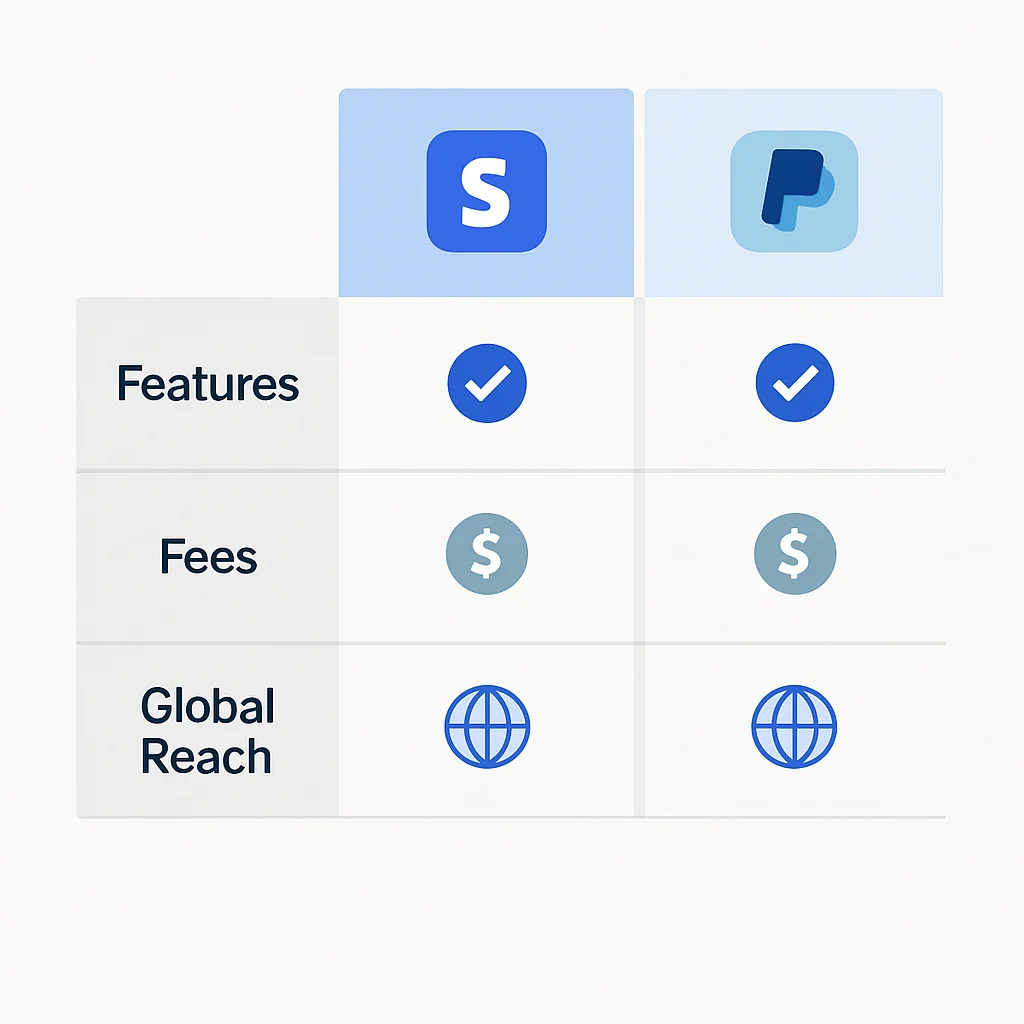
Let’s look at a comparative analysis to help you decide:
Gateway Comparison: Stripe vs. PayPal (2026)
| Feature | Stripe | PayPal |
|---|---|---|
| Primary Use Case | Direct credit/debit card processing, subscriptions, marketplaces, custom checkout flows. | PayPal account payments, credit/debit card processing (via PayPal), high brand trust. |
| Developer Experience | Excellent APIs, extensive documentation, flexible SDKs for native mobile (iOS/Android). Highly customizable. | Good documentation, dedicated mobile SDKs. Integration often involves user redirection. |
| Transaction Fees (Standard) | Typically 2.9% + $0.30 per successful card transaction. Varies by region and payment method. | Around 3.49% + $0.49 for online debit/credit card payments; 2.59% + $0.49 for PayPal payments. Varies by region. |
| PCI DSS Compliance | Level 1 certified. Pre-built UI components (PaymentSheet) minimize merchant PCI scope. | Level 1 certified. Merchants using PayPal’s hosted solutions have reduced PCI scope. |
| Global Reach | Available in over 45 countries, supports 135+ currencies and numerous local payment methods. | Available in 200+ countries/regions, supports 25+ currencies. Strong presence in emerging markets. |
| Fraud Prevention | Stripe Radar (AI-powered fraud detection) included, with advanced customizable rules. | Robust internal fraud detection systems, buyer and seller protection policies. |
| Mobile Integration | Native iOS/Android SDKs with customizable UI components (PaymentSheet, CardElement). | Native iOS/Android SDKs, often involves app-switching or WebView for checkout. |
Now, let’s dive into some practical code examples for integrating these gateways into your mobile applications.
Stripe Integration Example (iOS – Swift)
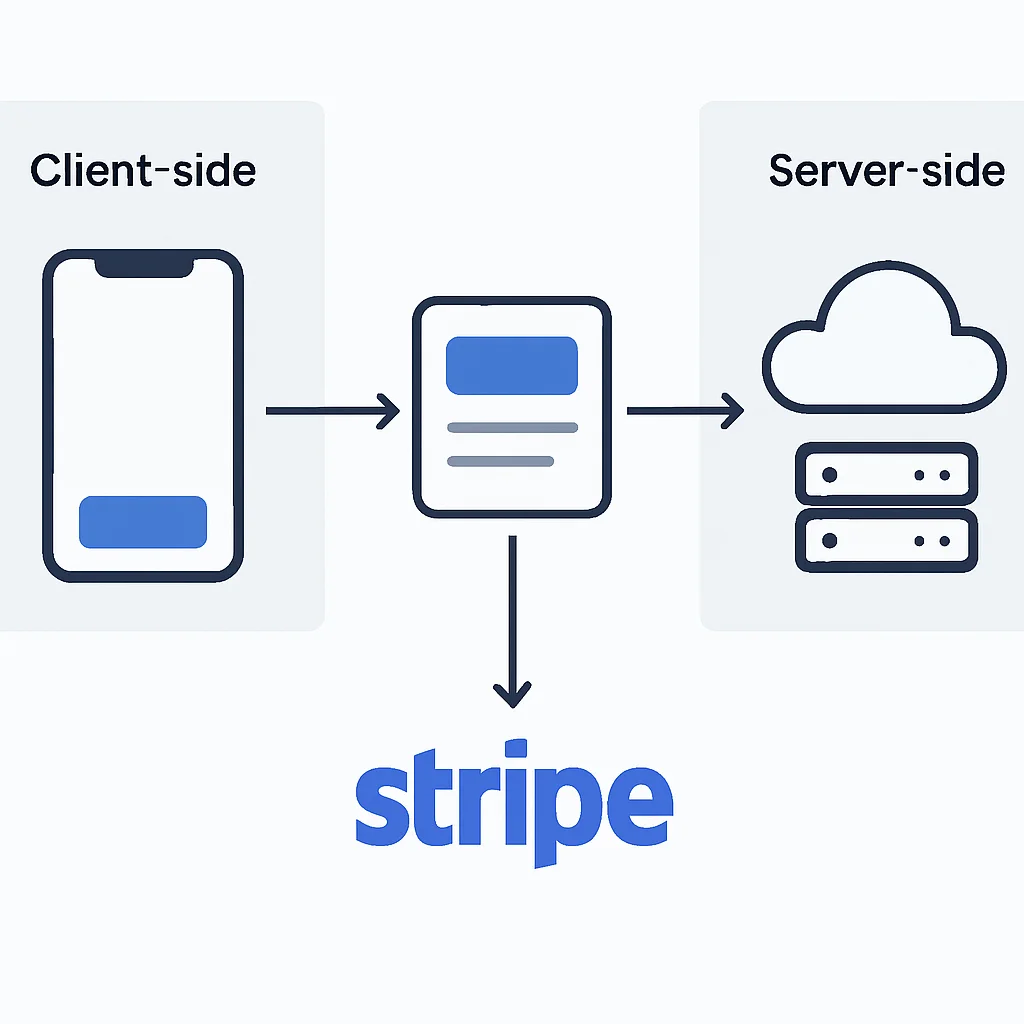
For iOS, Stripe’s PaymentSheet offers a pre-built, production-ready UI that handles all the payment collection logic, including card input, Apple Pay, and other local payment methods. This significantly simplifies integration and ensures PCI compliance.
CODE EXPLANATION
This Swift code snippet demonstrates how to initialize and present Stripe’s PaymentSheet. It assumes you have a backend endpoint (/create-payment-sheet) that returns a PaymentIntent client secret and an EphemeralKey secret, and your Stripe publishable key.
import StripePaymentSheet
import UIKit

class PaymentViewController: UIViewController {

    private var paymentSheet: PaymentSheet?
    private let backendUrl = "https://your-backend.com" // Replace with your backend URL

    override func viewDidLoad() {
        super.viewDidLoad()
        fetchPaymentSheetParams()
    }

    func fetchPaymentSheetParams() {
        // 1. Fetch the PaymentIntent client secret, Ephemeral Key secret, and Customer ID from your backend
        let url = URL(string: "\(backendUrl)/create-payment-sheet")!
        var request = URLRequest(url: url)
        request.httpMethod = "POST"
        request.setValue("application/json", forHTTPHeaderField: "Content-Type")
        // You might send user ID or cart details to your backend here
        // let body: [String: Any] = ["amount": 1099, "currency": "usd", "customer_id": "cus_XYZ"]
        // request.httpBody = try? JSONSerialization.data(withJSONObject: body)

        URLSession.shared.dataTask(with: request) { [weak self] data, response, error in
            guard let data = data,
                  let json = try? JSONSerialization.jsonObject(with: data, options: []) as? [String: String],
                  let customerId = json["customer"],
                  let customerEphemeralKeySecret = json["ephemeralKey"],
                  let paymentIntentClientSecret = json["paymentIntent"],
                  let publishableKey = json["publishableKey"] else {
                // Handle error
                print("Failed to fetch payment sheet params: \(error?.localizedDescription ?? "Unknown error")")
                return
            }

            // 2. Configure Stripe with the publishable key
            StripeAPI.defaultPublishableKey = publishableKey

            // 3. Create a PaymentSheet instance
            var configuration = PaymentSheet.Configuration()
            configuration.merchantDisplayName = "Kwonglish Inc."
            configuration.customer = .init(id: customerId, ephemeralKeySecret: customerEphemeralKeySecret)
            configuration.applePay = .init(merchantId: "merchant.com.kwonglish.app", merchantCountryCode: "US") // Optional for Apple Pay

            self?.paymentSheet = PaymentSheet(paymentIntentClientSecret: paymentIntentClientSecret, configuration: configuration)

            DispatchQueue.main.async {
                // Enable your payment button here
                print("PaymentSheet is ready.")
            }
        }.resume()
    }

    @IBAction func payButtonTapped(_ sender: Any) {
        // 4. Present the PaymentSheet when the user taps the pay button
        paymentSheet?.present(from: self) { [weak self] paymentResult in
            switch paymentResult {
            case .completed:
                print("Payment complete!")
                self?.displayAlert(title: "Payment Complete", message: "Your transaction was successful.")
            case .canceled:
                print("Payment canceled!")
                self?.displayAlert(title: "Payment Canceled", message: "You cancelled the payment.")
            case .failed(let error):
                print("Payment failed: \(error.localizedDescription)")
                self?.displayAlert(title: "Payment Failed", message: error.localizedDescription)
            }
        }
    }

    private func displayAlert(title: String, message: String) {
        DispatchQueue.main.async {
            let alert = UIAlertController(title: title, message: message, preferredStyle: .alert)
            alert.addAction(UIAlertAction(title: "OK", style: .default))
            self.present(alert, animated: true, completion: nil)
        }
    }
}
A corresponding backend endpoint (e.g., using Node.js with Express and Stripe’s server-side library) would look something like this:
CODE EXPLANATION
This Node.js example shows a backend endpoint that creates a Customer, an EphemeralKey for that customer, and a PaymentIntent. These three secrets are then sent to the mobile client to initialize the PaymentSheet.
// server.js (Node.js with Express)
const express = require('express');
const app = express();
const stripe = require('stripe')('sk_test_YOUR_STRIPE_SECRET_KEY'); // Replace with your secret key
const bodyParser = require('body-parser');

app.use(bodyParser.json());

// For cross-origin requests from your app (adjust origins as needed)
app.use(require('cors')({ origin: 'https://your-app.com' }));

app.post('/create-payment-sheet', async (req, res) => {
    try {
        // In a real app, you'd fetch this from your database based on user ID
        const customer = await stripe.customers.create();

        const ephemeralKey = await stripe.ephemeralKeys.create(
            { customer: customer.id },
            { apiVersion: '2022-08-01' } // Use the API version you're working with
        );

        const paymentIntent = await stripe.paymentIntents.create({
            amount: 1099, // Example amount in cents (e.g., $10.99)
            currency: 'usd',
            customer: customer.id,
            // In the latest API, setup_future_usage is often handled by PaymentSheet
            // setup_future_usage: 'off_session',
            automatic_payment_methods: {
                enabled: true,
            },
        });

        res.json({
            paymentIntent: paymentIntent.client_secret,
            ephemeralKey: ephemeralKey.secret,
            customer: customer.id,
            publishableKey: 'pk_test_YOUR_STRIPE_PUBLISHABLE_KEY', // Replace with your publishable key
        });
    } catch (error) {
        console.error('Error creating payment sheet parameters:', error);
        res.status(500).json({ error: error.message });
    }
});

const PORT = process.env.PORT || 3000;
app.listen(PORT, () => console.log(`Server running on port ${PORT}`));
PayPal Integration Example (Android – Kotlin)
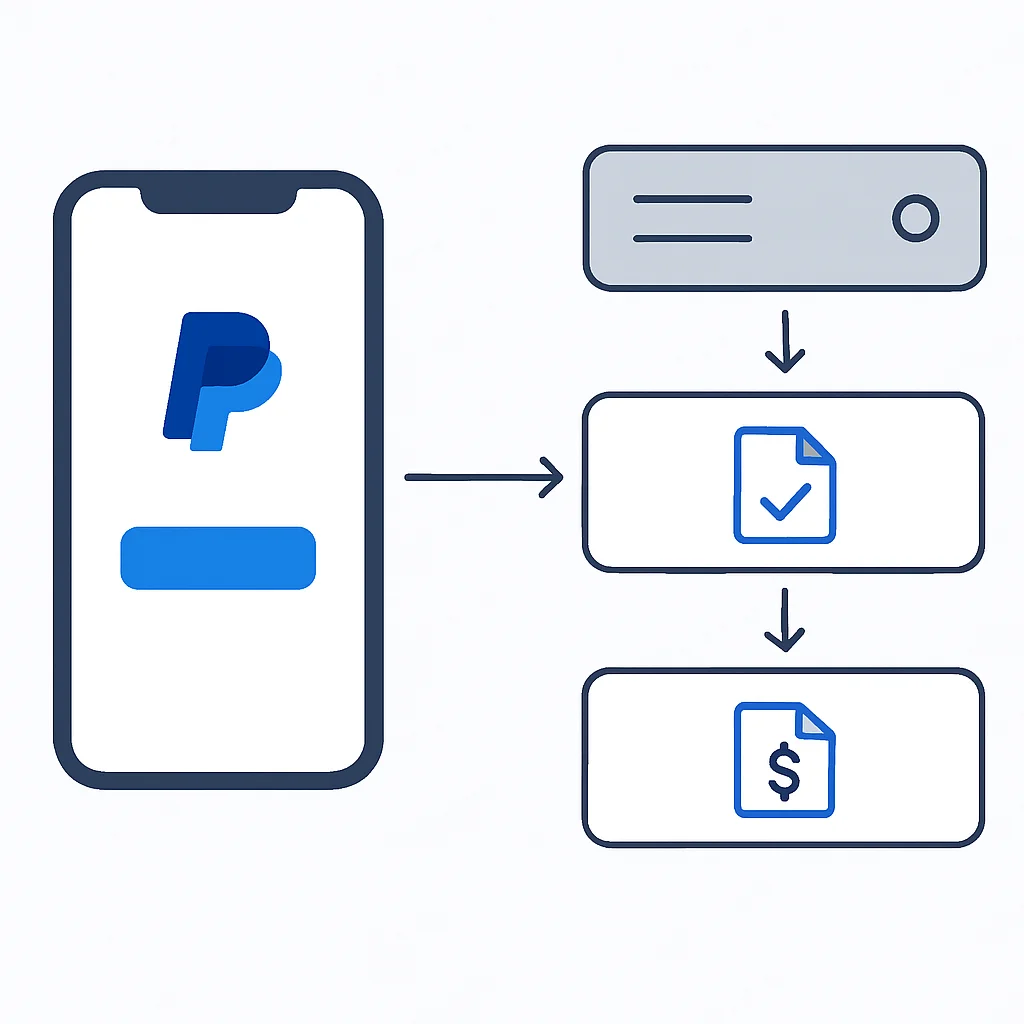
Integrating PayPal into an Android app typically involves using the PayPal Android SDK, which provides a straightforward way to launch the PayPal checkout flow. The process usually involves creating an order on your server, passing the order ID to the client, and then launching the PayPal flow.
CODE EXPLANATION
This Kotlin example for Android demonstrates how to set up the PayPal SDK and initiate a payment. It uses the PayPalCheckout library. You’ll need a backend to create the PayPal order and handle the capture after the user approves the payment.
// MainActivity.kt (Android - Kotlin)
package com.kwonglish.myapp

import android.os.Bundle
import android.util.Log
import android.widget.Button
import androidx.appcompat.app.AppCompatActivity
import com.paypal.checkout.approve.OnApprove
import com.paypal.checkout.cancel.OnCancel
import com.paypal.checkout.createorder.CreateOrder
import com.paypal.checkout.createorder.CurrencyCode
import com.paypal.checkout.createorder.OrderIntent
import com.paypal.checkout.createorder.PurchaseUnit
import com.paypal.checkout.error.OnError
import com.paypal.checkout.order.Order
import com.paypal.checkout.order.OrderRequestBody
import com.paypal.checkout.paymentbutton.PayPalButton
import com.paypal.checkout.shipping.OnShippingChange
import com.paypal.checkout.PayPalCheckout
import com.paypal.checkout.config.CheckoutConfig
import com.paypal.checkout.config.Environment
import com.paypal.checkout.config.SettingsConfig
import com.paypal.checkout.createorder.Amount
import com.paypal.checkout.createorder.OrderRequest

class MainActivity : AppCompatActivity() {

    private val TAG = "PayPalIntegration"

    override fun onCreate(savedInstanceState: Bundle?) {
        super.onCreate(savedInstanceState)
        setContentView(R.layout.activity_main)

        // 1. Initialize PayPal Checkout SDK
        val config = CheckoutConfig(
            application = application,
            clientId = "YOUR_PAYPAL_CLIENT_ID", // Replace with your PayPal Client ID
            environment = Environment.SANDBOX, // Use Environment.LIVE for production
            returnUrl = "${BuildConfig.APPLICATION_ID}://paypalpay", // Custom URL scheme
            settingsConfig = SettingsConfig(
                loggingEnabled = true // Enable for debugging
            )
        )
        PayPalCheckout.setConfig(config)

        val payPalButton = findViewById<PayPalButton>(R.id.payPalButton)
        payPalButton.setup(
            createOrder = CreateOrder { createOrderActions ->
                val order = OrderRequest(
                    intent = OrderIntent.CAPTURE,
                    purchaseUnits = listOf(
                        PurchaseUnit(
                            amount = Amount(
                                currencyCode = CurrencyCode.USD,
                                value = "10.00" // Example amount
                            )
                        )
                    )
                )
                createOrderActions.create(order)
            },
            onApprove = OnApprove { approval ->
                // 2. User approved the payment. Now capture the order on your backend.
                approval.orderActions.capture { captureResponse ->
                    Log.d(TAG, "Capture result: ${captureResponse.orderId}")
                    // Call your backend to verify and record the transaction
                    // Example: send captureResponse.orderId to your backend
                    showToast("Payment Successful: ${captureResponse.orderId}")
                }
            },
            onCancel = OnCancel {
                Log.d(TAG, "User cancelled the PayPal payment.")
                showToast("Payment Cancelled")
            },
            onError = OnError { errorInfo ->
                Log.e(TAG, "PayPal payment error: ${errorInfo.reason}")
                showToast("Payment Error: ${errorInfo.reason}")
            },
            onShippingChange = OnShippingChange { shippingChangeActions ->
                // Handle shipping address changes if applicable
                shippingChangeActions.approve()
            }
        )
    }

    private fun showToast(message: String) {
        runOnUiThread {
            // Display a Toast message or update UI
            // Toast.makeText(this, message, Toast.LENGTH_LONG).show()
            Log.d(TAG, message)
        }
    }
}
The backend for PayPal would involve creating an order and then capturing it. Here’s a simplified Node.js example:
CODE EXPLANATION
This Node.js backend example demonstrates the two main endpoints required for PayPal: one to create an order (which returns an orderID to the client) and another to capture the payment after the user approves it on the mobile app. This server-side interaction is crucial for secure transaction processing.
// server.js (Node.js for PayPal)
const express = require('express');
const app = express();
const axios = require('axios'); // For making HTTP requests
const bodyParser = require('body-parser');

app.use(bodyParser.json());

const PAYPAL_API_BASE = 'https://api-m.sandbox.paypal.com'; // Use 'https://api-m.paypal.com' for live
const CLIENT_ID = 'YOUR_PAYPAL_CLIENT_ID';
const CLIENT_SECRET = 'YOUR_PAYPAL_CLIENT_SECRET';

// Helper function to get an access token
async function generateAccessToken() {
    const auth = Buffer.from(`${CLIENT_ID}:${CLIENT_SECRET}`).toString('base64');
    const response = await axios.post(
        `${PAYPAL_API_BASE}/v1/oauth2/token`,
        'grant_type=client_credentials',
        {
            headers: {
                Authorization: `Basic ${auth}`,
                'Content-Type': 'application/x-www-form-urlencoded',
            },
        }
    );
    return response.data.access_token;
}

// Endpoint to create a PayPal order
app.post('/create-paypal-order', async (req, res) => {
    try {
        const accessToken = await generateAccessToken();
        const response = await axios.post(
            `${PAYPAL_API_BASE}/v2/checkout/orders`,
            {
                intent: 'CAPTURE',
                purchase_units: [
                    {
                        amount: {
                            currency_code: 'USD',
                            value: '10.00', // Example amount
                        },
                    },
                ],
            },
            {
                headers: {
                    'Content-Type': 'application/json',
                    Authorization: `Bearer ${accessToken}`,
                },
            }
        );
        res.json({ orderID: response.data.id });
    } catch (error) {
        console.error('Failed to create PayPal order:', error.response ? error.response.data : error.message);
        res.status(500).json({ error: 'Failed to create PayPal order.' });
    }
});

// Endpoint to capture a PayPal order after client-side approval
app.post('/capture-paypal-order/:orderID', async (req, res) => {
    const { orderID } = req.params;
    try {
        const accessToken = await generateAccessToken();
        const response = await axios.post(
            `${PAYPAL_API_BASE}/v2/checkout/orders/${orderID}/capture`,
            {},
            {
                headers: {
                    'Content-Type': 'application/json',
                    Authorization: `Bearer ${accessToken}`,
                },
            }
        );
        // Process the capture response, update your database, etc.
        res.json(response.data);
    } catch (error) {
        console.error('Failed to capture PayPal order:', error.response ? error.response.data : error.message);
        res.status(500).json({ error: 'Failed to capture PayPal order.' });
    }
});

const PORT = process.env.PORT || 3001;
app.listen(PORT, () => console.log(`PayPal server running on port ${PORT}`));
PROBLEM SOLVING
Overcoming Technical Challenges in Mobile Payment Integration
Integrating payment gateways into mobile applications is not without its complexities. Developers often encounter various technical challenges that, if not addressed properly, can compromise security, user experience, and even legal compliance. In 2026, with increasing cyber threats and evolving regulations, these challenges require robust solutions.
PROBLEM 01
PCI DSS Compliance and Data Security
Handling sensitive cardholder data directly on your servers or mobile clients without proper safeguards is a major security risk and a violation of PCI DSS standards. Achieving and maintaining PCI compliance can be a daunting and expensive task for many businesses.
SOLUTION — Leverage Hosted Fields and SDKs
The most effective solution is to minimize your application’s exposure to raw card data. Use the payment gateway’s client-side SDKs and hosted UI components (like Stripe’s PaymentSheet or PayPal’s hosted checkout flows). These components securely collect card details and tokenize them before they ever reach your server. This offloads the majority of your PCI DSS compliance burden to the payment gateway, which is Level 1 certified.
For example, Stripe’s SDKs ensure that payment information is sent directly from the user’s device to Stripe’s servers, returning a token that your backend can use to create a PaymentIntent. This approach reduces your PCI scope significantly, often to SAQ A or A-EP, rather than the much more complex SAQ D.
PROBLEM 02
Handling Network Instability and Payment Failures
Mobile environments are inherently prone to network fluctuations. A payment flow interrupted by a dropped connection or a gateway timeout can lead to a confusing user experience, duplicate charges, or lost transactions if not handled gracefully.
SOLUTION — Implement Robust Error Handling and Idempotency
Implement comprehensive error handling in both your mobile client and backend. For the client, display clear, actionable messages to users for network issues or declined payments. Crucially, on the backend, utilize idempotency keys when making API calls to payment gateways (e.g., when creating a PaymentIntent or capturing an order). An idempotency key ensures that if the same request is sent multiple times (due to retries or network issues), the gateway processes it only once, preventing duplicate charges. Most modern payment gateways support this via a unique header like Stripe-Idempotency-Key.
PROBLEM 03
Fraud Prevention and Chargebacks
Mobile transactions, especially those for digital goods or services, can be susceptible to fraud. High rates of fraudulent transactions lead to financial losses, chargebacks, and potential penalties from card networks.
SOLUTION — Utilize Built-in Fraud Tools and AVS/CVV Checks
Payment gateways offer sophisticated fraud detection tools. Stripe, for instance, has Stripe Radar, which uses machine learning to identify and block fraudulent payments. PayPal also has robust internal systems and buyer/seller protection. Ensure your integration passes as much information as possible to the gateway (e.g., shipping address, customer email, device fingerprinting data) to enhance fraud analysis. Always perform Address Verification System (AVS) and Card Verification Value (CVV) checks for card-present or card-not-present transactions where applicable. Implement 3D Secure (3DS) for an additional layer of authentication, especially for higher-risk transactions. This has become standard for many payment flows in 2026, often handled automatically by modern SDKs.
KEY POINT
Proactive measures like leveraging gateway SDKs for PCI compliance, implementing idempotency for network resilience, and utilizing built-in fraud tools are essential for secure and reliable mobile payment integration in 2026.
PRACTICAL APPLICATION
Practical Application: A Step-by-Step Stripe Integration Guide
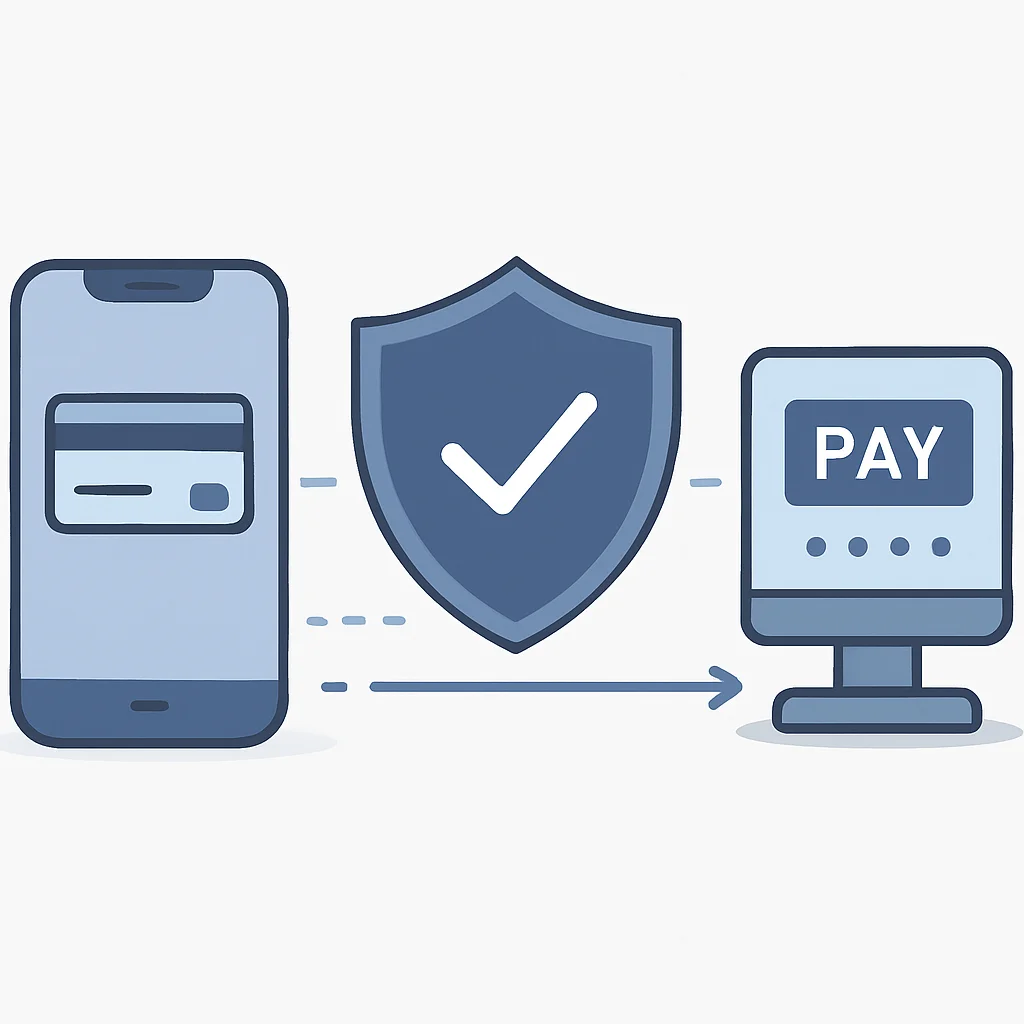
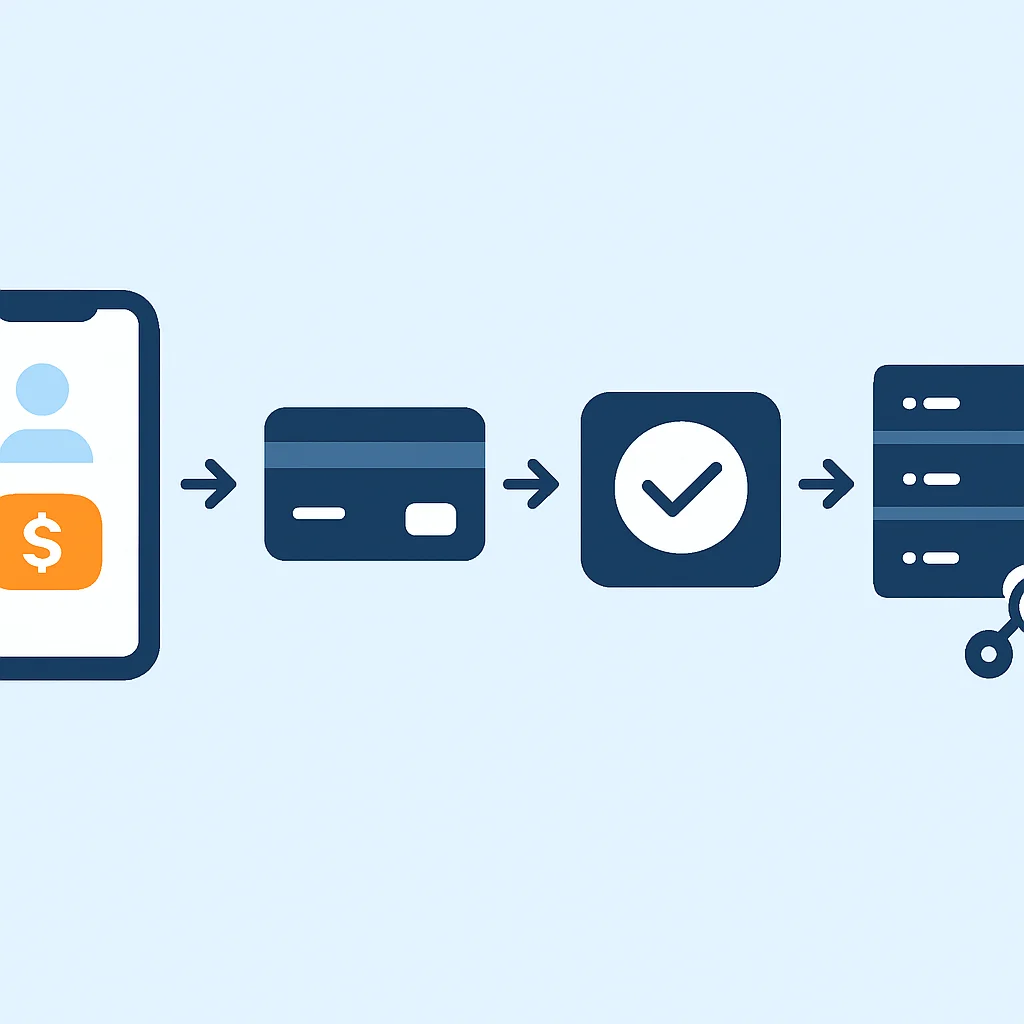
Let’s walk through a simplified, high-level guide to integrating Stripe’s PaymentSheet into a mobile application. This process emphasizes security and ease of implementation, which are paramount in 2026.
1
Set Up Your Stripe Account and API Keys
First, create a Stripe account at stripe.com. Navigate to your Developer Dashboard to find your publishable key (pk_test_...) and secret key (sk_test_...). Remember, publishable keys are public and used on the client-side, while secret keys must only be used on your secure backend.
2
Install the Stripe Mobile SDK
Add the Stripe SDK to your mobile project. For iOS (Swift/Objective-C), use CocoaPods or Swift Package Manager. For Android (Kotlin/Java), add the dependency to your build.gradle file. Ensure you’re using the latest stable version for the best features and security updates, which are frequently released in 2026.
CODE EXPLANATION
Example of adding Stripe Android SDK dependency to your build.gradle (app-level) file.
// build.gradle (app-level)
dependencies {
    implementation 'com.stripe:stripecardscan:21.0.0' // For card scanning
    implementation 'com.stripe:stripe-android:20.30.0' // Core Stripe Android SDK
    // Other dependencies
}
3
Create a Backend Endpoint for PaymentIntent
As seen in the earlier Node.js example, your backend server is responsible for creating a PaymentIntent. This involves using your secret key to interact with the Stripe API. The backend should return the client_secret of the PaymentIntent, a customer ID, and an ephemeral key to your mobile client. This server-side step is critical for security, as it keeps your secret API key off the client-side.
4
Initialize and Present PaymentSheet on Mobile
On your mobile client, fetch the necessary secrets from your backend. Use these to initialize the Stripe SDK and then present the PaymentSheet. The PaymentSheet will handle the UI for collecting payment details, including showing various payment methods configured in your Stripe Dashboard. It also manages the 3D Secure flow automatically.
5
Handle Payment Results and Webhooks
After the user completes the payment flow, the PaymentSheet will return a result (success, failure, or cancellation). Update your UI accordingly. For robust order fulfillment and to react to asynchronous payment events (like disputes or refunds), set up webhooks on your backend. Stripe will send notifications to your webhook endpoint for various events, such as payment_intent.succeeded, charge.refunded, etc. This ensures your system of record is always up-to-date.
KEY POINT
A secure Stripe integration relies heavily on server-side creation of PaymentIntents and client-side presentation of PaymentSheet, coupled with backend webhook handling for reliable transaction management.
Frequently Asked Questions (FAQ)
Q. What is PCI DSS compliance and why is it important for mobile payments?
PCI DSS (Payment Card Industry Data Security Standard) is a set of security standards designed to ensure that all companies that process, store, or transmit credit card information maintain a secure environment. It’s crucial for mobile payments to protect sensitive customer data from breaches, build user trust, and avoid hefty fines and legal repercussions.
Q. Should I use Stripe, PayPal, or both for my mobile app in 2026?
The choice depends on your target audience and business model. Stripe offers greater developer control and direct card processing, ideal for custom experiences and subscriptions. PayPal provides strong brand recognition and a large user base, which can boost conversion, especially internationally. Many apps integrate both to offer users more choices and maximize reach.
Q. How do I handle refunds for in-app purchases?
Refunds are typically processed via your payment gateway’s API from your backend. You would make an API call to Stripe or PayPal with the original transaction ID and the amount to refund. It’s crucial to integrate this into your backend system and administrative tools, ensuring that your app’s internal records are updated to reflect the refund status.
Q. What are webhooks and why are they important for payment integration?
Webhooks are automated messages sent from your payment gateway to your application’s backend when specific events occur (e.g., a payment succeeds, a refund is issued, a subscription renews). They are vital for robust payment integration because they allow your application to react to asynchronous payment events in real-time, ensuring your database and user states are always consistent with the payment gateway’s records.
WRAP-UP
Conclusion and Future Outlook
The journey of integrating secure and seamless payment gateways into mobile applications is a critical one for any developer or business operating in the dynamic digital economy of 2026. As we’ve explored, platforms like Stripe and PayPal offer robust, developer-friendly solutions that not only simplify the technical challenges but also offload significant security and compliance burdens. Mastering these integrations is not just about enabling transactions; it’s about building trust, enhancing user experience, and ultimately driving the commercial success of your mobile product.
Looking ahead, the mobile payment landscape will continue to evolve rapidly. We can anticipate several key trends shaping future integrations:
1. The Rise of Embedded Finance: More applications will offer financial services directly within their ecosystem, blurring the lines between traditional apps and financial institutions. Payment gateways will become even more integral, providing the infrastructure for these complex, integrated services.
2. AI-Driven Fraud Detection: As fraud tactics become more sophisticated, AI and machine learning will play an even larger role in real-time fraud prevention. Gateways will continue to enhance their intelligent systems, offering developers more powerful tools to protect transactions.
3. Alternative Payment Methods (APMs): Beyond traditional cards and digital wallets, the demand for local payment methods, ‘Buy Now, Pay Later’ (BNPL) options, and even cryptocurrencies will grow. Successful integrations will need to support a diverse range of APMs to cater to global audiences.
4. Enhanced User Experience: The focus will remain on frictionless checkout flows. This includes biometric authentication, one-click payments, and highly personalized payment experiences that adapt to user preferences and location.
KEY POINT
Successful mobile payment integration in 2026 requires not only mastering current gateway technologies but also staying agile and adapting to emerging trends like embedded finance, advanced AI fraud detection, and a proliferation of alternative payment methods to meet evolving user expectations.
For developers, the imperative is clear: stay informed, continuously update your integrations, and always prioritize security and user experience. By doing so, you can ensure your mobile applications remain competitive and provide value in the ever-expanding digital marketplace.
Thanks for reading!
We hope this guide provides a solid foundation for your mobile payment integration projects. Security, user experience, and compliance are paramount – keep them at the forefront of your development.
Got feedback or questions? Drop a comment below! We’d love to hear about your experiences with mobile payment gateways.