
SUMMARY
Essential Mobile App Security Best Practices for Developers in 2026
Protect your mobile applications from common threats with critical security best practices for iOS and Android developers.
Keywords: Mobile App Security, Secure Coding, Data Protection
TABLE OF CONTENTS
1. Introduction: The Evolving Landscape of Mobile Security in 2026
2. Understanding the Threat Landscape: Key Vulnerabilities and Statistics
3. Core Security Best Practices for Mobile Development
4. Addressing Common Security Challenges
5. Integrating Security into the Development Lifecycle
6. Frequently Asked Questions (FAQ)
INTRODUCTION
The Evolving Landscape of Mobile Security in 2026
Welcome back to Kwonglish! As we navigate through 2026, mobile applications continue to be the primary interface for billions of users accessing critical services, from banking and healthcare to social media and enterprise tools. This pervasive adoption, however, comes with an escalating risk profile. The sophistication of cyber threats targeting mobile platforms has grown exponentially, making robust security not just an option, but an absolute imperative for developers.
In the past year alone, we’ve witnessed a significant uptick in highly targeted mobile malware campaigns and data breaches affecting major applications. Reports indicate that mobile-specific attacks have increased by approximately 35% since 2025, with an average cost of a mobile data breach reaching an estimated $4.5 million for larger enterprises. These figures underscore the financial and reputational damage that can result from inadequate security measures. Beyond financial implications, stringent data privacy regulations like GDPR, CCPA, and their global counterparts impose heavy penalties for non-compliance, further emphasizing the need for developers to prioritize security from conception to deployment.
This report aims to equip both iOS and Android developers with the essential security best practices required to build resilient and trustworthy applications in 2026. We’ll delve into the current threat landscape, dissect core security principles, offer practical code examples, and discuss strategies for embedding security throughout the entire development lifecycle. Our goal is to empower you to safeguard user data, protect your intellectual property, and maintain the integrity of your mobile offerings against an ever-evolving adversary.
KEY POINT
Mobile app security in 2026 is no longer a post-development afterthought but a fundamental requirement, driven by increasing cyber threats, significant financial risks, and strict global data privacy regulations.
THREAT LANDSCAPE
Understanding the Threat Landscape: Key Vulnerabilities and Statistics
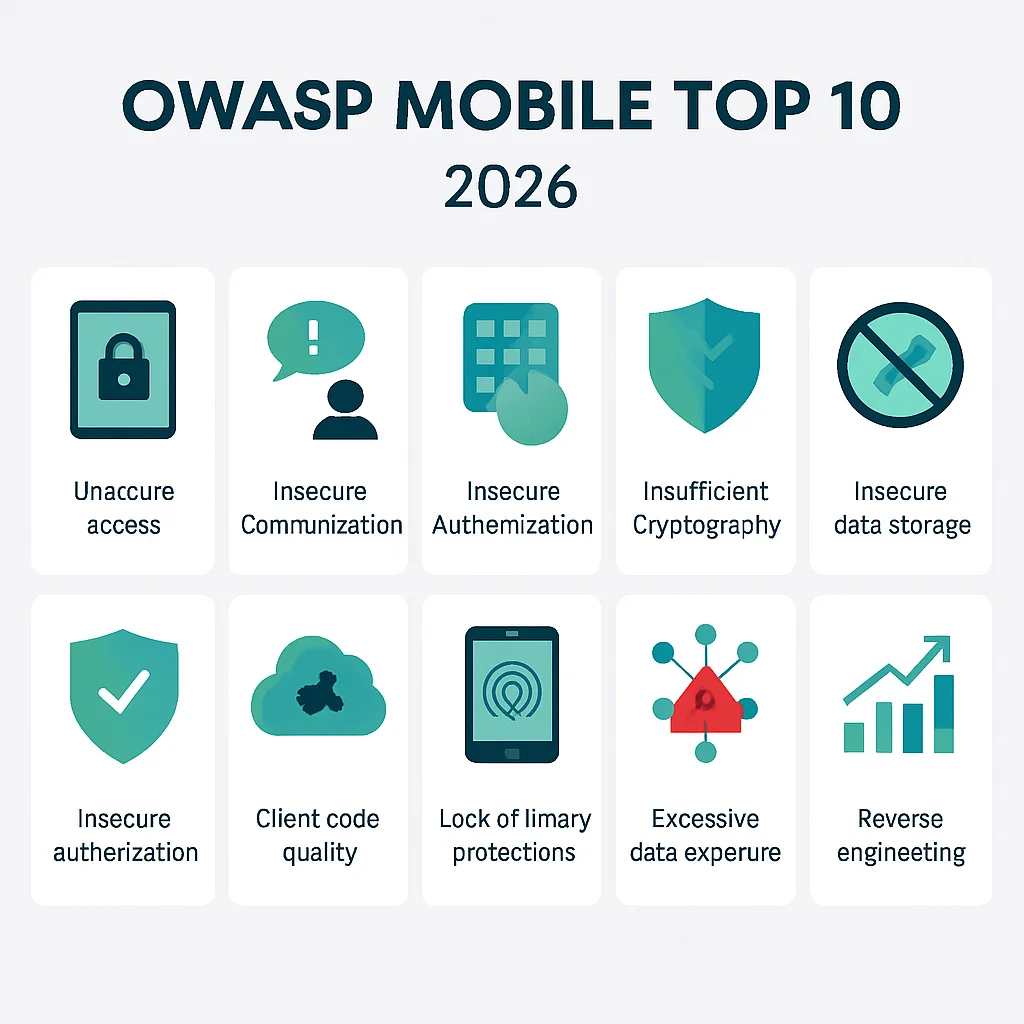
Before we dive into solutions, it’s crucial to understand the common vulnerabilities that attackers exploit. The OWASP Mobile Top 10 provides a regularly updated list of the most critical security risks to mobile applications. While the specific rankings may shift, the underlying issues persist. In 2026, we see a continued focus on:
M1: Improper Platform Usage: This category encompasses misusing platform security controls or failing to use them at all. Examples include incorrect permissions, insecure IPC (Inter-Process Communication), or improper use of platform-provided security features like the Android Keystore or iOS Keychain.
M2: Insecure Data Storage: Storing sensitive data unencrypted on the device’s file system, preferences, or databases. This remains a top concern, especially with the growing volume of personal and financial data processed by mobile apps.
M3: Insecure Communication: Transmitting sensitive data over unencrypted channels (HTTP instead of HTTPS), weak TLS configurations, or failing to validate server certificates. Man-in-the-Middle (MitM) attacks thrive on such vulnerabilities.
M4: Insecure Authentication/Authorization: Weak password policies, insecure session management, or flawed biometric authentication implementations. Attackers can bypass authentication to gain unauthorized access.
M6: Insecure Authorization: Flaws in authorization logic that allow users to perform actions they shouldn’t, such as accessing another user’s data or administrative functions.
M7: Client Code Quality: This covers a broad range of coding errors, including buffer overflows, memory leaks, and improper exception handling, which can lead to crashes or allow attackers to execute arbitrary code.
Recent industry reports from leading cybersecurity firms highlight that in 2026:
- Approximately 60% of mobile applications tested had at least one critical vulnerability related to insecure data storage or insecure communication.
- Phishing attacks targeting mobile users surged by 45% compared to the previous year, often exploiting weak authentication mechanisms.
- Supply chain attacks, where malicious code is injected into third-party libraries or SDKs, accounted for nearly 15% of all reported mobile breaches, a 10% increase from 2025.
While both iOS and Android platforms offer robust security features, the ultimate security of an application often depends on how developers implement and utilize these features. iOS generally benefits from a more closed ecosystem and stringent app review process, which historically has led to fewer malware incidents. However, Android’s open nature and broader device fragmentation introduce unique challenges, requiring developers to be extra vigilant. Regardless of the platform, the onus is on the developer to write secure code and follow best practices.
KEY POINT
The OWASP Mobile Top 10 remains the authoritative guide for understanding mobile app vulnerabilities. Developers must pay close attention to issues like improper platform usage, insecure data storage, and communication, which continue to be prevalent in 2026.
CORE PRACTICES
Core Security Best Practices for Mobile Development
Building a secure mobile application requires a multi-layered approach, integrating security at every stage. Here are the core best practices:
3.1. Secure Data Storage
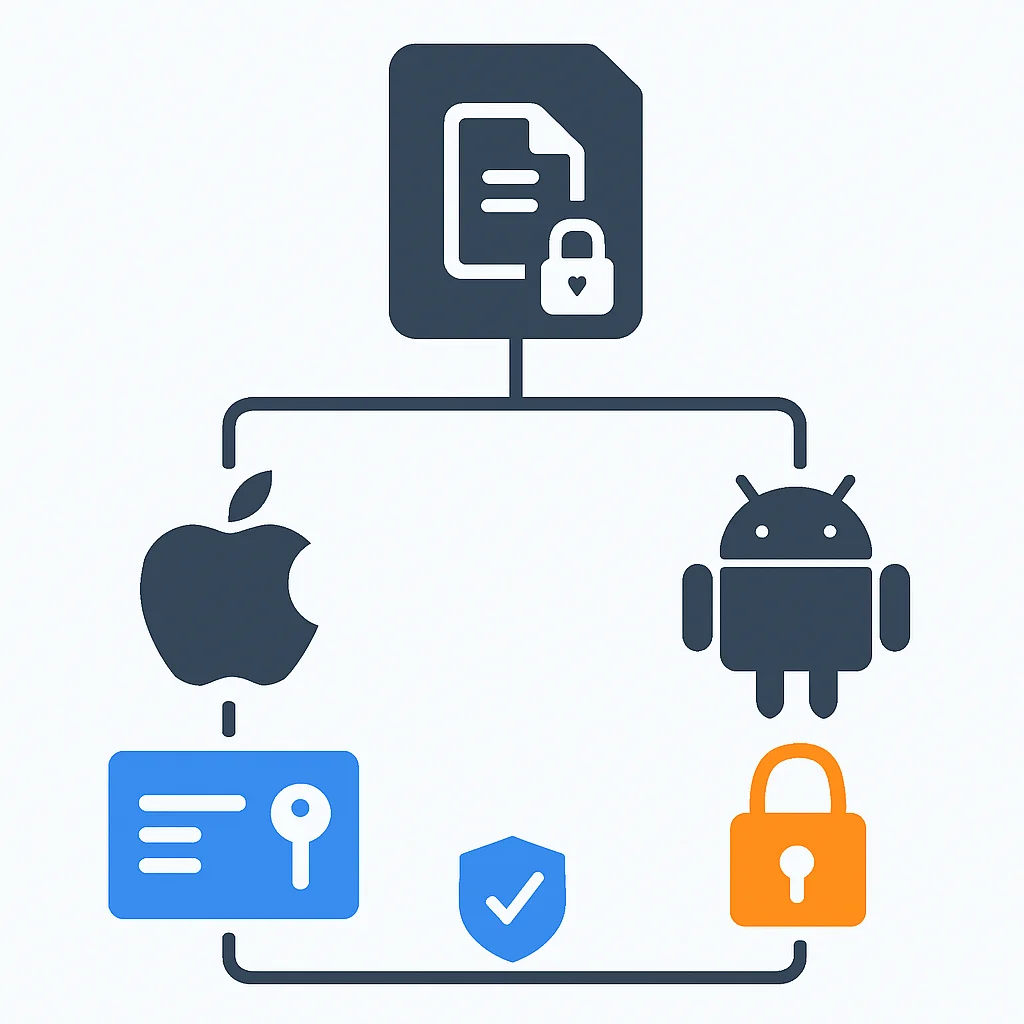
Sensitive data should never be stored in plain text on the device. This includes user credentials, API keys, personal identifiable information (PII), and financial data. Both iOS and Android provide secure storage mechanisms that leverage hardware-backed encryption.
For iOS: Keychain Services
The iOS Keychain is designed to securely store small bits of sensitive user data such as passwords, encryption keys, and certificates. It uses strong encryption and is protected by the device’s passcode/biometrics.
CODE EXPLANATION
This Swift code snippet demonstrates how to securely store and retrieve a password in the iOS Keychain using a helper class. It utilizes the SecItemAdd and SecItemCopyMatching functions with appropriate attributes for secure storage.
import Foundation
import Security

class KeychainService {
    static let service = "com.kwonglish.myapp" // Unique service identifier

    static func save(key: String, data: Data) -> OSStatus {
        let query: [String: Any] = [
            kSecClass as String: kSecClassGenericPassword,
            kSecAttrService as String: service,
            kSecAttrAccount as String: key,
            kSecValueData as String: data,
            kSecAttrAccessible as String: kSecAttrAccessibleWhenUnlockedThisDeviceOnly // Strongest access control
        ]

        SecItemDelete(query as CFDictionary) // Delete existing item if any
        return SecItemAdd(query as CFDictionary, nil)
    }

    static func load(key: String) -> Data? {
        let query: [String: Any] = [
            kSecClass as String: kSecClassGenericPassword,
            kSecAttrService as String: service,
            kSecAttrAccount as String: key,
            kSecReturnData as String: kCFBooleanTrue!,
            kSecMatchLimit as String: kSecMatchLimitOne
        ]

        var item: CFTypeRef?
        let status = SecItemCopyMatching(query as CFDictionary, &item)

        guard status == errSecSuccess else { return nil }
        return item as? Data
    }
}

// Usage Example:
// let password = "MySecretPassword123".data(using: .utf8)!
// let status = KeychainService.save(key: "userPassword", data: password)
// if status == errSecSuccess {
//     print("Password saved successfully!")
// } else {
//     print("Error saving password: \(status)")
// }

// if let savedData = KeychainService.load(key: "userPassword"),
//    let savedPassword = String(data: savedData, encoding: .utf8) {
//     print("Retrieved password: \(savedPassword)")
// } else {
//     print("Password not found or error retrieving.")
// }
For Android: Android Keystore System
The Android Keystore system allows you to store cryptographic keys in a container that makes them more difficult to extract from the device. Keys in the Keystore can be used for cryptographic operations without revealing the key material itself. This is ideal for encrypting sensitive data stored elsewhere, or for directly storing small secrets.
CODE EXPLANATION
This Kotlin code demonstrates how to generate and use an AES key with the Android Keystore system to encrypt and decrypt data. It sets up an alias for the key, specifies its properties (like BLOCK_MODE_GCM and ENCRYPTION_PADDING_NONE), and handles the cryptographic operations securely.
import android.security.keystore.KeyGenParameterSpec
import android.security.keystore.KeyProperties
import java.io.InputStream
import java.io.OutputStream
import java.security.KeyStore
import javax.crypto.Cipher
import javax.crypto.KeyGenerator
import javax.crypto.SecretKey
import javax.crypto.spec.IvParameterSpec

class KeystoreHelper {
    private val KEYSTORE_ALIAS = "MyKwonglishSecretKey"
    private val keyStore: KeyStore = KeyStore.getInstance("AndroidKeyStore").apply { load(null) }

    private fun getSecretKey(): SecretKey {
        val existingKey = keyStore.getEntry(KEYSTORE_ALIAS, null) as? KeyStore.SecretKeyEntry
        return existingKey?.secretKey ?: generateNewKey()
    }

    private fun generateNewKey(): SecretKey {
        val keyGenerator = KeyGenerator.getInstance(KeyProperties.KEY_ALGORITHM_AES, "AndroidKeyStore")
        val keyGenParameterSpec = KeyGenParameterSpec.Builder(
            KEYSTORE_ALIAS,
            KeyProperties.PURPOSE_ENCRYPT or KeyProperties.PURPOSE_DECRYPT
        )
            .setBlockModes(KeyProperties.BLOCK_MODE_GCM)
            .setEncryptionPaddings(KeyProperties.ENCRYPTION_PADDING_NONE)
            .setUserAuthenticationRequired(false) // Set to true for biometric auth
            .setRandomizedEncryptionRequired(true)
            .build()

        keyGenerator.init(keyGenParameterSpec)
        return keyGenerator.generateKey()
    }

    fun encrypt(bytes: ByteArray, outputStream: OutputStream): ByteArray {
        val cipher = Cipher.getInstance("AES/GCM/NoPadding")
        cipher.init(Cipher.ENCRYPT_MODE, getSecretKey())

        outputStream.use { os ->
            os.write(cipher.iv) // Write IV first for decryption
            os.write(cipher.doFinal(bytes))
        }
        return cipher.iv
    }

    fun decrypt(inputStream: InputStream): ByteArray {
        val cipher = Cipher.getInstance("AES/GCM/NoPadding")
        val ivSize = 12 // GCM IV size is typically 12 bytes
        val iv = ByteArray(ivSize)
        inputStream.read(iv)

        cipher.init(Cipher.DECRYPT_MODE, getSecretKey(), IvParameterSpec(iv))
        return cipher.doFinal(inputStream.readBytes())
    }
}

// Usage Example:
// val helper = KeystoreHelper()
// val secretData = "This is my super secret data.".toByteArray(Charsets.UTF_8)
// val encryptedOutputStream = ByteArrayOutputStream()
// val iv = helper.encrypt(secretData, encryptedOutputStream)
// val encryptedBytes = encryptedOutputStream.toByteArray()

// val decryptedInputStream = ByteArrayInputStream(iv + encryptedBytes)
// val decryptedData = helper.decrypt(decryptedInputStream)
// val originalString = String(decryptedData, Charsets.UTF_8)
// println("Original: $originalString")
Beyond platform-specific mechanisms, avoid storing sensitive data in:
- Shared Preferences (Android) or UserDefaults (iOS): These are not encrypted by default and can be easily accessed.
- External Storage: Data on SD cards or public directories is highly vulnerable.
- Application Logs: Never log sensitive data, even temporarily.
KEY POINT
Always leverage platform-provided secure storage solutions like iOS Keychain Services and Android Keystore for sensitive data. Avoid storing raw secrets or unencrypted PII in preferences, external storage, or application logs.
3.2. Secure Communication
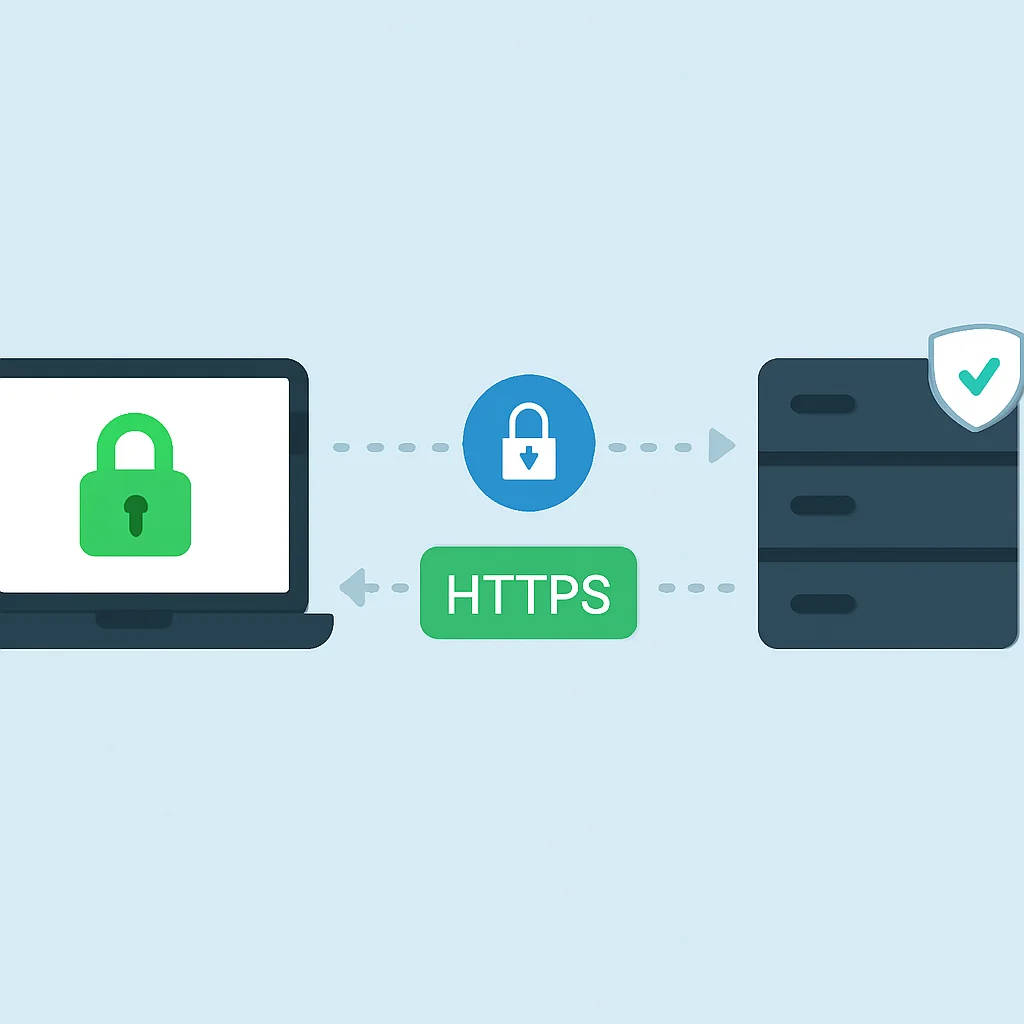
All communication between your mobile app and backend servers must be encrypted using strong cryptographic protocols. This prevents eavesdropping and tampering.
- Always Use HTTPS: Ensure all network requests use HTTPS with TLS 1.2 or higher (TLS 1.3 is preferred in 2026). Avoid HTTP entirely.
- Certificate Pinning: This technique helps prevent Man-in-the-Middle (MitM) attacks by ensuring that your app only communicates with servers that present a specific, predefined certificate or public key. If the certificate presented by the server doesn’t match the one pinned in the app, the connection is terminated. This is crucial for apps handling highly sensitive data.
CODE EXPLANATION
This Kotlin example demonstrates how to implement certificate pinning using OkHttpClient with CertificatePinner. You would replace "sha256/..." with the actual SHA-256 hash of your server’s public key certificate.
import okhttp3.CertificatePinner
import okhttp3.OkHttpClient
import okhttp3.Request
import java.security.cert.Certificate

object NetworkClient {
    private val certificatePinner = CertificatePinner.Builder()
        .add("kwonglish.com", "sha256/AAAAAAAAAAAAAAAAAAAAAAAAAAAAAAAAAAAAAAAAAAA=") // Replace with your actual pin
        .add("kwonglish.com", "sha256/BBBBBBBBBBBBBBBBBBBBBBBBBBBBBBBBBBBBBBBBBBB=") // Add backup pins if necessary
        .build()

    val client = OkHttpClient.Builder()
        .certificatePinner(certificatePinner)
        .build()

    fun fetchData(url: String): String? {
        val request = Request.Builder()
            .url(url)
            .build()

        return try {
            client.newCall(request).execute().use { response ->
                if (!response.isSuccessful) {
                    println("Unexpected code ${response}")
                    null
                } else {
                    response.body?.string()
                }
            }
        } catch (e: Exception) {
            println("Network error or certificate pinning failed: ${e.localizedMessage}")
            null
        }
    }
}

// Usage Example:
// val data = NetworkClient.fetchData("https://kwonglish.com/api/data")
// if (data != null) {
//     println("Received data: $data")
// } else {
//     println("Failed to fetch data securely.")
// }
For iOS, you can implement certificate pinning using URLSessionDelegate and validating the server trust against your pinned certificates. Libraries like Alamofire also offer built-in support for certificate pinning.
KEY POINT
Mandate HTTPS with strong TLS versions (1.2+, preferably 1.3) for all network communication. Implement certificate pinning for critical endpoints to provide an additional layer of defense against sophisticated Man-in-the-Middle attacks.
3.3. Input Validation and Output Encoding
Unvalidated input is a primary vector for many attacks, including SQL Injection, Cross-Site Scripting (XSS), and command injection. Even though mobile apps often interact with APIs, malicious input can still be crafted on the client-side and sent to the server.
- Client-Side Validation: Perform basic input validation (e.g., format, length) on the client-side for a better user experience, but never rely solely on it for security.
- Server-Side Validation (Crucial): All input received by your backend services MUST be rigorously validated and sanitized. This is your last line of defense.
- Output Encoding: When displaying user-generated content, always encode it to prevent XSS attacks. This ensures that any malicious scripts embedded in the data are rendered as text rather than executable code.
KEY POINT
While client-side validation enhances UX, robust server-side validation is non-negotiable for security. Always encode output when displaying dynamic content to mitigate injection vulnerabilities.
3.4. Authentication and Authorization
Implementing secure user authentication and robust authorization mechanisms is paramount to protect user accounts and data.
- Strong Authentication:
- Enforce strong password policies (length, complexity).
- Implement multi-factor authentication (MFA) as a standard or optional feature. This significantly reduces the risk of account compromise.
- Integrate biometric authentication (Face ID/Touch ID for iOS, Fingerprint/Face Unlock for Android) securely. Ensure that biometric data is only used for authentication and not stored or transmitted.
- Secure Session Management:
- Use short-lived, encrypted session tokens.
- Invalidate sessions upon logout, password change, or suspicious activity.
- Do not store session tokens in insecure locations (e.g., shared preferences). Use Keychain/Keystore.
- Robust Authorization:
- Implement granular access control at the server level. Never trust the client for authorization decisions.
- Verify user roles and permissions for every sensitive operation.
KEY POINT
Prioritize strong authentication (MFA, secure biometrics) and robust, server-side authorization. Implement secure session management with short-lived, encrypted tokens stored in hardware-backed secure storage.
3.5. Code Obfuscation and Tamper Detection
While not a standalone security solution, code obfuscation and tamper detection can significantly deter reverse engineering and unauthorized modification of your application.
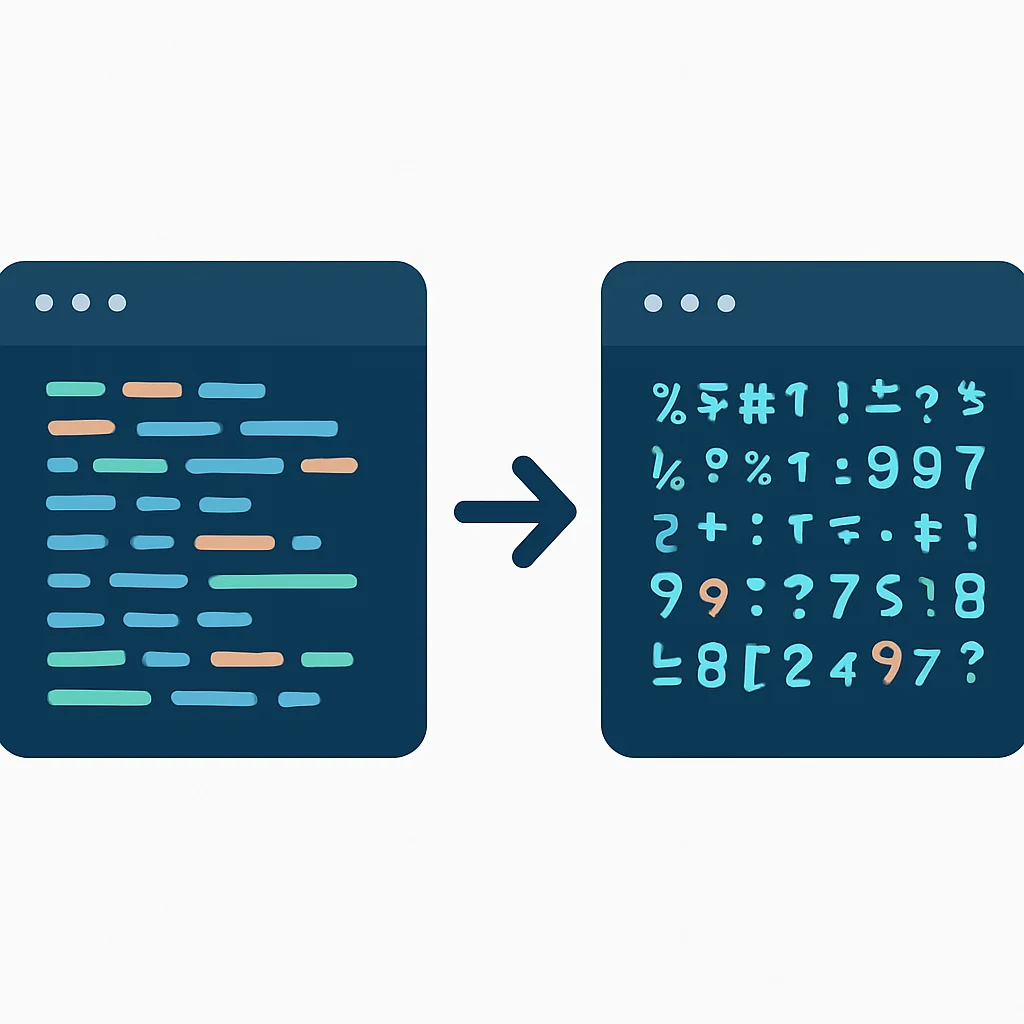
- Code Obfuscation: This process transforms your app’s bytecode into a more complex and difficult-to-understand form without affecting its functionality. It makes reverse engineering harder for attackers trying to discover vulnerabilities or intellectual property.
- For Android,
ProGuardorR8(the default in recent Android Gradle plugin versions) can be configured to shrink, optimize, and obfuscate your code. - For iOS, while Swift and Objective-C are compiled languages, attackers can still analyze binaries. Symbol stripping and using commercial obfuscation tools can help.
- For Android,
- Tamper Detection: Implement mechanisms within your app to detect if it has been modified, debugged, or is running on a rooted/jailbroken device. If tampering is detected, the app can take defensive actions, such as shutting down, wiping sensitive data, or alerting the user.
KEY POINT
Utilize code obfuscation tools (like R8 for Android) to hinder reverse engineering. Implement tamper detection and root/jailbreak detection to protect against unauthorized modification and execution in compromised environments.
3.6. Principle of Least Privilege
Your application should only request the permissions absolutely necessary for its functionality. Over-privileged apps present a larger attack surface and can lead to privacy concerns.
- Minimize Permissions: Carefully review all declared permissions (in Android Manifest or iOS Info.plist). Remove any unnecessary permissions.
- Runtime Permissions (Android): For dangerous permissions, request them at runtime only when needed and explain to the user why they are required. Android’s runtime permission model (since Marshmallow) significantly improves user control and privacy.
- iOS Privacy Controls: iOS explicitly prompts users for access to sensitive resources like location, camera, microphone, and contacts. Ensure your usage descriptions are clear and accurate.
KEY POINT
Adhere strictly to the principle of least privilege by requesting only essential permissions. For sensitive permissions, implement runtime requests with clear justifications to the user.
PROBLEM SOLVING
Addressing Common Security Challenges
Even with best practices in place, developers face recurring challenges in maintaining mobile app security. Let’s tackle some of these head-on.
PROBLEM 01
Insecure Third-Party SDKs and Libraries
Many mobile apps rely heavily on third-party SDKs for analytics, advertising, push notifications, and more. A single vulnerable SDK can compromise the entire application, leading to data leakage or remote code execution. In 2026, supply chain attacks targeting these components are a significant concern, accounting for over 15% of mobile breaches.
SOLUTION — Rigorous Vetting and Sandboxing
Before integrating any third-party SDK, conduct thorough due diligence. This includes:
- Reputation Check: Research the vendor’s security track record.
- Permission Review: Analyze the permissions the SDK requests and ensure they align with its stated functionality.
- Code Scan: Use static application security testing (SAST) tools to scan the SDK for known vulnerabilities.
- Regular Updates: Keep all SDKs updated to their latest secure versions.
Where possible, sandbox SDKs or limit their access to sensitive resources. For Android, consider using isolatedProcess for critical SDKs to run them in a separate UID, further restricting their privileges.
<service
    android:name=".MyIsolatedSdkService"
    android:isolatedProcess="true"
    android:permission="com.kwonglish.myapp.MY_SDK_PERMISSION" />
PROBLEM 02
Hardcoding API Keys and Secrets
Hardcoding API keys, encryption keys, or other sensitive secrets directly into the application code (e.g., in strings.xml or directly in source files) makes them easily discoverable via reverse engineering. This is a common mistake that can lead to unauthorized API access and data breaches.
SOLUTION — Dynamic Retrieval and Environment Variables
Secrets should never be hardcoded. Instead:
- Server-Side Retrieval: Fetch API keys or tokens from your backend server at runtime. This allows you to manage and rotate keys centrally.
- Environment Variables/Build Flavors: For non-critical keys that must be bundled, use build configuration (e.g., Android Gradle
buildConfigFieldor iOSxcconfigfiles) to inject them at compile time. Ensure these are excluded from version control (e.g., via.gitignore). - Obfuscation (as a deterrent): If a secret must reside in the app, obfuscate and encrypt it, but understand this is only a deterrent, not a foolproof solution.
For Android, using local.properties and build.gradle is a common approach:
// local.properties (add to .gitignore)
API_KEY="your_api_key_here"

// build.gradle (app-level)
def props = new Properties()
if (rootProject.file("local.properties").exists()) {
    props.load(new FileInputStream(rootProject.file("local.properties")))
}

android {
    defaultConfig {
        buildConfigField "String", "API_KEY", "\"${props.getProperty("API_KEY")}\""
    }
}
KEY POINT
Mitigate risks from third-party SDKs through rigorous vetting, permission analysis, and sandboxing. Never hardcode sensitive secrets; instead, retrieve them dynamically from the backend or inject them securely via build configurations.
PRACTICAL APPLICATION
Integrating Security into the Development Lifecycle
True mobile app security is achieved not by addressing issues at the end, but by embedding security practices throughout the entire Software Development Lifecycle (SDLC). This “shift-left” approach is critical in 2026.
5.1. Design and Requirements Phase
- Threat Modeling: Identify potential threats, vulnerabilities, and attack vectors early in the design phase. This helps in making informed security decisions before a line of code is written.
- Security Requirements: Define clear security requirements for data handling, authentication, communication, and API interactions.
5.2. Development and Testing Phase
- Secure Coding Guidelines: Train developers on secure coding practices specific to iOS (Swift/Objective-C) and Android (Kotlin/Java). Regularly review code for common vulnerabilities.
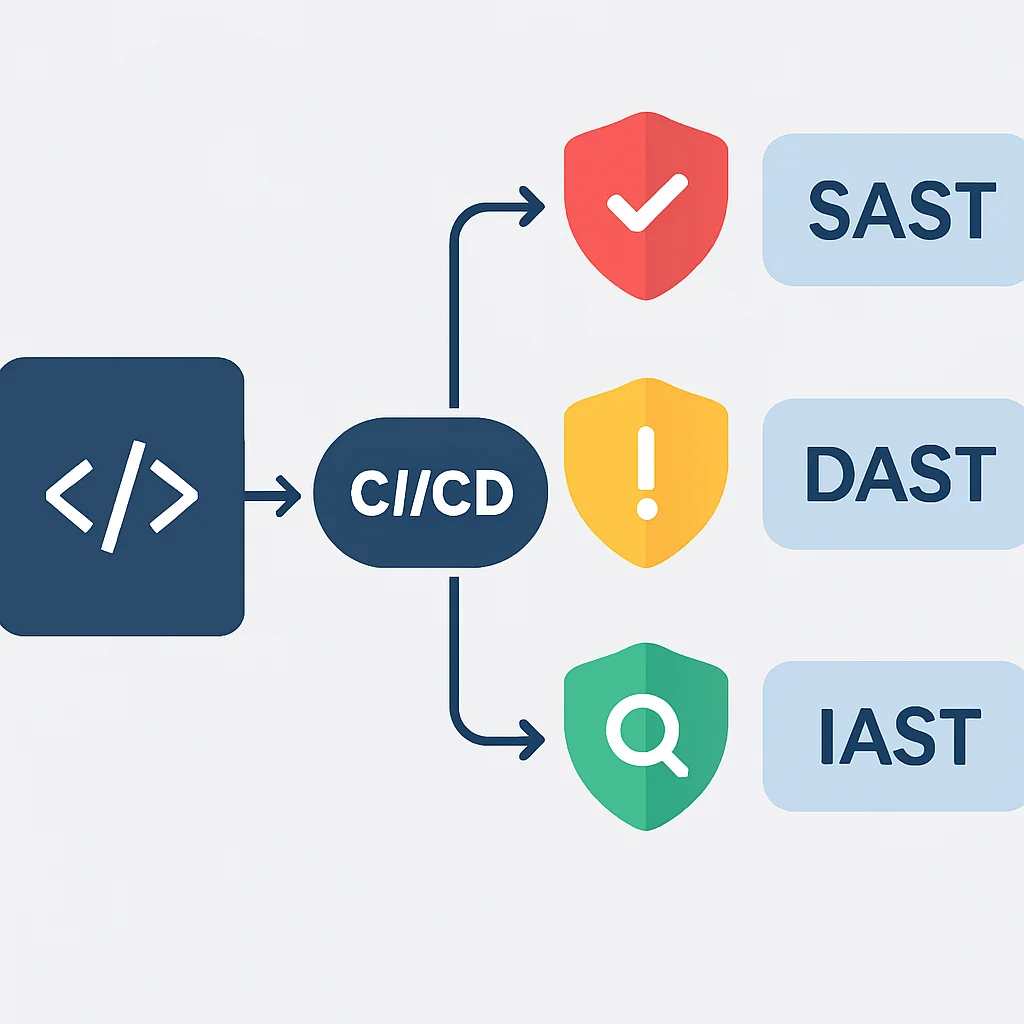
- Static Application Security Testing (SAST): Integrate SAST tools into your CI/CD pipeline. These tools analyze source code or bytecode for security vulnerabilities without executing the application. They can catch issues like insecure data storage, weak cryptography, or SQL injection flaws early.
- Dynamic Application Security Testing (DAST): Perform DAST on running applications to identify vulnerabilities that appear during execution, such as session management issues or misconfigurations.
- Interactive Application Security Testing (IAST): IAST tools combine elements of SAST and DAST, analyzing code from within the running application, providing real-time feedback on vulnerabilities.
5.3. Deployment and Maintenance Phase
- Penetration Testing: Conduct regular penetration tests by independent security experts. This simulates real-world attacks to uncover vulnerabilities that automated tools might miss. Aim for at least once a year, or after significant feature releases.
- Security Monitoring: Implement robust logging and monitoring for security events. This includes monitoring for suspicious API calls, authentication failures, and unusual app behavior.
- Incident Response Plan: Develop a clear plan for how to respond to a security incident. This includes communication protocols, containment strategies, and recovery procedures.
- Regular Updates: Keep your app, libraries, and SDKs updated. Patch management is crucial as new vulnerabilities are discovered daily.
KEY POINT
Adopt a “shift-left” security approach by integrating threat modeling and security requirements early in the SDLC. Leverage SAST, DAST, and IAST tools, conduct regular penetration tests, and maintain a robust incident response plan for continuous protection.
Frequently Asked Questions (FAQ)
Q. Why is mobile app security more critical in 2026 than before?
Mobile app security is more critical due to the increasing sophistication and volume of cyber threats, significant financial consequences of data breaches (averaging $4.5 million), and stricter global data privacy regulations that impose heavy penalties for non-compliance.
Q. What are the most common mobile app vulnerabilities according to OWASP in 2026?
The most common vulnerabilities in 2026 include Improper Platform Usage (M1), Insecure Data Storage (M2), Insecure Communication (M3), and Insecure Authentication/Authorization (M4). These categories highlight misconfigurations and insecure coding practices.
Q. How can I securely store sensitive data in an iOS or Android app?
For iOS, use Keychain Services to securely store passwords, keys, and certificates. For Android, leverage the Android Keystore system to manage cryptographic keys for encrypting data or storing small secrets, utilizing hardware-backed security features.
Q. Is certificate pinning still necessary in 2026 with HTTPS universally adopted?
Yes, certificate pinning remains highly recommended for critical applications in 2026. While HTTPS provides encryption, pinning adds an extra layer of defense against sophisticated Man-in-the-Middle (MitM) attacks where an attacker might present a valid but unauthorized certificate.
Q. What role does “shift-left” security play in mobile app development?
“Shift-left” security integrates security practices from the very beginning of the SDLC, starting with threat modeling and security requirements in the design phase. This proactive approach helps identify and remediate vulnerabilities early, reducing costs and risks compared to addressing them later in the development cycle.
WRAP-UP
Conclusion and Future Outlook
The landscape of mobile app security is continuously evolving, with new threats and attack vectors emerging regularly. As we’ve explored, a proactive and comprehensive approach is essential for any developer looking to build secure and resilient applications in 2026. This involves not just understanding vulnerabilities but actively implementing best practices across secure data storage, communication, authentication, input validation, and code protection.
The future of mobile security will likely see even greater reliance on advanced techniques such as AI-driven threat detection, increasingly sophisticated hardware-backed security modules, and perhaps even wider adoption of homomorphic encryption for processing sensitive data without decrypting it. Regulatory bodies will continue to tighten data privacy laws, placing more responsibility on developers and organizations.
By diligently following the best practices outlined in this guide and integrating security into every stage of your SDLC, you can significantly reduce your app’s attack surface and protect your users’ valuable data. Remember, security is not a one-time task but an ongoing commitment. Stay informed, stay vigilant, and keep building securely!
Thanks for reading!
We hope this guide helps you build more secure mobile applications in 2026 and beyond.
Got questions or your own security tips to share? Drop a comment below and join the Kwonglish community!