
SUMMARY
AWS Lambda for Developers in 2026: The Serverless Frontier
Dive into serverless development with AWS Lambda. Learn how to build, deploy, and manage scalable backend functions without the hassle of server management.
Keywords: Serverless, AWS Lambda, FaaS
TABLE OF CONTENTS
1. Introduction: Why Serverless in 2026?
2. Deep Dive into AWS Lambda: Core Concepts and Features
3. Common Challenges and Practical Solutions
4. Practical Application: Building Your First Lambda Function
5. Advanced Concepts and Best Practices
6. Frequently Asked Questions (FAQ)
7. Wrap-Up: The Future is Serverless
1. Introduction: Why Serverless in 2026?
Hey there, Kwonglish readers! As we navigate the ever-evolving landscape of backend development in 2026, one term continues to dominate conversations: serverless. It’s not just a buzzword; it’s a paradigm shift that has fundamentally altered how we think about deploying and managing applications. Gone are the days of constant server provisioning, patching, and scaling nightmares for many use cases. In their place, we have the elegance and efficiency of serverless functions, with AWS Lambda leading the charge.
For years, backend development followed a predictable path: set up a server, deploy your code, and then spend countless hours maintaining that infrastructure. Even with the rise of virtual machines (VMs) and containers, developers still carried a significant operational burden. Serverless, specifically Function-as-a-Service (FaaS) like AWS Lambda, promises to abstract away this infrastructure entirely. You write your code, define its triggers, and the cloud provider handles everything else – from scaling to patching to availability.
By 2026, the adoption of serverless architectures has matured significantly. Companies of all sizes, from agile startups to large enterprises, are leveraging serverless to build highly scalable, resilient, and cost-effective applications. A recent industry report from Q4 2025 indicated that over 60% of new cloud-native projects are incorporating serverless components, a jump from just 35% in 2022. This exponential growth isn’t accidental; it’s driven by tangible benefits that directly impact development velocity and bottom lines.
KEY POINT
Serverless computing, particularly AWS Lambda, has become a cornerstone of modern backend development by 2026, offering unparalleled benefits in scalability, operational efficiency, and cost management compared to traditional server-based models.
So, why should you, as a developer, care about AWS Lambda in 2026? The answer lies in its ability to empower you to focus purely on business logic. Imagine building an API endpoint, a data processing pipeline, or a real-time stream handler without ever having to worry about CPU utilization, memory allocation for an entire server, or load balancers. AWS Lambda does all that for you. It automatically scales your functions from zero to thousands of concurrent executions in seconds, and you only pay for the compute time your code actually consumes. This “pay-per-use” model can lead to significant cost reductions, especially for applications with fluctuating traffic patterns.
This post will serve as your comprehensive guide to getting started with serverless functions using AWS Lambda. We’ll break down the core concepts, explore its features, tackle common challenges with practical solutions, and walk through building and deploying your first Lambda function. By the end, you’ll have a solid understanding of why serverless is the future and how you can leverage Lambda to build powerful, scalable backend services in 2026.
2. Deep Dive into AWS Lambda: Core Concepts and Features
At its heart, AWS Lambda is Amazon’s Function-as-a-Service (FaaS) offering. It allows you to run code without provisioning or managing servers. You simply upload your code, and Lambda handles all the underlying infrastructure required to run it, including server maintenance, capacity provisioning, automatic scaling, code monitoring, and logging.
The Event-Driven Model
The core of Lambda’s power lies in its event-driven nature. A Lambda function is invoked in response to an event. These events can come from a vast array of AWS services:
• API Gateway: For building HTTP APIs.
• S3: Responding to file uploads, deletions, or modifications.
• DynamoDB Streams: Processing real-time changes to a NoSQL database.
• SQS (Simple Queue Service): Processing messages from a queue.
• CloudWatch Events/EventBridge: Scheduled tasks or reacting to AWS service events.
• Kinesis: Processing real-time streaming data.
This event-driven model makes Lambda incredibly versatile for building microservices, data processing pipelines, chatbots, IoT backends, and more. When an event occurs, Lambda finds an available execution environment, runs your code, and then shuts down the environment (or keeps it warm for subsequent invocations). This ephemeral nature is key to its cost-effectiveness and scalability.
Supported Runtimes and Languages
AWS Lambda supports a wide array of popular programming languages and runtimes, making it accessible to most developers. As of 2026, the primary supported runtimes include:
• Node.js: Versions 18.x, 20.x
• Python: Versions 3.9, 3.10, 3.11, 3.12
• Java: Corretto 11, Corretto 17, Corretto 21
• Go: Versions 1.x
• C#: .NET 6, .NET 8
• Ruby: Version 3.2
• Custom Runtimes: For virtually any language, packaged as a container image or a .zip file.
This flexibility allows development teams to choose the language that best suits their expertise and project requirements.
Understanding the Pricing Model
One of the most appealing aspects of AWS Lambda is its cost model: you pay only for what you use. There are two primary dimensions to Lambda pricing:
• Number of Requests: You are charged per invocation. As of early 2026, this typically starts around $0.20 per 1 million requests (after the generous free tier).
• Duration: You are charged for the compute time consumed, measured from the time your code begins executing until it returns or otherwise terminates, rounded up to the nearest millisecond. The price depends on the memory allocated to your function. For example, a function with 128 MB of memory might cost $0.0000000021 per ms, while a function with 1024 MB might cost $0.0000000167 per ms.
AWS also offers a significant free tier, including 1 million free requests and 400,000 GB-seconds of compute time per month. For many smaller applications or hobby projects, this free tier is more than sufficient. This model contrasts sharply with traditional server hosting, where you pay for server uptime regardless of actual usage. For an application with 10 million invocations per month, each running for an average of 100ms with 512MB of memory, the cost would be roughly:
• Requests: (10,000,000 – 1,000,000 free) * $0.20/1,000,000 = $1.80
• Compute: (10,000,000 * 100ms) = 1,000,000,000 ms = 1,000,000 GB-seconds (for 1GB memory). For 512MB, it’s 500,000 GB-seconds. After 400,000 free GB-seconds, you pay for 100,000 GB-seconds. At ~$0.0000166667 per GB-second (for 512MB), this is approximately $1.67.
Total estimated cost: ~$3.47. This is incredibly cost-effective compared to even a small EC2 instance running 24/7.
Lambda’s Place in the AWS Ecosystem
Lambda doesn’t operate in a vacuum; it’s deeply integrated with over 200 other AWS services. This seamless integration is a major strength, allowing you to build complex, highly functional applications with minimal effort. For instance, you can use:
• Amazon API Gateway to create RESTful APIs that trigger Lambda functions.
• Amazon S3 for storing data and triggering Lambda for image processing or data transformations.
• Amazon DynamoDB as a serverless NoSQL database for your Lambda functions.
• AWS Step Functions to orchestrate complex workflows involving multiple Lambda functions.
• AWS CloudWatch for monitoring and logging your Lambda functions.
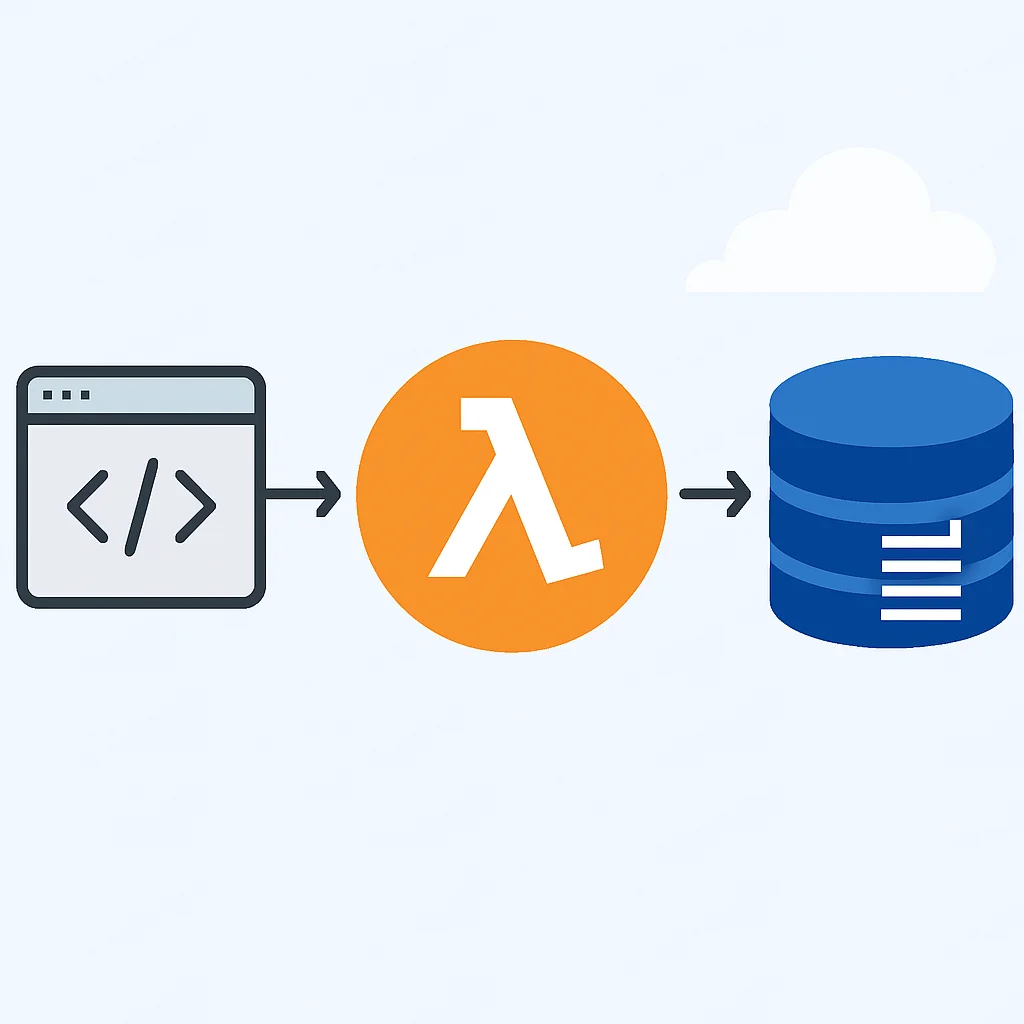
Here’s a simplified architectural diagram illustrating how Lambda integrates with other services:
KEY POINT
AWS Lambda’s strength lies in its event-driven model, broad language support, precise pay-per-use billing, and deep integration with the wider AWS ecosystem, enabling highly scalable and efficient application development.
3. Common Challenges and Practical Solutions
While serverless offers immense benefits, it also introduces a new set of challenges that developers must be aware of. Understanding these and knowing how to mitigate them is crucial for successful serverless adoption.
Problem 1: Cold Starts
PROBLEM 01
Understanding and Mitigating Lambda Cold Starts
A “cold start” occurs when Lambda has to initialize a new execution environment for your function, which includes downloading your code, starting the runtime, and running any initialization code. This adds latency to the first invocation, typically ranging from a few hundred milliseconds to several seconds for larger functions or less efficient runtimes (e.g., Java).
SOLUTION
1. Provisioned Concurrency: This is the most effective solution for critical workloads. You pre-warm a specified number of execution environments, ensuring they are ready to respond instantly. It comes at an additional cost, but guarantees low latency.
2. Optimized Code & Dependencies: Keep your deployment package size small. Minimize external dependencies. Place expensive initialization logic outside the handler function to run only once per execution environment.
3. Choose Efficient Runtimes: Node.js and Python generally have faster cold start times than Java or .NET due to smaller runtime footprints and faster startup times.
4. Memory Allocation: Increasing memory can also allocate more CPU, which might speed up initialization.
Problem 2: Monitoring and Debugging Distributed Systems
PROBLEM 02
Lack of Centralized Observability in Serverless Architectures
In a serverless architecture, your application is composed of many small, ephemeral functions. Tracing requests across multiple Lambda invocations, API Gateway, and other services can be challenging. Debugging becomes harder without direct server access.
SOLUTION
1. AWS CloudWatch Logs & Metrics: All Lambda invocations automatically send logs to CloudWatch. Implement structured logging (e.g., JSON) to make logs easily searchable. CloudWatch also provides metrics on invocations, errors, and duration.
2. AWS X-Ray: For end-to-end request tracing across multiple services. X-Ray provides a visual service map and detailed trace data, helping identify performance bottlenecks and errors across your distributed application.
3. Custom Dashboards & Alarms: Create CloudWatch dashboards to visualize key metrics. Set up alarms to notify you of errors, high latency, or increased invocation counts.
4. Third-party Monitoring Tools: Tools like Datadog, New Relic, or Lumigo offer enhanced serverless-specific monitoring and debugging capabilities.
Problem 3: Managing State in Stateless Functions
PROBLEM 03
Lambda Functions are Inherently Stateless
Each Lambda invocation is independent. You cannot rely on local file system storage or in-memory variables persisting between invocations. This design choice is fundamental to Lambda’s scalability but requires a different approach to state management.
SOLUTION
1. External Data Stores: Use purpose-built AWS services for state persistence. DynamoDB is excellent for serverless applications due to its scalability and pay-per-use model. Amazon S3 is ideal for storing large objects or files. For relational data, Amazon RDS Proxy or Aurora Serverless can manage database connections efficiently.
2. Ephemeral Storage (/tmp): Lambda provides a small, ephemeral disk space at /tmp. This can be used for temporary files during an invocation, but its contents are not guaranteed to persist across invocations or between different execution environments.
3. Lambda Layers: For shared code or dependencies, Lambda Layers can help reduce deployment package size and cold start times, but they don’t solve state management directly.
KEY POINT
Addressing serverless challenges like cold starts, debugging, and state management requires leveraging specific AWS services (e.g., Provisioned Concurrency, X-Ray, DynamoDB) and adopting architectural patterns that embrace the stateless and distributed nature of Lambda functions.
4. Practical Application: Building Your First Lambda Function
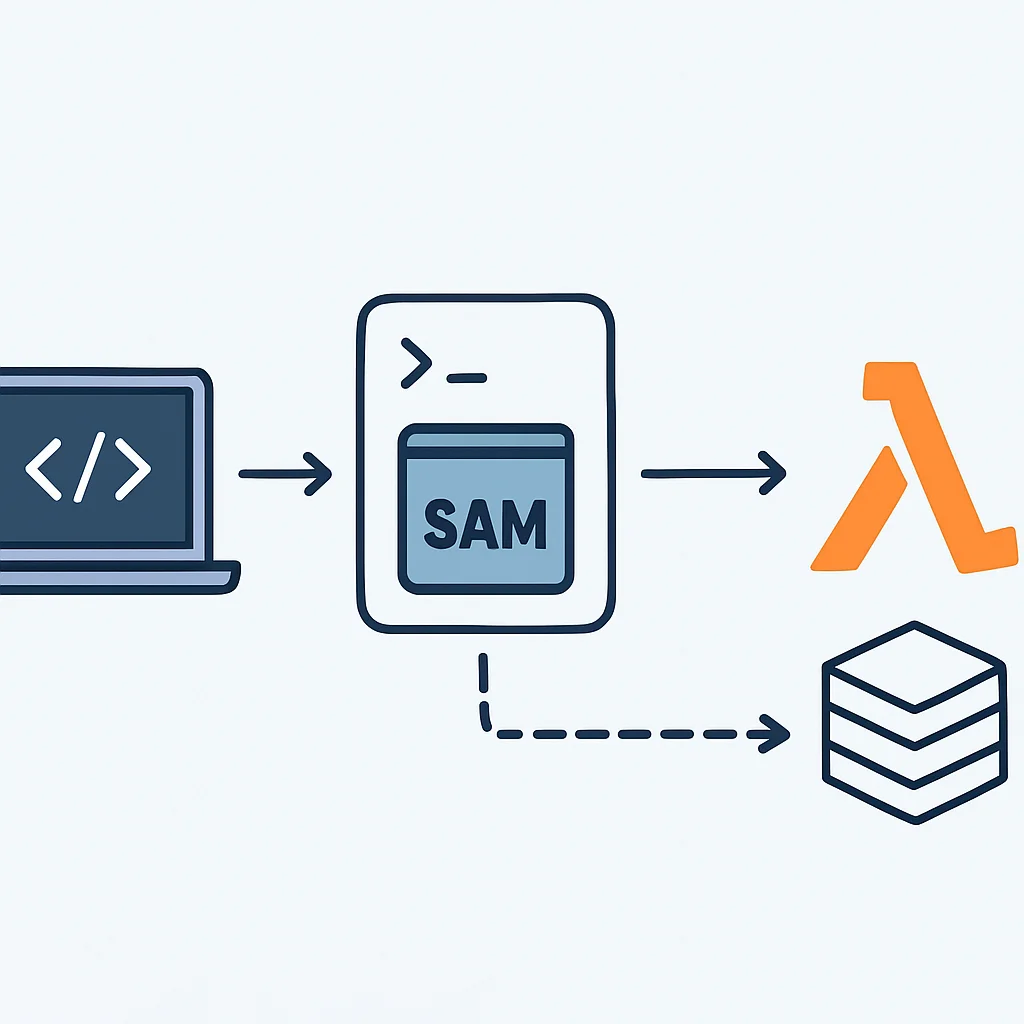
Let’s get our hands dirty and build a simple serverless API using AWS Lambda and API Gateway. We’ll create a Python function that handles HTTP GET requests and returns a greeting. For deployment, we’ll use the AWS Serverless Application Model (SAM) CLI, which simplifies local development, testing, and deployment of serverless applications.
Step 1: Setup Your Development Environment
Before we begin, ensure you have the following installed and configured:
• AWS CLI: Configured with appropriate credentials (e.g., aws configure).
• AWS SAM CLI: Install it via pip: pip install aws-sam-cli. Ensure Docker is running for local testing.
• Python 3.9+ and pip: For our example function.
Step 2: Initialize a New SAM Project
Open your terminal and run the following command to create a new SAM application:
CODE EXPLANATION
This command initializes a new serverless application using a Python 3.9 runtime. We specify --app-template hello-world to use a basic HTTP API template and --name my-serverless-api for the project directory name.
sam init --runtime python3.9 --app-template hello-world --name my-serverless-apiNavigate into the newly created directory: cd my-serverless-api. You’ll find a hello_world folder containing app.py (our Lambda function code) and a template.yaml file (which defines our serverless resources).
Step 3: Examine the Lambda Function Code (hello_world/app.py)
The template provides a basic Python Lambda function. Let’s modify it slightly to return a personalized greeting based on a query parameter.
CODE EXPLANATION
This Python Lambda function is triggered by an HTTP event. It attempts to extract a name query parameter from the event. If found, it returns a personalized greeting; otherwise, it defaults to “World”. The function returns a dictionary that API Gateway automatically converts into an HTTP response, including a statusCode and body.
import json

def lambda_handler(event, context):
    """
    Sample Lambda function demonstrating API Gateway integration.
    """
    name = "World"
    if event and "queryStringParameters" in event and "name" in event["queryStringParameters"]:
        name = event["queryStringParameters"]["name"]

    return {
        "statusCode": 200,
        "body": json.dumps({
            "message": f"Hello {name}, from your serverless function in 2026!",
        }),
    }
Step 4: Understand the SAM Template (template.yaml)
The template.yaml file defines your serverless application’s infrastructure as code. SAM is an extension of AWS CloudFormation, providing simplified syntax for common serverless resources.
CODE EXPLANATION
This SAM template defines an AWS Lambda function named HelloWorldFunction. It specifies the Python 3.9 runtime, the handler function location, and the memory allocated (128MB). Crucially, it defines an API Gateway event that triggers this function for any GET request to the /hello path. The Outputs section makes the API endpoint URL easily retrievable after deployment.
AWSTemplateFormatVersion: '2010-09-09'
Transform: AWS::Serverless-2016-10-31
Description: >
  my-serverless-api

  Sample SAM Template for my-serverless-api

Globals:
  Function:
    Timeout: 3
    MemorySize: 128

Resources:
  HelloWorldFunction:
    Type: AWS::Serverless::Function
    Properties:
      CodeUri: hello_world/
      Handler: app.lambda_handler
      Runtime: python3.9
      Architectures:
        - x86_64
      Events:
        HelloWorld:
          Type: Api
          Properties:
            Path: /hello
            Method: get

Outputs:
  HelloWorldApi:
    Description: "API Gateway endpoint URL for Prod stage for Hello World function"
    Value: !Sub "https://${ServerlessRestApi}.execute-api.${AWS::Region}.amazonaws.com/Prod/hello/"
  HelloWorldFunction:
    Description: "Hello World Lambda Function ARN"
    Value: !GetAtt HelloWorldFunction.Arn
  HelloWorldFunctionIamRole:
    Description: "Implicit IAM Role created for Hello World function"
    Value: !GetAtt HelloWorldFunctionRole.Arn
Step 5: Deploy Your Serverless Application
Now, let’s deploy our application to AWS. This process involves packaging your code, creating a CloudFormation stack (which SAM uses internally), and deploying the resources.
CODE EXPLANATION
The sam deploy --guided command initiates an interactive deployment process. It will prompt you for a stack name (e.g., my-serverless-api-stack), the AWS region, and other configuration details. Accept the defaults for most, but ensure you confirm the deployment for IAM role creation. This command handles creating an S3 bucket for deployment artifacts, packaging your code, and updating your CloudFormation stack.
sam deploy --guidedAfter the deployment completes (which might take a few minutes), the SAM CLI will output the values defined in the Outputs section of your template.yaml. Look for the HelloWorldApi URL.
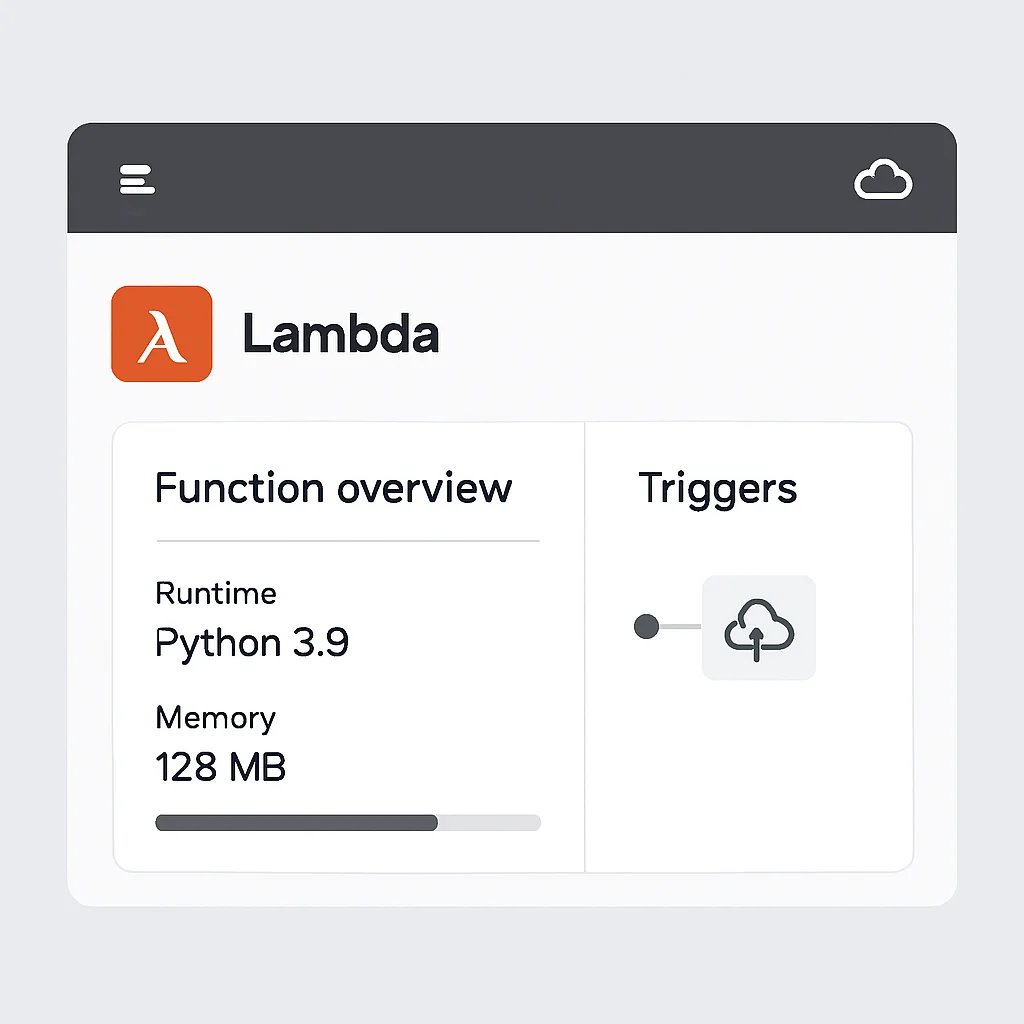
Step 6: Test Your Serverless API
Copy the HelloWorldApi URL from the deployment output. You can test it directly in your web browser or using curl.
CODE EXPLANATION
These curl commands demonstrate how to invoke your deployed serverless API. The first command makes a request without a name parameter, resulting in the default “Hello World” message. The second command includes a name query parameter, which the Lambda function uses to generate a personalized greeting. Replace YOUR_API_GATEWAY_URL with the actual URL from your deployment output.
curl YOUR_API_GATEWAY_URL
# Expected output: {"message": "Hello World, from your serverless function in 2026!"}

curl "YOUR_API_GATEWAY_URL?name=Kwonglish"
# Expected output: {"message": "Hello Kwonglish, from your serverless function in 2026!"}
Congratulations! You’ve successfully built and deployed your first serverless function with AWS Lambda and API Gateway using the SAM CLI. This foundational knowledge is key to building more complex serverless applications.
KEY POINT
The AWS Serverless Application Model (SAM) CLI simplifies the entire lifecycle of serverless applications, from local development and testing to packaging and deploying to AWS CloudFormation, making it an indispensable tool for Lambda developers in 2026.
5. Advanced Concepts and Best Practices
Beyond the basics, there are several advanced concepts and best practices that can significantly improve the performance, security, and maintainability of your AWS Lambda applications.
Security Best Practices
Security is paramount in any cloud application. For AWS Lambda, focus on:
• Least Privilege IAM Roles: Grant your Lambda function only the permissions it absolutely needs (e.g., read-only access to a specific DynamoDB table, not full DynamoDB access).
• VPC Integration: If your Lambda needs to access resources within a Virtual Private Cloud (VPC) like an RDS database or private EC2 instances, configure it to run within your VPC. This adds a layer of network security.
• Environment Variables & AWS Secrets Manager: Never hardcode sensitive information (API keys, database credentials) in your code. Use environment variables for non-sensitive configuration and AWS Secrets Manager for highly sensitive data, which Lambda can retrieve at runtime.
• Input Validation: Always validate and sanitize input from API Gateway or other event sources to prevent injection attacks and unexpected behavior.
Observability and Monitoring
As discussed, robust observability is critical for distributed serverless applications. Beyond basic CloudWatch logs and X-Ray, consider:
• Structured Logging: Output logs in JSON format. This makes them easily parsable and queryable in CloudWatch Logs Insights or external logging tools. Include key identifiers like request IDs, user IDs, and transaction IDs.
• Custom Metrics: Emit custom metrics to CloudWatch from your Lambda functions to track business-specific KPIs or detailed performance indicators (e.g., number of successful payments, average processing time for a specific task).
• Distributed Tracing with X-Ray: Ensure X-Ray tracing is enabled for all relevant services (API Gateway, Lambda, DynamoDB) to get a complete picture of request flow and latency.
Cost Optimization Strategies
While Lambda is inherently cost-effective, you can further optimize costs:
• Memory Tuning: Lambda’s CPU power scales with allocated memory. Experiment with different memory settings (e.g., 128MB, 256MB, 512MB) to find the sweet spot where execution time is minimized without over-provisioning. Often, increasing memory slightly can reduce execution time enough to lower the overall cost per invocation, even with a higher per-GB-second rate.
• Batch Processing: For event sources like SQS or Kinesis, process messages in batches rather than individually. This reduces the number of Lambda invocations.
• Choose the Right Runtime: As mentioned, Python and Node.js often have lower cold start times and smaller memory footprints, which can translate to lower costs for simple functions compared to Java or .NET.
• Remove Unused Functions: Periodically audit your AWS account for unused or obsolete Lambda functions and delete them to avoid unnecessary storage or potential accidental invocations.
CI/CD for Serverless Applications
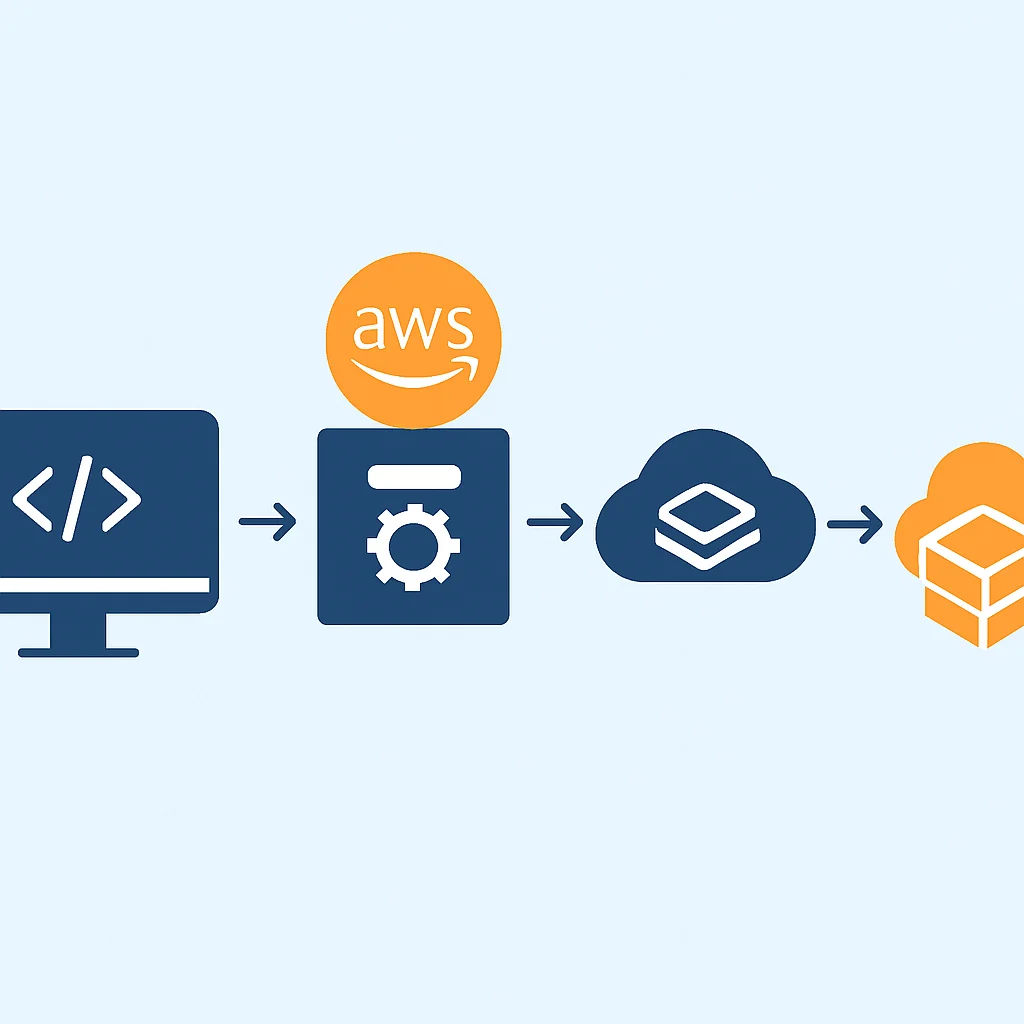
Automating your deployment pipeline is essential for serverless. Tools like AWS SAM CLI (as shown), Serverless Framework, and AWS CDK integrate well with CI/CD systems:
• Version Control: Store your Lambda code and SAM/CloudFormation templates in a version control system (e.g., Git).
• Automated Testing: Implement unit, integration, and end-to-end tests for your Lambda functions.
• Deployment Pipelines: Use services like AWS CodePipeline, GitHub Actions, or GitLab CI/CD to automatically build, test, and deploy your serverless applications upon code commits to your repository.
• Rollbacks: Design your deployment process to allow for easy and fast rollbacks in case of issues.
KEY POINT
Implementing robust security, comprehensive observability, and disciplined CI/CD practices, alongside strategic cost optimization, is crucial for building and maintaining production-ready serverless applications with AWS Lambda in 2026.
Frequently Asked Questions (FAQ)
Q. What is AWS Lambda?
AWS Lambda is a serverless, event-driven compute service that lets you run code without provisioning or managing servers. You upload your code, and Lambda automatically handles the underlying infrastructure, scaling, and maintenance.
Q. How does AWS Lambda pricing work?
Lambda pricing is based on the number of requests for your functions and the duration (compute time) your code executes, rounded up to the nearest millisecond. The duration cost also depends on the memory allocated to your function, with a generous free tier included.
Q. What are cold starts in AWS Lambda and how can I mitigate them?
A cold start is the latency incurred when Lambda has to initialize a new execution environment for your function. You can mitigate them using Provisioned Concurrency, optimizing your code and dependencies for smaller package sizes, and choosing efficient runtimes.
Q. Is AWS Lambda suitable for all backend services?
While highly versatile, Lambda is best suited for event-driven, stateless, and short-lived tasks. For long-running processes, stateful applications requiring persistent connections, or very high CPU-intensive computations, other services like AWS Fargate (for containers) or EC2 might be more appropriate.
Q. What tools can help me develop and deploy AWS Lambda functions?
Key tools include the AWS Serverless Application Model (SAM) CLI for local development and deployment, the Serverless Framework for multi-cloud deployments, and the AWS Cloud Development Kit (CDK) for defining infrastructure as code using familiar programming languages.
6. Wrap-Up: The Future is Serverless
As we’ve explored throughout this post, AWS Lambda has firmly established itself as a cornerstone of modern backend development in 2026. Its promise of abstracting away server management, combined with automatic scaling, a granular pay-per-use cost model, and deep integration with the AWS ecosystem, makes it an incredibly powerful tool for developers.
From simple API endpoints and webhooks to complex data processing pipelines and real-time stream analytics, Lambda empowers you to build highly scalable and resilient applications with unprecedented speed and efficiency. While it introduces new challenges like cold starts and distributed debugging, the robust set of tools and best practices available today makes these hurdles manageable.
The serverless paradigm is not just a trend; it’s a fundamental shift towards a more efficient and developer-centric way of building cloud applications. For any backend developer looking to stay relevant and productive in the coming years, gaining proficiency with AWS Lambda is not just beneficial, it’s becoming essential. So, take what you’ve learned here, experiment with the SAM CLI, and start building your serverless future today!
Thanks for reading
We hope this deep dive into AWS Lambda helps you embark on your serverless journey with confidence. The future of backend development is exciting, and serverless is at its forefront.
Got questions or want to share your serverless experiences? Drop a comment below or connect with Kwonglish!