
SUMMARY
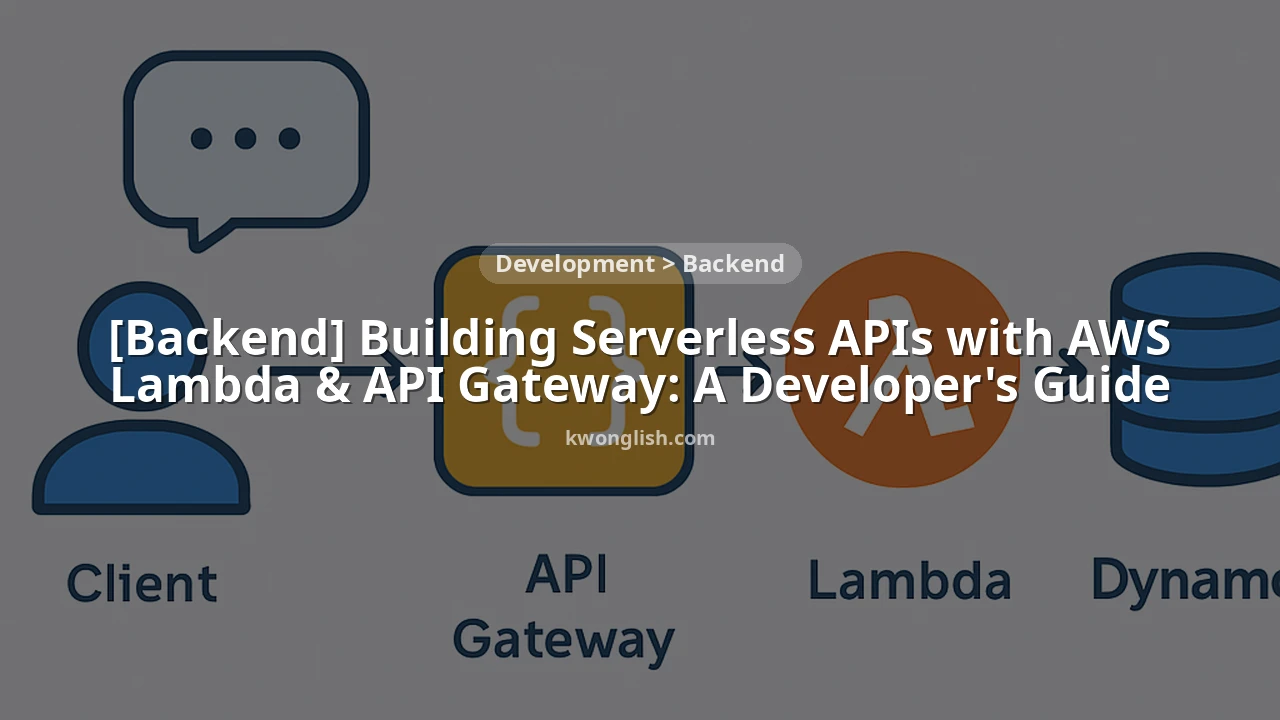
Building Serverless APIs with AWS Lambda & API Gateway: A Developer’s Guide 2026
A comprehensive guide for developers to build and deploy scalable, cost-effective serverless APIs using AWS Lambda, API Gateway, and other essential AWS services.
Keywords: AWS Lambda, API Gateway, Serverless API
TABLE OF CONTENTS
1. Introduction: The Rise of Serverless APIs in 2026
2. Architectural Foundations: Lambda & API Gateway
3. Deep Dive into AWS Lambda Functions
4. Mastering AWS API Gateway
5. Overcoming Serverless Challenges
6. Practical Application: Building a Simple Serverless API
7. Conclusion: The Future of Serverless Backend
8. Frequently Asked Questions (FAQ)
INTRODUCTION
The Rise of Serverless APIs in 2026
Welcome back to Kwonglish, fellow developers! In the rapidly evolving landscape of cloud computing, serverless architecture has moved from a niche concept to a mainstream paradigm for building scalable and cost-effective applications. As we delve into 2026, the demand for highly resilient, low-maintenance backend systems is higher than ever. This is where AWS Lambda and API Gateway shine, offering a powerful combination to construct robust serverless APIs without the overhead of managing traditional servers.
Gone are the days of provisioning EC2 instances, configuring load balancers, and patching operating systems for every new API endpoint. With serverless, developers can focus solely on writing business logic, letting AWS handle the underlying infrastructure, scaling, and maintenance. This paradigm shift significantly reduces operational costs, accelerates deployment cycles, and allows teams to innovate faster.
This guide is designed for developers who want to harness the full potential of AWS Lambda and API Gateway to build, deploy, and manage modern serverless APIs. We’ll break down the core components, explore best practices, tackle common challenges, and walk through a practical example to get you started. By the end of this post, you’ll have a solid understanding of how to leverage these AWS services to create highly performant and economical backend solutions in 2026.
KEY POINT
Serverless architecture, particularly with AWS Lambda and API Gateway, has become a dominant force in backend development by 2026, enabling developers to focus on code rather than infrastructure, leading to faster innovation and reduced operational overhead.
CORE CONTENT
Architectural Foundations: Lambda & API Gateway
At the heart of a serverless API on AWS are two fundamental services: AWS Lambda and Amazon API Gateway. Understanding how these two services interact is crucial for designing efficient and scalable serverless backends.
AWS Lambda: Your Code, Anywhere, Anytime
AWS Lambda is a compute service that lets you run code without provisioning or managing servers. You simply upload your code (as a ZIP file or container image), and Lambda takes care of everything required to run and scale your code with high availability. Your code is executed in response to events, which can be anything from HTTP requests via API Gateway, changes in data in an S3 bucket or DynamoDB table, or even scheduled events.
Key characteristics of Lambda:
• Event-driven: Functions are triggered by various AWS services or custom events.
• Stateless: Ideally, Lambda functions should be stateless, meaning they don’t store persistent data locally. Any necessary state should be managed by external services like DynamoDB, S3, or RDS.
• Ephemeral: Lambda instances are short-lived. They spin up, execute your code, and then shut down. This contributes to the cost-efficiency as you only pay for compute time when your code is running.
Lambda supports multiple programming languages, including Node.js, Python, Java, C#, Go, Ruby, and custom runtimes. This flexibility allows developers to use their preferred language for serverless functions.
Amazon API Gateway: The Front Door to Your API
Amazon API Gateway is a fully managed service that makes it easy for developers to create, publish, maintain, monitor, and secure APIs at any scale. It acts as a “front door” for applications to access data, business logic, or functionality from your backend services, including Lambda functions, EC2 instances, or any web application.
API Gateway handles many tasks that would traditionally require significant development effort:
• Traffic Management: Handles request routing, throttling, and caching.
• Authorization and Access Control: Integrates with IAM, Cognito, and custom Lambda authorizers.
• Monitoring: Integrates with CloudWatch for logging and metrics.
• API Versioning: Supports multiple versions of your API.
API Gateway comes in several types: REST APIs (for general-purpose HTTP APIs), HTTP APIs (a newer, lower-cost, and faster alternative for many use cases), and WebSocket APIs (for real-time two-way communication). For typical serverless RESTful APIs, HTTP APIs are often preferred in 2026 due to their performance and cost benefits, while REST APIs offer more advanced features like custom request/response transformations and API keys.
The Serverless API Architecture
When combined, Lambda and API Gateway form a powerful serverless API backbone. Here’s a typical flow:
1. A client (web browser, mobile app, IoT device) sends an HTTP request to an API Gateway endpoint.
2. API Gateway receives the request, performs any necessary authentication/authorization, and routes it to the configured backend.
3. In a serverless setup, API Gateway typically invokes an AWS Lambda function.
4. The Lambda function executes its business logic, interacting with other AWS services like DynamoDB (for data storage), S3 (for file storage), SQS (for message queuing), or SNS (for notifications).
5. The Lambda function returns a response to API Gateway.
6. API Gateway then sends the response back to the client.
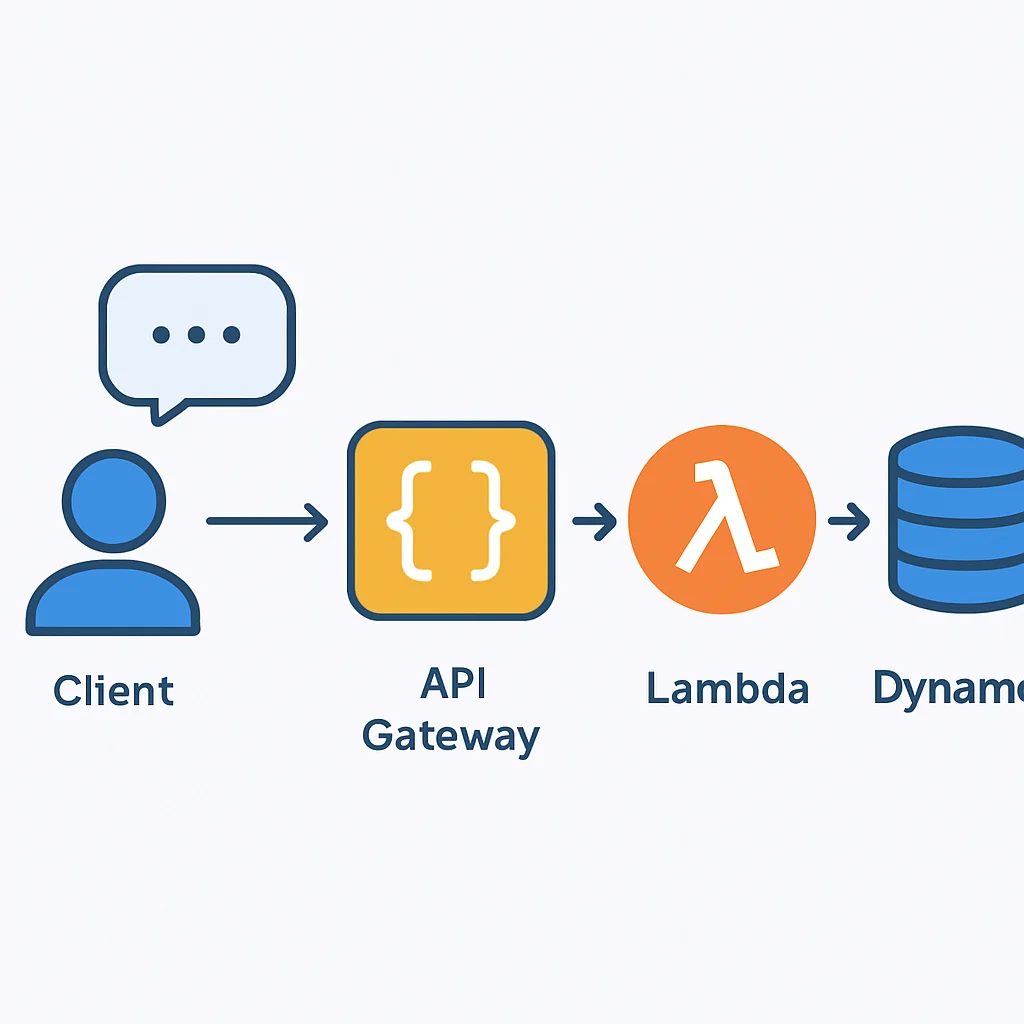
This modular design allows for highly granular control, independent scaling of functions, and a clear separation of concerns, which aligns perfectly with modern microservices principles.
KEY POINT
AWS Lambda runs your code without server management, triggered by events. Amazon API Gateway acts as the secure, scalable front door, routing requests to Lambda functions and managing API traffic, authentication, and monitoring.
CORE CONTENT
Deep Dive into AWS Lambda Functions
To truly leverage AWS Lambda for your serverless APIs, it’s essential to understand its operational details and configuration options.
Lambda Function Configuration
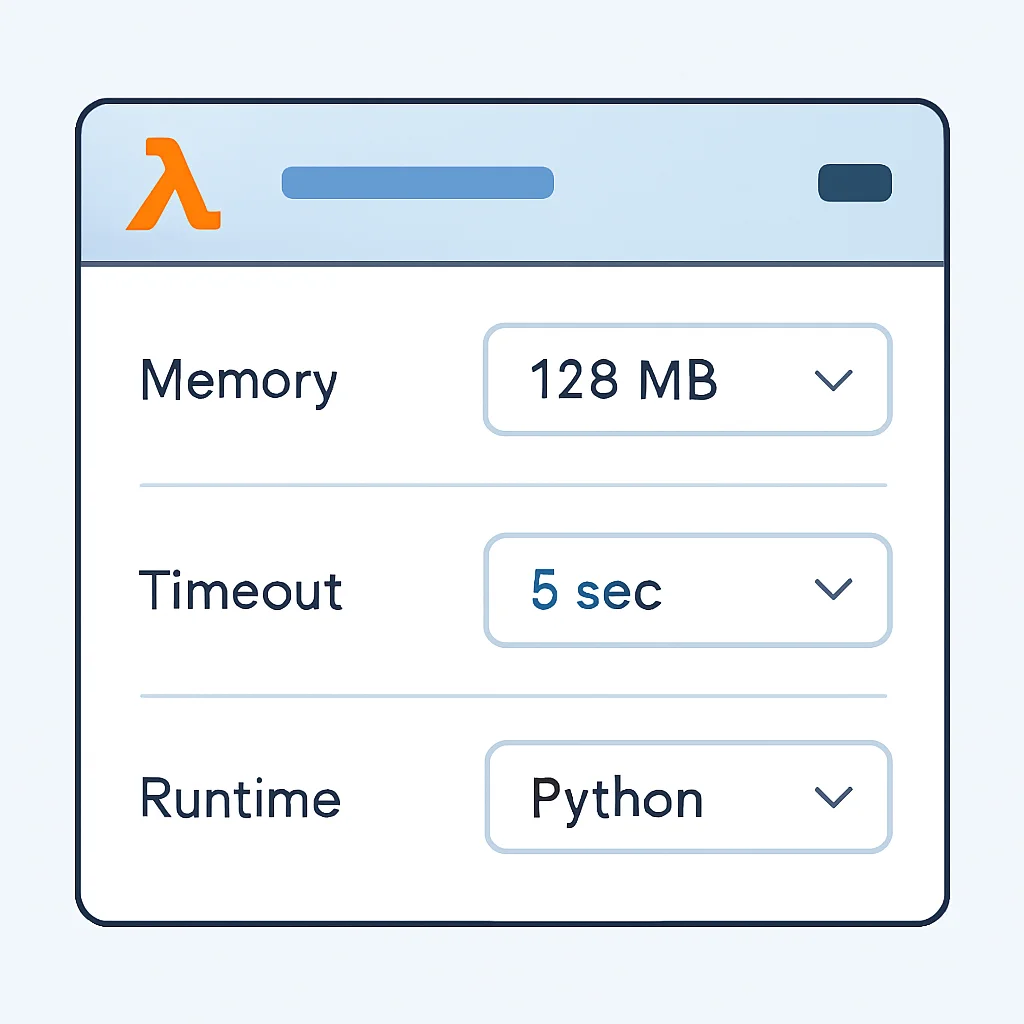
When you create a Lambda function, you configure several parameters:
• Runtime: The programming language and version (e.g., Node.js 18.x, Python 3.11).
• Memory: From 128 MB to 10,240 MB. More memory also allocates proportionally more CPU power. This is a critical factor for performance and cost.
• Timeout: How long the function can run, from 1 second to 15 minutes. For most API endpoints, a few seconds is typical.
• Handler: The method in your code that Lambda calls to start execution.
• IAM Role: Defines the permissions your Lambda function has (e.g., read/write to DynamoDB, publish to CloudWatch logs).
• VPC Configuration: If your Lambda needs to access resources in a private VPC (like an RDS database), it must be configured to run within that VPC.
Understanding the Lambda Event Object
When API Gateway invokes a Lambda function, it passes an event object to your handler. This object contains all the details of the incoming HTTP request, such as headers, query parameters, path parameters, and the request body. For API Gateway Proxy Integration, the structure is standardized, making it easier to parse.
CODE EXPLANATION
This Node.js Lambda function demonstrates how to handle an API Gateway proxy event. It parses the request body, constructs a simple response, and includes necessary headers for a successful HTTP response.
exports.handler = async (event) => {
    console.log('Received event:', JSON.stringify(event, null, 2));

    let body;
    let statusCode = 200;
    const headers = {
        'Content-Type': 'application/json',
        'Access-Control-Allow-Origin': '*', // Enable CORS for development
        'Access-Control-Allow-Methods': 'GET,POST,PUT,DELETE,OPTIONS',
        'Access-Control-Allow-Headers': 'Content-Type,X-Amz-Date,Authorization,X-Api-Key,X-Amz-Security-Token'
    };

    try {
        switch (event.httpMethod) {
            case 'POST':
                body = JSON.parse(event.body);
                // In a real app, you'd save this to a database
                body = `Successfully created item with data: ${JSON.stringify(body)}`;
                break;
            case 'GET':
                // Example: retrieve items
                body = `Retrieved all items. Query params: ${JSON.stringify(event.queryStringParameters)}`;
                break;
            default:
                throw new Error(`Unsupported method "${event.httpMethod}"`);
        }
    } catch (err) {
        statusCode = 400;
        body = err.message;
    } finally {
        body = JSON.stringify({ message: body });
    }

    return {
        statusCode,
        body,
        headers
    };
};
Lambda’s Pricing Model: Pay-per-use
One of Lambda’s most attractive features is its consumption-based pricing. You only pay for the compute time your functions consume and the number of requests made. As of 2026, the pricing structure is still based on:
• Number of requests: Approximately $0.20 per 1 million requests after the free tier.
• Duration: Measured in GB-seconds. For example, a function with 128 MB memory running for 1 second consumes 128 MB-seconds, or 0.125 GB-seconds. Pricing varies by region but is typically around $0.0000166667 for every GB-second of compute time after the free tier.
AWS provides a generous free tier, including 1 million free requests and 400,000 GB-seconds of compute time per month. For many small-to-medium applications, this free tier can cover a significant portion, if not all, of their Lambda costs.
For instance, if your API receives 5 million requests per month, and each Lambda function execution averages 512 MB memory and 500 ms duration:
• Requests cost: (5M – 1M free) * $0.20/M = $0.80
• Compute time: 5M requests * 0.5 sec/request * 0.5 GB/request = 1.25M GB-seconds
• Compute cost: (1.25M – 0.4M free) * $0.0000166667/GB-sec ≈ $14.17
Your total estimated Lambda cost would be around $14.97, which is incredibly efficient compared to maintaining servers. This model incentivizes efficient code and resource allocation.
KEY POINT
Lambda’s pricing is based on requests and GB-seconds, making it highly cost-effective. Optimizing memory and execution duration directly impacts costs, and the free tier covers substantial usage for many applications.
CORE CONTENT
Mastering AWS API Gateway
API Gateway is more than just a proxy; it’s a powerful tool for managing and securing your APIs. Let’s explore its key features and how to leverage them effectively.
API Types and Integrations
As mentioned, API Gateway offers different API types:
• REST API: Offers comprehensive features like request/response transformations, custom authorizers, and API keys. Best for complex APIs requiring fine-grained control.
• HTTP API: Optimized for performance and cost. Simpler to configure and faster. Ideal for high-performance, low-latency APIs where advanced features aren’t strictly needed.
For serverless APIs, the most common integration type is Lambda Proxy Integration. This integration type passes the entire request from API Gateway to the Lambda function as an event object and expects a specific JSON structure back, simplifying the configuration considerably. It’s generally recommended for its flexibility and ease of use.
Security and Authorization
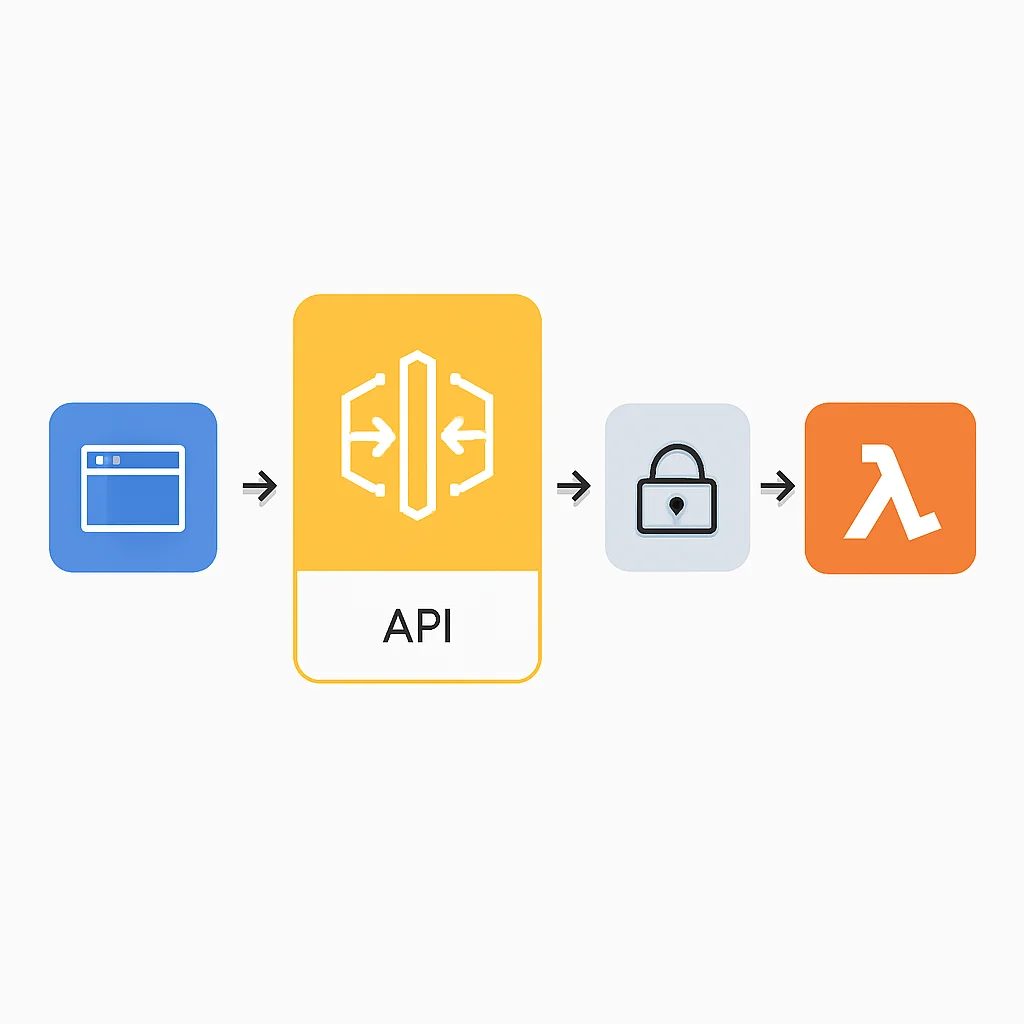
Securing your API is paramount. API Gateway offers several robust options:
• IAM Authorizers: Leverage AWS Identity and Access Management (IAM) roles and policies to control access. Excellent for internal APIs consumed by other AWS services or authenticated AWS users.
• Cognito User Pools Authorizers: Integrate directly with Amazon Cognito User Pools, a managed service for user directories. Ideal for web and mobile applications where users authenticate via Cognito.
• Lambda Authorizers (Custom Authorizers): A Lambda function that you provide, which takes an incoming token (e.g., JWT, OAuth token) and returns an IAM policy. This offers maximum flexibility for custom authentication schemes.
• API Keys: Simple token-based access control, often used for tracking usage and basic client identification. Can be combined with usage plans to throttle requests.
Additionally, API Gateway can integrate with AWS WAF (Web Application Firewall) to protect your APIs from common web exploits.
Deployment and Stages
API Gateway uses “stages” to manage different deployment environments (e.g., dev, prod). Each stage has its own unique URL and can have different configurations for caching, throttling, and logging. This allows you to test changes in a staging environment before promoting them to production. Tools like the Serverless Framework or AWS SAM make deploying and managing API Gateway stages much easier than manual console configuration.
CODE EXPLANATION
This YAML snippet illustrates how to define a simple HTTP API Gateway endpoint that integrates with an AWS Lambda function using the Serverless Framework. It defines a /hello path with a GET method, invoking the handler.hello Lambda function.
# serverless.yml snippet for API Gateway configuration
service: my-serverless-api

provider:
  name: aws
  runtime: nodejs18.x
  region: us-east-1
  httpApi:
    cors: true # Enable CORS for all HTTP API endpoints

functions:
  hello:
    handler: handler.hello # points to the 'hello' function in handler.js
    events:
      - httpApi:
          path: /hello
          method: get
      - httpApi:
          path: /items
          method: post
      - httpApi:
          path: /items/{id}
          method: get
API Gateway Pricing Model
API Gateway pricing is also consumption-based:
• Requests: For HTTP APIs, it’s roughly $1.00 per million requests. For REST APIs, it’s about $3.50 per million requests. The first million requests are typically free.
• Data Transfer Out: Standard AWS data transfer rates apply, usually around $0.09 per GB after the free tier.
Considering our previous example of 5 million requests per month, using HTTP API Gateway:
• Requests cost: (5M – 1M free) * $1.00/M = $4.00
If each response is, say, 1KB, then 5M requests * 1KB/response = 5GB data transfer. This would cost approximately $0.45. Total API Gateway cost would be around $4.45. When combined with Lambda, the total cost for 5 million requests would be under $20, showcasing the incredible cost-efficiency of serverless for high-traffic APIs.
KEY POINT
API Gateway offers REST and HTTP API types, with HTTP APIs being more cost-effective and performant for many serverless use cases. Robust authorization options (IAM, Cognito, Lambda Authorizers) and flexible deployment stages are key features. Pricing is based on requests and data transfer out.
PROBLEM SOLVING
Overcoming Serverless Challenges
While serverless offers immense benefits, it’s not without its unique set of challenges. Understanding these and knowing how to mitigate them is crucial for building production-ready APIs.
1. Cold Starts
Perhaps the most talked-about challenge is the “cold start.” This occurs when a Lambda function hasn’t been invoked for a while, and AWS needs to initialize a new execution environment. This involves downloading the code, starting the runtime, and executing any initialization code outside the handler. This can add latency, ranging from a few hundred milliseconds to several seconds, especially for functions with large dependencies or in runtimes like Java/C#.
High latency due to Lambda cold starts, impacting user experience.
When a Lambda function is invoked after a period of inactivity, the underlying execution environment needs to be initialized, leading to increased response times for the first few requests. This can be particularly noticeable for latency-sensitive APIs.
SOLUTION — Mitigate cold starts with Provisioned Concurrency and optimized code.
To combat cold starts, several strategies are effective:
• Provisioned Concurrency: This feature keeps a specified number of execution environments initialized and ready to respond instantly. While it incurs a continuous cost (even when idle), it guarantees minimal cold starts for critical functions.
• Optimized Code & Dependencies: Keep your Lambda deployment package as small as possible. Remove unnecessary libraries. For Node.js, consider using esbuild or Webpack to bundle your code. Place common dependencies in Lambda Layers.
• Smaller Memory Footprint: Sometimes, a function with a higher memory setting (and thus more CPU) can initialize faster. Experiment to find the sweet spot.
• Runtime Choice: Node.js and Python generally have faster cold start times than Java or C# due to their lighter runtimes.
• “Warming” Functions (less common in 2026): Sending periodic dummy requests (e.g., every 5 minutes) via CloudWatch Events to keep functions “warm.” This is largely superseded by Provisioned Concurrency for production use cases.
# serverless.yml example for Provisioned Concurrency
functions:
  myApiFunction:
    handler: handler.myFunction
    provisionedConcurrency: 1 # Keep 1 instance warm
    events:
      - httpApi:
          path: /data
          method: get
2. Observability and Monitoring
Debugging distributed serverless applications can be more complex than traditional monolithic ones. Requests traverse multiple services, making it challenging to trace issues.
Solution: AWS CloudWatch and AWS X-Ray are your best friends here. CloudWatch collects logs (from Lambda and API Gateway) and metrics (invocations, errors, duration). X-Ray provides end-to-end tracing of requests across multiple services, visualizing the flow and identifying performance bottlenecks. Ensure your Lambda functions emit structured logs and that X-Ray tracing is enabled for both API Gateway and Lambda.
3. State Management
Lambda functions are stateless by design. This means they cannot rely on local file storage or in-memory variables persisting across invocations. Any state must be externalized.
Solution: Use appropriate AWS services for state management:
• Amazon DynamoDB: A fast, flexible NoSQL database service for all applications that need consistent, single-digit millisecond latency at any scale. Excellent for session data, user profiles, or any transactional data.
• Amazon S3: For storing large objects, static files, or media. Lambda can easily read from and write to S3 buckets.
• Amazon RDS/Aurora: For relational database needs, though connecting Lambda to RDS requires careful VPC configuration and connection pooling strategies (e.g., RDS Proxy) to avoid overwhelming the database.
• Amazon ElastiCache: For high-performance caching layers.
4. Deployment Complexity
Manually configuring Lambda functions, API Gateway endpoints, IAM roles, and other resources via the AWS console for even a moderately complex API can be tedious and error-prone.
Solution: Embrace Infrastructure as Code (IaC). Tools like the Serverless Framework or AWS Serverless Application Model (SAM) allow you to define your entire serverless application (Lambda functions, API Gateway, DynamoDB tables, etc.) in a YAML configuration file. These tools then provision and deploy all resources automatically via AWS CloudFormation. This ensures consistency, repeatability, and version control for your infrastructure.
KEY POINT
Common serverless challenges include cold starts (mitigated by Provisioned Concurrency and optimized code), observability (addressed by CloudWatch and X-Ray), state management (handled by external AWS services like DynamoDB), and deployment complexity (simplified by IaC tools like Serverless Framework or AWS SAM).
PRACTICAL APPLICATION
Building a Simple Serverless API
Let’s put theory into practice by building a simple “Todo List” API using AWS Lambda, API Gateway, and DynamoDB. We’ll use the Serverless Framework for deployment due to its popularity and ease of use.
Prerequisites:
• AWS Account with configured CLI credentials.
• Node.js and npm installed.
• Serverless Framework installed globally: npm install -g serverless
STEP 1: Initialize the Serverless Project
Create a new directory for your project and use the Serverless Framework to generate a basic Node.js template.
CODE EXPLANATION
These commands create a new project folder and then initialize a serverless project using the AWS Node.js template. The serverless.yml and handler.js files will be generated.
mkdir todo-serverless-api
cd todo-serverless-api
serverless create --template aws-nodejs --name todo-api --path .
STEP 2: Configure serverless.yml
Edit the generated serverless.yml to define our Lambda functions, API Gateway endpoints, and a DynamoDB table.
CODE EXPLANATION
This configuration defines two Lambda functions (createTodo and getTodos) linked to API Gateway HTTP endpoints. It also specifies an IAM role that grants permissions to interact with DynamoDB and defines a DynamoDB table named todosTable with todoId as the primary key.
# serverless.yml
service: todo-serverless-api

provider:
  name: aws
  runtime: nodejs18.x
  region: us-east-1
  stage: dev
  httpApi:
    cors: true # Enable CORS for all HTTP API endpoints
  iam:
    role:
      statements:
        - Effect: "Allow"
          Action:
            - dynamodb:PutItem
            - dynamodb:GetItem
            - dynamodb:UpdateItem
            - dynamodb:DeleteItem
            - dynamodb:Scan
          Resource: "arn:aws:dynamodb:${aws:region}:${aws:accountId}:table/${self:custom.todosTableName}"

custom:
  todosTableName: todos-2026

functions:
  createTodo:
    handler: handler.createTodo
    events:
      - httpApi:
          path: /todos
          method: post
  getTodos:
    handler: handler.getTodos
    events:
      - httpApi:
          path: /todos
          method: get
  getTodo:
    handler: handler.getTodo
    events:
      - httpApi:
          path: /todos/{id}
          method: get
  updateTodo:
    handler: handler.updateTodo
    events:
      - httpApi:
          path: /todos/{id}
          method: put
  deleteTodo:
    handler: handler.deleteTodo
    events:
      - httpApi:
          path: /todos/{id}
          method: delete

resources:
  Resources:
    todosTable:
      Type: AWS::DynamoDB::Table
      Properties:
        TableName: ${self:custom.todosTableName}
        AttributeDefinitions:
          - AttributeName: todoId
            AttributeType: S
        KeySchema:
          - AttributeName: todoId
            KeyType: HASH
        BillingMode: PAY_PER_REQUEST # On-demand pricing
STEP 3: Implement Lambda Functions (handler.js)
Write the Node.js code for each Lambda function to interact with DynamoDB. You’ll need to install the AWS SDK for JavaScript.
CODE EXPLANATION
This code provides basic CRUD operations for a ‘todo’ item using DynamoDB. Each function handles parsing the API Gateway event, interacting with DynamoDB via the AWS SDK, and returning a formatted response. The uuid library is used to generate unique IDs for new todo items.
// handler.js
const AWS = require('aws-sdk');
const { v4: uuidv4 } = require('uuid');

const dynamoDb = new AWS.DynamoDB.DocumentClient();
const TODOS_TABLE = process.env.TODOS_TABLE || 'todos-2026';

const defaultHeaders = {
    'Content-Type': 'application/json',
    'Access-Control-Allow-Origin': '*',
    'Access-Control-Allow-Methods': 'GET,POST,PUT,DELETE,OPTIONS',
    'Access-Control-Allow-Headers': 'Content-Type,X-Amz-Date,Authorization,X-Api-Key,X-Amz-Security-Token'
};

// Helper function for API Gateway responses
const buildResponse = (statusCode, body) => {
    return {
        statusCode,
        headers: defaultHeaders,
        body: JSON.stringify(body),
    };
};

// Create a new Todo item
exports.createTodo = async (event) => {
    try {
        const timestamp = new Date().toISOString();
        const data = JSON.parse(event.body);
        const { text } = data;

        if (!text) {
            return buildResponse(400, { message: 'Todo text cannot be empty' });
        }

        const todoId = uuidv4();
        const params = {
            TableName: TODOS_TABLE,
            Item: {
                todoId: todoId,
                text: text,
                checked: false,
                createdAt: timestamp,
                updatedAt: timestamp,
            },
        };

        await dynamoDb.put(params).promise();
        return buildResponse(201, params.Item);
    } catch (error) {
        console.error('Error creating todo:', error);
        return buildResponse(500, { message: 'Could not create todo', error: error.message });
    }
};

// Get all Todo items
exports.getTodos = async (event) => {
    try {
        const params = {
            TableName: TODOS_TABLE,
        };

        const result = await dynamoDb.scan(params).promise();
        return buildResponse(200, result.Items);
    } catch (error) {
        console.error('Error getting todos:', error);
        return buildResponse(500, { message: 'Could not retrieve todos', error: error.message });
    }
};

// Get a single Todo item by ID
exports.getTodo = async (event) => {
    try {
        const { id } = event.pathParameters;
        const params = {
            TableName: TODOS_TABLE,
            Key: {
                todoId: id,
            },
        };

        const result = await dynamoDb.get(params).promise();
        if (!result.Item) {
            return buildResponse(404, { message: 'Todo not found' });
        }
        return buildResponse(200, result.Item);
    } catch (error) {
        console.error('Error getting todo:', error);
        return buildResponse(500, { message: 'Could not retrieve todo', error: error.message });
    }
};

// Update a Todo item
exports.updateTodo = async (event) => {
    try {
        const timestamp = new Date().toISOString();
        const { id } = event.pathParameters;
        const data = JSON.parse(event.body);
        const { text, checked } = data;

        const params = {
            TableName: TODOS_TABLE,
            Key: {
                todoId: id,
            },
            UpdateExpression: 'SET #text = :text, checked = :checked, updatedAt = :updatedAt',
            ExpressionAttributeNames: {
                '#text': 'text',
            },
            ExpressionAttributeValues: {
                ':text': text,
                ':checked': checked,
                ':updatedAt': timestamp,
            },
            ReturnValues: 'ALL_NEW',
        };

        const result = await dynamoDb.update(params).promise();
        return buildResponse(200, result.Attributes);
    } catch (error) {
        console.error('Error updating todo:', error);
        return buildResponse(500, { message: 'Could not update todo', error: error.message });
    }
};

// Delete a Todo item
exports.deleteTodo = async (event) => {
    try {
        const { id } = event.pathParameters;
        const params = {
            TableName: TODOS_TABLE,
            Key: {
                todoId: id,
            },
        };

        await dynamoDb.delete(params).promise();
        return buildResponse(200, { message: `Todo with ID ${id} deleted successfully` });
    } catch (error) {
        console.error('Error deleting todo:', error);
        return buildResponse(500, { message: 'Could not delete todo', error: error.message });
    }
};
Make sure to install the required npm packages: npm install aws-sdk uuid
STEP 4: Deploy Your Serverless API
With the configuration and code in place, deploy your entire serverless application to AWS using a single command.
CODE EXPLANATION
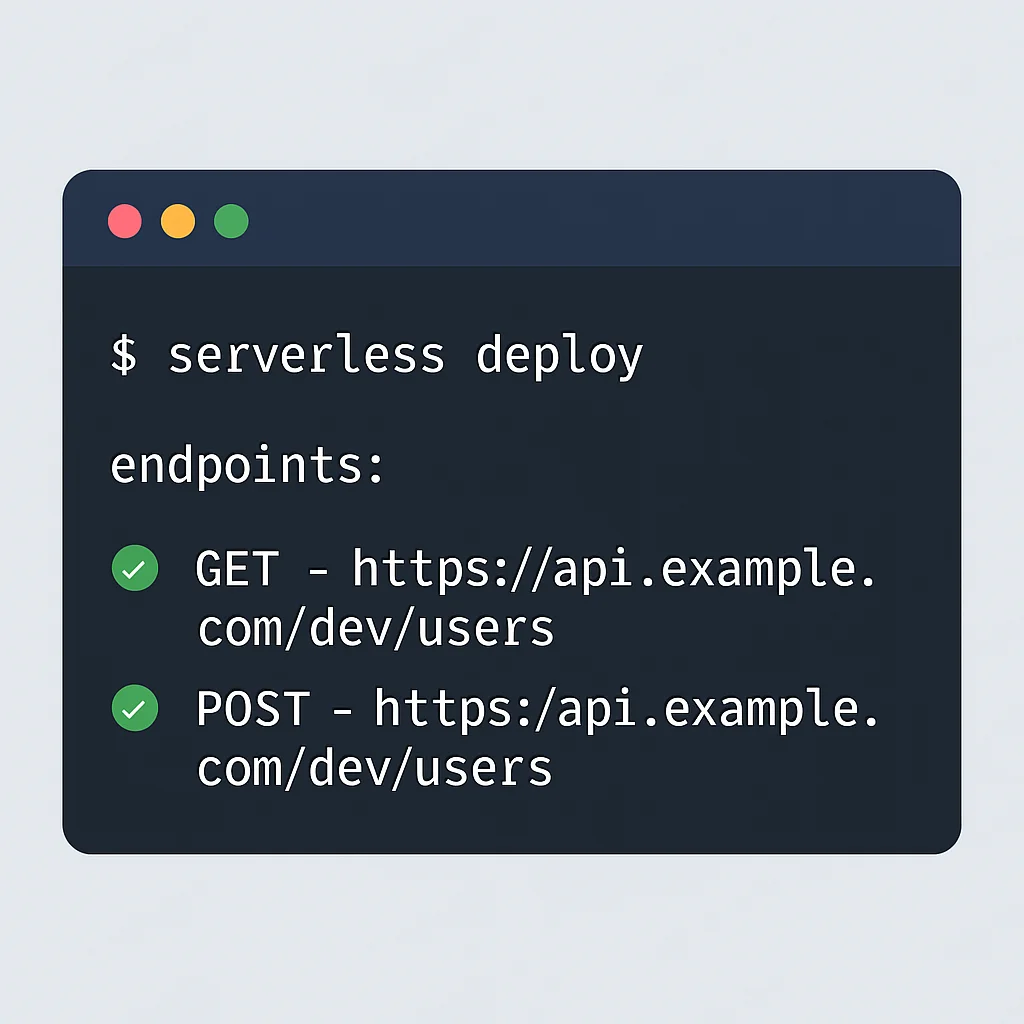
The serverless deploy command reads your serverless.yml file, packages your Lambda code, creates a CloudFormation stack, and provisions all defined AWS resources (Lambda functions, API Gateway endpoints, DynamoDB table, IAM roles).
serverless deployAfter deployment, the Serverless Framework will output your API Gateway endpoint URLs. You can then use tools like Postman, Insomnia, or curl to test your API.
STEP 5: Test Your API
Use curl or a similar tool to interact with your newly deployed API.
CODE EXPLANATION
These curl commands demonstrate how to create a todo item, retrieve all items, and retrieve a specific item by its ID. Replace YOUR_API_GATEWAY_URL with the URL provided by serverless deploy.
# Replace YOUR_API_GATEWAY_URL with your actual API endpoint URL

# 1. Create a new todo
curl -X POST -H "Content-Type: application/json" -d '{ "text": "Learn Serverless APIs" }' YOUR_API_GATEWAY_URL/todos

# Expected output: {"todoId":"...","text":"Learn Serverless APIs","checked":false,"createdAt":"...","updatedAt":"..."}
# Copy the todoId from the response for the next steps

# 2. Get all todos
curl -X GET YOUR_API_GATEWAY_URL/todos

# 3. Get a specific todo by ID (replace {id} with the actual todoId)
curl -X GET YOUR_API_GATEWAY_URL/todos/{id}

# 4. Update a todo
curl -X PUT -H "Content-Type: application/json" -d '{ "text": "Master Serverless APIs", "checked": true }' YOUR_API_GATEWAY_URL/todos/{id}

# 5. Delete a todo
curl -X DELETE YOUR_API_GATEWAY_URL/todos/{id}
This simple example demonstrates the power and simplicity of building a fully functional, scalable API with Lambda and API Gateway. From here, you can expand with more complex business logic, authentication, and integrations with other AWS services.

KEY POINT
Building a serverless API involves defining resources in Infrastructure as Code (e.g., serverless.yml), implementing Lambda functions for business logic, and deploying with tools like the Serverless Framework to provision all necessary AWS services automatically.
CONCLUSION
The Future of Serverless Backend
As we look ahead in 2026, serverless architecture with AWS Lambda and API Gateway continues to be a cornerstone for modern backend development. Its promise of reduced operational overhead, inherent scalability, and pay-per-use cost model makes it an irresistible choice for startups and enterprises alike. By abstracting away server management, developers are empowered to innovate faster, deploy more frequently, and focus on delivering core business value.
The ecosystem around AWS serverless is constantly maturing. We’re seeing more sophisticated tools for local development, improved cold start performance, deeper integrations with other AWS services, and a growing community of developers sharing best practices. Expect to see further advancements in areas like edge computing with Lambda@Edge, AI/ML integrations, and even more streamlined deployment workflows.
Embracing serverless is not just about adopting a new technology; it’s about embracing a new mindset for building resilient, efficient, and future-proof applications. The skills you gain in mastering AWS Lambda and API Gateway will undoubtedly be invaluable in your development career for years to come. So go forth, build amazing things, and let the cloud handle the servers!
KEY POINT
Serverless with AWS Lambda and API Gateway remains a dominant and evolving paradigm in 2026, offering scalability, cost-efficiency, and accelerated development. Its future holds continued innovation in tools, integrations, and performance, solidifying its role in modern backend architecture.
Frequently Asked Questions (FAQ)
Q. What is the primary benefit of using AWS Lambda and API Gateway for serverless APIs?
The primary benefit is the ability to build highly scalable and cost-effective APIs without managing any servers. AWS handles all the infrastructure provisioning, scaling, and maintenance, allowing developers to focus solely on writing business logic.
Q. How does API Gateway help secure serverless APIs?
API Gateway provides multiple robust security features, including integration with IAM for fine-grained access control, Cognito User Pools for user authentication, and custom Lambda Authorizers for flexible authentication schemes. It can also integrate with AWS WAF for advanced threat protection.
Q. What are “cold starts” in AWS Lambda, and how can they be minimized?
Cold starts refer to the increased latency experienced when a Lambda function is invoked after a period of inactivity, as AWS initializes a new execution environment. They can be minimized using Provisioned Concurrency, optimizing code size, and choosing runtimes like Node.js or Python which generally have faster initialization times.
Q. Why is Infrastructure as Code (IaC) important for serverless development?
IaC tools like the Serverless Framework or AWS SAM allow you to define your entire serverless application’s infrastructure (Lambda functions, API Gateway, databases, etc.) in code. This ensures consistency, repeatability, version control, and simplifies the deployment and management of complex serverless architectures, especially across different environments.
Thanks for reading!
We hope this comprehensive guide empowers you to build fantastic serverless APIs with AWS Lambda and API Gateway. The serverless journey is exciting and full of potential for innovative solutions.
Got questions or your own serverless tips? Drop a comment below and join the Kwonglish conversation!