
SUMMARY
The Ultimate Guide to Frontend Testing in 2026
Master modern frontend testing strategies for robust web applications.
Keywords: Frontend Testing, Jest, Cypress
TABLE OF CONTENTS
1. The Crucial Role of Frontend Testing in 2026
2. Deep Dive: Unit Testing with Jest
3. Integration Testing: React Testing Library & Jest
4. End-to-End Testing: Cypress for Real User Scenarios
5. Navigating Testing Challenges: Solutions and Strategies
6. Building a Future-Proof Frontend Testing Strategy
7. Frequently Asked Questions
INTRODUCTION
The Crucial Role of Frontend Testing in 2026
In the rapidly evolving landscape of web development, frontend applications in 2026 are more complex and interactive than ever. Users expect seamless experiences, instant feedback, and robust functionality across a myriad of devices and browsers. This heightened expectation places an unprecedented emphasis on quality assurance, making comprehensive frontend testing not just a best practice, but an absolute necessity for successful project delivery and long-term maintainability.
Gone are the days when manual QA was sufficient. The sheer scale and dynamic nature of modern single-page applications (SPAs) and progressive web apps (PWAs) demand automated testing at every stage of the development lifecycle. Without it, development teams face increased bug counts, slower release cycles, higher maintenance costs, and ultimately, a compromised user experience that can directly impact business metrics such as conversion rates and user retention.
This guide will equip you with the knowledge and tools to implement a robust frontend testing strategy. We’ll delve into the three pillars of modern frontend testing – Unit, Integration, and End-to-End (E2E) – and explore how industry-leading tools like Jest, React Testing Library, and Cypress integrate to form a powerful testing suite. By understanding their individual strengths and how they complement each other, you can build applications that are not only feature-rich but also stable, performant, and delightful to use.
“Automated frontend testing is the bedrock of reliable web applications in 2026, ensuring quality, reducing technical debt, and accelerating innovation.”
CORE CONTENT
Deep Dive: Unit Testing with Jest
Unit testing forms the base of the testing pyramid, focusing on isolating and verifying the smallest testable parts of an application, known as “units.” In frontend development, a unit typically refers to a single function, class, or module. The goal is to ensure each unit performs as expected in isolation, catching bugs early and providing immediate feedback to developers.
What is Jest?
Jest is a delightful JavaScript testing framework developed by Facebook, widely adopted for its simplicity, speed, and comprehensive feature set. It comes as an all-in-one solution, including a test runner, assertion library, and mocking capabilities, making it an excellent choice for unit testing JavaScript and TypeScript applications, especially those built with React, Vue, Angular, or Node.js.
Key Features of Jest:
✓ Zero Configuration: For most JavaScript projects, Jest works out of the box, requiring minimal setup.
✓ Snapshot Testing: A unique feature that captures the “snapshot” of a component’s rendered output and compares it to a previously saved snapshot, useful for UI regression testing.
✓ Isolated Tests: Jest automatically parallelizes tests, running them in separate processes to maximize performance and prevent test state from leaking between files.
✓ Powerful Mocking: Easy-to-use APIs for mocking functions, modules, and timers, essential for isolating units and controlling test environments.
✓ Interactive Watch Mode: Runs tests related to changed files, providing rapid feedback during development.
✓ Code Coverage: Built-in support for generating detailed code coverage reports, helping identify untested areas.

In 2026, Jest continues to be the de-facto standard for unit testing in the React ecosystem and remains incredibly popular across the broader JavaScript community due to its continued development, excellent documentation, and strong community support. Its ability to handle complex asynchronous code with ease, combined with its powerful assertion library, makes it an indispensable tool for frontend developers.
CODE EXPLANATION
This Jest test suite defines a simple utility function sum and tests its behavior. It includes a basic addition test and a test case for handling negative numbers, demonstrating Jest’s expect and toBe matchers.
// sum.js
function sum(a, b) {
  return a + b;
}
module.exports = sum;

// sum.test.js
const sum = require('./sum');

describe('sum function', () => {
  test('adds 1 + 2 to equal 3', () => {
    expect(sum(1, 2)).toBe(3);
  });

  test('adds negative numbers correctly', () => {
    expect(sum(-1, -5)).toBe(-6);
  });

  test('adds zero correctly', () => {
    expect(sum(0, 0)).toBe(0);
  });
});
KEY POINT
Unit tests are fast and inexpensive to write and run. They provide immediate feedback on code changes and are crucial for maintaining code quality in complex frontend applications. Aim for high unit test coverage (e.g., 70-80%) for critical logic.
CORE CONTENT
Integration Testing: React Testing Library & Jest
While unit tests focus on individual components, integration tests verify that different parts of your application work correctly together. For frontend applications, this often means testing how React components interact with each other, how they manage state, and how they respond to user input. This is where React Testing Library (RTL) shines, especially when paired with Jest.
Why React Testing Library?
React Testing Library is a set of utilities that helps you test React components in a way that simulates how users interact with your application. Unlike older libraries like Enzyme, which focused on internal component states and methods, RTL encourages testing components from the user’s perspective. Its guiding principle is: “The more your tests resemble the way your software is used, the more confidence they can give you.”
This user-centric approach makes tests more robust to refactoring of internal component logic, as long as the user-facing behavior remains consistent. It interacts with the DOM directly, similar to how a user would, by querying elements by accessible labels, text content, or roles, rather than relying on component instance details.

Key Benefits of RTL:
✓ User-Focused: Tests interact with your components through the DOM, just like a real user.
✓ Accessibility Best Practices: Encourages writing accessible code by prioritizing queries that users with assistive technologies would use.
✓ Less Fragile Tests: Tests are less likely to break due to internal refactors, leading to more maintainable test suites.
✓ Framework Agnostic Core: While @testing-library/react is for React, the core philosophy and many utilities are shared across various UI frameworks (Vue, Angular, Svelte).
When combined with Jest, RTL provides a powerful environment for integration testing. Jest acts as the test runner and assertion library, while RTL provides the utilities to render and interact with React components in a simulated browser environment (JSDOM). This combination allows you to test component behavior, state updates, event handling, and data fetching interactions effectively.
CODE EXPLANATION
This example demonstrates testing a simple React counter component using React Testing Library and Jest. It renders the component, simulates a user clicking the “Increment” button, and then asserts that the displayed count updates correctly. Notice how queries like getByText and findByText are used to interact with the component like a user would.
// Counter.js
import React, { useState } from 'react';

function Counter() {
  const [count, setCount] = useState(0);

  return (
    <div>
      <h1>Count: {count}</h1>
      <button onClick={() => setCount(count + 1)}>Increment</button>
      <button onClick={() => setCount(count - 1)}>Decrement</button>
    </div>
  );
}

export default Counter;

// Counter.test.js
import { render, screen, fireEvent } from '@testing-library/react';
import Counter from './Counter';

describe('Counter Component', () => {
  test('renders with initial count of 0', () => {
    render(<Counter />);
    expect(screen.getByText(/Count: 0/i)).toBeInTheDocument();
  });

  test('increments count when "Increment" button is clicked', () => {
    render(<Counter />);
    const incrementButton = screen.getByText('Increment');
    fireEvent.click(incrementButton);
    expect(screen.getByText(/Count: 1/i)).toBeInTheDocument();
  });

  test('decrements count when "Decrement" button is clicked', () => {
    render(<Counter />);
    const decrementButton = screen.getByText('Decrement');
    fireEvent.click(decrementButton);
    expect(screen.getByText(/Count: -1/i)).toBeInTheDocument();
  });
});
KEY POINT
React Testing Library provides confidence that your components are working correctly from a user’s perspective, making your tests more valuable and resilient to internal code changes. It’s the recommended approach for integration testing React components in 2026.
CORE CONTENT
End-to-End Testing: Cypress for Real User Scenarios
End-to-End (E2E) testing simulates real user scenarios, interacting with your application as a whole, from the UI down to the database and backend services. These tests are critical for verifying that all parts of your system integrate correctly and that the entire user journey flows smoothly. In 2026, Cypress has solidified its position as a leading choice for E2E testing in modern web applications.
Why Cypress for E2E?
Cypress stands out from traditional E2E testing tools like Selenium by running directly in the browser, alongside your application. This architecture provides several significant advantages:
✓ Developer Experience: Cypress offers an exceptional developer experience with its interactive test runner, real-time reloading, and clear error messages.
✓ Time Travel: The ability to “time travel” through the execution of your tests, seeing what happened at each step, makes debugging incredibly efficient.
✓ Automatic Waiting: No more flaky tests due to arbitrary waits! Cypress automatically waits for elements to appear, animations to complete, and network requests to finish before moving on.
✓ Debuggability: Direct access to browser developer tools during test execution.
✓ Network Control: Easily stub and mock network requests, allowing for consistent and fast test execution without relying on a live backend.
✓ Fast Execution: Tests run much faster compared to Selenium-based solutions because they execute in the same run loop as your application.
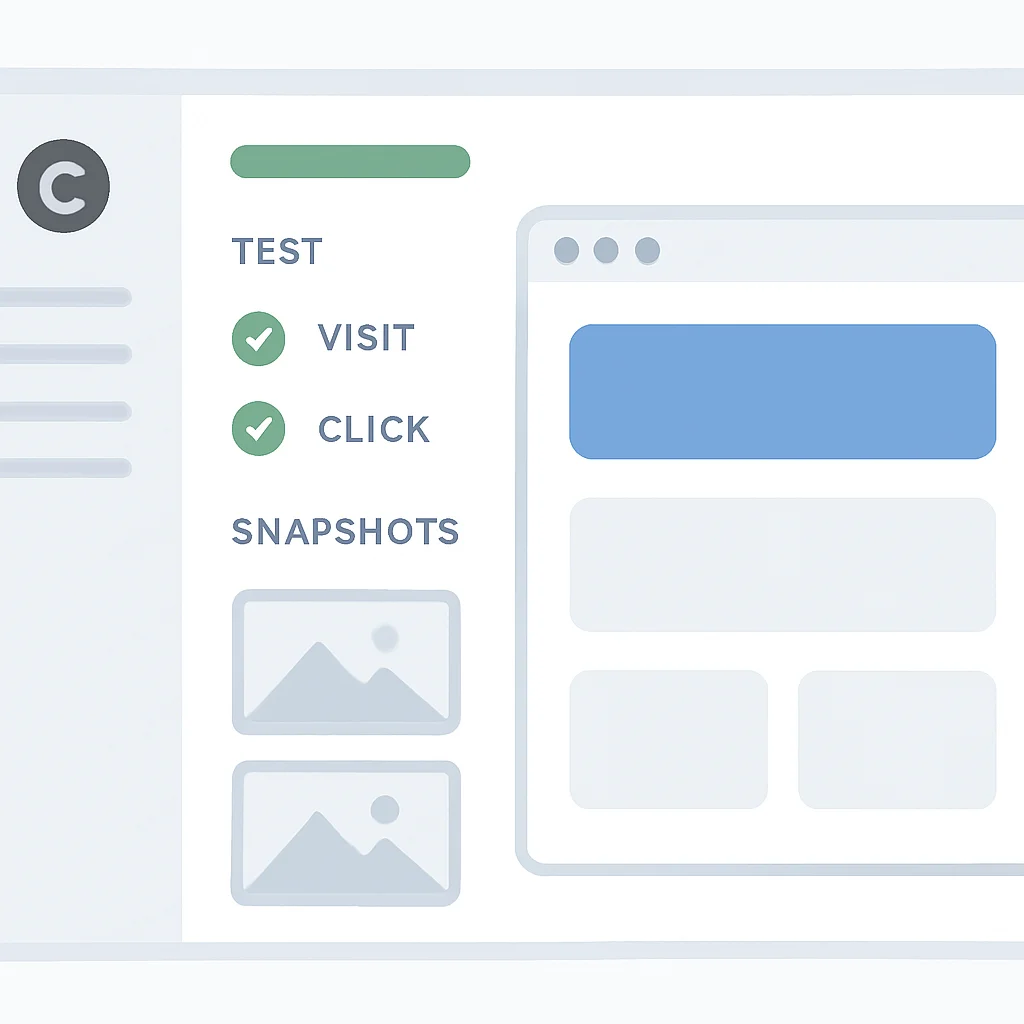
Cypress uses JavaScript for writing tests, making it a natural fit for frontend teams already proficient in the language. It provides a rich set of commands to interact with the DOM, handle user input, and assert application state. While E2E tests are generally slower and more expensive to maintain than unit or integration tests, Cypress significantly reduces these overheads, making them a more feasible and valuable part of a comprehensive testing strategy.
CODE EXPLANATION
This Cypress test simulates a user logging into an application. It visits the login page, types credentials into input fields, clicks the submit button, and then asserts that the user is redirected to the dashboard and a welcome message is displayed. This demonstrates a full user flow, touching upon multiple parts of the application.
// cypress/e2e/login.cy.js
describe('Login Feature', () => {
  beforeEach(() => {
    // Visit the login page before each test
    cy.visit('/login');
  });

  it('should allow a user to log in successfully', () => {
    // Type username and password
    cy.get('input[name="username"]').type('testuser');
    cy.get('input[name="password"]').type('password123');

    // Click the login button
    cy.get('button[type="submit"]').click();

    // Assert redirection to dashboard
    cy.url().should('include', '/dashboard');

    // Assert a success message or element on the dashboard
    cy.contains('Welcome, testuser!').should('be.visible');
  });

  it('should display an error for invalid credentials', () => {
    cy.get('input[name="username"]').type('wronguser');
    cy.get('input[name="password"]').type('wrongpass');
    cy.get('button[type="submit"]').click();

    // Assert error message
    cy.contains('Invalid credentials.').should('be.visible');
    cy.url().should('include', '/login'); // Should remain on login page
  });
});
KEY POINT
Cypress excels at providing a reliable and developer-friendly environment for E2E testing. It’s ideal for validating critical user flows and ensuring that your entire application stack functions harmoniously, offering confidence in production deployments.
PROBLEM SOLVING
Navigating Testing Challenges: Solutions and Strategies
Even with powerful tools, frontend testing presents unique challenges. Addressing these effectively is key to building a maintainable and efficient test suite. Let’s look at some common hurdles and their solutions.
PROBLEM 01
Managing Asynchronous Operations and API Calls
Frontend applications are inherently asynchronous, relying heavily on API calls, timers, and event listeners. Testing these interactions can lead to flaky tests or complex setups if not handled correctly.
SOLUTION — Mocking and Await/Async
For unit and integration tests, Jest’s powerful mocking capabilities (jest.fn(), jest.mock()) allow you to replace actual API calls with controlled responses. This isolates your component logic from network latency or server issues. Combine this with async/await for cleaner handling of promises. For E2E tests, Cypress provides cy.intercept() to stub network requests directly in the browser.
CODE EXPLANATION
This example shows how to mock an API call using Jest. The fetch function is mocked globally to return a predefined successful response. This ensures that the fetchData component can be tested without making actual network requests.
// fetchData.js (example component/function)
async function fetchData() {
  const response = await fetch('/api/data');
  const data = await response.json();
  return data;
}
export default fetchData;

// fetchData.test.js
import fetchData from './fetchData';

describe('fetchData', () => {
  // Mock the global fetch function
  global.fetch = jest.fn(() =>
    Promise.resolve({
      json: () => Promise.resolve({ message: 'Mocked data' }),
    })
  );

  beforeEach(() => {
    fetch.mockClear(); // Clear mock calls before each test
  });

  test('should fetch data successfully', async () => {
    const data = await fetchData();
    expect(data).toEqual({ message: 'Mocked data' });
    expect(fetch).toHaveBeenCalledTimes(1);
    expect(fetch).toHaveBeenCalledWith('/api/data');
  });
});
PROBLEM 02
Ensuring Test Reliability and Preventing Flakiness
Flaky tests – tests that sometimes pass and sometimes fail without any code changes – are a major productivity killer. They erode trust in the test suite and lead to wasted developer time.
SOLUTION — Robust Selectors and Explicit Waits
For integration tests with RTL, prioritize queries that are robust and reflect user interaction, such as getByRole, getByLabelText, and getByText. Avoid fragile selectors like class names or IDs generated by CSS-in-JS libraries. For E2E tests, Cypress’s automatic waiting mechanism greatly reduces flakiness. When manual waits are unavoidable, use cy.wait() for specific network requests or .should('be.visible') for DOM elements, rather than arbitrary time delays.
KEY POINT
Effective test data management, robust mocking strategies, and an understanding of asynchronous testing patterns are paramount for creating a stable, fast, and reliable frontend test suite in 2026.
PRACTICAL APPLICATION
Building a Future-Proof Frontend Testing Strategy
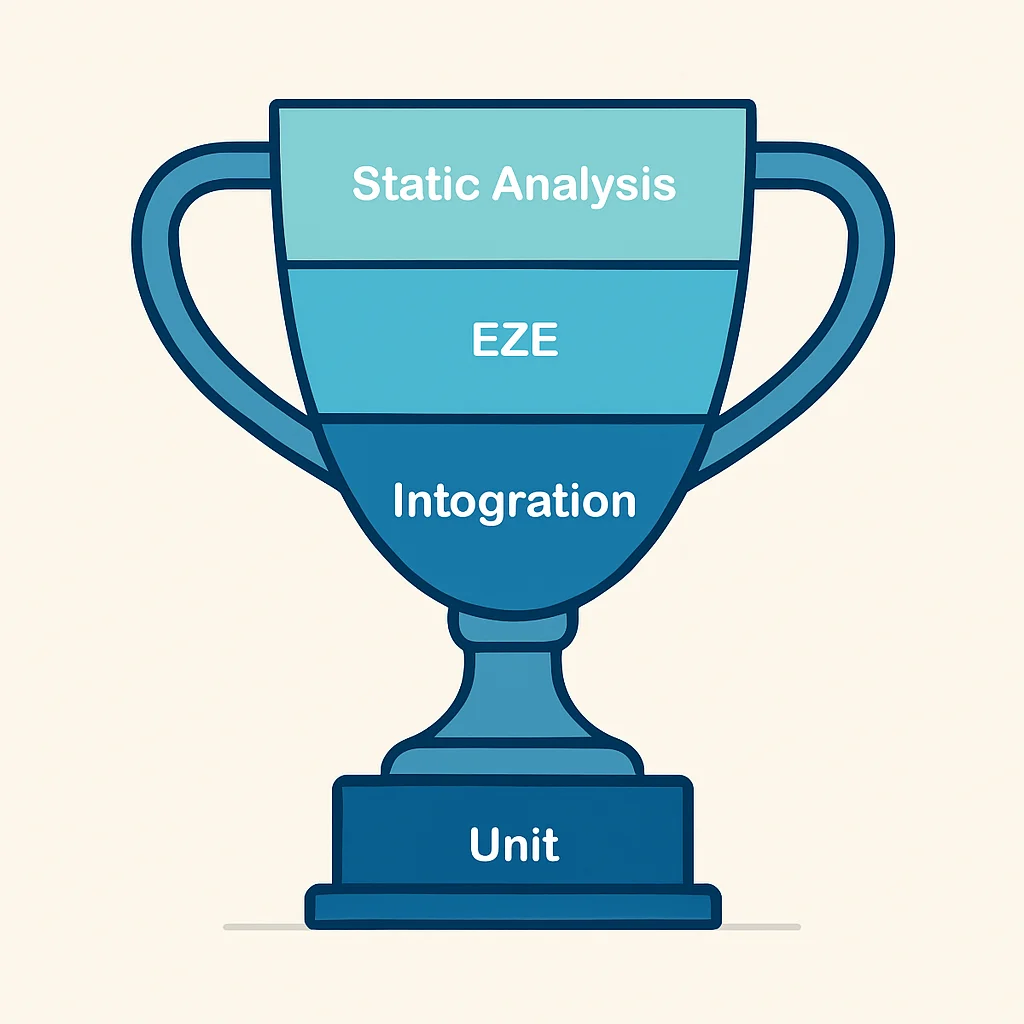
A truly effective testing strategy isn’t about simply adopting tools; it’s about understanding how to use them synergistically to maximize coverage and confidence while minimizing overhead. The concept of the “Testing Trophy” (a modern evolution of the Test Pyramid) provides an excellent framework for balancing different test types.
The Testing Trophy for Frontend in 2026:
The Testing Trophy emphasizes a larger proportion of integration tests (especially with RTL), a solid base of unit tests, a smaller but critical layer of E2E tests, and a focus on static analysis.
1. Static Analysis (Top): Linters (ESLint), type checkers (TypeScript), formatters (Prettier). Catches syntax errors, style issues, and type mismatches before runtime.
2. Unit Tests (Base): Fast, isolated tests for individual functions/modules using Jest. High volume, low cost. Focus on complex business logic, utility functions, and pure components.
3. Integration Tests (Middle & Largest): Testing components and small groups of components with React Testing Library and Jest. Verifies interactions from a user’s perspective. Provides high confidence at a reasonable speed. This is often the largest portion of your test suite.
4. End-to-End Tests (Top – smaller): Verifying critical user flows across the entire application stack using Cypress. Slower, more expensive, but essential for catching integration issues between frontend and backend, or browser-specific problems. Keep these focused on high-value, critical paths.
Integrating Testing into CI/CD Pipelines:
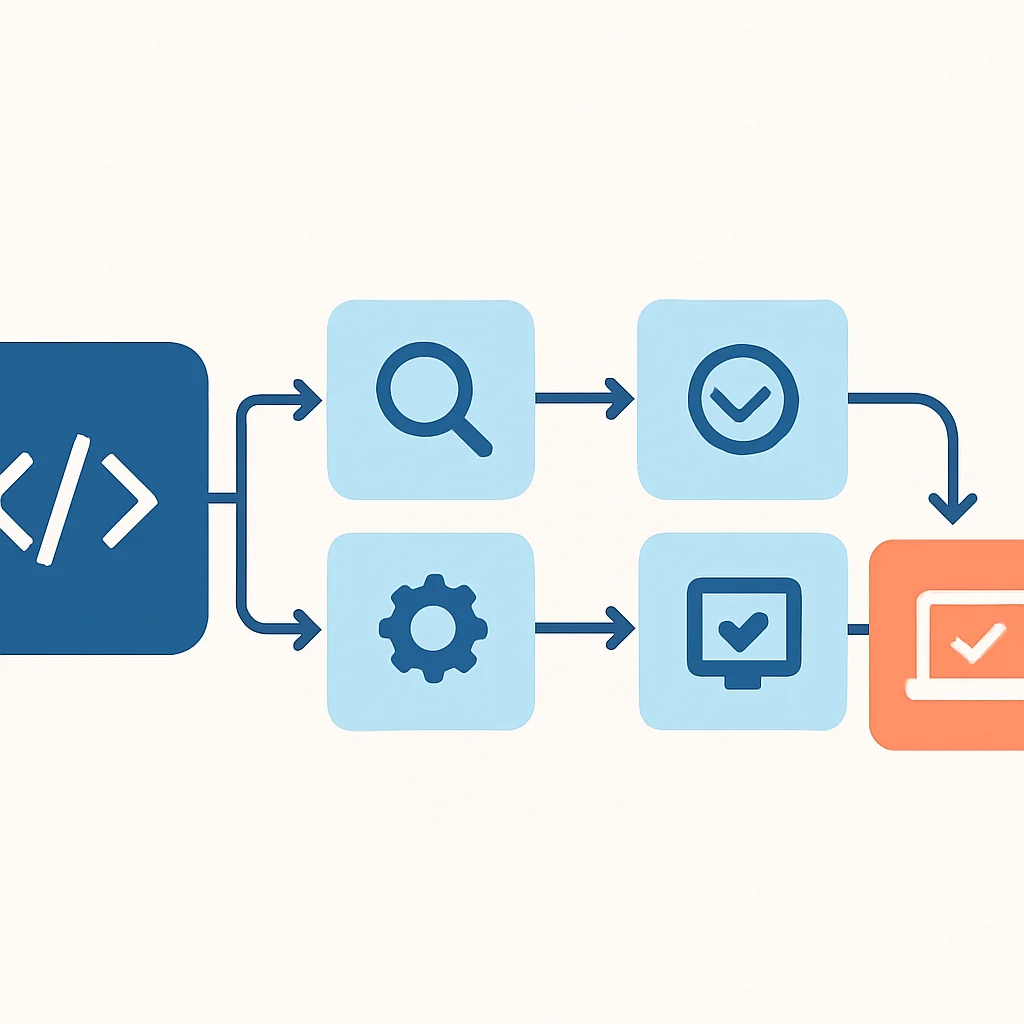
Automated testing truly shines when integrated into your Continuous Integration/Continuous Deployment (CI/CD) pipeline. This ensures that every code change is automatically tested before it can be merged or deployed, catching regressions early and maintaining a high quality bar.
CI/CD Integration Steps
1. Pre-commit Hooks: Run linters and formatters (e.g., with Husky and Lint-Staged) to catch issues before code hits the repository.
2. Build Stage: Run static analysis (TypeScript compilation) and unit tests (Jest) on every push to a branch.
3. Test Stage: Execute integration tests (React Testing Library with Jest) and potentially a subset of E2E tests (Cypress) on feature branches or pull requests.
4. Deployment Stage: Run a comprehensive E2E test suite (Cypress) on a staging environment before deploying to production.
5. Monitoring: Post-deployment, integrate with monitoring tools to catch production issues that might have slipped through.
KEY POINT
A balanced testing strategy, guided by the Testing Trophy, combined with robust CI/CD integration, forms the backbone of highly reliable and maintainable frontend applications. This approach minimizes bugs and maximizes developer confidence in every release.
Frequently Asked Questions
Q. What is the main difference between Jest and React Testing Library?
Jest is a JavaScript testing framework that provides a test runner, assertion library, and mocking capabilities. React Testing Library, on the other hand, is a utility library specifically designed to test React components by interacting with the DOM in a user-centric way. They are often used together, with Jest running the tests and RTL providing the methods to interact with React components.
Q. When should I use Cypress over Jest/React Testing Library?
Cypress is primarily for End-to-End (E2E) testing, simulating a full user journey across your entire application, including backend interactions and browser behavior. Jest with React Testing Library is best for unit and integration testing individual functions or components in isolation or small groups, without a full browser environment or backend dependency.
Q. Is it necessary to have 100% code coverage for frontend tests?
While high code coverage is desirable, 100% coverage is often not a practical or cost-effective goal. The focus should be on testing critical business logic, complex interactions, and high-risk areas thoroughly. A balanced approach, as suggested by the Testing Trophy, aims for optimal coverage that provides confidence without over-engineering tests for trivial code paths.
Q. How do I handle external dependencies like third-party libraries in tests?
For unit and integration tests, use Jest’s mocking capabilities (jest.mock() or jest.spyOn()) to isolate your code from external libraries. This allows you to control their behavior and avoid unexpected side effects. For E2E tests, it’s generally best to let third-party libraries run as they would in production, as the goal is to test the full system integration.
WRAP-UP
Conclusion and Future Outlook
The landscape of frontend development in 2026 is defined by intricate applications, demanding user expectations, and rapid innovation. In this environment, a well-implemented testing strategy is not just a safeguard against bugs; it’s a catalyst for faster development, confident deployments, and ultimately, superior user experiences. By mastering tools like Jest for unit testing, React Testing Library for user-centric integration tests, and Cypress for robust end-to-end validation, you empower your team to build high-quality, resilient web applications.
The synergy between these tools, guided by principles like the Testing Trophy, allows developers to cover different layers of an application effectively. Unit tests provide immediate feedback on individual logic, integration tests ensure components play well together from a user’s perspective, and E2E tests validate critical user flows across the entire stack. Integrating these into a seamless CI/CD pipeline solidifies your quality assurance process, making quality an inherent part of your development culture.
Looking ahead, we can anticipate further advancements in AI-powered test generation, more sophisticated visual regression testing tools, and even greater emphasis on performance and accessibility testing integrated directly into frameworks. However, the core principles of understanding your application’s architecture and choosing the right tools for each testing level will remain timeless. Embrace these modern testing practices, and you’ll be well-prepared to deliver exceptional frontend experiences for years to come.
KEY POINT
A proactive and comprehensive frontend testing strategy using Jest, React Testing Library, and Cypress is fundamental for delivering high-quality, scalable, and maintainable web applications in the competitive digital landscape of 2026.
Thanks for reading!
We hope this guide helps you build more robust and reliable frontend applications.
Got questions or insights on frontend testing in 2026? Drop a comment below!