

SUMMARY
React Native Performance Optimization: A 2026 Guide
Unlock the full potential of your React Native applications with cutting-edge 2026 techniques for superior speed and responsiveness.
Keywords: React Native, Performance Optimization, Mobile App Development
TABLE OF CONTENTS
1. Introduction: The Imperative of Performance in 2026
2. Core Optimization Strategies
3. Advanced Rendering Techniques
4. JavaScript Thread and Bridge Optimization
5. Network and Data Management
6. Practical Implementation Steps
7. Frequently Asked Questions (FAQ)
8. Conclusion: Building the Future of Mobile Experiences
INTRODUCTION
The Imperative of Performance in 2026
In the rapidly evolving landscape of mobile application development, user expectations for speed, fluidity, and responsiveness have never been higher. As we navigate 2026, a sluggish app isn’t just an inconvenience; it’s a critical flaw that directly impacts user retention, engagement, and ultimately, your application’s success. React Native, a powerhouse for cross-platform development, offers incredible advantages in terms of development speed and code reusability. However, without diligent performance optimization, these benefits can be overshadowed by a less-than-stellar user experience.
This guide delves into the advanced strategies and best practices for React Native performance optimization in 2026. We’ll explore techniques that go beyond basic fixes, focusing on architectural considerations, sophisticated rendering patterns, and leveraging the latest tooling to ensure your React Native applications deliver a native-like, buttery-smooth experience. Our goal is to equip developers with the knowledge to identify bottlenecks, implement effective solutions, and continuously monitor performance, transforming good apps into great ones.
KEY POINT
In 2026, a mobile app’s first impression is often determined by its responsiveness. Research indicates that a 2-second delay can lead to a 50% increase in abandonment rates, emphasizing that performance is not just a technical detail but a core business metric.
CORE CONTENT
Core Optimization Strategies
Effective React Native performance optimization starts with a foundational understanding of where bottlenecks typically occur. This section focuses on initial strategies that target bundle size, resource loading, and the efficiency of your JavaScript code execution.
1. Bundle Size Reduction: The First Line of Defense
A smaller app bundle size translates directly to faster download times, quicker installation, and reduced memory footprint. In 2026, with increasing app complexity, managing bundle size is paramount.
Key Bundle Optimization Techniques
Tree Shaking & Dead Code Elimination — Ensure your bundler (Metro, Webpack) is configured to remove unused exports from libraries. For instance, importing only specific components like import { Button } from 'react-native-elements/Button'; instead of the entire library.
Image & Asset Optimization — Use modern formats like WebP (offering up to 30% smaller file sizes than JPEG) or AVIF. Employ image compression tools and consider using SVGs for scalable vector graphics. Ensure images are appropriately sized for target devices to avoid loading unnecessarily large assets.
Dynamic Imports & Code Splitting — Load parts of your application only when needed. This is crucial for large apps with multiple screens or features. Metro supports dynamic imports, allowing you to split your JS bundle into smaller chunks.
CODE EXPLANATION
This code snippet demonstrates how to implement dynamic imports (code splitting) in React Native using React.lazy and Suspense. This allows a component, like DetailScreen, to be loaded asynchronously only when it’s rendered, reducing the initial bundle size.
import React, { Suspense } from 'react';
import { View, Text, ActivityIndicator, StyleSheet } from 'react-native';

// Dynamically import the DetailScreen component
const DetailScreen = React.lazy(() => import('./DetailScreen'));

const App = () => {
  const [showDetails, setShowDetails] = React.useState(false);

  return (
    <View style={styles.container}>
      <Text style={styles.title} onPress={() => setShowDetails(true)}>
        Tap to Load Details
      </Text>
      {showDetails && (
        <Suspense fallback={<ActivityIndicator size="large" color="#667eea" />}>
          <DetailScreen />
        </Suspense>
      )}
    </View>
  );
};

const styles = StyleSheet.create({
  container: {
    flex: 1,
    justifyContent: 'center',
    alignItems: 'center',
    padding: 20,
    backgroundColor: '#f8f9fa',
  },
  title: {
    fontSize: 22,
    fontWeight: 'bold',
    color: '#212529',
    marginBottom: 20,
    padding: 10,
    borderWidth: 1,
    borderColor: '#667eea',
    borderRadius: 8,
  },
});

export default App;
CORE CONTENT
Advanced Rendering Techniques
The perceived performance of a mobile app is heavily influenced by its rendering efficiency. Smooth animations, quick screen transitions, and fluid scrolling are hallmarks of a high-quality application. This section explores techniques to optimize the UI rendering pipeline in React Native.
1. Virtualization for Large Lists: FlatList and SectionList
Displaying long lists of data is a common scenario in mobile apps. Without proper handling, rendering hundreds or thousands of items can cripple performance. React Native’s FlatList and SectionList components are designed precisely for this, employing virtualization to render only the items currently visible on screen, plus a small buffer.
FlatList Optimization Tips
getItemLayout — Crucial for lists with items of fixed height. By providing exact dimensions, React Native can skip measuring items, significantly improving scroll performance. For example, for items 50px tall, set getItemLayout: (data, index) => ({ length: 50, offset: 50 * index, index }).
keyExtractor — Always provide a stable, unique key for each item. This helps React identify which items have changed, been added, or removed, reducing unnecessary re-renders. Using item.id.toString() is a common practice.
initialNumToRender & maxToRenderPerBatch — Fine-tune the number of items rendered initially and in subsequent batches to balance initial load time and scroll smoothness. Experiment with values based on your item complexity.
Pure Components/Memoization for renderItem — Ensure your renderItem component is memoized (using React.memo) to prevent re-rendering when its props haven’t changed.
CODE EXPLANATION
This example demonstrates how to use React.memo for a functional component and useCallback for a function prop. MyMemoizedComponent will only re-render if its title or onPress props change, while handleClick maintains referential equality across parent renders, preventing unnecessary re-renders of MyMemoizedComponent.
import React, { useState, useCallback } from 'react';
import { View, Text, Button, StyleSheet } from 'react-native';

// Memoized functional component
const MyMemoizedComponent = React.memo(({ title, onPress }) => {
  console.log('MyMemoizedComponent rendered!');
  return (
    <View style={styles.memoizedBox}>
      <Text style={styles.memoizedText}>{title}</Text>
      <Button title="Press Me" onPress={onPress} />
    </View>
  );
});

const ParentComponent = () => {
  const [count, setCount] = useState(0);
  const [otherState, setOtherState] = useState(0);

  // Memoize the handleClick function
  const handleClick = useCallback(() => {
    setCount(prevCount => prevCount + 1);
  }, []); // Empty dependency array means it only gets created once

  return (
    <View style={styles.parentContainer}>
      <Text style={styles.parentTitle}>Parent Component (Count: {count})</Text>
      <Button title="Increment Parent State" onPress={() => setOtherState(otherState + 1)} />
      <Text style={styles.parentTitle}>Other State: {otherState}</Text>

      <MyMemoizedComponent title="Memoized Child" onPress={handleClick} />
    </View>
  );
};

const styles = StyleSheet.create({
  parentContainer: {
    flex: 1,
    alignItems: 'center',
    justifyContent: 'center',
    padding: 20,
    backgroundColor: '#f0f3ff',
  },
  parentTitle: {
    fontSize: 20,
    fontWeight: 'bold',
    color: '#212529',
    marginBottom: 15,
  },
  memoizedBox: {
    backgroundColor: '#fff',
    borderWidth: 1,
    borderColor: '#e9ecef',
    borderRadius: 10,
    padding: 15,
    marginTop: 20,
    alignItems: 'center',
  },
  memoizedText: {
    fontSize: 16,
    color: '#495057',
    marginBottom: 10,
  },
});

export default ParentComponent;
CORE CONTENT
JavaScript Thread and Bridge Optimization
React Native’s architecture relies on a JavaScript thread communicating with the native UI thread via a bridge. Any heavy computation or excessive communication on the JS thread can lead to UI unresponsiveness, often described as “frame drops” or “jank.” Optimizing this interaction is critical for a truly native feel.
1. Embracing Hermes Engine: The Default in 2026
Hermes, a JavaScript engine optimized for React Native, has become the default and recommended engine for new React Native projects since version 0.64. By 2026, its adoption is nearly universal. Hermes significantly improves app startup time, reduces memory usage, and decreases app size compared to the traditional JavaScriptCore (JSC) engine.
Benchmarking shows Hermes can reduce startup time by up to 50% and memory usage by 20-30% on average. For Android, it’s a game-changer. For iOS, while JSC is highly optimized, Hermes still offers benefits, especially in memory footprint and bundle size.
KEY POINT
Ensure Hermes is enabled in your React Native project. For Android, check android/app/build.gradle for enableHermes: true. For iOS, it’s typically enabled by default in recent versions via Podfile configuration.
2. JSI (JavaScript Interface): The Future of Bridgeless Communication
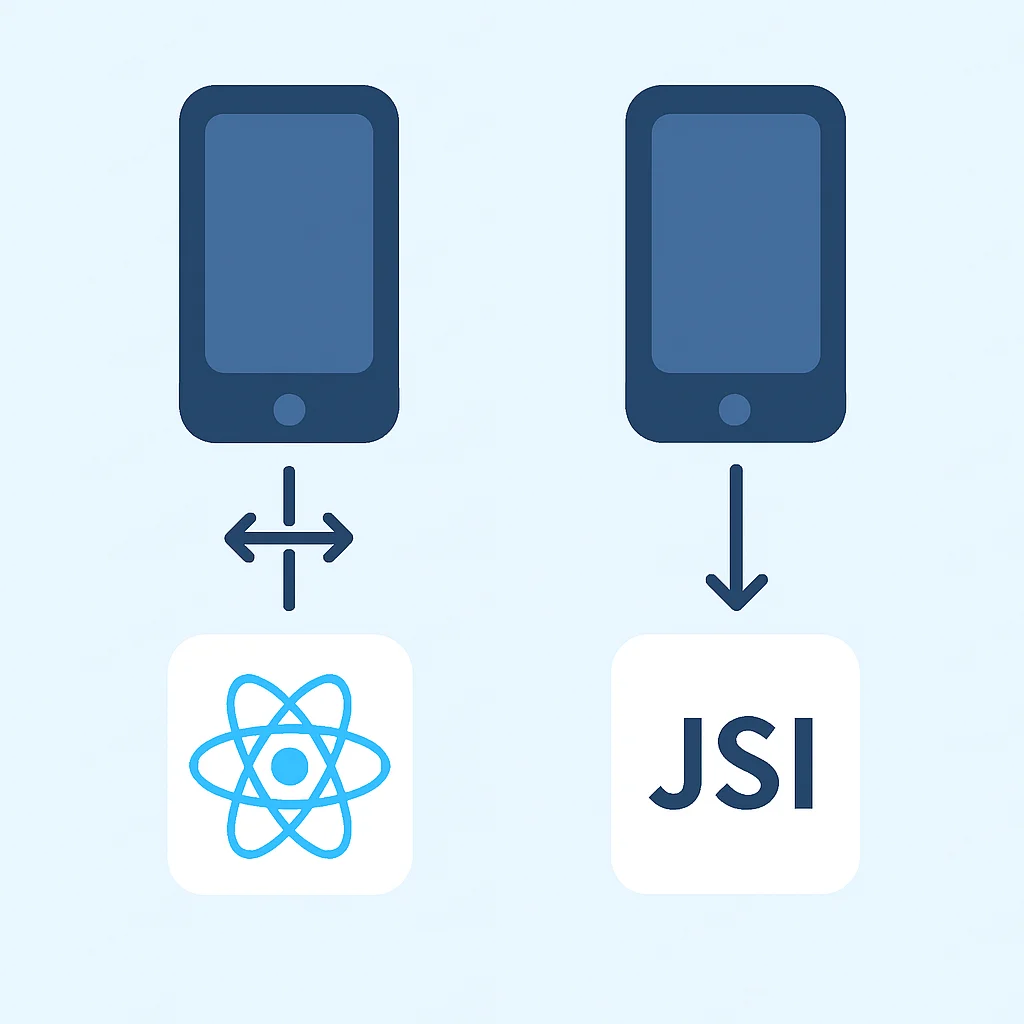
The traditional React Native bridge uses asynchronous, serialized JSON messages for communication, which can introduce overhead. JSI (JavaScript Interface) offers a direct, synchronous way for JavaScript to communicate with native modules without serialization. This drastically reduces the overhead, leading to significant performance gains, especially for frequent interactions or high-fidelity animations.
Libraries like react-native-reanimated (version 2 and above) and react-native-mmkv already leverage JSI, moving animations and data storage directly to the UI/native thread, freeing up the JS thread for other tasks. This paradigm shift is central to achieving true native performance in React Native in 2026.
3. Offloading Heavy Computations: Native Modules and Web Workers
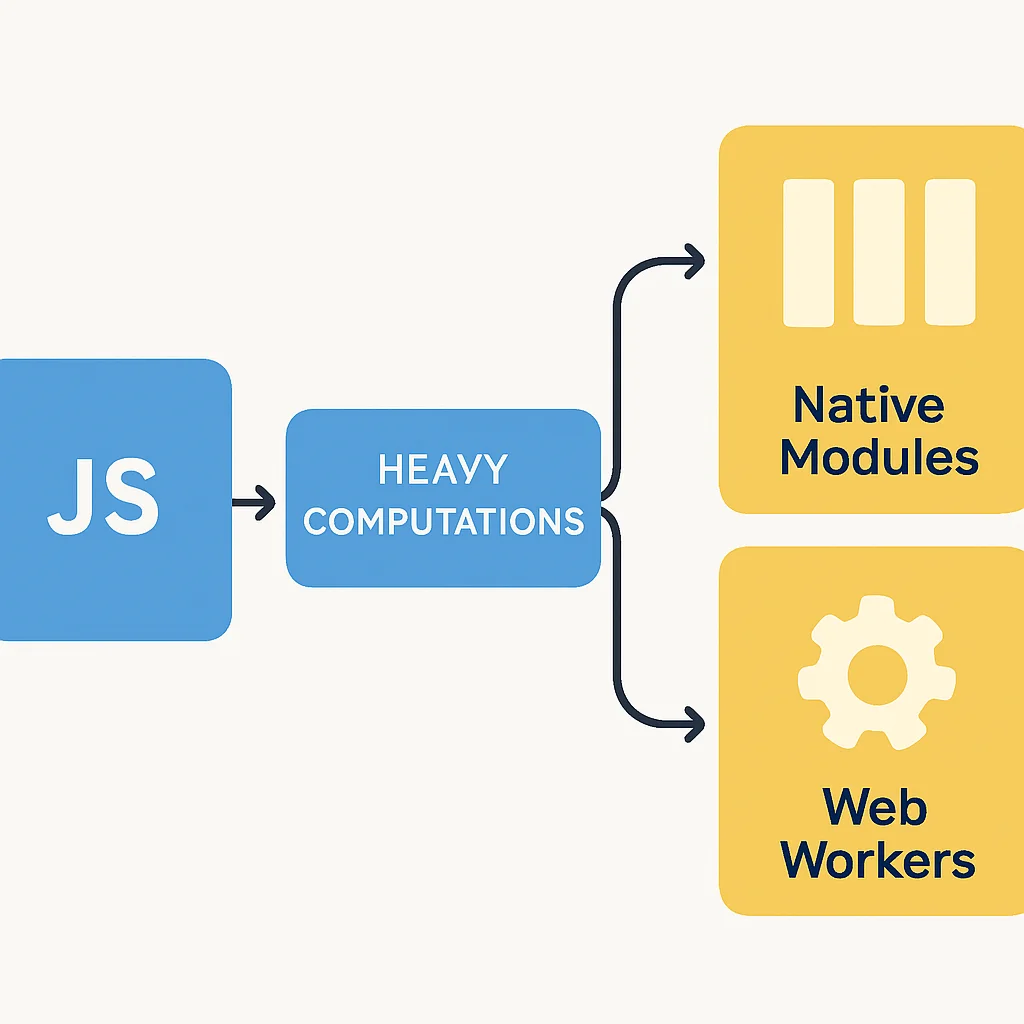
Any CPU-intensive task – complex data processing, image manipulation, cryptographic operations – performed on the JavaScript thread will block UI updates and lead to jank. For such scenarios, consider these approaches:
Native Modules: For truly performance-critical tasks, writing a native module in Java/Kotlin (Android) or Objective-C/Swift (iOS) allows you to execute code directly on the native side, often on a background thread. This is the most performant option but adds platform-specific code.
Web Workers: React Native doesn’t natively support Web Workers out of the box, but libraries like react-native-web-workers or custom implementations can provide a separate JavaScript thread for computations, preventing the main JS thread from being blocked. This is a good middle-ground for complex JS calculations that don’t require full native access.
CODE EXPLANATION
This example illustrates how to use a simple custom native module (assuming it’s already linked) to perform a heavy computation off the JavaScript thread. The JavaScript calls the native module, which executes its logic and returns the result asynchronously, keeping the UI responsive.
// In JavaScript (e.g., App.js)
import React, { useState } from 'react';
import { View, Text, Button, NativeModules, ActivityIndicator, StyleSheet } from 'react-native';

const { HeavyComputationModule } = NativeModules; // Assuming a native module named HeavyComputationModule

const App = () => {
  const [result, setResult] = useState('No computation yet');
  const [loading, setLoading] = useState(false);

  const performHeavyTask = async () => {
    setLoading(true);
    try {
      // Call the native method
      const computationResult = await HeavyComputationModule.performIntensiveTask(10000000); // Pass a large number for calculation
      setResult(`Result: ${computationResult}`);
    } catch (e) {
      console.error(e);
      setResult(`Error: ${e.message}`);
    } finally {
      setLoading(false);
    }
  };

  return (
    <View style={styles.container}>
      <Text style={styles.title}>Native Module Computation</Text>
      <Button title="Start Heavy Task" onPress={performHeavyTask} disabled={loading} />
      {loading ? (
        <ActivityIndicator size="large" color="#667eea" style={styles.indicator} />
      ) : (
        <Text style={styles.resultText}>{result}</Text>
      )}
    </View>
  );
};

const styles = StyleSheet.create({
  container: {
    flex: 1,
    justifyContent: 'center',
    alignItems: 'center',
    padding: 20,
    backgroundColor: '#f8f9fa',
  },
  title: {
    fontSize: 22,
    fontWeight: 'bold',
    color: '#212529',
    marginBottom: 30,
  },
  indicator: {
    marginTop: 20,
  },
  resultText: {
    fontSize: 18,
    marginTop: 20,
    color: '#495057',
    textAlign: 'center',
  },
});

export default App;

// Example of a simple Android Native Module (HeavyComputationModule.java)
/*
package com.yourapp;

import com.facebook.react.bridge.NativeModule;
import com.facebook.react.bridge.ReactApplicationContext;
import com.facebook.react.bridge.ReactContextBaseJavaModule;
import com.facebook.react.bridge.ReactMethod;
import com.facebook.react.bridge.Promise;

public class HeavyComputationModule extends ReactContextBaseJavaModule {
    HeavyComputationModule(ReactApplicationContext context) {
        super(context);
    }

    @Override
    public String getName() {
        return "HeavyComputationModule";
    }

    @ReactMethod
    public void performIntensiveTask(int iterations, Promise promise) {
        new Thread(new Runnable() {
            @Override
            public void run() {
                try {
                    long sum = 0;
                    for (int i = 0; i < iterations; i++) {
                        sum += i;
                    }
                    promise.resolve(sum); // Resolve the promise with the result
                } catch (Exception e) {
                    promise.reject("COMPUTATION_ERROR", e.getMessage()); // Reject on error
                }
            }
        }).start();
    }
}
*/
CORE CONTENT
Network and Data Management
Network requests are often the slowest part of any mobile application. Optimizing how your React Native app fetches, stores, and displays data from remote servers is crucial for perceived performance and overall user experience.
1. Intelligent Caching Strategies
Reducing the number of network requests and the amount of data transferred is a top priority. Implement robust caching mechanisms:
HTTP Caching: Leverage standard HTTP headers (e.g., Cache-Control, ETag, Last-Modified) on your backend to instruct clients and proxies on how to cache responses. This can prevent re-downloading entire resources if they haven’t changed.
Client-Side Data Caching: For application-specific data, use libraries like react-query, SWR, or Apollo Client (for GraphQL) which provide sophisticated caching, deduplication, and background refetching capabilities. For persistent local storage, AsyncStorage or react-native-mmkv (a JSI-backed key-value store) are excellent choices.
2. Optimistic UI Updates
When a user performs an action that requires a network request (e.g., liking a post, adding an item to a cart), update the UI immediately as if the action succeeded. Then, send the network request in the background. If the request fails, revert the UI. This provides instant feedback to the user, masking network latency and significantly improving perceived responsiveness.
CODE EXPLANATION
This example shows an optimistic UI update for a “like” button. The UI updates instantly when the user taps, and then the actual API call is made. If the API fails, the UI reverts, but the user experiences immediate feedback.
import React, { useState } from 'react';
import { View, Text, TouchableOpacity, Alert, StyleSheet } from 'react-native';
import Icon from 'react-native-vector-icons/AntDesign'; // Make sure to install react-native-vector-icons

const PostCard = ({ initialLikes, postId }) => {
  const [likes, setLikes] = useState(initialLikes);
  const [isLiked, setIsLiked] = useState(false); // Assume initial status from server

  const handleLike = async () => {
    const previousLikedState = isLiked;
    const previousLikesCount = likes;

    // Optimistically update UI
    setIsLiked(!isLiked);
    setLikes(isLiked ? likes - 1 : likes + 1);

    try {
      // Simulate API call
      const response = await new Promise((resolve, reject) => {
        setTimeout(() => {
          if (Math.random() > 0.1) { // 90% success rate
            resolve({ success: true });
          } else {
            reject(new Error('Failed to update like')); // 10% failure rate
          }
        }, 500); // Simulate network delay
      });

      if (!response.success) {
        throw new Error('API reported failure');
      }
      console.log(`Like status updated successfully for post ${postId}`);
    } catch (error) {
      // Revert UI on error
      setIsLiked(previousLikedState);
      setLikes(previousLikesCount);
      Alert.alert('Error', 'Could not update like. Please try again.');
      console.error(`Error updating like for post ${postId}:`, error);
    }
  };

  return (
    <View style={styles.card}>
      <Text style={styles.postContent}>This is a sample post content.</Text>
      <TouchableOpacity onPress={handleLike} style={styles.likeButton}>
        <Icon name={isLiked ? 'heart' : 'hearto'} size={24} color={isLiked ? '#e03131' : '#868e96'} />
        <Text style={styles.likeCount}>{likes}</Text>
      </TouchableOpacity>
    </View>
  );
};

const styles = StyleSheet.create({
  card: {
    backgroundColor: '#fff',
    borderRadius: 12,
    borderWidth: 1,
    borderColor: '#e9ecef',
    padding: 20,
    margin: 16,
    width: '90%',
    alignSelf: 'center',
  },
  postContent: {
    fontSize: 16,
    color: '#495057',
    marginBottom: 15,
  },
  likeButton: {
    flexDirection: 'row',
    alignItems: 'center',
    paddingVertical: 5,
  },
  likeCount: {
    fontSize: 16,
    color: '#495057',
    marginLeft: 8,
  },
});

export default PostCard;
3. Data Serialization and Compression
The format and size of data exchanged over the network directly impact performance. While JSON is ubiquitous, for high-performance scenarios or large data payloads, consider alternatives:
Protocol Buffers (Protobuf) or FlatBuffers: These binary serialization formats are significantly more compact and faster to parse than JSON, especially on mobile devices. They require schema definitions but can reduce network payload sizes by 3x to 10x, leading to faster data transfer and deserialization times.
GZIP/Brotli Compression: Ensure your server is configured to compress responses using GZIP or Brotli. Most modern HTTP clients and React Native’s fetch API handle decompression automatically, providing substantial bandwidth savings. This can often reduce text-based payloads by up to 70%.
PRACTICAL APPLICATION
Practical Implementation Steps: A 2026 Optimization Checklist
Now that we’ve covered the theoretical aspects and specific techniques, let’s outline a practical, step-by-step approach to integrating these optimizations into your React Native workflow in 2026.
1
Audit Your Current Performance
Before optimizing, you need to know what to optimize. Use tools like Flipper (React Native’s debugging platform), Xcode Instruments (iOS), Android Studio Profiler (Android), and React Native Performance Monitor. Identify slow startup times, frame drops, memory leaks, and excessive network requests. Establish baseline metrics for comparison.
2
Enable Hermes and New Architecture (if applicable)
For Android, ensure enableHermes=true in android/app/build.gradle. For iOS, verify Hermes is enabled in your Podfile. If your project is on a recent React Native version (0.68+), consider migrating to the New Architecture (Fabric and TurboModules) to leverage JSI fully for even greater performance gains, especially for complex UIs and native module interactions.
3
Optimize Bundle Size
Review your dependencies. Remove unused libraries. Implement tree shaking. Compress and convert images to WebP/AVIF. Explore dynamic imports for large, less-frequently accessed screens or features. Use a bundle analyzer tool (e.g., react-native-bundle-visualizer) to identify large modules.
4
Refactor UI Rendering
Adopt FlatList/ SectionList for all large lists, configuring getItemLayout and keyExtractor correctly. Memoize functional components using React.memo and stabilize function/object references with useCallback/useMemo where appropriate. Use react-native-reanimated for complex animations that run on the UI thread.
5
Optimize Network Interactions
Implement robust caching with libraries like react-query or SWR. Prioritize optimistic UI updates. Ensure your API uses efficient data formats (e.g., Protobuf) and server-side compression (GZIP/Brotli). Debounce and throttle user input to prevent excessive network calls.
6
Monitor and Iterate
Performance optimization is an ongoing process. Continuously monitor your app’s performance in production using tools like Firebase Performance Monitoring, Sentry, or custom analytics. Regularly profile your app during development and testing. Iterate on your optimizations based on real-world data and user feedback.

FAQ
Frequently Asked Questions About React Native Performance
Q. What is the single most impactful optimization for React Native apps in 2026?
A. Enabling and correctly configuring the Hermes JavaScript engine is arguably the most impactful single step, offering significant improvements in startup time, memory usage, and overall app responsiveness, especially on Android.
Q. How can I identify performance bottlenecks in my React Native app?
A. Utilize Flipper for real-time debugging and profiling, Xcode Instruments for iOS-specific issues, Android Studio Profiler for Android, and the React Native Performance Monitor. These tools help pinpoint frame drops, excessive re-renders, memory leaks, and slow network requests.
Q. Is it always better to use native modules for heavy computations?
A. For truly CPU-intensive, blocking tasks that cannot be optimized in JavaScript, native modules offer the best performance by offloading work to the native thread. However, consider Web Workers for complex JavaScript computations first, as they maintain cross-platform code and avoid the overhead of bridge communication if JSI is not fully utilized.
Q. How does the New Architecture (Fabric, TurboModules) impact performance?
A. The New Architecture, particularly Fabric and TurboModules, leverages JSI for direct, synchronous communication between JavaScript and native code, effectively eliminating the bridge bottleneck. This leads to smoother UI, faster native module calls, and reduced overhead, significantly enhancing performance for complex applications.
WRAP-UP
Conclusion: Building the Future of Mobile Experiences
The journey to a high-performing React Native application in 2026 is multifaceted, requiring a blend of architectural foresight, diligent coding practices, and continuous monitoring. From optimizing bundle sizes and leveraging advanced rendering techniques to harnessing the power of Hermes and JSI, every optimization contributes to a superior user experience. Remember that performance is not a feature to be added at the end; it’s an ongoing commitment integrated throughout the development lifecycle.
By embracing the strategies outlined in this guide, you can ensure your React Native applications not only meet but exceed the demanding expectations of today’s mobile users. The future of mobile development is fast, fluid, and responsive – and with these techniques, your Kwonglish app will be at the forefront.
Thanks for reading!
We hope this comprehensive guide helps you build exceptionally fast and responsive React Native applications. Stay tuned to Kwonglish.com for more cutting-edge development insights.
Got feedback or questions? Drop a comment below!