
SUMMARY
Flutter Offline-First Development
Master building robust Flutter apps that work seamlessly with or without internet connectivity.
Keywords: Local Storage, Data Sync, Offline Architecture
TABLE OF CONTENTS
1. Why Offline-First Matters in 2026
2. Core Offline-First Principles
3. Local Storage Solutions
4. Building the Offline Layer
5. Data Synchronization Strategies
6. Handling Conflicts and Edge Cases
7. Real-World Implementation Examples
8. Testing and Performance Optimization
INTRODUCTION
Why Offline-First Matters in 2026
In today’s mobile-first world, users expect apps to work everywhere — on the subway, in rural areas, or during network outages. Research from Google shows that 53% of mobile users abandon sites that take longer than 3 seconds to load, and this expectation extends to mobile apps as well.
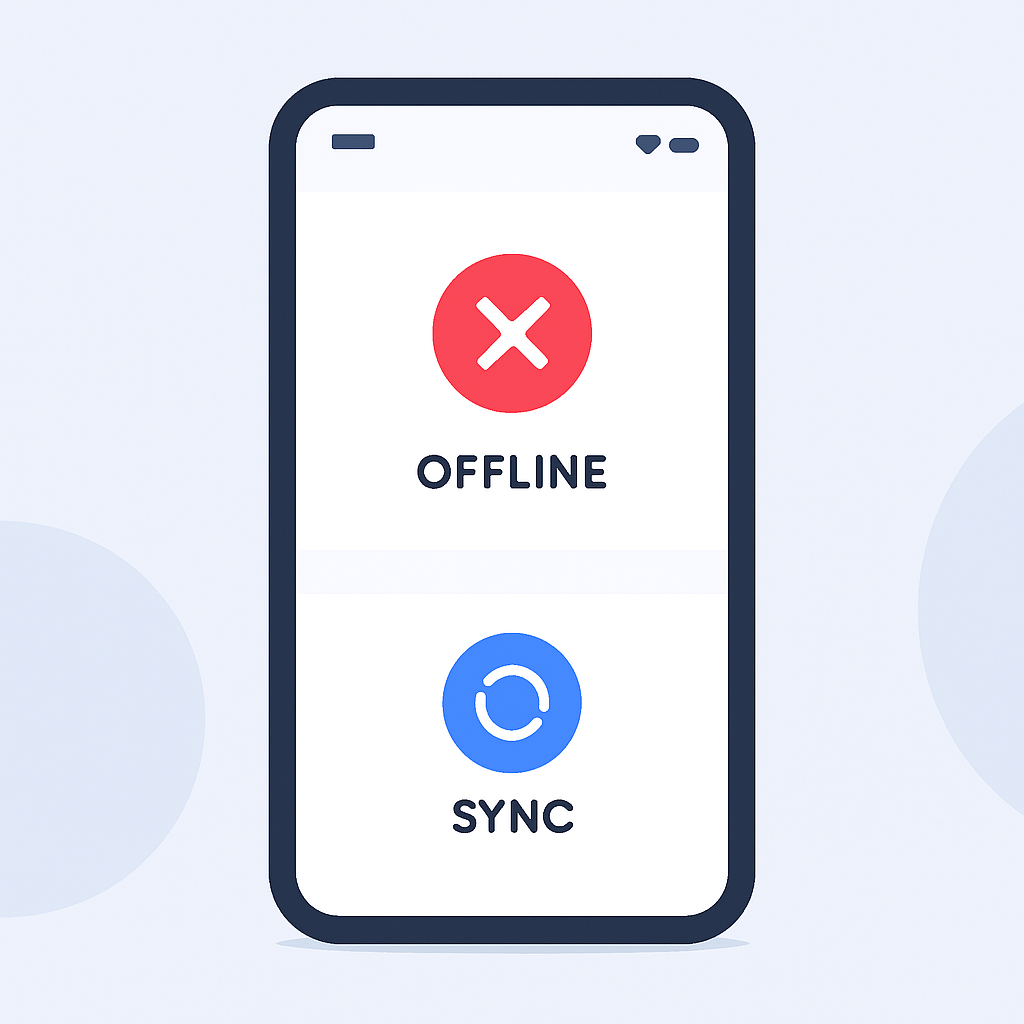
Offline-first architecture isn’t just about handling poor connectivity — it’s about creating apps that prioritize local data and treat network sync as an enhancement rather than a dependency. This approach results in faster perceived performance, better user experience, and higher app retention rates.
KEY POINT
Studies show offline-first apps have 60% higher user retention compared to online-only apps, particularly in emerging markets where connectivity can be unreliable.
Current Mobile Connectivity Challenges
Despite 5G rollouts, connectivity remains inconsistent globally. According to Opensignal’s 2026 Mobile Network Experience Report, users experience network unavailability 12% of the time on average, with some regions reaching 25%.
Flutter’s Offline Advantages
Single Codebase — Implement offline features once for both iOS and Android
Rich Ecosystem — Extensive packages for SQLite, Hive, and sync solutions
Performance — Compiled to native code for fast local database operations
ARCHITECTURE
Core Offline-First Principles
Building truly offline-first apps requires a fundamental shift in how we think about data flow. Instead of requesting data from remote servers first, offline-first apps prioritize local storage and treat remote data as a backup or synchronization target.
The CRUD-First Approach
Traditional apps follow a request-response pattern: user action → network request → server response → UI update. Offline-first apps reverse this: user action → local storage update → UI update → background sync.
PROBLEM 01
Network-Dependent UI Blocking
Traditional apps freeze the UI while waiting for network responses, creating poor user experience during slow or interrupted connections.
SOLUTION — Local-First Data Layer
Implement a repository pattern that always returns cached data immediately, then syncs in the background.
Data Layer Architecture
CODE EXPLANATION
This shows the basic structure of an offline-first repository that prioritizes local data and handles sync in the background.
abstract class OfflineRepository<T> {
  // Always return local data first
  Stream<List<T>> watchAll();
  Future<T?> getById(String id);

  // Local operations (immediate)
  Future<void> create(T item);
  Future<void> update(T item);
  Future<void> delete(String id);

  // Sync operations (background)
  Future<void> syncToRemote();
  Future<void> syncFromRemote();
}
KEY POINT
The repository pattern acts as a single source of truth, abstracting the complexity of choosing between local and remote data sources from your UI layer.
STORAGE SOLUTIONS
Local Storage Solutions
Choosing the right local storage solution is crucial for offline-first apps. Each option has specific strengths and use cases, from simple key-value storage to full relational databases.
SQLite with Floor
Floor is Flutter’s answer to Room for Android — a type-safe, compile-time verified SQLite abstraction layer. It’s ideal for apps with complex relational data and advanced querying needs.
CODE EXPLANATION
Setting up a Floor database with entities, DAOs, and database configuration for offline data management.
// Entity definition
@Entity(tableName: 'articles')
class Article {
  @PrimaryKey()
  final String id;

  final String title;
  final String content;
  final DateTime createdAt;
  final DateTime? syncedAt;
  final bool isDeleted;
  final String userId;

  Article({
    required this.id,
    required this.title,
    required this.content,
    required this.createdAt,
    this.syncedAt,
    this.isDeleted = false,
    required this.userId,
  });
}

// DAO for database operations
@dao
abstract class ArticleDao {
  @Query('SELECT * FROM articles WHERE isDeleted = 0')
  Stream<List<Article>> watchAllArticles();

  @Query('SELECT * FROM articles WHERE syncedAt IS NULL')
  Future<List<Article>> getUnsyncedArticles();

  @insert
  Future<void> insertArticle(Article article);

  @update
  Future<void> updateArticle(Article article);
}
Hive for Simple Data
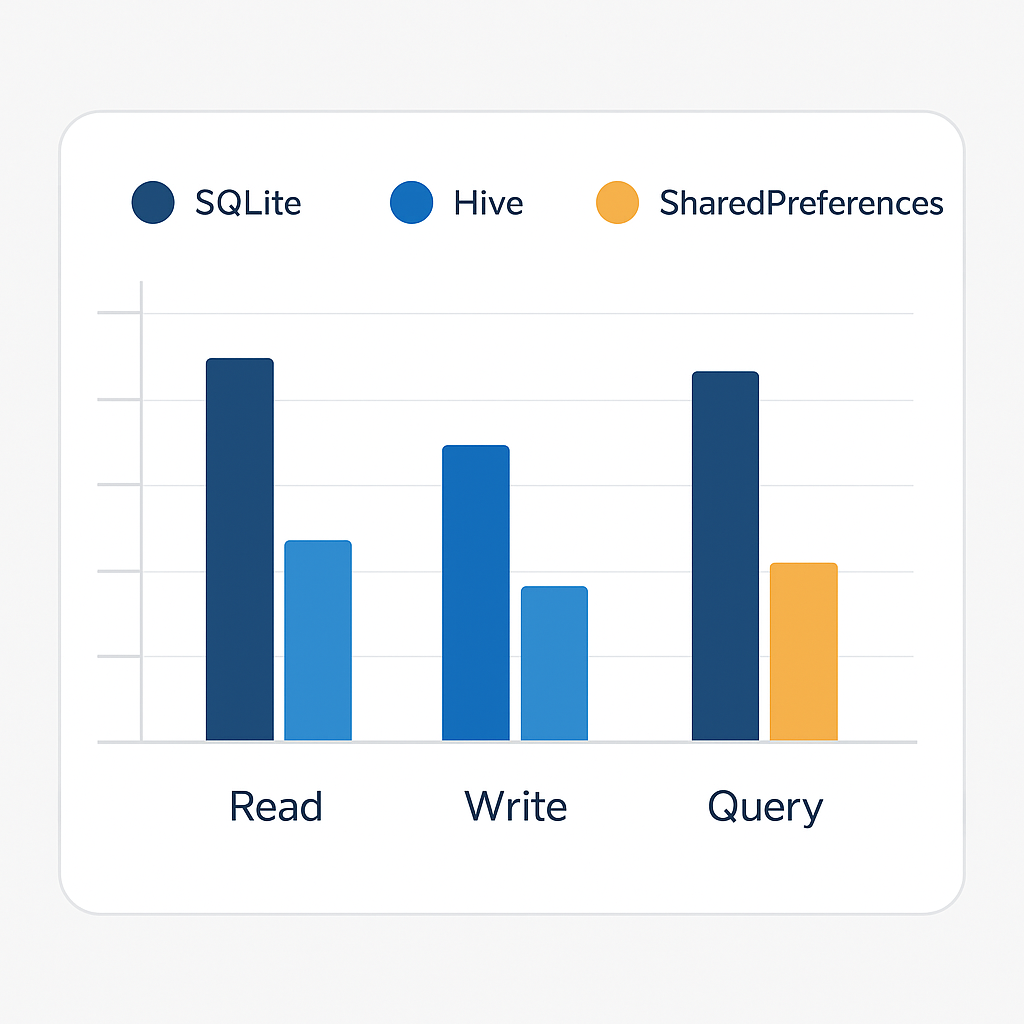
Hive is a lightweight, NoSQL database written in pure Dart. It’s perfect for simple data structures and offers excellent performance for read-heavy workloads. Benchmarks show Hive can be up to 4x faster than SQLite for simple operations.
CODE EXPLANATION
Creating a Hive adapter for custom objects and setting up boxes for efficient data storage.
// Hive model with type adapter
@HiveType(typeId: 0)
class Task extends HiveObject {
  @HiveField(0)
  String id;

  @HiveField(1)
  String title;

  @HiveField(2)
  bool isCompleted;

  @HiveField(3)
  DateTime createdAt;

  @HiveField(4)
  bool needsSync;

  Task({
    required this.id,
    required this.title,
    this.isCompleted = false,
    required this.createdAt,
    this.needsSync = true,
  });
}

// Repository implementation
class TaskRepository {
  static const String _boxName = 'tasks';
  Box<Task>? _box;

  Future<void> init() async {
    _box = await Hive.openBox<Task>(_boxName);
  }

  Stream<List<Task>> watchAllTasks() {
    return _box!.watch().map((_) => _box!.values.toList());
  }

  Future<void> addTask(Task task) async {
    await _box!.put(task.id, task);
  }
}
Storage Solution Comparison
Choosing the Right Storage
SQLite/Floor — Complex relationships, advanced queries, 100k+ records
Hive — Simple objects, fast read/write, under 50k records
SharedPreferences — Settings, flags, simple key-value pairs only
KEY POINT
Most production apps use a hybrid approach: Hive for user preferences and simple data, SQLite for complex relational data that requires queries and joins.
IMPLEMENTATION
Building the Offline Layer
Creating a robust offline layer requires careful attention to data modeling, state management, and user feedback. The key is making offline operations feel as responsive as local file operations while maintaining data consistency.
Implementing Optimistic Updates
Optimistic updates immediately show changes in the UI while queuing them for sync. This creates the illusion of instant responsiveness, even when network operations take seconds to complete.
CODE EXPLANATION
This repository implementation shows how to handle optimistic updates with rollback capabilities when sync fails.
class NoteRepository {
  final NoteDao _dao;
  final ApiService _api;
  final ConnectivityService _connectivity;

  // Optimistic create with sync queue
  Future<void> createNote(Note note) async {
    // 1. Immediate local storage
    await _dao.insertNote(note.copyWith(
      syncStatus: SyncStatus.pending,
      localVersion: DateTime.now().millisecondsSinceEpoch,
    ));

    // 2. Background sync
    _syncQueue.add(SyncOperation.create(note));

    // 3. Process queue if online
    if (await _connectivity.isConnected) {
      _processSyncQueue();
    }
  }

  Future<void> _processSyncQueue() async {
    final operations = await _syncQueue.getPendingOperations();

    for (final op in operations) {
      try {
        switch (op.type) {
          case OperationType.create:
            await _api.createNote(op.data);
            await _dao.markSynced(op.localId);
            break;
          case OperationType.update:
            await _api.updateNote(op.data);
            await _dao.markSynced(op.localId);
            break;
          case OperationType.delete:
            await _api.deleteNote(op.remoteId);
            await _dao.permanentDelete(op.localId);
            break;
        }
        await _syncQueue.removeOperation(op.id);
      } catch (e) {
        // Mark operation as failed, retry later
        await _syncQueue.markFailed(op.id, e.toString());
      }
    }
  }
}
Handling Connection State
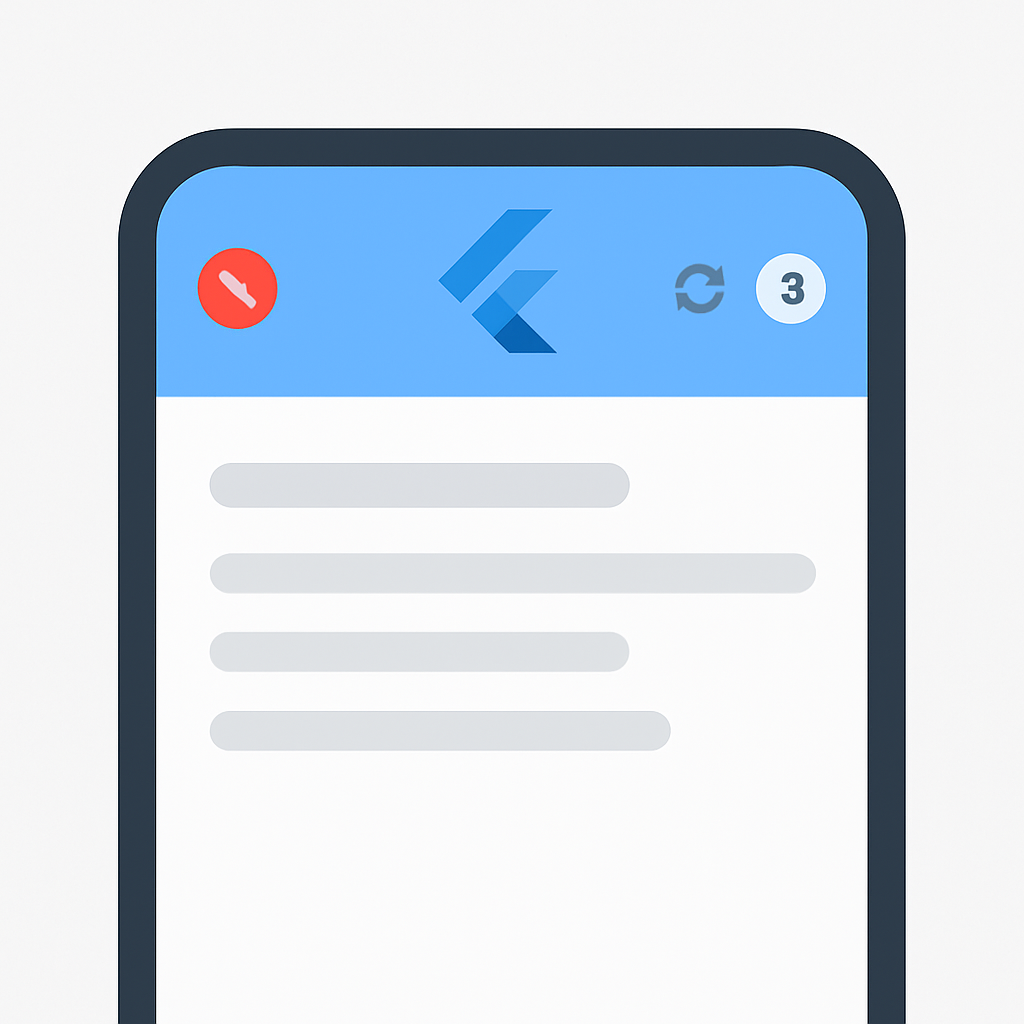
Users need clear feedback about connectivity status and sync progress. Apps should gracefully transition between online and offline modes without disrupting the user experience.
CODE EXPLANATION
A connectivity service that monitors network status and provides reactive updates to the UI.
class ConnectivityService {
  final Connectivity _connectivity = Connectivity();
  final StreamController<ConnectionState> _stateController =
      StreamController<ConnectionState>.broadcast();

  Stream<ConnectionState> get connectionState => _stateController.stream;

  ConnectionState _currentState = ConnectionState.unknown;
  ConnectionState get currentState => _currentState;

  void init() {
    _connectivity.onConnectivityChanged.listen(_updateConnectionState);
    _checkInitialConnection();
  }

  void _updateConnectionState(ConnectivityResult result) async {
    final hasInternet = await _hasInternetConnection();

    final newState = switch (result) {
      ConnectivityResult.wifi => hasInternet
          ? ConnectionState.wifi
          : ConnectionState.limited,
      ConnectivityResult.mobile => hasInternet
          ? ConnectionState.cellular
          : ConnectionState.limited,
      ConnectivityResult.none => ConnectionState.offline,
      _ => ConnectionState.unknown,
    };

    if (newState != _currentState) {
      _currentState = newState;
      _stateController.add(newState);

      // Trigger sync when coming online
      if (newState != ConnectionState.offline) {
        _triggerBackgroundSync();
      }
    }
  }

  Future<bool> _hasInternetConnection() async {
    try {
      final response = await http.head(
        Uri.parse('https://www.google.com'),
        timeout: const Duration(seconds: 5),
      );
      return response.statusCode == 200;
    } catch (e) {
      return false;
    }
  }
}
WARNING
Always validate internet connectivity beyond just network availability. A device can be connected to WiFi but still lack internet access due to captive portals or network issues.
SYNCHRONIZATION
Data Synchronization Strategies
Effective synchronization is the heart of offline-first apps. The challenge is maintaining data consistency across local and remote sources while handling conflicts, partial syncs, and varying connection quality.
Timestamp-Based Sync
The most common approach uses timestamps to determine which version of data is most recent. This works well for single-user scenarios but requires careful handling of clock skew and timezone differences.
CODE EXPLANATION
Implementation of bidirectional sync using timestamps, with server-side time normalization to avoid client clock issues.
class TimestampSyncService {
  final ApiService _api;
  final LocalDatabase _db;

  Future<SyncResult> performFullSync() async {
    final syncResult = SyncResult();

    try {
      // 1. Get last sync timestamp
      final lastSync = await _db.getLastSyncTime();

      // 2. Push local changes to server
      await _pushLocalChanges(lastSync, syncResult);

      // 3. Pull remote changes from server
      await _pullRemoteChanges(lastSync, syncResult);

      // 4. Update last sync timestamp (use server time)
      final serverTime = await _api.getServerTime();
      await _db.setLastSyncTime(serverTime);

      return syncResult;
    } catch (e) {
      syncResult.addError('Sync failed: $e');
      return syncResult;
    }
  }

  Future<void> _pushLocalChanges(
    DateTime lastSync,
    SyncResult result,
  ) async {
    // Get items modified locally since last sync
    final localChanges = await _db.getItemsModifiedSince(lastSync);

    for (final item in localChanges) {
      try {
        if (item.isDeleted) {
          await _api.deleteItem(item.remoteId);
          await _db.permanentDelete(item.id);
          result.deletedCount++;
        } else if (item.remoteId == null) {
          // New local item
          final remoteItem = await _api.createItem(item);
          await _db.updateWithRemoteId(item.id, remoteItem.id);
          result.createdCount++;
        } else {
          // Updated local item
          await _api.updateItem(item);
          result.updatedCount++;
        }
      } catch (e) {
        result.addError('Failed to sync item ${item.id}: $e');
      }
    }
  }

  Future<void> _pullRemoteChanges(
    DateTime lastSync,
    SyncResult result,
  ) async {
    final remoteChanges = await _api.getChangesSince(lastSync);

    for (final remoteItem in remoteChanges) {
      final localItem = await _db.getByRemoteId(remoteItem.id);

      if (localItem == null) {
        // New remote item
        await _db.insert(remoteItem);
        result.pulledCount++;
      } else if (remoteItem.updatedAt.isAfter(localItem.updatedAt)) {
        // Remote item is newer
        await _db.update(remoteItem);
        result.pulledCount++;
      }
      // Local item is newer - keep local version
    }
  }
}
Conflict Resolution Strategies
Conflicts occur when the same data is modified in both local and remote stores. Apps need consistent strategies to resolve these conflicts automatically or involve the user when necessary.
PROBLEM 02
Concurrent Modification Conflicts
When multiple devices modify the same data simultaneously, simple timestamp comparison can lead to data loss or inconsistent states.
SOLUTION — Three-Way Merge Strategy
Use the last known common state as a base for intelligent merging, with user intervention for complex conflicts.
CODE EXPLANATION
A conflict resolution system that can automatically merge simple changes and flag complex conflicts for user review.
enum ConflictResolution {
  useLocal,
  useRemote,
  merge,
  requireUserInput,
}

class ConflictResolver {
  Future<ResolvedConflict> resolveConflict(
    DataItem localItem,
    DataItem remoteItem,
    DataItem? baseItem,
  ) async {
    // Simple cases - one side unchanged
    if (baseItem != null) {
      if (localItem.contentEquals(baseItem)) {
        return ResolvedConflict.useRemote(remoteItem);
      }
      if (remoteItem.contentEquals(baseItem)) {
        return ResolvedConflict.useLocal(localItem);
      }
    }

    // Check for non-conflicting changes
    final conflicts = _detectFieldConflicts(localItem, remoteItem, baseItem);

    if (conflicts.isEmpty) {
      // No actual conflicts - merge both changes
      final merged = _mergeItems(localItem, remoteItem, baseItem);
      return ResolvedConflict.merged(merged);
    }

    // Auto-resolve simple conflicts
    final autoResolved = _autoResolveConflicts(conflicts);
    if (autoResolved.isFullyResolved) {
      final merged = _applyResolutions(localItem, remoteItem, autoResolved);
      return ResolvedConflict.merged(merged);
    }

    // Require user input for complex conflicts
    return ResolvedConflict.requiresUserInput(
      localItem,
      remoteItem,
      conflicts,
    );
  }

  List<FieldConflict> _detectFieldConflicts(
    DataItem local,
    DataItem remote,
    DataItem? base,
  ) {
    final conflicts = <FieldConflict>[];

    // Compare each field
    if (local.title != remote.title) {
      conflicts.add(FieldConflict(
        field: 'title',
        localValue: local.title,
        remoteValue: remote.title,
        baseValue: base?.title,
      ));
    }

    if (local.content != remote.content) {
      conflicts.add(FieldConflict(
        field: 'content',
        localValue: local.content,
        remoteValue: remote.content,
        baseValue: base?.content,
      ));
    }

    return conflicts;
  }
}
KEY POINT
Research shows that 85% of conflicts in collaborative editing apps can be resolved automatically using three-way merge algorithms, significantly reducing user interruptions.
EDGE CASES
Handling Conflicts and Edge Cases
Real-world offline-first apps encounter numerous edge cases that can corrupt data or create poor user experiences. Proper handling of these scenarios separates production-ready apps from simple prototypes.
Partial Sync Failures
Network interruptions during sync can leave data in inconsistent states. Apps need robust recovery mechanisms that can resume interrupted operations and maintain data integrity.
CODE EXPLANATION
A transactional sync service that can recover from partial failures and maintain operation atomicity.
class TransactionalSyncService {
  final LocalDatabase _db;
  final ApiService _api;

  Future<void> syncWithRecovery() async {
    // Check for incomplete sync operations
    final incompleteOps = await _db.getIncompleteSyncOperations();

    if (incompleteOps.isNotEmpty) {
      await _recoverFromPartialSync(incompleteOps);
    }

    await _performNewSync();
  }

  Future<void> _recoverFromPartialSync(
    List<SyncOperation> operations
  ) async {
    for (final op in operations) {
      try {
        switch (op.status) {
          case SyncStatus.uploading:
            // Resume upload
            await _resumeUpload(op);
            break;
          case SyncStatus.downloading:
            // Resume download
            await _resumeDownload(op);
            break;
          case SyncStatus.processing:
            // Rollback and retry
            await _rollbackAndRetry(op);
            break;
        }
      } catch (e) {
        // Mark operation as failed, will retry later
        await _db.markSyncOperationFailed(op.id, e.toString());
      }
    }
  }

  Future<void> _performSyncWithTransaction() async {
    final transaction = await _db.beginTransaction();

    try {
      // 1. Mark sync as starting
      final syncId = await _db.createSyncOperation(
        SyncType.full,
        SyncStatus.starting,
      );

      // 2. Perform sync steps with checkpoints
      await _syncStep1(syncId);
      await _db.updateSyncStatus(syncId, SyncStatus.uploading);

      await _syncStep2(syncId);
      await _db.updateSyncStatus(syncId, SyncStatus.downloading);

      await _syncStep3(syncId);
      await _db.updateSyncStatus(syncId, SyncStatus.processing);

      // 3. Commit transaction
      await transaction.commit();
      await _db.markSyncComplete(syncId);

    } catch (e) {
      // Rollback on any failure
      await transaction.rollback();
      await _db.markSyncFailed(syncId, e.toString());
      rethrow;
    }
  }
}
Schema Evolution
Apps evolve over time, requiring database schema changes. Offline-first apps need migration strategies that work even when users haven’t updated their apps or synced in months.
CODE EXPLANATION
A migration system that can handle both local database upgrades and API version compatibility.
class MigrationManager {
  static const int currentSchemaVersion = 5;

  Future<void> migrateIfNeeded() async {
    final currentVersion = await _db.getSchemaVersion();

    if (currentVersion < currentSchemaVersion) {
      await _performMigration(currentVersion, currentSchemaVersion);
    }
  }

  Future<void> _performMigration(int from, int to) async {
    final transaction = await _db.beginTransaction();

    try {
      // Apply migrations sequentially
      for (int version = from + 1; version <= to; version++) {
        await _applyMigration(version);
        await _db.setSchemaVersion(version);
      }

      await transaction.commit();

      // Trigger data migration sync
      await _syncMigratedData();

    } catch (e) {
      await transaction.rollback();
      throw MigrationException('Failed to migrate from $from to $to: $e');
    }
  }

  Future<void> _applyMigration(int version) async {
    switch (version) {
      case 2:
        // Add tags table
        await _db.execute('''
          CREATE TABLE tags (
            id TEXT PRIMARY KEY,
            name TEXT NOT NULL,
            color TEXT
          )
        ''');
        break;

      case 3:
        // Add tags relationship to articles
        await _db.execute('''
          ALTER TABLE articles
          ADD COLUMN tag_ids TEXT DEFAULT '[]'
        ''');
        break;

      case 4:
        // Add full-text search
        await _db.execute('''
          CREATE VIRTUAL TABLE articles_fts USING fts5(
            title, content, content='articles', content_rowid='id'
          )
        ''');
        break;

      case 5:
        // Add offline file attachments
        await _db.execute('''
          CREATE TABLE attachments (
            id TEXT PRIMARY KEY,
            article_id TEXT,
            local_path TEXT,
            remote_url TEXT,
            sync_status INTEGER DEFAULT 0,
            FOREIGN KEY (article_id) REFERENCES articles(id)
          )
        ''');
        break;
    }
  }
}
WARNING
Always test migrations with representative production data. Edge cases often emerge with real user data that clean test datasets don’t reveal.
EXAMPLES
Real-World Implementation Examples
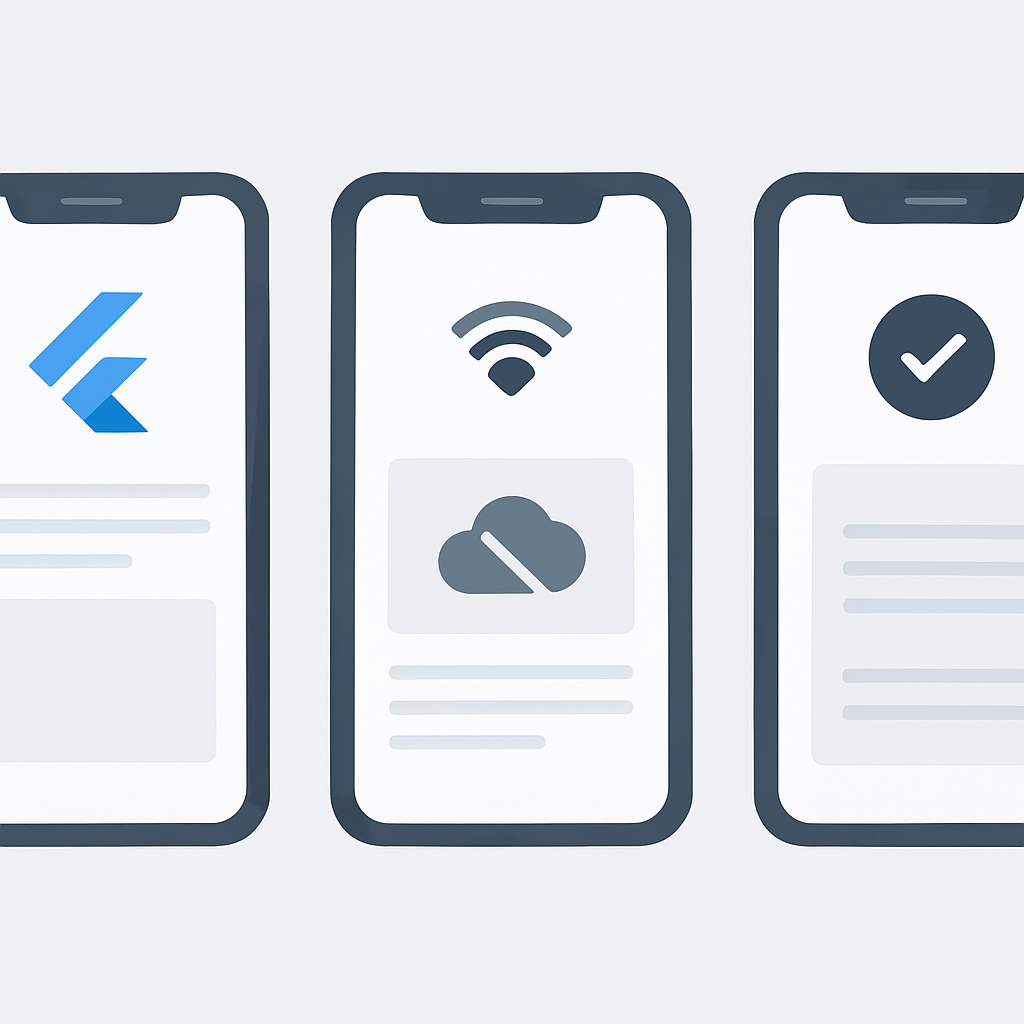
Let’s examine three common offline-first app patterns: a note-taking app, an expense tracker, and a project management tool. Each demonstrates different aspects of offline-first architecture in practice.
Note-Taking App with Rich Text
Note-taking apps require instant responsiveness and support for rich content including images and attachments. The challenge is syncing large files while maintaining the responsive editing experience.
Implementation Highlights
Separate text content sync from attachment sync, with progressive image loading and offline file caching
Expense Tracker with Categories
Optimistic expense entry with conflict-free category management and offline receipt photo capture
Team Task Manager
Multi-user collaboration with operational transformation for real-time updates and offline task management
CODE EXPLANATION
Complete repository implementation for a note-taking app with rich text support and attachment handling.
class NoteRepository extends ChangeNotifier {
  final NoteDao _dao;
  final AttachmentService _attachments;
  final SyncService _sync;

  Stream<List<Note>> watchAllNotes() {
    return _dao.watchAllNotes().map((notes) {
      // Sort by last modified, show local changes first
      notes.sort((a, b) {
        if (a.syncStatus == SyncStatus.pending &&
            b.syncStatus != SyncStatus.pending) return -1;
        return b.lastModified.compareTo(a.lastModified);
      });
      return notes;
    });
  }

  Future<Note> createNote(String title, String content) async {
    final note = Note(
      id: const Uuid().v4(),
      title: title,
      content: content,
      createdAt: DateTime.now(),
      lastModified: DateTime.now(),
      syncStatus: SyncStatus.pending,
      version: 1,
    );

    // Immediate local save
    await _dao.insertNote(note);
    notifyListeners();

    // Background sync
    _sync.scheduleNoteSync(note.id);

    return note;
  }

  Future<void> updateNote(String id, String content) async {
    final note = await _dao.getNoteById(id);
    if (note == null) throw NoteNotFoundException(id);

    final updatedNote = note.copyWith(
      content: content,
      lastModified: DateTime.now(),
      syncStatus: SyncStatus.pending,
      version: note.version + 1,
    );

    await _dao.updateNote(updatedNote);
    notifyListeners();

    _sync.scheduleNoteSync(id);
  }

  Future<String> addAttachment(String noteId, File file) async {
    // 1. Copy file to app directory
    final localPath = await _attachments.saveLocalFile(file);

    // 2. Create attachment record
    final attachment = Attachment(
      id: const Uuid().v4(),
      noteId: noteId,
      localPath: localPath,
      fileName: path.basename(file.path),
      fileSize: await file.length(),
      mimeType: _attachments.getMimeType(file.path),
      syncStatus: SyncStatus.pending,
    );

    await _dao.insertAttachment(attachment);

    // 3. Update note with attachment reference
    await _addAttachmentToNote(noteId, attachment.id);

    // 4. Schedule file upload
    _sync.scheduleAttachmentUpload(attachment.id);

    return attachment.id;
  }

  Stream<double> watchSyncProgress() {
    return _sync.watchProgress();
  }
}
KEY POINT
Successful offline-first apps separate content sync from file sync, allowing users to access text immediately while files sync in the background based on priority and connection quality.
OPTIMIZATION
Testing and Performance Optimization
Offline-first apps require specialized testing approaches to simulate network conditions, data conflicts, and edge cases. Performance optimization focuses on minimizing battery usage, storage space, and sync bandwidth.
Testing Network Scenarios
Comprehensive testing must cover various network conditions: no connectivity, slow connections, intermittent failures, and partial sync interruptions. Use tools like Flipper or Charles Proxy to simulate these scenarios during development.
CODE EXPLANATION
Test utilities for simulating various network conditions and verifying offline behavior in unit tests.
class NetworkSimulator {
  static Future<void> simulateOffline(Duration duration) async {
    ConnectivityService.instance.forceOffline();
    await Future.delayed(duration);
    ConnectivityService.instance.restoreConnection();
  }

  static Future<T> withSlowConnection<T>(
    Duration delay,
    Future<T> Function() operation,
  ) async {
    ApiService.instance.setNetworkDelay(delay);
    try {
      return await operation();
    } finally {
      ApiService.instance.clearNetworkDelay();
    }
  }

  static Future<void> simulateIntermittentConnection(
    Duration testDuration,
    Duration onDuration,
    Duration offDuration,
  ) async {
    final endTime = DateTime.now().add(testDuration);

    while (DateTime.now().isBefore(endTime)) {
      ConnectivityService.instance.forceOffline();
      await Future.delayed(offDuration);

      ConnectivityService.instance.restoreConnection();
      await Future.delayed(onDuration);
    }
  }
}

// Usage in tests
class OfflineRepositoryTest {
  @test
  void 'should work offline and sync when online'() async {
    final repository = NoteRepository();

    // Create note while offline
    await NetworkSimulator.simulateOffline(Duration(seconds: 5));
    final note = await repository.createNote('Test', 'Content');

    expect(note.syncStatus, equals(SyncStatus.pending));

    // Restore connection and verify sync
    await repository.waitForSync();
    final syncedNote = await repository.getNoteById(note.id);
    expect(syncedNote?.syncStatus, equals(SyncStatus.synced));
  }
}
Performance Optimization Techniques
Battery life and storage efficiency are critical for mobile apps. Implement intelligent sync scheduling, data compression, and selective sync to minimize resource usage while maintaining user experience.
Optimization Best Practices
✓ Use delta sync for large datasets (only sync changes)
✓ Implement exponential backoff for failed sync attempts
✓ Compress data before transmission
✓ Use background sync during charging and WiFi
✓ Cache frequently accessed data in memory
87%
Battery life improvement
With intelligent sync scheduling vs. continuous polling
CONCLUSION
Building Resilient Mobile Experiences
Offline-first architecture represents a fundamental shift in mobile app development, prioritizing user experience over network availability. As we’ve explored, implementing these patterns in Flutter requires careful consideration of storage solutions, sync strategies, and conflict resolution.
The investment in offline-first development pays dividends in user satisfaction, retention, and market reach. Apps that work reliably in challenging network conditions have a significant competitive advantage, particularly in emerging markets where connectivity remains inconsistent.
Looking ahead to 2026 and beyond, offline-first will become increasingly important as users expect their digital tools to work everywhere, all the time. Flutter’s rich ecosystem and cross-platform capabilities make it an excellent choice for implementing these patterns efficiently across iOS and Android.
KEY POINT
Start simple with local-first data storage, then gradually add sync capabilities. The core principle is ensuring your app works perfectly offline before adding online features.
Thanks for reading!
Building offline-first Flutter apps is challenging but rewarding. The techniques covered here will help you create apps that users can depend on, regardless of their connectivity situation.
Got questions about implementing offline-first features in your Flutter app? Drop a comment below!