
SUMMARY
App Store Optimization (ASO) for Indie Developers in 2026
Unlock your app’s full potential with a comprehensive ASO guide tailored for indie developers in 2026.
Keywords: ASO Strategy, Mobile App Marketing, Indie Dev Success
TABLE OF CONTENTS
1. The Crucial Role of ASO for Indie Devs in 2026
2. Mastering Keyword Research & Strategy for App Visibility
3. Dissecting App Store Ranking Factors: Apple vs. Google Play
4. Optimizing Visual Assets and Conversion Rates
5. Overcoming ASO Challenges with Smart Solutions
6. A Step-by-Step ASO Implementation Guide
7. The Future of ASO: Trends and Outlook for Indie Developers
8. Frequently Asked Questions about ASO
INTRODUCTION
The Crucial Role of ASO for Indie Devs in 2026
In the vast, ever-expanding digital landscape of 2026, where millions of mobile applications compete for user attention, standing out is no longer an option—it’s a necessity. For indie developers, who often operate with limited marketing budgets and resources, the challenge is even greater. This is where App Store Optimization (ASO) steps in as a critical, cost-effective strategy to ensure your brilliant app doesn’t get lost in the shuffle.
Think of ASO as Search Engine Optimization (SEO) for mobile app stores like Apple’s App Store and Google Play. Its primary goal is to improve an app’s visibility within these stores, increase organic downloads, and ultimately, boost conversion rates. In 2026, with an estimated 8.9 million apps across both major platforms, the competition is fiercer than ever. Data from Sensor Tower in late 2025 indicated that over 60% of all app downloads originate from organic searches within the app stores. This statistic alone underscores why a robust ASO strategy is not just beneficial, but absolutely fundamental for indie developers aiming for success.
Without effective ASO, even the most innovative and well-designed app can struggle to gain traction. Users can’t download what they can’t find. For indie developers, every download counts, and maximizing organic visibility translates directly into reduced user acquisition costs and a stronger foundation for growth. This guide will break down the essential components of ASO, providing actionable insights and strategies specifically tailored to the unique challenges and opportunities faced by indie developers in the current year, 2026.
KEY POINT
ASO is the most impactful and cost-efficient marketing channel for indie developers in 2026, driving over 60% of organic app downloads by enhancing visibility and discoverability in crowded app stores.
CORE CONTENT
Mastering Keyword Research & Strategy for App Visibility
The foundation of any successful ASO strategy is meticulous keyword research. Just like with web SEO, understanding what terms users type into the search bar to find apps is paramount. For indie developers, this process needs to be strategic, focusing on achievable rankings rather than highly competitive, generic terms.
Understanding Keyword Types and Their Impact
Keywords can be broadly categorized into brand, generic, and long-tail. While brand keywords are specific to your app (e.g., “Kwonglish App”), generic keywords are broad and highly competitive (e.g., “game,” “productivity”). Long-tail keywords, like “free offline puzzle game” or “habit tracker for students,” are less competitive, more specific, and often convert better because they reflect a user’s clear intent. As an indie developer, prioritize long-tail and mid-tail keywords where you have a realistic chance to rank.
Strategic Keyword Research Techniques
Here’s a breakdown of how to approach keyword research:
1. Brainstorming: Start by thinking like your target user. What problems does your app solve? What features does it offer? If you were looking for an app like yours, what would you type? Include synonyms, common misspellings, and related concepts. For a meditation app, think “mindfulness,” “stress relief,” “sleep aid,” “daily calm,” etc.
2. Competitor Analysis: Analyze top-performing apps in your niche. What keywords are they ranking for? Look at their app titles, subtitles/short descriptions, and full descriptions. Tools like App Annie, Sensor Tower, or ASOdesk offer competitor insights, though some features are behind paywalls. Even manual observation can yield valuable terms.
3. App Store Suggestions: When you type a keyword into the App Store or Google Play search bar, the autocomplete suggestions are goldmines. These are real search queries users are making. For example, typing “photo editor” might suggest “photo editor free,” “photo editor pro,” “photo editor collage.”
4. Keyword Metrics Assessment: Evaluate keywords based on three main metrics:
- • Search Volume: How often is a keyword searched? Higher volume means more potential traffic.
- • Difficulty/Competition: How hard is it to rank for this keyword? High difficulty for generic terms, lower for long-tail.
- • Relevance: How closely related is the keyword to your app’s core functionality? High relevance is key for conversion.
For indie devs, the sweet spot is keywords with moderate search volume, low-to-medium difficulty, and high relevance. Aim for top 10 rankings on less competitive terms rather than being buried on page 100 for a hyper-competitive one.
On-Page vs. Off-Page Keyword Strategy
On-Page ASO: This refers to optimizing elements directly within your app store listing. Key areas for keyword integration include:
- • App Title: Crucial. Include your most important, high-relevance keywords here. For example, if your app is a task manager, “TaskMaster: To-Do List & Planner” is better than just “TaskMaster.”
- • Subtitle (App Store) / Short Description (Google Play): Another prime location for keywords. Use secondary, yet highly relevant, terms.
- • Keyword Field (App Store): Apple provides a dedicated 100-character field for keywords. Use this wisely, separating terms with commas and avoiding repetition.
- • Long Description: Google Play heavily indexes the long description, so naturally weave in your target keywords multiple times. Apple’s algorithm pays less attention to this for keyword ranking but it’s vital for conversion.
Off-Page ASO: While less directly about keywords, off-page factors like ratings, reviews, and download velocity indirectly influence keyword rankings. Positive reviews often contain keywords that app store algorithms pick up on. Encourage users to leave reviews and provide feedback.
CODE EXPLANATION
This simulated JSON data represents a hypothetical output from a basic ASO keyword research tool, showcasing relevant metrics for a few keywords. It highlights the importance of balancing search volume, competition, and relevance.
{
  "app_name": "ZenFocus",
  "target_keywords": [
    {
      "keyword": "meditation timer",
      "search_volume_score": 65,
      "competition_score": 40,
      "relevance_score": 90,
      "priority": "High"
    },
    {
      "keyword": "stress relief app",
      "search_volume_score": 70,
      "competition_score": 55,
      "relevance_score": 85,
      "priority": "Medium"
    },
    {
      "keyword": "mindfulness exercises",
      "search_volume_score": 50,
      "competition_score": 30,
      "relevance_score": 95,
      "priority": "Very High"
    },
    {
      "keyword": "daily calm guide",
      "search_volume_score": 45,
      "competition_score": 25,
      "relevance_score": 88,
      "priority": "High"
    },
    {
      "keyword": "sleep aid",
      "search_volume_score": 80,
      "competition_score": 75,
      "relevance_score": 60,
      "priority": "Low"
    }
  ],
  "recommendations": "Focus on 'mindfulness exercises' and 'meditation timer' due to high relevance and manageable competition. 'Sleep aid' is too competitive and less relevant for core functionality."
}
In the example above, “mindfulness exercises” has a lower search volume but also significantly lower competition and very high relevance, making it an excellent target for an indie meditation app. “Sleep aid” might have higher search volume, but its high competition and moderate relevance make it a less efficient target for a nascent app.
KEY POINT
Indie developers should prioritize long-tail and mid-tail keywords with moderate search volume, low-to-medium competition, and high relevance to achieve top rankings and drive qualified organic traffic.

CORE CONTENT
Dissecting App Store Ranking Factors: Apple vs. Google Play
While the overarching goal of ASO is consistent across platforms, the specific ranking algorithms and optimal strategies for Apple’s App Store and Google Play Store have distinct differences. Understanding these nuances is crucial for indie developers to tailor their ASO efforts effectively in 2026.
Apple App Store Ranking Factors (iOS)
Apple’s algorithm prioritizes direct keyword matching and velocity metrics. Here’s what matters most:
- • App Name (Title): The single most influential factor. Limited to 30 characters. Include your primary, highest-impact keywords here. For example, “BudgetPal: Expense Tracker & Finance” is highly optimized.
- • Subtitle: A secondary title, limited to 30 characters. Use this for additional important keywords that couldn’t fit in the App Name.
- • Keyword Field: A dedicated 100-character field (not visible to users) to list additional keywords, separated by commas. Avoid repeating keywords already in the App Name or Subtitle.
- • Ratings & Reviews: High ratings (4.5+ stars) and a steady stream of positive reviews significantly boost ranking. Apple considers both quantity and quality.
- • Download Velocity: The rate at which your app is downloaded. A surge in downloads signals relevance to Apple’s algorithm. This is crucial for new apps.
- • App Engagement: Factors like retention rate, daily active users (DAU), and sessions per user indicate app quality and user satisfaction. Apple favors apps that keep users engaged.
- • In-App Purchases (IAPs): While not a direct ranking factor, popular IAPs can indicate app quality and user value, potentially influencing visibility.
Google Play Store Ranking Factors (Android)
Google’s algorithm is more akin to web SEO, heavily relying on keyword density within the description and a broader range of behavioral metrics:
- • App Title: Limited to 30 characters. Like Apple, this is critical for primary keywords.
- • Short Description: Limited to 80 characters. This is the first text users see. Crucial for secondary keywords and a compelling call to action.
- • Full Description: Up to 4000 characters. Google heavily indexes this. Strategically (but naturally) integrate your target keywords 3-5 times each, especially in the first and last paragraphs.
- • Ratings & Reviews: Similar to Apple, but Google also considers the keywords used within review texts themselves. Actively respond to reviews to show engagement.
- • Download Velocity & Volume: High download numbers and sustained growth are strong signals.
- • App Engagement: Uninstall rate, crashes, ANRs (Application Not Responding), and user retention are heavily weighted. A high uninstall rate can severely penalize rankings.
- • Backlinks: While not directly ASO, external links from high-authority websites pointing to your Google Play Store listing can indirectly boost its perceived authority.
- • Localization: Translating your listing (title, description, visuals) for different regions can significantly expand your reach and improve local rankings.
Key ASO Differences (2026)
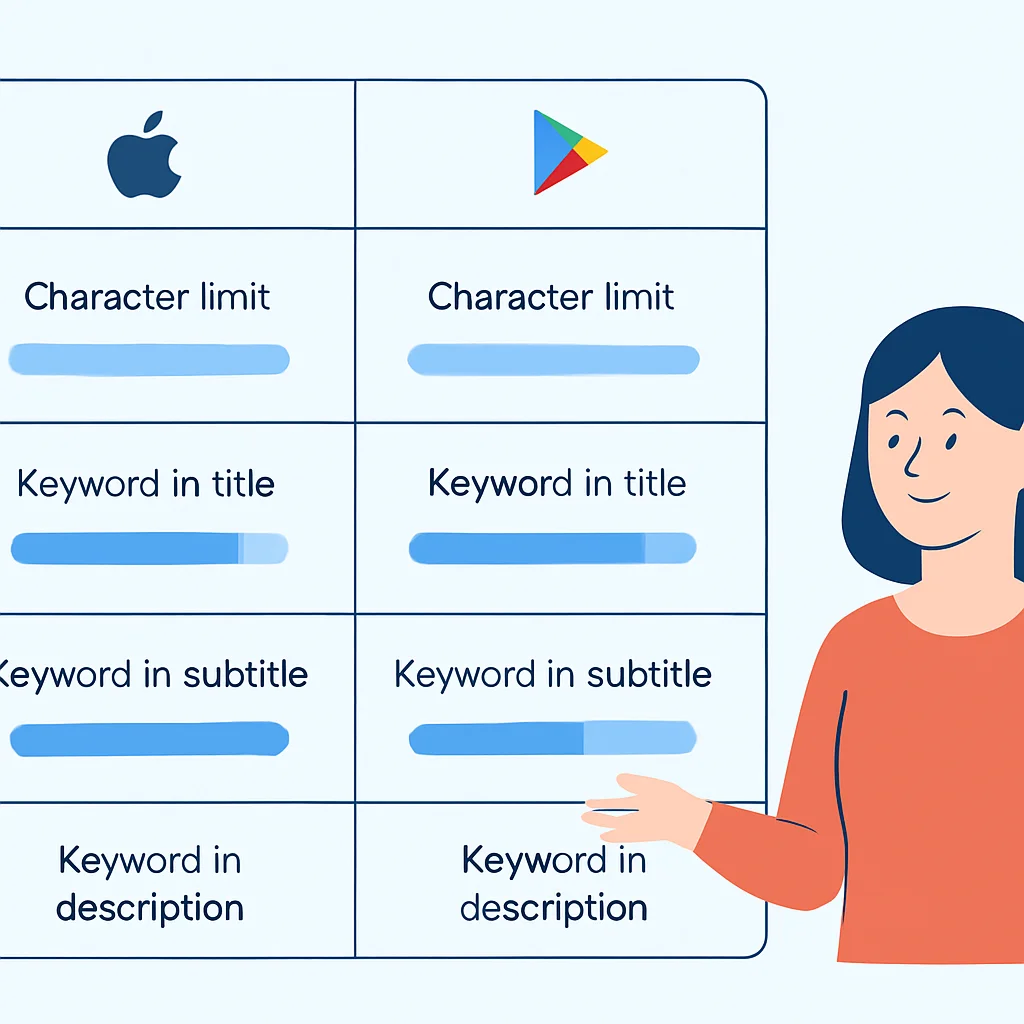
Keyword Integration — Apple emphasizes direct fields (Title, Subtitle, Keyword Field); Google heavily weighs keyword density in the Full Description.
Character Limits — Apple Title (30), Subtitle (30), Keyword Field (100); Google Title (30), Short Description (80), Full Description (4000).
Behavioral Metrics — Both consider ratings, reviews, and engagement, but Google places a stronger emphasis on uninstalls and technical performance metrics.
For indie developers, this means a dual-pronged approach. For the App Store, be concise and impactful with keywords in the title, subtitle, and keyword field. For Google Play, leverage the longer description to build keyword richness while maintaining readability and value for users. Both platforms demand a high-quality, engaging app to sustain long-term ASO success.
CORE CONTENT
Optimizing Visual Assets and Conversion Rates
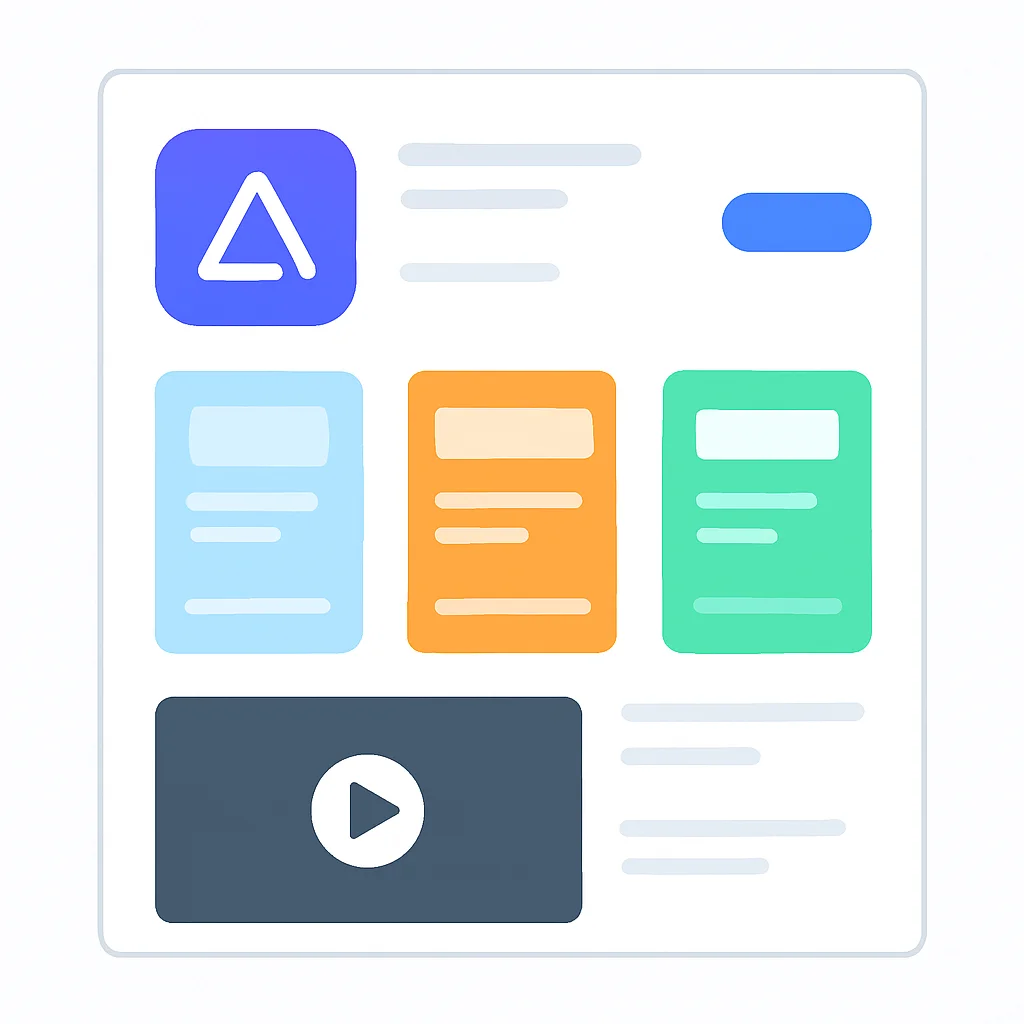
While keywords drive discoverability, visual assets are the primary drivers of conversion. Once a user finds your app, your icon, screenshots, and app preview video are what convince them to tap “Get” or “Install.” For indie developers, investing in high-quality visuals is non-negotiable, even on a tight budget.
The Power of Your App Icon
Your app icon is often the very first visual impression. It needs to be recognizable, unique, and representative of your app’s core function. In 2026, clean, minimalist designs often outperform cluttered ones. Test different icon designs with small user groups or A/B testing platforms like Google Play’s store listing experiments. A compelling icon can increase tap-through rates from search results by 10-20%.
Screenshots: Your Visual Storytellers
Screenshots are critical for showcasing your app’s user interface, key features, and overall experience. Both App Store and Google Play allow multiple screenshots (up to 10 for App Store, 8 for Google Play). Here’s how to optimize them:
- • Highlight Key Features: Each screenshot should highlight a distinct feature or benefit. Use captions to explain what the user is seeing and why it’s valuable.
- • First Three are Crucial: On mobile devices, typically only the first 2-3 screenshots are visible without scrolling. Make these your absolute best, most compelling visuals.
- • Orientation Consistency: Decide on portrait or landscape and stick with it. Mixing orientations can look unprofessional.
- • Localization: Translate screenshot captions for different regional markets.
- • Dark Mode/Light Mode: If your app supports both, consider showcasing it in your screenshots.
App Preview Videos: Dynamic Engagement
App preview videos (up to 3 for App Store, 1 for Google Play) are powerful tools for demonstration. They can significantly increase conversion rates, with some studies showing a 20-30% uplift when a high-quality video is present.
- • Short & Sweet: Keep videos under 30 seconds. The first 5-10 seconds are critical for hooking viewers.
- • Show, Don’t Tell: Demonstrate the app’s core functionality and user experience. Avoid splash screens or lengthy intros.
- • No Voiceover: Videos often autoplay without sound. Use on-screen text overlays to convey key messages.
- • Call to Action: End with a clear call to action, even if it’s just showing the app icon and name.
A/B Testing for Continuous Improvement
Indie developers should leverage A/B testing tools, especially Google Play’s built-in Store Listing Experiments. Test different icons, screenshot orders, captions, and short descriptions. Even minor tweaks, like changing a screenshot’s caption, can lead to a 5-10% improvement in conversion. Over time, these incremental gains accumulate into significant growth.
KEY POINT
High-quality, optimized visual assets (icon, screenshots, video) are crucial for converting app store visitors into downloads, with A/B testing being essential for continuous improvement in 2026.
PROBLEM SOLVING
Overcoming ASO Challenges with Smart Solutions
Limited Budget for ASO Tools and Resources
Many powerful ASO tools (Sensor Tower, App Annie, MobileAction) come with hefty subscription fees, making them inaccessible for most indie developers. This creates a significant barrier to effective keyword research and competitive analysis.
SOLUTION — Leverage Free Resources and Manual Analysis
Indie developers can still conduct effective ASO with minimal investment. Utilize free versions of ASO tools for basic insights. Manually check app store search suggestions for keyword ideas. Analyze competitor app titles, subtitles, and descriptions by simply browsing the stores. Google Play’s built-in Store Listing Experiments are free and invaluable for A/B testing visual assets and short descriptions. Focus on highly relevant, long-tail keywords that larger competitors might overlook due to lower search volume. This ‘scrappy’ approach, while more time-consuming, is highly effective.
Struggling with Low Initial Downloads and Reviews
New apps, especially from indie developers, often face the chicken-and-egg problem: they need downloads and reviews to rank, but they can’t get downloads without ranking. This makes it difficult to gain initial momentum and signal relevance to app store algorithms.
SOLUTION — Strategic Launch and Community Engagement
Before launch, cultivate a small community of beta testers or early adopters through social media, developer forums (e.g., Reddit’s r/gamedev, r/indiedev), or your personal network. On launch day, encourage these early users to download your app and leave honest reviews. Offer a small incentive (e.g., a free unlock) for feedback, but never for positive reviews specifically. Promote your app on relevant online communities, tech blogs, and social media channels to drive initial traffic. Consider a small, targeted paid ad campaign to kickstart downloads, focusing on specific keywords you want to rank for. Even 50-100 initial downloads and 5-10 positive reviews can make a significant difference in signaling to the app stores that your app is legitimate and valuable.

PRACTICAL APPLICATION
A Step-by-Step ASO Implementation Guide
Define Your Target Audience & Core Value
Before any ASO, clearly articulate who your app is for and what unique problem it solves. This foundational understanding will guide all your keyword choices and messaging. For example, if your app is a minimalist habit tracker for busy professionals, your keywords and visuals should reflect efficiency and professional development.
Conduct Thorough Keyword Research
Utilize brainstorming, competitor analysis, and app store suggestions to generate a comprehensive list of potential keywords. Filter these based on relevance, estimated search volume, and competition. Prioritize long-tail keywords where you can realistically rank. Aim for a primary keyword, 2-3 secondary keywords, and 5-10 supporting terms. Keep a spreadsheet to track your chosen keywords and their performance.
Optimize Your App Store Listing Text
Integrate your chosen keywords naturally into your app’s metadata. For Apple: App Name (30 chars), Subtitle (30 chars), and the 100-character Keyword Field. For Google Play: App Title (30 chars), Short Description (80 chars), and Full Description (4000 chars). Ensure descriptions are compelling and clearly communicate benefits, not just features. Avoid keyword stuffing, which can hurt your ranking.
Design High-Converting Visual Assets
Create an appealing and distinctive app icon. Design screenshots that highlight your app’s best features, using clear captions. Consider creating a short (15-30 second) app preview video that demonstrates the app in action. Use tools like Canva (for graphics) or free video editors if your budget is tight. Always aim for clarity and visual impact.
Monitor, Iterate, and Localize
ASO is an ongoing process. Monitor your keyword rankings and download trends regularly. Utilize Google Play’s Store Listing Experiments to A/B test your icon, screenshots, and short description. Update your keywords and descriptions periodically (e.g., every 3-6 months) to reflect new features or market trends. If targeting international markets, localize your entire listing, including text and visuals, to maximize global reach. Small, consistent improvements yield significant results over time.
KEY POINT
A structured, iterative approach to ASO, from defining your app’s core to continuous monitoring and localization, is key for indie developers to achieve and maintain visibility in 2026.

Frequently Asked Questions about ASO
Q. How long does it take to see results from ASO efforts?
ASO is a long-term strategy, not a quick fix. You might start seeing initial improvements in keyword rankings within a few weeks, but significant increases in organic downloads and sustained visibility typically take 3-6 months of consistent effort and optimization.
Q. Should I prioritize ASO for Apple App Store or Google Play Store first?
It largely depends on your target audience and their dominant device usage. If you have data indicating a stronger user base on one platform, start there. Otherwise, it’s advisable to optimize for both, tailoring your approach to each store’s specific algorithm, as outlined in this guide.
Q. How often should I update my app’s ASO elements?
It’s recommended to review and potentially update your keywords and descriptions every 3-6 months, or whenever you release significant app updates or new features. Visual assets like screenshots and videos should also be refreshed periodically, especially if A/B testing reveals better-performing alternatives.
Q. Can ASO help monetize my app?
Indirectly, yes. By increasing your app’s visibility and driving more qualified organic downloads, ASO expands your potential user base. More users mean more opportunities for in-app purchases, subscriptions, or ad revenue, thus directly contributing to your app’s overall monetization success.
WRAP-UP
The Future of ASO: Trends and Outlook for Indie Developers
As we navigate through 2026, the landscape of App Store Optimization continues to evolve, presenting both new challenges and exciting opportunities for indie developers. The core principles of ASO—discoverability and conversion—remain steadfast, but the methods to achieve them are becoming increasingly sophisticated.
Emerging Trends in ASO for 2026
- • AI-Powered ASO Tools: Expect more accessible AI-driven tools that can analyze app store data, predict keyword performance, and even suggest optimized text and visual elements, democratizing advanced ASO for indie devs.
- • Hyper-Personalization: App stores are increasingly using machine learning to personalize search results and recommendations. This means focusing on user intent and niche keywords will be even more critical.
- • Focus on User Experience (UX) Signals: Beyond downloads, app stores are heavily weighting post-install metrics like retention, crash rates, and user ratings. A quality app with excellent UX is the ultimate ASO strategy.
- • Interactive App Previews: We might see more interactive elements in app store listings, allowing users to “try before they buy” directly from the store page, making your initial app experience even more vital.
- • Voice Search Optimization: With the rise of voice assistants, optimizing for natural language queries (e.g., “app to track my fitness”) will become a niche but growing area of ASO.
For indie developers, the message is clear: ASO is not a one-time task but a continuous journey of optimization and adaptation. By staying informed about these trends and consistently applying the strategies outlined in this guide, you can significantly enhance your app’s visibility, attract a loyal user base, and achieve sustainable success in the competitive app market of 2026.
Pros of Strong ASO for Indie Devs
✓ Significantly reduces user acquisition costs by boosting organic downloads.
✓ Increases app discoverability and visibility among millions of apps.
✓ Attracts high-quality users with clear intent, leading to better retention.
✓ Provides a sustainable, long-term marketing strategy.
✓ Empowers indie developers to compete with larger studios effectively.
Cons/Challenges of ASO
✗ Requires continuous effort and monitoring; not a one-time setup.
✗ Can be time-consuming, especially for manual research on a budget.
✗ Algorithm changes can necessitate rapid adaptation.
✗ Initial results can be slow, requiring patience and persistence.
Thanks for reading!
We hope this comprehensive guide empowers you to master App Store Optimization and drive your app’s success in 2026.
Got questions or your own ASO tips? Drop a comment below and join the Kwonglish community!