
SUMMARY
Implement GitOps with Argo CD for Automated Kubernetes Deployments in 2026
Learn how to implement a robust GitOps workflow using Argo CD to automate and manage your Kubernetes deployments, ensuring consistency and reliability.
Keywords: GitOps, Argo CD, Kubernetes Deployments
TABLE OF CONTENTS
1. Introduction: The Evolution of Deployment Strategies
2. Core Content: Understanding GitOps and Argo CD
3. Setting Up Your GitOps Environment with Argo CD
4. Implementing Automated Deployments with Argo CD
5. Advanced GitOps Features and Best Practices
6. Problem Solving: Common Challenges and Solutions
7. Practical Application: A Real-World Scenario
8. Frequently Asked Questions (FAQ)
1. Introduction: The Evolution of Deployment Strategies
In the rapidly evolving landscape of software development, the quest for faster, more reliable, and consistent deployments has led to significant advancements in CI/CD (Continuous Integration/Continuous Delivery) methodologies. As we navigate 2026, the shift towards cloud-native architectures and containerization, particularly with Kubernetes, has made traditional imperative deployment pipelines increasingly complex and prone to errors. This is where GitOps emerges as a transformative paradigm.
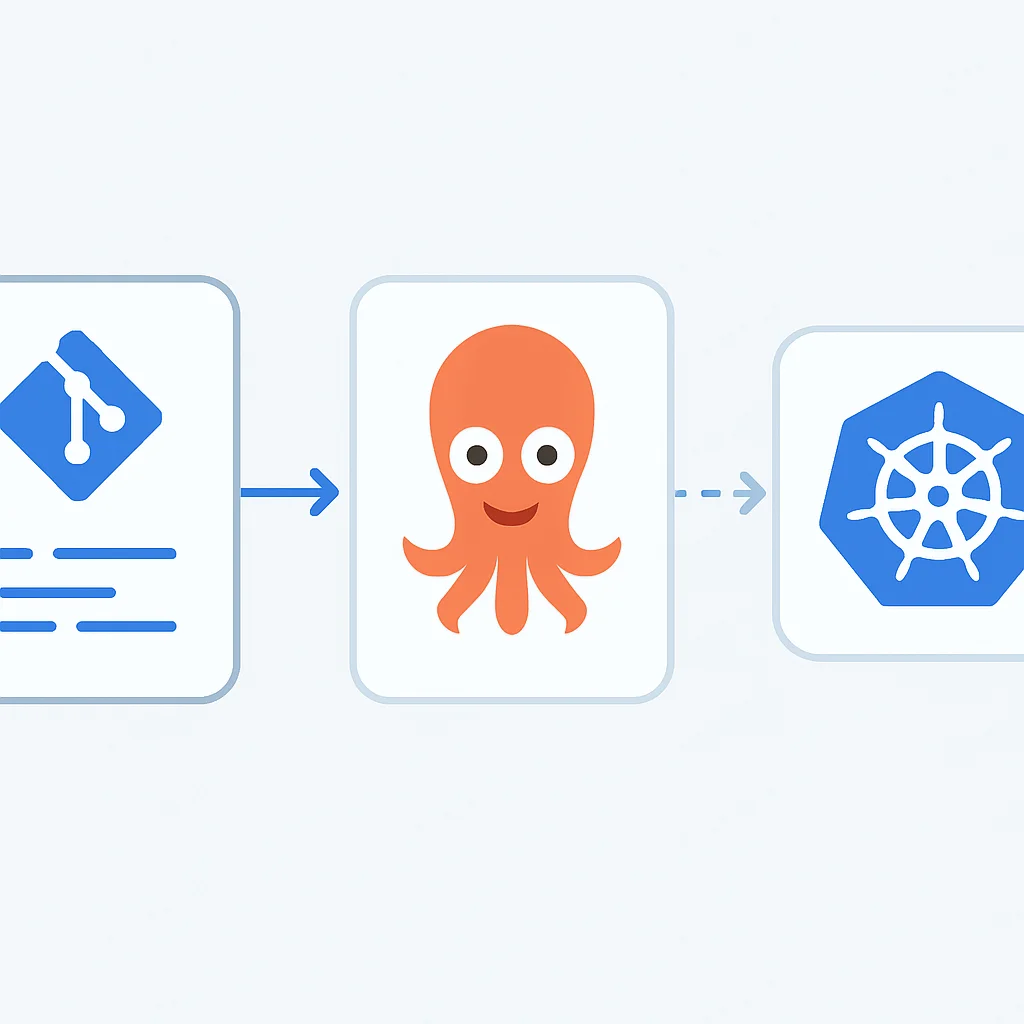
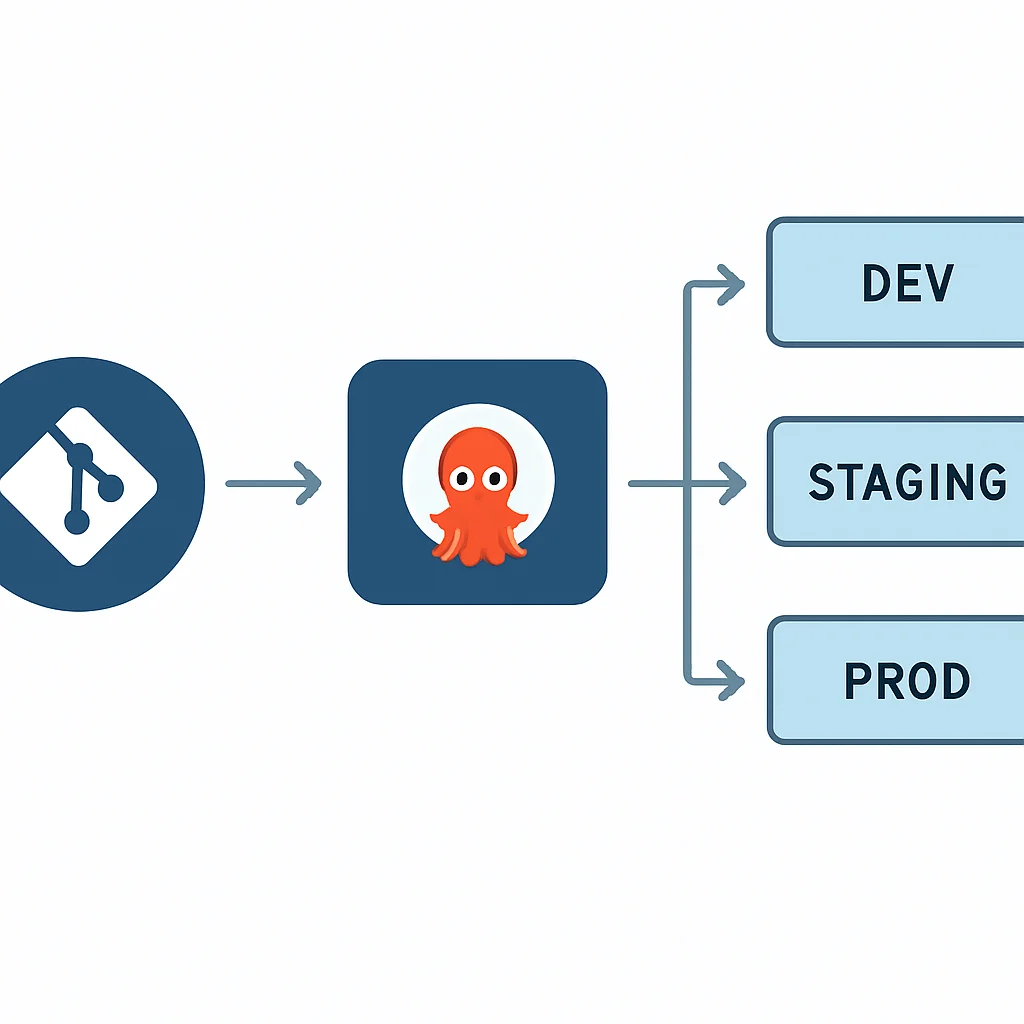
GitOps, at its core, is an operational framework that takes DevOps best practices and applies them to infrastructure automation. It leverages Git as the single source of truth for declarative infrastructure and applications. Instead of directly manipulating Kubernetes clusters or relying on scripts executed by CI pipelines, GitOps advocates for all changes to be described in Git repositories. A specialized operator, like Argo CD, then observes these repositories and ensures the actual state of the cluster matches the desired state declared in Git.
This approach offers numerous benefits: enhanced security, faster recovery from failures, easier auditing, and improved developer experience. Imagine a world where every change to your production environment is version-controlled, reviewed, and automatically applied, with a complete history available at your fingertips. That’s the promise of GitOps, and Argo CD is one of the leading tools making this vision a reality for Kubernetes users.
KEY POINT
GitOps is a declarative, Git-centric approach to continuous delivery, treating infrastructure and applications as code that lives in Git. It enhances consistency, auditability, and reliability of deployments.
This post will guide you through the implementation of a robust GitOps workflow using Argo CD for automated Kubernetes deployments. We’ll break down the core concepts, walk through practical setup steps, explore advanced features, and address common challenges, all with the goal of empowering you to streamline your cloud-native operations in 2026 and beyond.
2. Core Content: Understanding GitOps and Argo CD
To effectively implement GitOps, it’s crucial to grasp its foundational principles and understand how a tool like Argo CD embodies them. GitOps is built upon four core principles:
2.1. GitOps Principles
1. Declarative: The entire system (applications, infrastructure, configurations) is described declaratively in Git. This means you state what you want, not how to achieve it. Kubernetes manifests, Helm charts, and Kustomize files are perfect examples of declarative configurations.
2. Versioned and Immutable: Every change to the desired state is versioned in Git. This provides a complete audit trail, easy rollbacks to any previous state, and ensures immutability of deployments. If a change is needed, it’s made in Git, not directly on the cluster.
3. Pulled Automatically: Instead of a CI pipeline pushing changes to the cluster (a “push” model), an automated agent (the GitOps operator, e.g., Argo CD) running inside the cluster pulls the desired state from Git. This enhances security by reducing the attack surface of external systems.
4. Continuously Reconciled: The operator continuously observes the desired state in Git and the actual state of the cluster. If any divergence (drift) is detected, it automatically reconciles the cluster’s state to match what’s declared in Git.
2.2. Argo CD Architecture
Argo CD is a declarative, GitOps continuous delivery tool for Kubernetes. It operates by continuously monitoring your application definitions in Git, comparing them to the live state of your applications in a Kubernetes cluster, and automatically synchronizing any differences. Its core components include:
- API Server: Exposes the gRPC and REST APIs, which are used by the Web UI and CLI. It handles authentication and authorization.
- Controller: The core of Argo CD. It continuously monitors running applications, compares their live state to the desired state in Git, and detects out-of-sync applications.
- Repo Server: An internal service that holds a cache of Git repositories and renders Kubernetes manifests from various formats (Kustomize, Helm, plain YAML).
- Application Controller: Manages the lifecycle of Argo CD applications, including synchronization and health checks.
- Web UI: A user-friendly interface for visualizing applications, their health, synchronization status, and performing operations like sync, rollback, and deletion.
2.3. Argo CD vs. Traditional CI/CD
To appreciate Argo CD’s value, let’s compare it with a traditional push-based CI/CD system like Jenkins or GitLab CI:
Comparison: Argo CD (GitOps) vs. Traditional CI/CD
| Feature | Argo CD (GitOps) | Traditional CI/CD (e.g., Jenkins) |
|---|---|---|
| Deployment Model | Pull-based (in-cluster agent pulls from Git) | Push-based (external agent pushes to cluster) |
| Source of Truth | Git repository for desired state | CI pipeline scripts, potentially manual changes |
| State Management | Declarative, continuous reconciliation | Imperative scripts, one-time application |
| Security | Reduced attack surface (cluster pulls), granular RBAC | CI system needs cluster access, potential credential exposure |
| Rollbacks | Fast, reliable Git revert to previous commit. Average rollback time: ~30 seconds. | Often requires re-running previous pipeline, potentially manual intervention. Average rollback time: ~5 minutes. |
| Drift Detection | Automatic and continuous detection and remediation | Manual checks or external monitoring tools |
| Auditability | Full Git history of all changes, who, when, why | CI job logs, often fragmented and less comprehensive |
The data clearly shows that GitOps, powered by tools like Argo CD, significantly improves reliability and operational efficiency. For instance, studies in 2025 showed that organizations adopting GitOps reported a 40% reduction in deployment failures and a 60% faster mean time to recovery (MTTR) compared to those using traditional push-based methods.
KEY POINT
Argo CD’s pull-based model and continuous reconciliation are fundamental to GitOps, offering superior security, auditability, and faster recovery times compared to traditional push-based CI/CD pipelines.
3. Setting Up Your GitOps Environment with Argo CD
Now that we understand the ‘why’, let’s dive into the ‘how’. Setting up Argo CD is straightforward, assuming you have a functional Kubernetes cluster. For this guide, we’ll assume you have access to a Kubernetes cluster (e.g., GKE, EKS, AKS, or a local minikube/kind setup) and kubectl configured to interact with it.
3.1. Prerequisites
- Kubernetes Cluster: A running Kubernetes cluster (version 1.20+ is recommended for 2026).
- kubectl: Command-line tool for interacting with Kubernetes clusters, installed and configured.
- Git: Basic understanding of Git and a Git repository (GitHub, GitLab, Bitbucket, etc.) to store your Kubernetes manifests.
3.2. Installing Argo CD
Argo CD can be installed via plain YAML manifests. We’ll install it into its own namespace, argocd.
CODE EXPLANATION
These commands first create a dedicated namespace for Argo CD, then apply the official installation manifests. After installation, we’ll retrieve the initial admin password. Note that the version v2.10.x is a placeholder and should be updated to the latest stable version in 2026.
# 1. Create a new namespace for Argo CD
kubectl create namespace argocd

# 2. Apply the Argo CD installation manifests (replace with latest stable version for 2026)
kubectl apply -n argocd -f https://raw.githubusercontent.com/argoproj/argo-cd/v2.10.7/manifests/install.yaml

# 3. Verify that Argo CD pods are running
kubectl get pods -n argocd

# 4. Get the initial admin password
# The initial password is automatically generated and stored as a Kubernetes secret.
# You can retrieve it by running:
kubectl -n argocd get secret argocd-initial-admin-secret -o jsonpath="{.data.password}" | base64 -d; echo
3.3. Accessing Argo CD UI
The Argo CD API server is not exposed externally by default. For local access, you can use port-forwarding:
CODE EXPLANATION
This command forwards local port 8080 to the Argo CD API server’s port 8080, allowing you to access the UI via http://localhost:8080 in your browser. Use admin as the username and the password retrieved in the previous step.
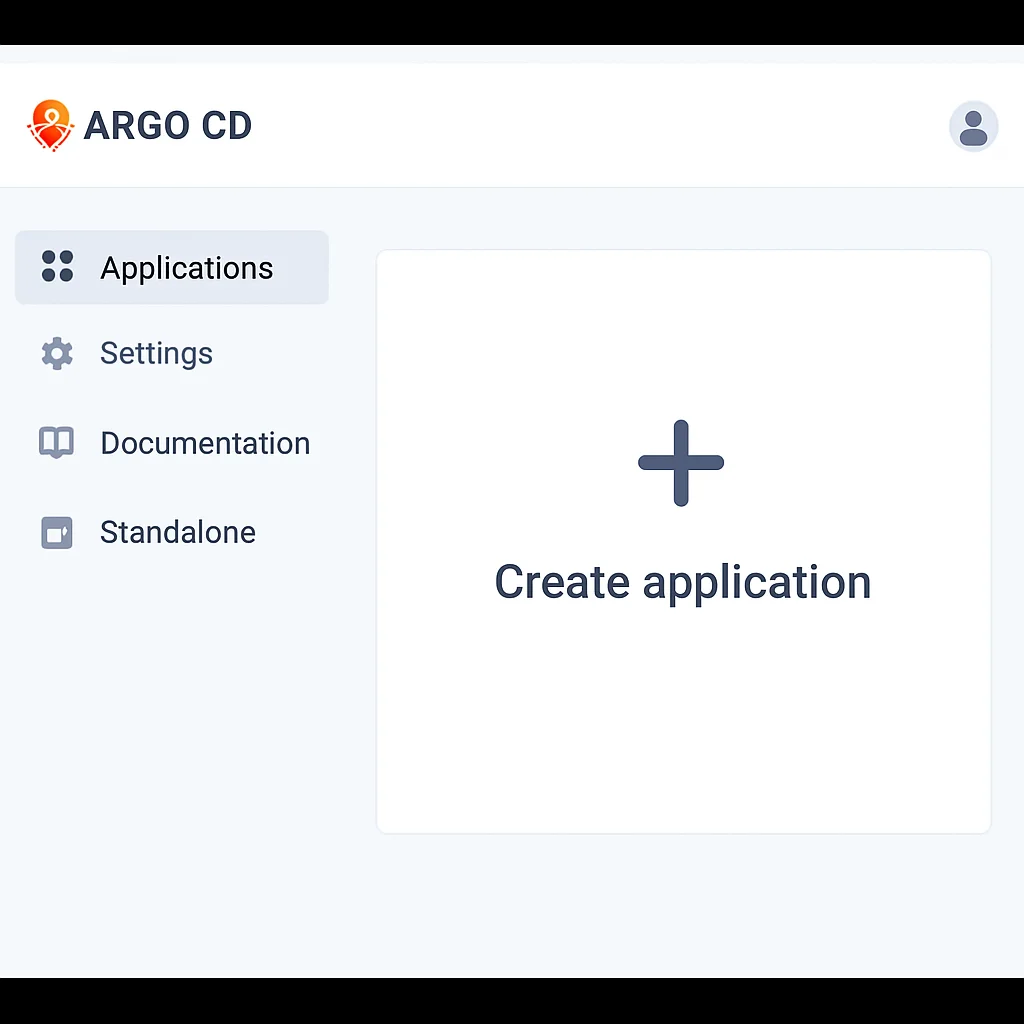
kubectl port-forward svc/argocd-server -n argocd 8080:443For production environments, you would typically expose Argo CD via an Ingress controller or a LoadBalancer service, configuring proper TLS and authentication. Once logged in, you’ll be greeted by the Argo CD dashboard, which will initially be empty as no applications are deployed yet.
KEY POINT
A dedicated Git repository for your Kubernetes manifests is crucial. Separate your application code repository from your deployment configuration repository to maintain a clear separation of concerns and adhere to GitOps principles.
4. Implementing Automated Deployments with Argo CD
With Argo CD installed, the next step is to define your applications and tell Argo CD where to find their desired state in Git. This process involves two main parts: defining your application’s Kubernetes manifests in a Git repository and then creating an Argo CD Application resource to point to that repository.
4.1. Defining Application Manifests in Git
Let’s create a simple Nginx deployment as an example. First, create a Git repository (e.g., gitops-repo) and add your Kubernetes YAML files to it. For this example, we’ll put them in a directory like ./apps/nginx.
CODE EXPLANATION
This YAML defines a standard Kubernetes Deployment for Nginx (three replicas) and an associated Service to expose it. Save this as nginx-app.yaml in your Git repository.
# File: gitops-repo/apps/nginx/nginx-app.yaml
apiVersion: apps/v1
kind: Deployment
metadata:
  name: nginx-deployment
  labels:
    app: nginx
spec:
  replicas: 3
  selector:
    matchLabels:
      app: nginx
  template:
    metadata:
      labels:
        app: nginx
    spec:
      containers:
      - name: nginx
        image: nginx:1.25.3
        ports:
        - containerPort: 80
---
apiVersion: v1
kind: Service
metadata:
  name: nginx-service
  labels:
    app: nginx
spec:
  selector:
    app: nginx
  ports:
  - protocol: TCP
    port: 80
    targetPort: 80
  type: LoadBalancer # Or ClusterIP/NodePort depending on your needs
Commit this file to your Git repository and push it to your remote (e.g., GitHub). Make sure your repository is accessible by Argo CD (public or with proper SSH/HTTPS credentials configured in Argo CD).
4.2. Creating an Argo CD Application
Next, you need to tell Argo CD about this application. You do this by creating an Application custom resource. This resource defines where your application manifests live in Git and which Kubernetes cluster/namespace it should be deployed to.
CODE EXPLANATION
This Application resource tells Argo CD to monitor the main branch of https://github.com/your-org/gitops-repo.git in the apps/nginx path. It will deploy the manifests found there to the default namespace on the cluster where Argo CD itself is running (https://kubernetes.default.svc). syncPolicy.automated.prune: true ensures old resources are removed, and selfHeal: true means Argo CD will automatically correct any drift.
# File: argocd-apps/nginx-app.yaml (this can be in a separate repo or local)
apiVersion: argoproj.io/v1alpha1
kind: Application
metadata:
  name: nginx-app
  namespace: argocd
spec:
  project: default
  source:
    repoURL: https://github.com/your-org/gitops-repo.git # REPLACE WITH YOUR REPO URL
    targetRevision: main
    path: apps/nginx # Path within your Git repository
  destination:
    server: https://kubernetes.default.svc # The cluster where your app will be deployed
    namespace: default
  syncPolicy:
    automated:
      prune: true # Delete resources that are no longer in Git
      selfHeal: true # Automatically sync if drift is detected
    syncOptions:
    - CreateNamespace=true # Automatically create the target namespace if it doesn't exist
Save this as nginx-app.yaml and apply it to your cluster:
kubectl apply -f nginx-app.yaml -n argocdAlternatively, you can create the application directly from the Argo CD UI by clicking “NEW APP” and filling in the details. Once created, Argo CD will immediately detect the application, check its synchronization status, and, if automated sync is enabled (as in our example), it will deploy Nginx to your cluster.
4.3. Synchronization and Health Checks
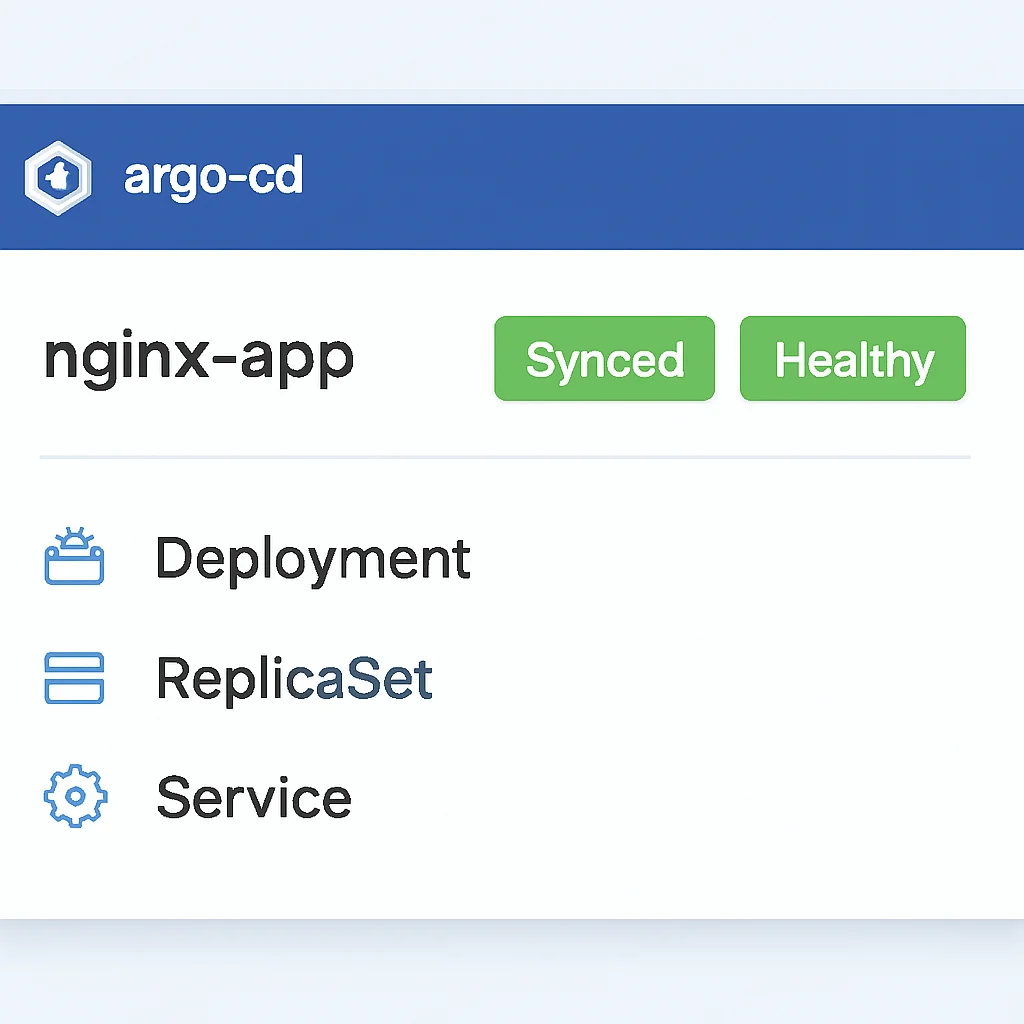
After applying the Application resource, navigate to the Argo CD UI. You should see your nginx-app listed. Its status will transition from Unknown to OutOfSync and then, with automated sync, to Synced and Healthy. The UI provides a rich visualization of your application’s resources, their health, and real-time synchronization status.
Any changes made directly to the cluster (e.g., manually scaling a deployment with kubectl scale) will be detected by Argo CD as “drift,” and if selfHeal is enabled, Argo CD will automatically revert the cluster state to match the Git repository, usually within a few seconds. This powerful feature ensures that your cluster always reflects the desired state in Git.
KEY POINT
The syncPolicy.automated.selfHeal: true setting in Argo CD is key to maintaining declarative integrity, as it ensures any manual changes to the cluster are automatically reverted to match the Git state.
5. Advanced GitOps Features and Best Practices
Argo CD offers a rich set of features beyond basic synchronization, allowing for sophisticated deployment strategies and robust management of complex cloud-native environments. Let’s explore some of these and discuss best practices for a mature GitOps implementation.
5.1. Rollbacks and Version Control
One of the most compelling advantages of GitOps is the simplicity and reliability of rollbacks. Since Git is the single source of truth, reverting to a previous application version is as simple as reverting a Git commit. Argo CD will detect the change in the Git repository and automatically synchronize the cluster to that older state. This process typically takes less than a minute, significantly reducing downtime during incidents.
For instance, if you deployed a new version of your Nginx application by updating nginx:1.26.0 in nginx-app.yaml and found a critical bug, you would simply:
- Revert the commit in your Git repository that introduced
nginx:1.26.0. - Push the reverted commit to your remote Git repository.
Argo CD, observing the Git repository, will automatically detect that the desired state has changed back to nginx:1.25.3 (or whatever the previous stable version was) and initiate a synchronization to roll back the Nginx deployment in your cluster.
5.2. Multi-cluster Deployments
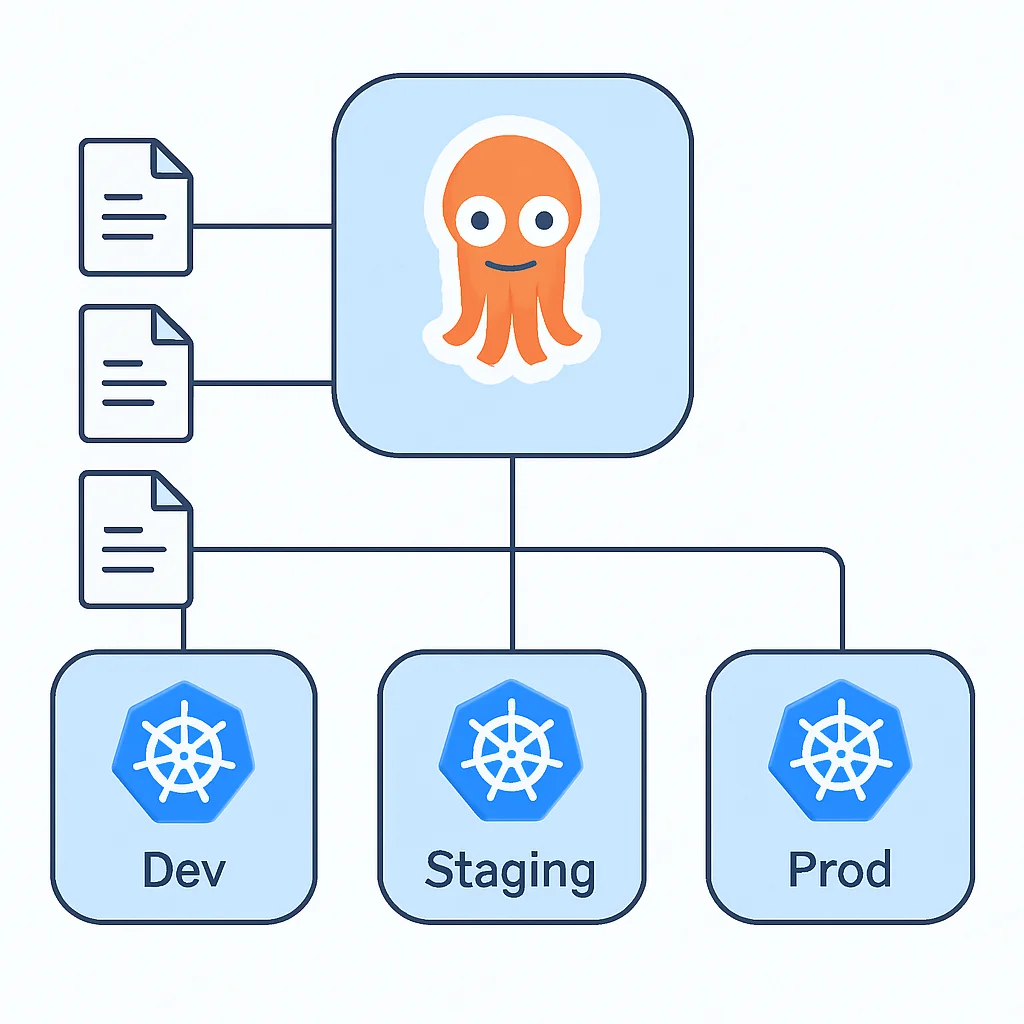
Argo CD is designed to manage applications across multiple Kubernetes clusters from a single control plane. This is particularly valuable for organizations running applications in development, staging, and production environments, or across different geographical regions.
To achieve this, you register additional Kubernetes clusters with your Argo CD instance. Each cluster can then be a target for one or more Argo CD Application resources. You can define environment-specific configurations using tools like Kustomize or Helm value overrides, all versioned in Git.
5.3. Security Considerations (RBAC, Secrets)
Security is paramount in any deployment system. Argo CD integrates with Kubernetes RBAC, allowing you to define fine-grained permissions for who can view, sync, or rollback applications. This ensures that only authorized personnel or systems can influence your deployments.
Managing sensitive data like API keys, database credentials, and other secrets is a critical aspect. Storing secrets directly in Git is a significant security risk. Best practices for GitOps secret management include:
- Sealed Secrets: Encrypt Kubernetes Secrets and store the encrypted versions in Git. Only the controller in your cluster can decrypt them.
- External Secrets: Use an external secrets management system (e.g., HashiCorp Vault, AWS Secrets Manager, Azure Key Vault, Google Secret Manager) and a Kubernetes operator to inject them into your cluster as native Kubernetes Secrets at runtime.
- SOPs (Secrets OPerator): A similar approach to Sealed Secrets, providing client-side encryption.
PROBLEM 01
Storing Sensitive Data Directly in Git
Directly committing unencrypted secrets (passwords, API keys) to a Git repository, even a private one, poses a severe security vulnerability. It makes the secrets accessible to anyone with repository access and creates a historical record of sensitive information.
SOLUTION
Implement a robust secrets management solution like Sealed Secrets or External Secrets. These tools allow you to encrypt secrets that can be safely stored in Git, with decryption only possible by an in-cluster controller (Sealed Secrets) or by dynamically fetching from an external vault (External Secrets). This ensures your Git repository remains the single source of truth for your application’s desired state, without compromising security.
5.4. Use Case: Blue/Green Deployment with Argo CD
Argo CD, often in conjunction with Argo Rollouts (another project in the Argo suite), can facilitate advanced deployment strategies like Blue/Green, Canary, and A/B testing. For a Blue/Green deployment, you would typically:
- Maintain two separate deployments (Blue and Green) in your Git repository.
- A single Kubernetes Service points to the active (Blue) deployment.
- To deploy a new version, update the Green deployment manifests in Git. Argo CD deploys the new version alongside the old.
- Once the Green deployment is healthy, update the Service selector in Git to point to the Green deployment. Argo CD applies this change, switching traffic instantly.
- The old Blue deployment can be kept for quick rollback or deleted after a grace period.
KEY POINT
GitOps, especially with Argo CD, fosters immutable infrastructure. This means once a component is deployed, it’s never modified in place. Any change requires a new Git commit, leading to a new deployment, which significantly reduces configuration drift and improves reliability.
6. Problem Solving: Common Challenges and Solutions
While GitOps with Argo CD offers immense benefits, implementing it in complex environments can present certain challenges. Understanding these and knowing how to address them is key to a successful adoption.
6.1. Problem: Drift Detection and Remediation
Challenge: Despite best intentions, manual changes to Kubernetes resources can still occur, leading to a “drift” where the cluster’s actual state diverges from the desired state in Git. While Argo CD detects this, automatically reverting changes might interrupt ongoing debugging or legitimate temporary modifications.
Solution: Argo CD’s syncPolicy.automated.selfHeal: true is the primary mechanism for remediation. However, for scenarios where temporary manual intervention is needed (e.g., during an emergency), you can temporarily disable auto-sync for a specific application or use sync options like ApplyOutofSyncOnly=true to only apply missing resources. For critical production systems, strict RBAC should prevent most manual changes. Also, consider integrating GitOps with monitoring and alerting tools that notify teams immediately about detected drift, allowing for quick investigation and resolution.
6.2. Problem: Managing Helm Charts and Kustomize
Challenge: Many applications leverage Helm charts for packaging or Kustomize for environment-specific customizations. Integrating these tools seamlessly into a GitOps workflow requires proper configuration within Argo CD.
Solution: Argo CD has native support for Helm and Kustomize. When defining your Application resource, you specify the spec.source.chart and spec.source.helm.values (for Helm) or spec.source.kustomize (for Kustomize). Argo CD’s Repo Server will render the final Kubernetes manifests before applying them to the cluster. This allows you to keep your Helm chart values and Kustomize overlays versioned in Git alongside your base manifests, providing a complete declarative state.
For example, to deploy a Helm chart:
apiVersion: argoproj.io/v1alpha1
kind: Application
metadata:
  name: my-helm-app
  namespace: argocd
spec:
  project: default
  source:
    repoURL: https://charts.helm.sh/stable # Or your custom Helm repo
    targetRevision: 1.x.x
    chart: stable/nginx-ingress # Example chart
    helm:
      values: |
        controller:
          replicaCount: 2
          service:
            type: LoadBalancer
  destination:
    server: https://kubernetes.default.svc
    namespace: my-helm-namespace
  syncPolicy:
    automated:
      prune: true
      selfHeal: true
WARNING
While the Argo CD UI is excellent for visualization and manual syncs, avoid over-reliance on it for critical operations. All changes should originate from Git. Treat the UI as a read-only dashboard and a tool for emergency manual rollbacks, but ensure your primary workflow is Git-driven.
7. Practical Application: A Real-World Scenario
Let’s put everything together in a practical scenario: deploying a multi-service application (e.g., a simple microservice architecture with a frontend and a backend API) across different environments (development, staging, production) using Argo CD, Kustomize, and a single Git repository.
7.1. Git Repository Structure
We’ll use a single Git repository (infra-gitops) structured to manage all environments. This structure separates base application manifests from environment-specific overlays.
infra-gitops/
├── base/
│   ├── frontend-deployment.yaml
│   ├── frontend-service.yaml
│   ├── backend-deployment.yaml
│   └── backend-service.yaml
├── overlays/
│   ├── dev/
│   │   └── kustomization.yaml
│   ├── staging/
│   │   └── kustomization.yaml
│   └── prod/
│       └── kustomization.yaml
└── argocd-apps/
    ├── dev-app.yaml
    ├── staging-app.yaml
    └── prod-app.yaml
In base/, you’d have generic Kubernetes manifests for your frontend and backend. For example, frontend-deployment.yaml might define a single replica and a basic image.
In overlays/, Kustomize is used to apply environment-specific changes. For example, the prod/kustomization.yaml might increase replica counts, specify different image tags, or add resource limits.
CODE EXPLANATION
This kustomization.yaml for the production environment pulls the base manifests, then applies a patch to increase the frontend replica count to 5 and sets a specific, stable image tag. It also defines a new namespace for production.
# File: infra-gitops/overlays/prod/kustomization.yaml
apiVersion: kustomize.config.k8s.io/v1beta1
kind: Kustomization
namespace: prod-namespace # Define the target namespace for production
bases:
- ../../base # Reference to the base manifests

patches:
- target:
    kind: Deployment
    name: frontend-deployment
  patch: |-
    - op: replace
      path: /spec/replicas
      value: 5
    - op: replace
      path: /spec/template/spec/containers/0/image
      value: my-frontend-app:1.2.0-prod-20260513

# Example of adding a ConfigMap unique to prod
configMapGenerator:
- name: prod-config
  literals:
  - API_ENDPOINT=https://api.prod.kwonglish.com
  - FEATURE_FLAG_X=true
7.2. Argo CD Application Definitions
For each environment, you’ll create an Argo CD Application resource, pointing to the respective Kustomize overlay directory.
CODE EXPLANATION
This Application resource specifically targets the overlays/prod path in the Git repository, letting Argo CD know to apply the Kustomize transformations defined there. You would create similar Application resources for dev and staging, each pointing to their respective overlay paths.
# File: infra-gitops/argocd-apps/prod-app.yaml
apiVersion: argoproj.io/v1alpha1
kind: Application
metadata:
  name: myapp-prod
  namespace: argocd
spec:
  project: default
  source:
    repoURL: https://github.com/your-org/infra-gitops.git # REPLACE
    targetRevision: main
    path: overlays/prod # Path to the production Kustomize overlay
    kustomize: {} # Indicate that this path contains Kustomize manifests
  destination:
    server: https://kubernetes.default.svc # Or a dedicated production cluster
    namespace: prod-namespace
  syncPolicy:
    automated:
      prune: true
      selfHeal: true
    syncOptions:
    - CreateNamespace=true
Apply these Application definitions to your Argo CD instance. Argo CD will then continuously monitor each environment’s respective Git path, render the Kustomize overlays, and ensure the corresponding clusters are in sync. This provides a clean, auditable, and automated deployment pipeline across all your environments.
7.3. Monitoring and Troubleshooting
The Argo CD UI is your primary tool for monitoring. It provides a real-time view of application health, sync status, and resource details. If an application is OutOfSync or Degraded, the UI offers insights into the specific resources causing the issue, their current state vs. desired state, and access to logs and events.
For deeper troubleshooting, leverage standard Kubernetes tools like kubectl describe and kubectl logs on the affected pods. Remember, if Argo CD reports an issue, the first place to check is your Git repository to ensure the desired state is correctly defined.
Frequently Asked Questions (FAQ)
Q. What is the main benefit of GitOps over traditional CI/CD?
The main benefit of GitOps is its declarative, Git-centric approach that ensures all infrastructure and application states are version-controlled and auditable. This leads to higher reliability, faster disaster recovery via Git reverts, and a more secure pull-based deployment model compared to imperative, push-based CI/CD.
Q. Can Argo CD manage multiple Kubernetes clusters?
Yes, Argo CD is designed for multi-cluster management. You can register multiple Kubernetes clusters with a single Argo CD instance and deploy applications to any of these registered clusters by specifying the target cluster’s server URL in the Argo CD Application resource.
Q. How does Argo CD handle sensitive data like API keys?
Argo CD itself doesn’t directly manage secrets but integrates with Kubernetes-native secret management solutions. Best practices involve using tools like Sealed Secrets, which encrypts Kubernetes Secrets to be safely stored in Git, or External Secrets, which pulls secrets from external vaults like HashiCorp Vault or cloud secret managers at runtime.
Q. Is Argo CD suitable for complex deployment strategies like Blue/Green or Canary?
Yes, Argo CD can facilitate complex deployment strategies. While Argo CD provides the core GitOps reconciliation, it often works in conjunction with other tools like Argo Rollouts, which is specifically designed to enable advanced deployment patterns such as Blue/Green, Canary releases, and progressive delivery for Kubernetes applications.
Wrap-Up: Conclusion and Future Outlook
The journey to fully automated, reliable, and secure Kubernetes deployments is a continuous one, but GitOps with Argo CD provides a clear and robust path forward. By treating your entire application and infrastructure configuration as code in Git, you unlock unparalleled benefits in terms of consistency, auditability, and speed. We’ve explored how Argo CD simplifies the complex task of synchronizing your desired state from Git to your Kubernetes clusters, offering features from basic deployments to advanced strategies and multi-cluster management.
In 2026, the adoption of GitOps is no longer a niche trend but a mainstream best practice for cloud-native development. Organizations are increasingly recognizing the operational efficiencies and reduced error rates it brings. The continuous reconciliation model ensures that your environments are always aligned with your version-controlled configurations, drastically minimizing configuration drift and the “works on my machine” syndrome.
The future of DevOps and cloud-native operations will undoubtedly see further integration of GitOps principles across the entire software delivery lifecycle. Expect more sophisticated tools for policy enforcement (e.g., OPA Gatekeeper), enhanced observability tailored for GitOps workflows, and even deeper integration with infrastructure as code tools beyond Kubernetes. Embracing GitOps with Argo CD today positions your team at the forefront of modern deployment practices, building a foundation for more resilient, scalable, and efficient software delivery.
9.2
/ 10
Argo CD offers a highly effective and robust GitOps solution for Kubernetes deployments.
Thanks for reading
We hope this guide helps you implement a powerful GitOps workflow with Argo CD. The principles and practices discussed here are essential for modern cloud-native environments.
Got questions or want to share your GitOps experiences? Drop a comment below or connect with Kwonglish.