
SUMMARY
[Frontend] Boost Your Development Workflow with Vite.js in 2026: A Modern Build Tool Guide
Discover how Vite.js revolutionizes frontend development with lightning-fast cold starts and hot module replacement.
Keywords: Vite.js, Frontend Development, Build Tools
TABLE OF CONTENTS
1. The Evolving Landscape of Frontend Development in 2026
2. Vite.js: A Paradigm Shift in Developer Experience
3. Deep Dive: Vite.js vs. Traditional Bundlers
4. Core Features Driving Vite.js’s Efficiency
5. Practical Implementation: Getting Started with Vite.js
6. Advanced Configuration and Production Optimization
7. Migrating from Legacy Build Systems to Vite.js
8. Conclusion: Vite.js as the Standard for 2026 and Beyond
9. Frequently Asked Questions (FAQ)
1. The Evolving Landscape of Frontend Development in 2026
The pace of innovation in frontend development remains relentless. As we navigate 2026, developers are constantly seeking tools that enhance productivity, improve performance, and simplify complex workflows. The foundation of any modern web project lies in its build toolchain, which orchestrates everything from transpilation and bundling to asset optimization and hot module replacement (HMR).
For many years, tools like Webpack, Rollup, and Parcel dominated this space, each offering robust features but often at the cost of developer experience, particularly in larger projects. Cold start times could stretch into tens of seconds, and HMR updates, while functional, sometimes felt sluggish. This overhead became a significant drag on productivity, especially for teams working on large-scale applications with extensive dependency trees.
The industry’s shift towards native ES Modules (ESM) in browsers has paved the way for a new generation of build tools that leverage this capability to bypass traditional bundling during development. This fundamental change is at the heart of what makes modern tools so revolutionary. Developers no longer have to wait for an entire application to be bundled before seeing changes; instead, the browser directly requests modules as needed, drastically reducing development server startup times and improving HMR speeds.
KEY POINT
The transition to native ES Modules (ESM) in browsers is the cornerstone of modern frontend build tool efficiency, enabling unbundled development and significantly faster feedback loops.
In 2026, the demand for instant feedback and seamless development experiences is higher than ever. Developers expect tools that are not only powerful but also intuitive and performant right out of the box. This report delves into one such tool that has rapidly ascended to prominence: Vite.js. We will explore how Vite addresses the pain points of previous generations, offering a compelling solution for modern frontend workflows.
2. Vite.js: A Paradigm Shift in Developer Experience
Vite.js, pronounced “veet” (French for “fast”), was created by Evan You, the mind behind Vue.js. It emerged as a response to the growing frustration with slow development server startups and sluggish Hot Module Replacement (HMR) in large-scale applications built with traditional bundlers. Its core philosophy is simple yet revolutionary: leverage native ES Modules (ESM) to provide an unparalleled developer experience during development, and then use an optimized bundler (Rollup) for production builds.
Before Vite, a typical development workflow involved a bundler like Webpack processing your entire application’s source code, resolving dependencies, and bundling them into browser-compatible JavaScript files before the development server could even start. This process, especially with thousands of modules and complex configurations, could take anywhere from 10 to 60 seconds, or even more for very large projects. Vite fundamentally changes this by serving source files over native ESM.
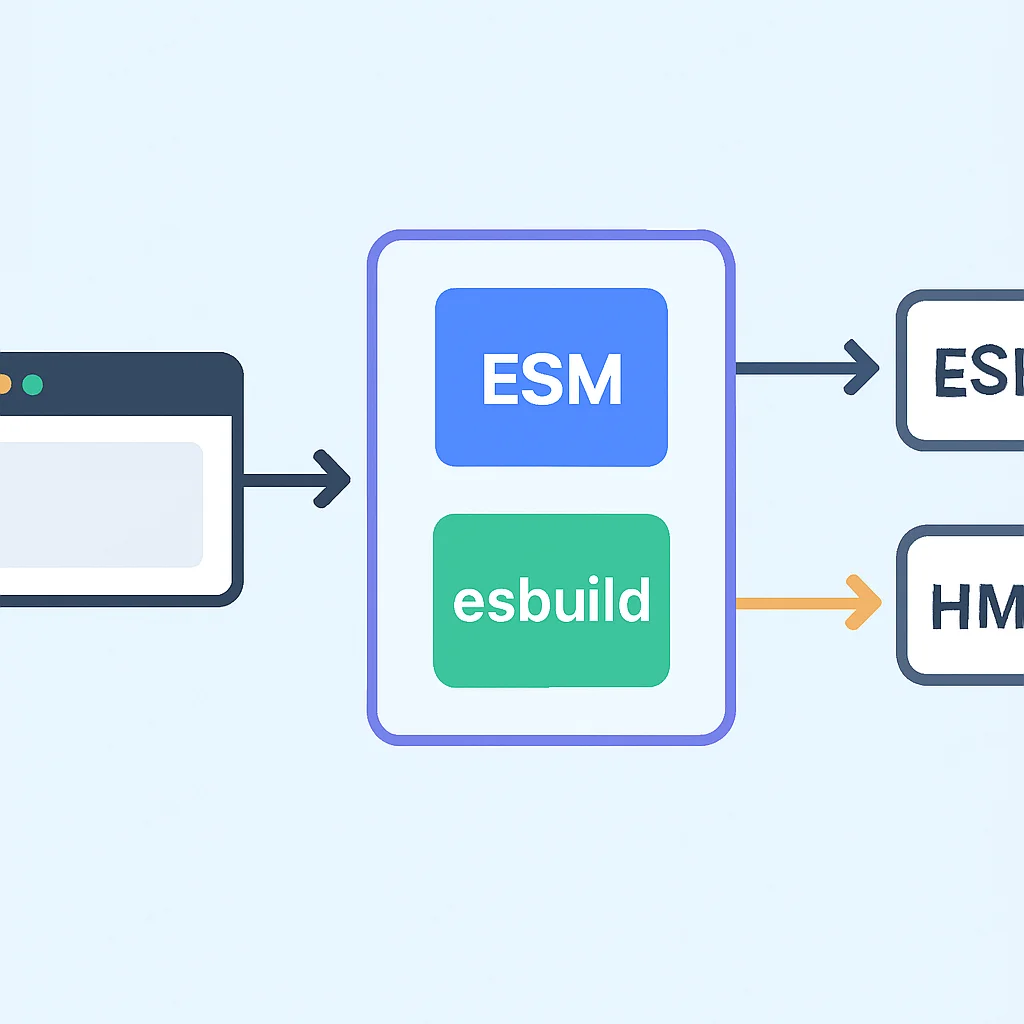
When the browser requests a module, Vite transforms and serves it on demand. This means only the code currently needed by the browser is processed, leading to near-instant server startup times. For dependencies that are not native ESM (like CommonJS modules or large third-party libraries), Vite pre-bundles them using esbuild, an extremely fast Go-based bundler, further enhancing speed. This hybrid approach ensures both lightning-fast development and optimized production builds.
KEY POINT
Vite’s core innovation is its unbundled development server, serving native ESM directly to the browser and pre-bundling dependencies with esbuild, resulting in cold starts that are 10-100x faster than traditional bundlers.
The impact of Vite on developer experience is profound. Imagine starting a project and seeing your application almost instantly in the browser. Imagine making a code change and seeing it reflected in under 50ms, regardless of project size. This level of responsiveness cultivates a smoother, more enjoyable development flow, allowing developers to stay in their creative zone without frustrating waits. As of 2026, Vite.js has become a top choice for new frontend projects across various frameworks, from React and Vue to Svelte and Lit.
3. Deep Dive: Vite.js vs. Traditional Bundlers
To truly appreciate Vite.js, it’s essential to understand its fundamental differences from traditional JavaScript bundlers like Webpack. The core distinction lies in how they handle modules during development.
The Bundler-Based Approach (e.g., Webpack)
Traditional bundlers operate on a “bundle-first” principle. Before serving any code to the browser, they traverse your entire dependency graph, resolve all imports, transpile code (e.g., Babel for JSX/TypeScript), and then bundle everything into a few large JavaScript files. This process is resource-intensive and time-consuming. During HMR, while it attempts to update only changed modules, the underlying bundling mechanism still has significant overhead, especially for larger module graphs.
Consider a medium-sized application with 500-1000 modules. A Webpack development server might take 15-30 seconds to start. An HMR update might take 200-500ms. While functional, these delays accumulate over a day, impacting developer flow and increasing context switching costs.
The ESM-Native Approach (Vite.js)
Vite bypasses the bundling step during development. It starts a simple HTTP server that serves your source code directly. When the browser encounters an import statement, it makes an HTTP request for that module. Vite intercepts this request, transforms the module (e.g., compiling TypeScript or JSX to plain JavaScript) on the fly, and serves it. This “on-demand” compilation is incredibly fast due to Vite’s use of esbuild for dependency pre-bundling and its native ESM serving.
For the same medium-sized application, a Vite development server typically starts in 0.5-2 seconds. HMR updates are often under 50ms, even for significant changes, because only the changed module and its direct dependents are invalidated and re-requested by the browser. This difference is stark and immediately noticeable.
KEY POINT
Vite’s unbundled development approach drastically reduces cold start times and HMR update speeds by leveraging native ESM and esbuild, offering a superior development experience compared to traditional bundlers.
Comparative Analysis: Speed Metrics (2026 Averages)
Let’s look at some typical performance figures for a moderately complex React application (around 1000 modules, 50 third-party dependencies) as observed in early 2026:
Development Server Performance Comparison
Metric — Vite.js (v5.x) — Webpack (v5.x)
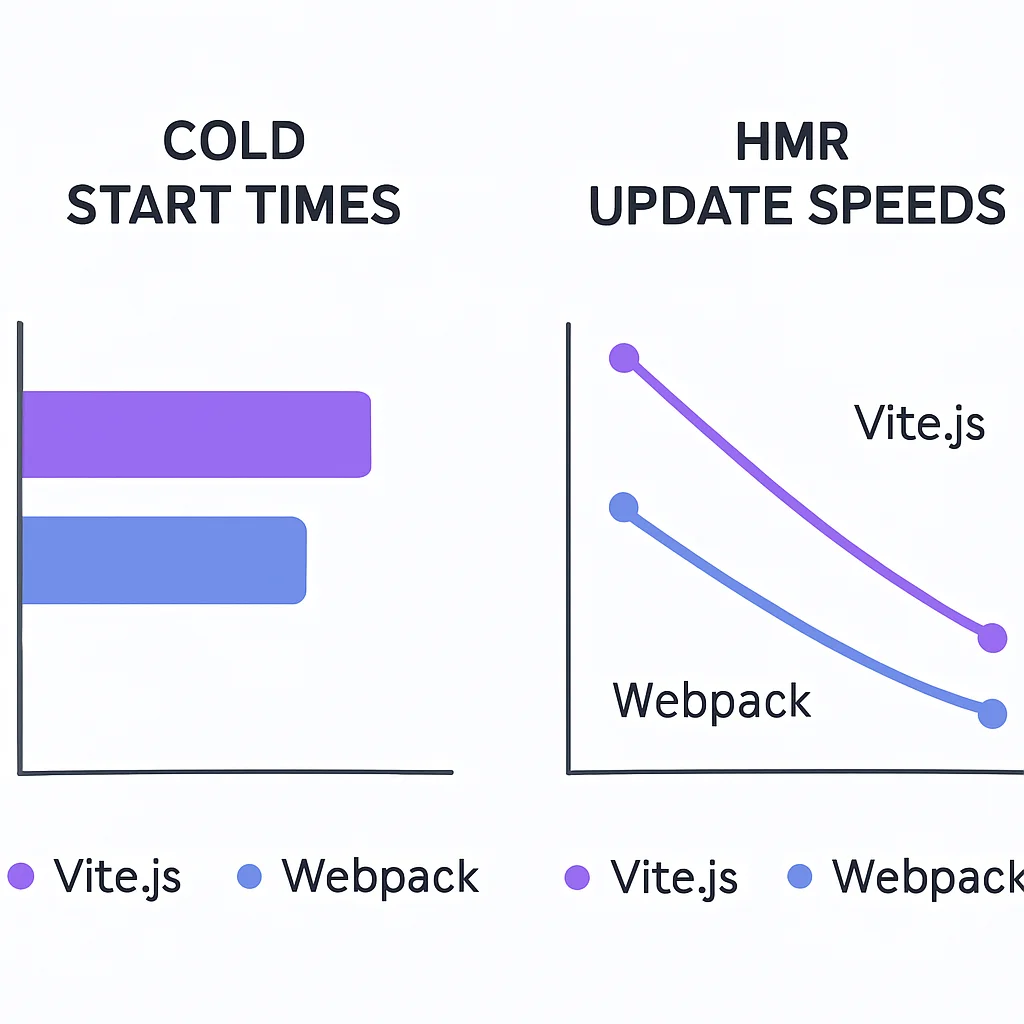
Cold Start Time — 0.8 – 2.5 seconds — 15 – 40 seconds
HMR Update (small change) — < 50 milliseconds — 150 – 500 milliseconds
Bundle Size (dev) — Minimal (served as ESM) — Large (full bundle)
These numbers clearly illustrate Vite’s significant advantage in development speed, which translates directly into increased developer productivity and satisfaction. The minimal bundle size during development also means less memory consumption and faster debugging in browser developer tools.
4. Core Features Driving Vite.js’s Efficiency
Vite.js isn’t just fast; it’s also packed with features designed to streamline the entire frontend development lifecycle. Let’s break down the key components that make Vite a powerhouse in 2026.
Native ESM Driven Development
This is the cornerstone. By serving source files as native ES Modules, Vite offloads much of the bundling work to the browser. Only the code that is actively being imported and executed by the current view is processed. This ‘on-demand’ serving means that your development server can start almost instantly, regardless of the size of your application.
Lightning-Fast Hot Module Replacement (HMR)
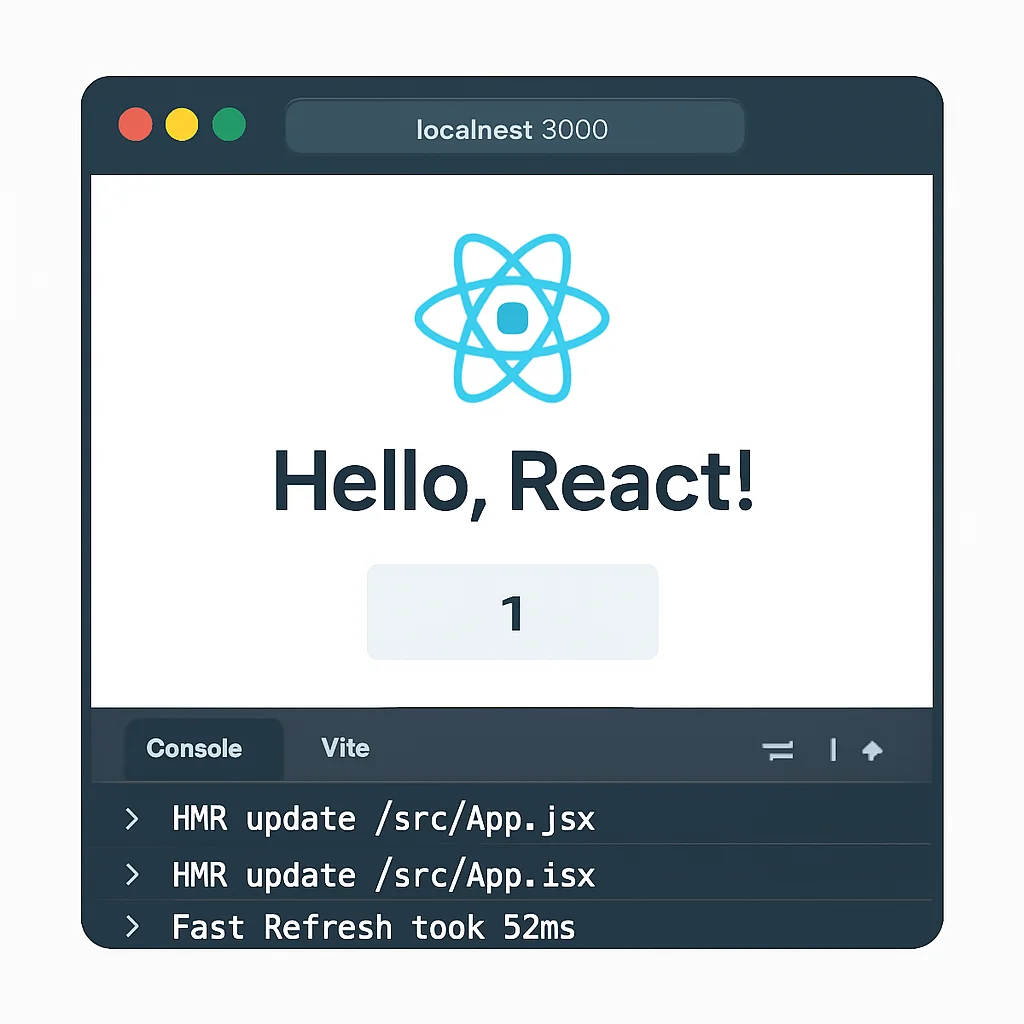
Vite’s HMR is built on top of native ESM. When you make a change to a component, Vite only invalidates that specific module and its direct dependents. The browser then requests only the updated modules, leading to incredibly fast updates that often complete in under 50ms. This prevents full page reloads and preserves application state, significantly improving the development feedback loop.
Dependency Pre-Bundling with esbuild
While Vite serves source code as ESM, third-party dependencies (especially node_modules) often come in CommonJS or UMD formats and can contain many internal modules. To prevent a waterfall of HTTP requests for each dependency’s internal files, Vite pre-bundles these dependencies using esbuild. esbuild is written in Go and is orders of magnitude faster than JavaScript-based bundlers. This pre-bundling step happens once on startup and effectively converts CommonJS/UMD dependencies into ESM, making them compatible with Vite’s native ESM server.
Optimized Production Builds with Rollup
For production, Vite uses Rollup, a highly optimized JavaScript bundler, to produce highly efficient, tree-shaken, and minified bundles. While Rollup is slower for development, its strength lies in generating smaller, faster-loading production assets. Vite intelligently configures Rollup for you, providing sensible defaults for code splitting, CSS extraction, and asset handling, ensuring your deployed application is performant.
Universal Plugin API
Vite provides a powerful and extensible plugin API, compatible with Rollup’s plugin interface. This allows developers to extend Vite’s capabilities to support various frameworks (React, Vue, Svelte, etc.), process different file types (SVG, Markdown), and integrate with other tools. The plugin ecosystem for Vite has matured significantly by 2026, offering solutions for almost any development need.
KEY POINT
Vite’s core features — native ESM, esbuild pre-bundling, Rollup for production, and a robust plugin API — combine to deliver a development experience that is both exceptionally fast and highly configurable.
First-Class TypeScript, JSX, and CSS Support
Vite offers out-of-the-box support for TypeScript, JSX (for React), TSX, and CSS pre-processors (like Sass, Less, Stylus). TypeScript compilation is handled by esbuild during development, which only performs transpilation (removing types) without type checking. This makes TypeScript compilation incredibly fast. Type checking typically runs as a separate process or via your IDE, maintaining speed during development.
5. Practical Implementation: Getting Started with Vite.js
Getting started with Vite.js is remarkably straightforward, thanks to its intuitive CLI and sensible defaults. Here’s how you can initiate a new project and explore its basic structure.
Initializing a New Vite Project
Vite provides a simple command-line interface (CLI) to scaffold new projects with various framework templates. You can choose from popular options like React, Vue, Svelte, Lit, and more, with or without TypeScript support.
CODE EXPLANATION
These commands use npm create vite@latest to initiate a new Vite project. You’ll be prompted to choose a project name, a framework (e.g., react, vue), and a variant (e.g., typescript). The --template flag allows for direct template selection.
# Using npm
npm create vite@latest my-vite-app -- --template react-ts

# Using yarn
yarn create vite my-vite-app --template vue-ts

# Using pnpm
pnpm create vite my-vite-app --template svelte

# Follow the prompts if no template is specified
npm create vite@latest
After running one of these commands, navigate into your new project directory and install dependencies:
CODE EXPLANATION
These standard commands install the necessary project dependencies and then start the development server. The npm run dev command (or equivalent) will launch Vite’s development server, typically on http://localhost:5173.
cd my-vite-app
npm install # or yarn install / pnpm install
npm run dev
You’ll notice the development server starts almost instantaneously, often reporting a startup time of under 1 second. This is Vite in action!
Understanding the Project Structure
A typical Vite project structure is lean and intuitive:
Vite Project Structure
Simplified overview of a standard Vite project layout.
public/ — Static assets that are copied directly to the root of the build output without processing.
src/ — Your main application source code (components, styles, logic).
index.html — The entry point of your application. Vite injects the <script type="module" src="/src/main.ts"></script> tag automatically.
package.json — Project metadata and scripts.
vite.config.ts (or .js) — Vite configuration file (optional, but highly recommended for customization).
tsconfig.json (for TS projects) — TypeScript configuration.
Unlike traditional bundlers that often require a JavaScript entry point, Vite uses index.html as its entry point, which is a more natural approach for web development.
KEY POINT
Vite’s CLI simplifies project initialization, offering templates for major frameworks, and its default project structure is clean and easy to navigate, with index.html serving as the primary entry point.
6. Advanced Configuration and Production Optimization
While Vite works brilliantly out-of-the-box, its vite.config.js (or .ts) file allows for extensive customization, enabling you to tailor your build process to specific project needs. This section covers common configuration options and strategies for optimizing your production builds.
The vite.config.ts File
The configuration file is written in ESM format, typically vite.config.ts, and exports a configuration object. This object allows you to define plugins, server options, build options, and more.
CODE EXPLANATION
This example vite.config.ts demonstrates common settings: defining aliases for import paths, configuring the development server to use HTTPS and a specific port, and specifying Rollup options for the production build like output directory and chunking strategy.
import { defineConfig } from 'vite';
import react from '@vitejs/plugin-react';
import { resolve } from 'path';

// https://vitejs.dev/config/
export default defineConfig({
  plugins: [react()],
  resolve: {
    alias: {
      '@': resolve(__dirname, './src'), // Setup path alias for cleaner imports
      '~': resolve(__dirname, './src/components'),
    },
  },
  server: {
    port: 3000, // Custom development server port
    https: true, // Enable HTTPS for local development
    open: true, // Automatically open the browser
    proxy: {
      '/api': { // Proxy requests starting with /api to a backend server
        target: 'http://localhost:8080',
        changeOrigin: true,
        rewrite: (path) => path.replace(/^\/api/, ''),
      },
    },
  },
  build: {
    outDir: 'dist', // Output directory for production build
    sourcemap: true, // Generate sourcemaps for debugging
    rollupOptions: {
      output: {
        // Customize output file names for better caching and organization
        entryFileNames: `assets/[name]-[hash].js`,
        chunkFileNames: `assets/[name]-[hash].js`,
        assetFileNames: `assets/[name]-[hash].[ext]`,
      },
    },
    // Specify a target for older browsers if needed
    target: 'es2020',
    minify: 'esbuild', // Use esbuild for minification for speed
  },
  css: {
    preprocessorOptions: {
      scss: {
        additionalData: `@import "./src/styles/variables.scss";`, // Global SCSS variables
      },
    },
  },
});
Plugins
Plugins are central to extending Vite’s functionality. For example, @vitejs/plugin-react enables React Fast Refresh. Many community plugins exist for various needs, from SVG loading to PWA manifest generation. Always ensure your plugins are compatible with your Vite version (e.g., v5.x in 2026).
Production Optimization
When it’s time to deploy, Vite’s npm run build command (or yarn build / pnpm build) leverages Rollup to create highly optimized static assets. Key optimizations include:
Vite Production Optimizations
Tree Shaking — Removes unused code to reduce bundle size.
Code Splitting — Divides code into smaller chunks, loaded on demand, improving initial page load times. Vite automatically implements this based on your dependency graph.
Asset Hashing — Generates unique hashes for asset filenames (e.g., index-ABCD123.js) for efficient long-term caching.
Minification — Reduces JavaScript, CSS, and HTML file sizes. Vite uses esbuild for JS minification by default, which is incredibly fast.
CSS Extraction — Extracts CSS into separate files, preventing FOUC (Flash of Unstyled Content).
Vite’s approach ensures that while development is blazing fast, the resulting production assets are equally performant, providing a seamless experience for both developers and end-users.
KEY POINT
The vite.config.ts file offers comprehensive control over development and build processes, while Vite’s production build leverages Rollup for advanced optimizations like tree shaking, code splitting, and minification, ensuring high performance.
7. Migrating from Legacy Build Systems to Vite.js
Migrating an existing project from a traditional bundler like Webpack to Vite.js can significantly improve developer experience and build performance. While the process is generally smooth, there are common challenges and best practices to consider.
Common Migration Challenges
WARNING
Be aware of potential issues with environment variables, custom Webpack loaders/plugins, and legacy module formats when migrating to Vite.js.
PROBLEM 01
Environment Variables Handling
Webpack often uses process.env.NODE_ENV and other environment variables injected via DefinePlugin. Vite exposes environment variables slightly differently.
SOLUTION
Vite exposes environment variables on the special import.meta.env object. Variables prefixed with VITE_ are exposed to client code. You’ll need to update references from process.env.VAR_NAME to import.meta.env.VITE_VAR_NAME.
PROBLEM 02
Custom Webpack Loaders and Plugins
Projects with highly customized Webpack configurations, relying on specific loaders (e.g., raw-loader, file-loader) or plugins (e.g., for custom asset processing), might require finding Vite equivalents or rewriting logic.
SOLUTION
Vite has built-in support for many common asset types. For specific needs, explore the rich Vite plugin ecosystem. Many popular Webpack loaders have Vite plugin counterparts (e.g., vite-plugin-svgr for SVG as React components). If a direct equivalent isn’t found, you might need to write a custom Vite plugin, which shares similarities with Rollup plugins.
PROBLEM 03
Legacy Module Formats & Global Variables
Older libraries that export themselves as global variables or rely heavily on CommonJS without proper ESM conversion might pose issues, especially if they are not correctly pre-bundled by esbuild.
SOLUTION
Vite’s optimizeDeps.include and optimizeDeps.exclude options in vite.config.ts can help fine-tune dependency pre-bundling. For truly problematic legacy code, consider using the @rollup/plugin-commonjs plugin within Vite’s Rollup configuration for production, or look for modern alternatives to the problematic libraries.
Migration Steps and Best Practices
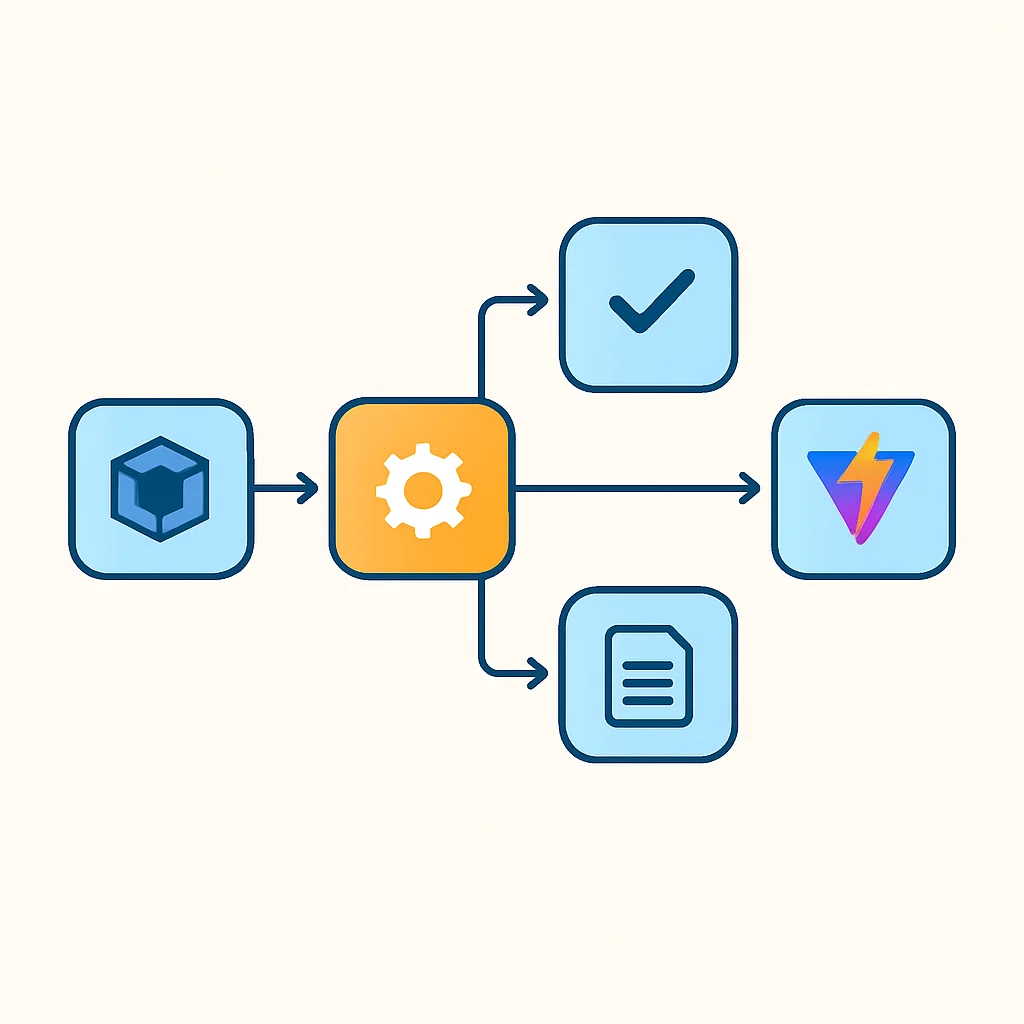
Step 1
Create a New Vite Project
Start by scaffolding a new Vite project with your desired framework. This gives you a clean index.html and vite.config.ts as a baseline.
Step 2
Copy Source Code and Assets
Move your application’s source code (e.g., src/ directory) and static assets (e.g., public/) into the new Vite project. Update paths in your index.html to reference the correct entry point (e.g., /src/main.tsx).
Step 3
Install Dependencies and Vite Plugins
Install all your project’s dependencies and devDependencies. Add necessary Vite plugins (e.g., @vitejs/plugin-react, vite-plugin-sass) to your vite.config.ts.
Step 4
Adjust Configuration and Environment Variables
Modify vite.config.ts for aliases, proxy settings, and any specific build options. Update environment variable references in your code as discussed above.
Step 5
Test and Refine
Run npm run dev and address any errors. Pay attention to module resolution issues, CSS processing, and ensure HMR is working correctly. Then, run npm run build to verify the production output.
While migration requires some effort, the long-term benefits in development speed and maintainability often far outweigh the initial investment. Many teams in 2026 are finding that Vite.js provides a fresh, performant foundation for their frontend applications.
KEY POINT
Migrating to Vite involves updating environment variable usage, replacing custom Webpack loaders/plugins with Vite equivalents, and carefully configuring vite.config.ts, a process that typically yields significant performance gains.
Frequently Asked Questions (FAQ)
Q. Is Vite.js suitable for large-scale enterprise applications in 2026?
Yes, absolutely. Vite.js has matured significantly by 2026 and is widely adopted in enterprise environments. Its lightning-fast development server, robust plugin ecosystem, and optimized production builds make it an excellent choice for projects of any scale.
Q. What are the main advantages of Vite.js over Webpack for a new project?
For new projects, Vite.js offers significantly faster cold start times (often under 2 seconds compared to 15-40 seconds for Webpack) and nearly instant Hot Module Replacement (HMR). It also requires minimal configuration out-of-the-box, providing a superior developer experience from day one.
Q. Can I use Vite.js with my preferred JavaScript framework?
Vite.js boasts universal framework support. It comes with official templates for React, Vue, Svelte, and Lit, and its extensible plugin API allows for seamless integration with virtually any frontend framework or library.
Q. How does Vite.js handle production builds and optimization?
While Vite uses an unbundled approach for development, it leverages Rollup for production builds. This ensures highly optimized, tree-shaken, code-split, and minified bundles, resulting in fast-loading and efficient applications for deployment.
Q. What if I need specific Webpack loader functionality in Vite?
Many common Webpack loader functionalities are either built into Vite or available through its extensive plugin ecosystem. If a direct Vite plugin is not available, you can often achieve similar results by writing a custom Vite plugin or by adjusting your project’s asset handling within the vite.config.ts file.
8. Conclusion: Vite.js as the Standard for 2026 and Beyond
As we conclude this analysis, it’s clear that Vite.js has cemented its position as a leading-edge build tool for frontend development in 2026. Its innovative approach of leveraging native ES Modules during development, combined with the raw speed of esbuild for dependency pre-bundling and Rollup for production optimization, delivers an unparalleled developer experience.
The days of waiting tens of seconds for a development server to start or for HMR updates to propagate are largely behind us for projects adopting Vite. Its impact on developer productivity and satisfaction is tangible, allowing teams to iterate faster and focus more on building features rather than wrestling with tooling. The widespread adoption across various frameworks, coupled with a vibrant and growing plugin ecosystem, further solidifies its standing.
For new projects, Vite.js is an almost undisputed choice, offering minimal setup and maximum performance. For existing projects, the migration effort, while present, is often a worthwhile investment that pays dividends in improved workflow and reduced development costs over time. As frontend development continues to evolve, Vite.js is well-positioned to remain at the forefront, shaping the way we build web applications for years to come.
If you haven’t yet explored Vite.js, 2026 is the perfect time to integrate this modern build tool into your workflow and experience the future of frontend development today.

KEY POINT
Vite.js has become a crucial tool in the 2026 frontend landscape, offering superior development speed, a robust feature set, and a smooth path to optimized production builds, making it an essential consideration for all modern web projects.
Thanks for reading
We hope this guide provided a comprehensive overview of Vite.js and its transformative impact on frontend development. Embrace modern tooling for a faster, more enjoyable coding journey.
Got questions or want to share your Vite.js experience? Drop a comment below or connect with Kwonglish!