
SUMMARY
Best Mechanical Keyboards for Developers in 2026
Explore the leading mechanical keyboards that will enhance your coding comfort and productivity this year.
Keywords: Mechanical Keyboard, Developer Keyboard, Typing Experience
TABLE OF CONTENTS
1. Enhancing Your Coding Life: Why Mechanical Keyboards?
2. The Core of Comfort: Design & Build Quality
3. Dive Deep: Key Features for Developers
4. The Good and The Not-So-Good: Pros & Cons
5. Head-to-Head: Top Mechanical Keyboards for Developers in 2026
6. My Verdict: What’s the Best Pick for You?
7. Frequently Asked Questions (FAQ)
Enhancing Your Coding Life: Why Mechanical Keyboards?
Welcome back to Kwonglish! For developers, keyboards serve as more than just input devices; they are an extension of our thoughts, acting as the physical interface between our minds and the digital world we create. In 2026, the array of tools available to us is richer and more refined than ever. Today, we will delve into the realm of mechanical keyboards to assist you in finding the best mechanical keyboards for developers in 2026, with a particular focus on how they can enhance your typing experience, increase comfort, and improve overall productivity. Forget flimsy membrane keyboards; a quality mechanical keyboard can truly transform your daily coding sessions.
For years, I relied on standard issue keyboards, believing that “a keyboard is a keyboard.” I was mistaken. The moment I transitioned to a mechanical keyboard, the difference in tactile feedback, typing speed, and even wrist comfort was immediately apparent. Imagine spending over 8 hours a day typing; every keystroke matters. Mechanical keyboards provide individual switches for each key, delivering a distinct feel and sound that membrane keyboards cannot replicate. This precise feedback minimizes typos and makes lengthy coding sessions significantly more enjoyable and less tiring.
KEY POINT
Investing in a quality mechanical keyboard is a significant step towards enhancing a developer’s health and productivity. The superior tactile feedback and durability lead to a more comfortable, efficient, and enjoyable coding experience, directly influencing long-term output and reducing strain.
When selecting a mechanical keyboard, developers often prioritize various factors: the type of switch, overall build quality, form factor, programmability, and ergonomic considerations. A keyboard that feels right can alleviate finger fatigue, enhance typing accuracy, and even inspire a more focused workflow. We will explore these aspects in detail, providing you with the insights necessary to make an informed decision this year.
The Core of Comfort: Design & Build Quality
The physical design and build quality of a mechanical keyboard are crucial, especially for developers who spend countless hours interacting with their setup. It is not merely about aesthetics; it is about durability, stability, and ergonomics. Let us break down what to look for.
Form Factors: Finding Your Perfect Fit
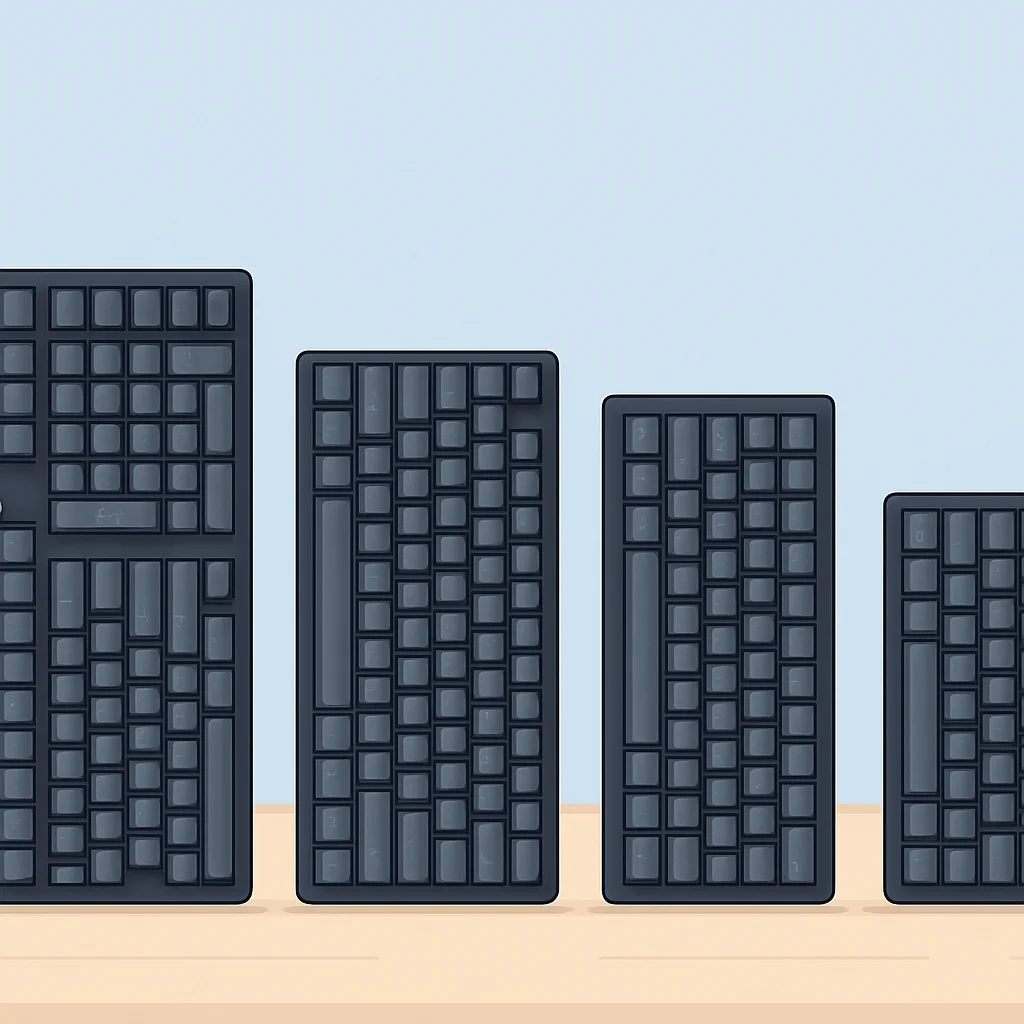
Mechanical keyboards are available in various sizes, or “form factors,” each offering a different balance of keys and desk space. The most common ones you will encounter are:
Full-size (100%): These traditional keyboards feature 104 or 105 keys, including a full number pad, function row, and navigation cluster. They are ideal for data entry or for those who frequently use the numpad. However, they occupy a significant amount of desk space, which may not be suitable for mouse movement.
Tenkeyless (TKL – 80%): A popular choice among developers, TKL keyboards omit the number pad while retaining the function row and navigation keys. This saves considerable desk space, allowing your mouse to be closer to your body, promoting better posture. For most coding tasks, the numpad is not essential, making TKL a highly efficient layout.
Compact (60%, 65%, 75%): These smaller layouts eliminate even more keys, often requiring the use of function layers to access keys like F-keys, arrows, or navigation keys.
- 60%: Omits the numpad, function row, and navigation cluster entirely. Very minimalist and portable.
- 65%: Similar to 60% but typically includes dedicated arrow keys and a few navigation keys (like Delete or Page Up/Down).
- 75%: A compact layout that retains the function row and arrow keys but compresses the navigation cluster. It is like a TKL but even more compact.
I have personally found 75% and TKL layouts to be the sweet spot for coding. They provide enough dedicated keys without sacrificing too much desk space. My current daily driver is a 75% layout, and the extra space for my mouse has been a game-changer.
Materials and Construction: Built to Last
The materials used in a keyboard’s construction significantly influence its feel, sound, and longevity. Higher-end mechanical keyboards often feature:
Aluminum/Steel Cases: These provide a robust, premium feel and add substantial weight, preventing the keyboard from sliding during intense typing. The added mass also contributes to a more solid sound profile, minimizing hollowness. Many custom keyboard kits utilize CNC-milled aluminum for exceptional quality.
Thick ABS/PBT Keycaps: Keycaps are your primary point of contact. PBT (polybutylene terephthalate) keycaps are generally preferred for their durability, resistance to shine (from finger oils), and pleasant texture. ABS (acrylonitrile butadiene styrene) keycaps are also common, especially double-shot ABS, which offers very clear legends that won’t fade. Thicker keycaps enhance the sound and feel of each keystroke.
Plate Material: The plate sits between the switches and the PCB (Printed Circuit Board). Common materials include steel, aluminum, brass, and polycarbonate. Each material affects the typing feel — steel offers a stiff, firm feel, while polycarbonate provides more flex and a softer bottom-out. Developers might prefer a firmer plate for precision, but personal preference is key here.
KEY POINT
For developers, a TKL or 75% form factor strikes an excellent balance between desk space efficiency and functional key availability. Prioritize keyboards with robust cases (aluminum is fantastic) and PBT keycaps for maximum durability and a superior typing feel that will last through years of coding.
Dive Deep: Key Features for Developers
Beyond the basic design, several key features make a mechanical keyboard truly shine for a developer. These elements directly impact your comfort, speed, and ability to customize your workspace.
Switches: The Heart of the Experience
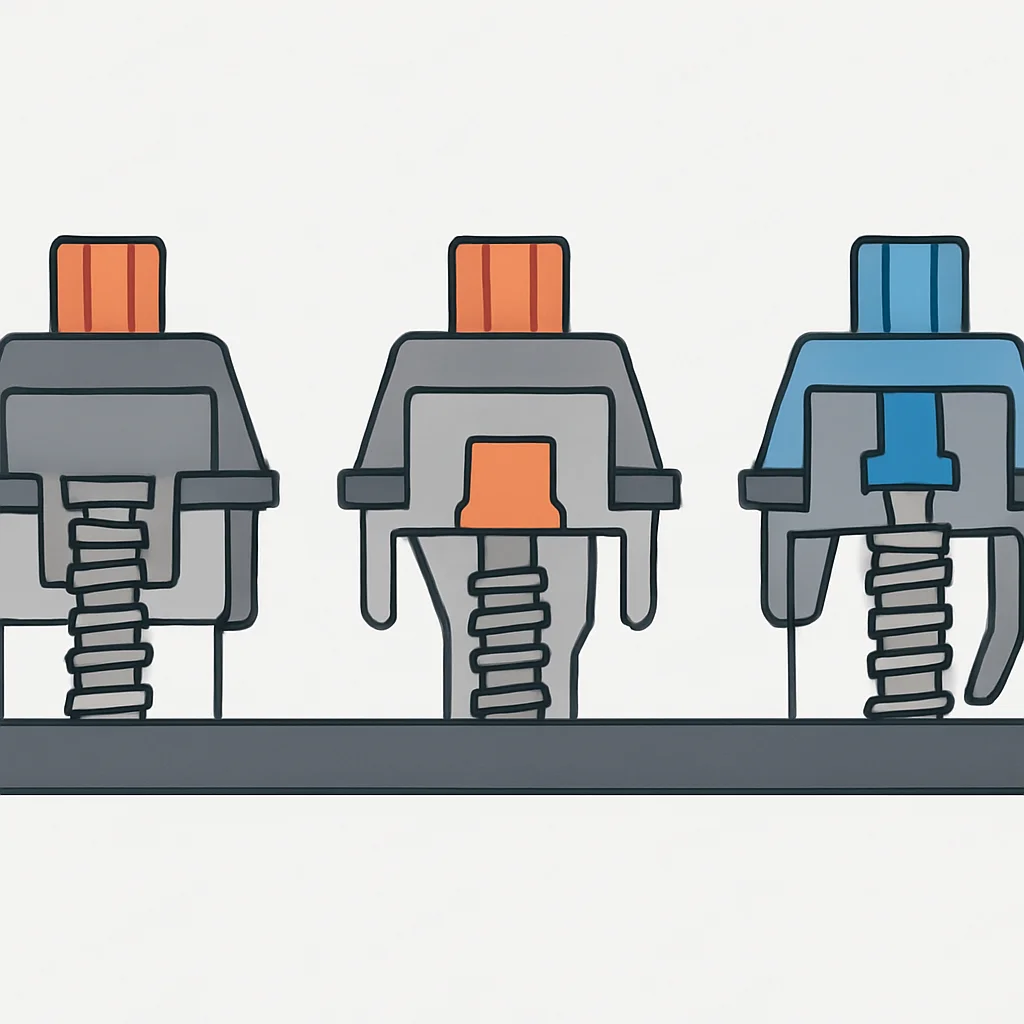
The switch type is arguably the most crucial decision. Mechanical switches fall into three main categories:
- Linear Switches: Smooth, consistent travel from top to bottom. No tactile bump or audible click. Examples include Cherry MX Red, Gateron Yellow, and Kailh Speed Silver. Ideal for rapid, repetitive keystrokes, these are often favored by gamers but also by developers who prefer a smooth, unimpeded press.
- Tactile Switches: Feature a noticeable “bump” in the middle of the keypress, providing feedback that a key has been actuated without a loud click. Examples include Cherry MX Brown, Gateron Brown, Holy Panda, and Glorious Panda. Many developers swear by tactile switches because the bump helps confirm actuation, reducing bottoming out and potential fatigue. Personally, I find tactile switches like Gateron Browns or Glorious Pandas perfect for coding; that little bump gives me confidence without being disruptive.
- Clicky Switches: Provide both a tactile bump and an audible “click” sound. Examples include Cherry MX Blue, Gateron Blue, and Kailh Box White. While satisfying for some, the loud click can be disruptive in shared office environments or during late-night coding. Generally not recommended for developers unless you work in complete isolation and enjoy the sound.
Beyond these categories, switch manufacturers like Cherry, Gateron, Kailh, and Durock offer countless variations in actuation force, travel distance, and stem design. Hot-swappable PCBs are a game-changer here, allowing you to try different switches without soldering. This feature is essential for any developer looking to fine-tune their typing experience.
Keycaps: More Than Just Covers
We briefly touched on keycap materials (ABS vs. PBT), but their profile also matters. Common profiles include:
- OEM Profile: The most common, sculpted profile found on many stock keyboards.
- Cherry Profile: Slightly lower and more angular than OEM, often preferred for its comfortable, ergonomic feel.
- DSA/XDA Profile: Uniform, flat profiles where all keycaps have the same height and shape. This allows for flexible key remapping without visual inconsistencies, which is great for custom layouts or ergonomic boards.
For developers, a comfortable profile can reduce finger strain over long typing periods. I have found Cherry profile keycaps to be incredibly comfortable for extended coding sessions, reducing the reach required for modifier keys.
Connectivity & Customization: Modern Developer Needs
Modern mechanical keyboards offer a range of connectivity options and customization features crucial for developers:
- Wired vs. Wireless: While wired (USB-C) offers the most reliable, lag-free connection, many premium boards now provide excellent wireless performance via Bluetooth 5.0 or 2.4GHz dongles. For a clean desk setup, wireless is fantastic, but ensure it has a robust connection. I use a wireless board and haven’t noticed any lag for coding, but for competitive gaming, wired is still king.
- Hot-swappable PCB: As mentioned, this allows you to change switches without soldering. It’s an absolute must for experimentation and future-proofing.
- Programmability (QMK/VIA): The ability to remap keys, create macros, and define multiple layers is invaluable for developers. QMK (Quantum Mechanical Keyboard) firmware and its user-friendly GUI, VIA, allow for deep customization. Imagine a macro that automatically types out a common code snippet or navigates your IDE with a single keypress.
CODE EXPLANATION
This QMK/VIA macro example demonstrates how a developer could program a single key (e.g., KC_F13, a less common key) to output a common Python function definition for a simple hello_world function. This saves keystrokes and ensures consistency.
// Example QMK/VIA macro definition (simplified for illustration)
// This would be configured in your keyboard's firmware or VIA software.

#define KC_HELLO_WORLD LALT(LSFT(KC_H)) // Example keycode for a custom macro

case KC_HELLO_WORLD:
    SEND_STRING("def hello_world():\n");
    SEND_STRING("    print(\"Hello, Kwonglish!\")\n");
    return false;
This kind of programmability is incredibly powerful for streamlining workflows. I have set up macros for comment blocks, common Git commands, and even boilerplate code snippets. It’s like having a personal assistant built right into your keyboard.
Ergonomics: Protecting Your Hands and Wrists
Long hours at the keyboard can take a toll. Good ergonomics are vital:
- Wrist Rests: A comfortable wrist rest (wood, foam, or gel) can significantly reduce strain by keeping your wrists in a neutral position.
- Adjustable Feet: Allows you to set the keyboard’s angle to your preference.
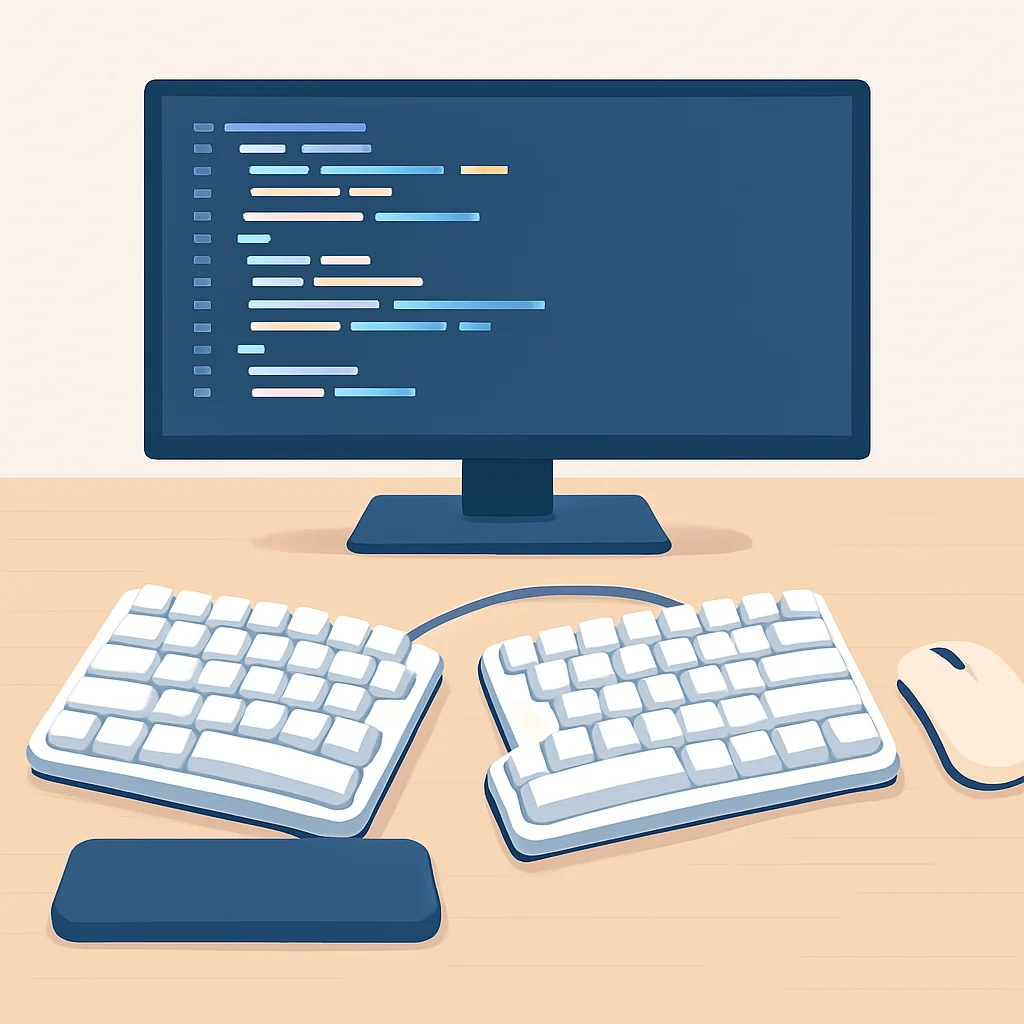
- Split/Ergonomic Layouts: Keyboards like the Ergodox EZ or Moonlander split the keyboard into two halves, allowing for a more natural arm and shoulder position. While they have a steeper learning curve, they offer superior long-term ergonomic benefits for some.
Do not underestimate the importance of ergonomics. Carpal tunnel syndrome and other repetitive strain injuries are real threats for developers. Investing in an ergonomic setup now can save you a lot of pain later.
The Good and The Not-So-Good: Pros & Cons
Let us summarize the general advantages and disadvantages of mechanical keyboards, particularly from a developer’s perspective.
Pros
✓ Superior Typing Experience: Unmatched tactile or linear feedback and satisfying keystrokes that enhance accuracy and speed.
✓ Durability & Longevity: Built with high-quality materials and individual switches designed for millions of keystrokes, outlasting membrane keyboards.
✓ Customization Options: Hot-swappable switches, programmable layouts (QMK/VIA), customizable keycaps, and RGB lighting allow for a truly personalized setup.
✓ Reduced Fatigue: The clear actuation point of mechanical switches can prevent bottoming out, reducing finger strain over long coding sessions.
✓ Enhanced Productivity: Macros and custom keybinds can significantly speed up repetitive tasks and complex operations in your IDE.
Cons
✗ Higher Cost: Mechanical keyboards are generally more expensive than their membrane counterparts, especially premium or custom builds.
✗ Noise Level: Some switch types (especially clicky ones) can be quite loud, potentially disturbing others in a shared workspace.
✗ Portability: Often heavier and bulkier than standard keyboards, making them less ideal for frequent travel.
✗ Learning Curve: Adapting to new switch types, smaller form factors, or ergonomic split layouts can take time and practice.
Head-to-Head: Top Mechanical Keyboards for Developers in 2026
Based on my experience and the current market trends in 2026, here are some of the top contenders for developers, each offering a unique set of features and benefits.
1. Keychron Q1 Pro (75% Wireless Custom Mechanical Keyboard)
Key Features
Layout — 75% with Knob (compact yet functional)
Connectivity — Bluetooth 5.1 & Wired (USB-C)
Switches — Gateron G Pro (various types), hot-swappable
Build — CNC Aluminum body, Gasket mount for flexible feel
Programmability — QMK/VIA support for deep customization
The Keychron Q1 Pro is an absolute powerhouse for developers. It combines the premium feel of a custom keyboard with the convenience of a ready-to-use wireless solution. The 75% layout is superb, offering dedicated function keys and arrows in a compact form. The gasket mount design provides a softer, more satisfying typing experience, reducing finger fatigue. With full QMK/VIA support, I have been able to remap keys and create intricate macros tailored to my specific coding needs. The aluminum body is rock-solid, and the hot-swappable switches mean I can experiment with different tactile or linear options whenever I feel like a change. It is a fantastic all-rounder for anyone serious about their coding setup.
2. Glorious GMMK Pro (75% Wired Barebones Kit)
Key Features
Layout — 75% with Rotary Knob (highly customizable)
Connectivity — Wired (USB-C)
Switches — Barebones (choose your own), hot-swappable
Build — CNC Aluminum body, Gasket mount
Programmability — QMK/VIA support, Glorious CORE software
The GMMK Pro is a fantastic entry point into the custom keyboard world, perfect for developers who want to hand-pick every component. As a barebones kit, you choose your own switches and keycaps, allowing for ultimate personalization. Its gasket-mounted aluminum case gives it a solid, premium feel and a delightful typing sound. While it is wired-only, the stability is undeniable. I built one with Glorious Panda switches and GMK keycaps, and the typing experience is phenomenal — responsive, tactile, and incredibly satisfying. The knob is also super handy for volume control or scrolling through code. If you enjoy tinkering and want a truly bespoke typing experience, the GMMK Pro is hard to beat.
3. Ducky One 3 (Full-size / TKL / 60% — Various Layouts)
Key Features
Layout — Full-size, TKL, 60% (Choose your preference)
Connectivity — Wired (USB-C)
Switches — Cherry MX (various types), hot-swappable
Build — Solid plastic case, dual-layer PCB, high-quality PBT keycaps
Programmability — On-board macros, no software needed
For developers who prefer a more traditional, “out-of-the-box” experience without diving into custom builds, the Ducky One 3 series is an excellent choice. Ducky is renowned for its exceptional build quality and consistent performance. The One 3 features hot-swappable switches (a welcome upgrade from previous models) and comes with excellent PBT keycaps. While it uses a plastic case, it is incredibly sturdy and feels premium. Its on-board macro programming is intuitive and does not require any software, which is a huge plus for those who dislike proprietary applications. I have used Ducky boards for years, and they are reliable workhorses that simply perform. If you want a top-tier mechanical keyboard that just works, the Ducky One 3 is a solid bet.
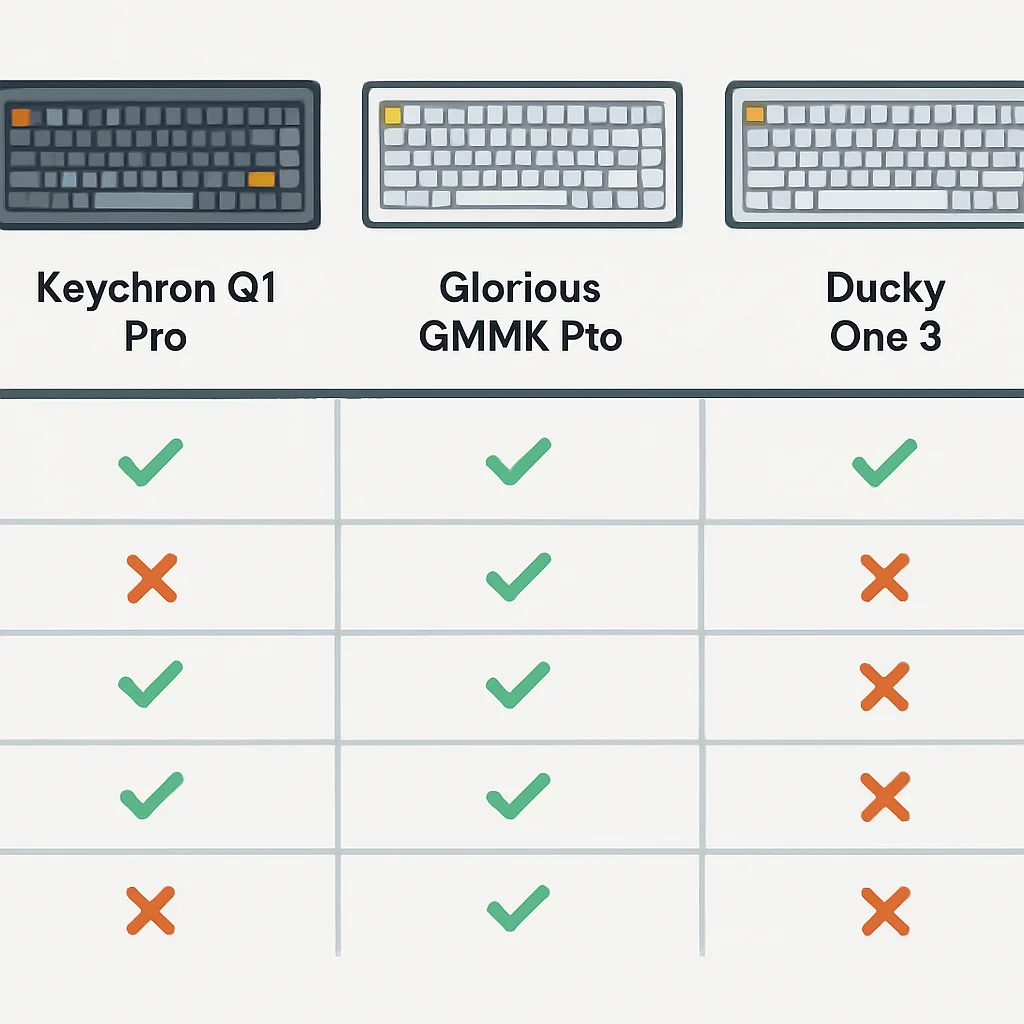
Comparison Table
| Feature | Keychron Q1 Pro | Glorious GMMK Pro | Ducky One 3 |
|---|---|---|---|
| Layout | 75% with Knob | 75% with Knob | Full-size / TKL / 60% (various) |
| Connectivity | Wireless (BT 5.1) & Wired (USB-C) | Wired (USB-C) | Wired (USB-C) |
| Switches | Gateron G Pro (Hot-swappable) | Barebones (Hot-swappable, BYO switches) | Cherry MX (Hot-swappable) |
| Case Material | CNC Aluminum | CNC Aluminum | High-quality Plastic |
| Mounting Style | Gasket Mount | Gasket Mount | Plate Mount |
| Keycaps | Double-shot PBT (OEM profile) | Barebones (BYO keycaps) | Double-shot PBT (OEM profile) |
| Programmability | QMK/VIA | QMK/VIA, Glorious CORE | On-board Macros (no software) |
| Approx. Price (2026) | $180 – $220 | $170 – $200 (barebones) | $120 – $160 |
KEY POINT
For developers, the choice often comes down to a balance of customization, connectivity, and budget. The Keychron Q1 Pro offers the best blend of premium features, wireless convenience, and QMK/VIA support, making it a strong contender for a top spot in 2026.
My Verdict: What’s the Best Pick for You?
Choosing the best mechanical keyboard for developers in 2026 ultimately comes down to your personal preferences and specific workflow. However, after extensive testing and considering what truly matters for long coding sessions, I can offer some tailored recommendations:
For the “Set It and Forget It” Developer
If you want a fantastic typing experience without the hassle of building a custom board or diving deep into firmware, the Ducky One 3 is your champion. Its robust build, excellent PBT keycaps, and hot-swappable switches mean you get premium quality right out of the box, with the flexibility to change switches later if you wish. It is a reliable workhorse that will serve you well for years.
For the “Customization Enthusiast” Developer
If you love to tinker, personalize every aspect of your setup, and do not mind a wired connection, the Glorious GMMK Pro offers an unparalleled custom experience for its price point. Building it yourself is part of the fun, and the end result is a keyboard perfectly tuned to your preferences. The QMK/VIA support is also a huge draw for macro-heavy workflows.
For the “Premium Wireless & Programmable” Developer
My top recommendation for most developers in 2026 is the Keychron Q1 Pro. It strikes the perfect balance: premium aluminum build, comfortable gasket mount, hot-swappable switches, full QMK/VIA programmability, and the invaluable addition of reliable wireless connectivity. It offers the best of both worlds – the custom feel and functionality without the need for a full DIY build. It is an investment that truly pays off in daily comfort and productivity.
9.2
/ 10
The Keychron Q1 Pro leads the pack for its blend of premium features, wireless freedom, and deep customization.

Frequently Asked Questions (FAQ)
Q. Are mechanical keyboards really worth the higher cost for developers?
A. Absolutely. For developers who spend countless hours typing, the investment in a mechanical keyboard pays dividends in comfort, reduced fatigue, increased typing accuracy, and overall productivity. The durability also means they often last much longer than cheaper membrane keyboards.
Q. What’s the best switch type for coding?
A. While personal preference plays a huge role, most developers find tactile switches (like Cherry MX Brown or Gateron Brown) to be ideal. The tactile bump provides feedback without being overly loud, which helps with typing accuracy and reduces bottoming out. Linear switches are also a good option if you prefer a smoother, uninterrupted keypress.
Q. Should I choose a wired or wireless mechanical keyboard for development?
A. For maximum reliability and zero latency, wired is always the safest bet. However, modern wireless mechanical keyboards, especially those with Bluetooth 5.0/5.1 or 2.4GHz dongles, offer excellent performance that is perfectly adequate for coding, providing a cleaner desk setup. If you prioritize a clutter-free workspace, a high-quality wireless option like the Keychron Q1 Pro is a great choice.
Q. What does QMK/VIA programmability mean for a developer?
A. QMK/VIA allows you to fully customize your keyboard’s keybindings, create complex macros, and set up multiple layers of functionality. This is incredibly powerful for developers, enabling them to map common code snippets, navigate IDEs, or execute terminal commands with a single keypress, dramatically boosting efficiency and workflow.
Q. Are ergonomic mechanical keyboards a good idea?
A. Yes, absolutely. For developers spending many hours typing, ergonomic keyboards (like split layouts) can significantly reduce strain on wrists, arms, and shoulders, helping to prevent repetitive strain injuries. While they may have a learning curve, the long-term health benefits are well worth considering.
Thanks for reading, fellow coders!
I hope this deep dive into the best mechanical keyboards for developers in 2026 helps you find your ultimate typing companion. A great keyboard isn’t just a luxury; it’s a foundational tool for any serious developer looking to optimize their workflow and comfort.
Got questions about specific switches, layouts, or customization? Drop a comment below — I’d love to hear your thoughts and experiences!