

Mastering Python’s defaultdict can significantly streamline your code and prevent common errors.
This comprehensive guide from Kwonglish will walk you through everything you need to know about defaultdict, from its basic usage to advanced applications, ensuring you write cleaner, more efficient Python code in 2026.
Contents
01What is Python’s defaultdict?
02Why Use defaultdict Over Regular Dictionaries?
04Common Use Cases and Practical Applications
05Advanced Techniques and Considerations
What is Python’s defaultdict?

Python’s defaultdict is a subclass of the built-in dict class, found in the collections module. Its primary purpose is to simplify the handling of missing keys in dictionaries.
When you try to access a key that doesn’t exist in a standard dictionary, Python raises a KeyError. With defaultdict, instead of raising an error, it automatically inserts a default value for that missing key and returns it.
This behavior is incredibly useful in scenarios where you’re aggregating data or building up complex data structures where you can’t guarantee a key will exist before you try to modify its value.
The core functionality of defaultdict is to provide a default value for non-existent keys, preventing KeyError exceptions.
How defaultdict Works
When you create a defaultdict, you must provide a “default factory” function as an argument. This factory function is called without arguments whenever a key is accessed that is not already in the dictionary. The value returned by the factory function is then inserted into the dictionary with the missing key and returned to the caller.
Common default factory functions include int (for 0), list (for an empty list), and dict (for an empty dictionary).
Why Use defaultdict Over Regular Dictionaries?
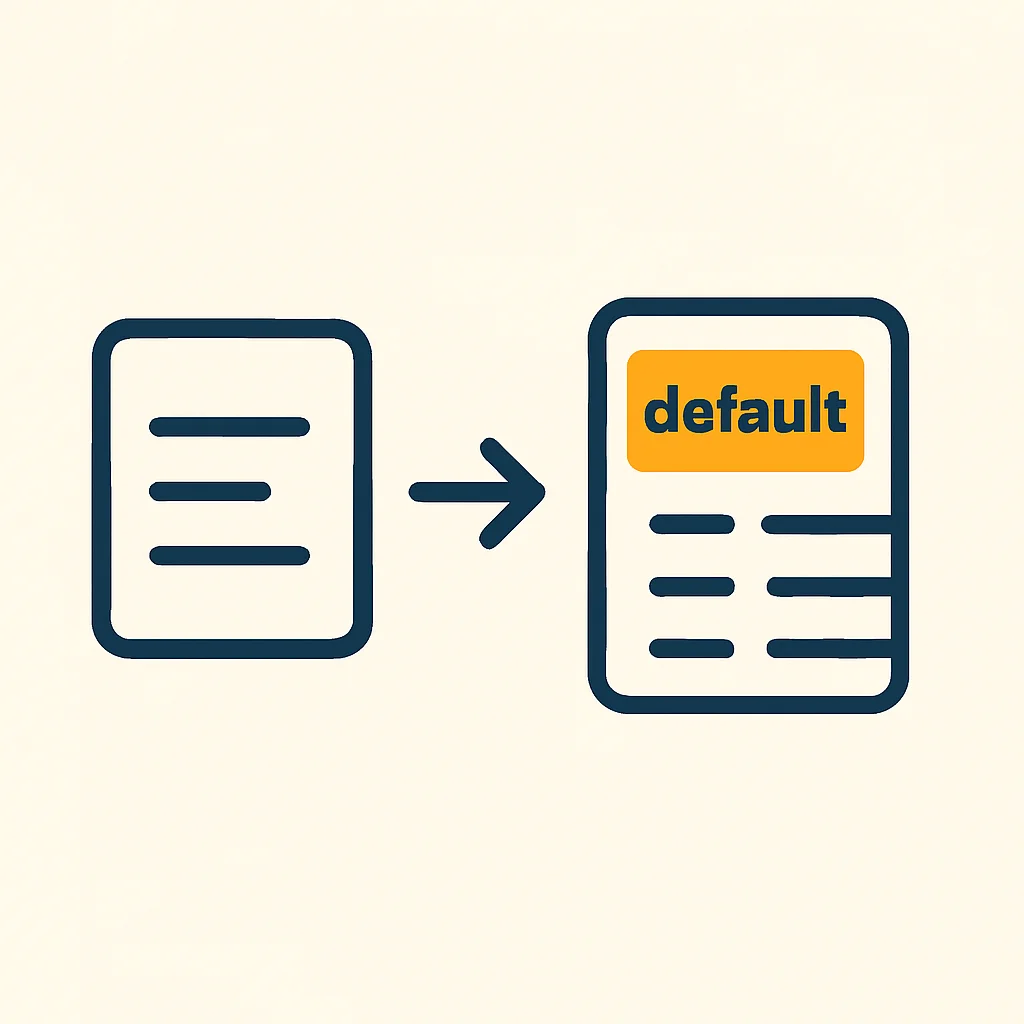
The primary benefit of using defaultdict is the reduction of boilerplate code and the elimination of KeyError checks. Consider a common task: counting the frequency of items in a list.
Scenario 1: Counting Frequencies with a Standard Dictionary
Without defaultdict, you’d typically write code like this:
Code Explanation: Standard Dictionary Counting
This code iterates through a list of fruits. For each fruit, it checks if the fruit is already a key in the fruit_counts dictionary. If it’s not, it initializes the count to 0 before incrementing. This prevents a KeyError.
fruits = ["apple", "banana", "apple", "orange", "banana", "apple"]
fruit_counts = {}

for fruit in fruits:
    if fruit not in fruit_counts:
        fruit_counts[fruit] = 0
    fruit_counts[fruit] += 1

print(fruit_counts)
# Output: {'apple': 3, 'banana': 2, 'orange': 1}
Scenario 2: Counting Frequencies with defaultdict
Now, observe the much cleaner approach using defaultdict:
Code Explanation: defaultdict Counting
Here, we import defaultdict from collections. We initialize fruit_counts with int as the default factory. When a fruit is encountered for the first time, int() (which returns 0) is called, initializing the key. Subsequent increments proceed as usual.
from collections import defaultdict

fruits = ["apple", "banana", "apple", "orange", "banana", "apple"]
fruit_counts = defaultdict(int) # int() returns 0

for fruit in fruits:
    fruit_counts[fruit] += 1

print(fruit_counts)
# Output: defaultdict(<class 'int'>, {'apple': 3, 'banana': 2, 'orange': 1})
The difference is clear: defaultdict significantly reduces code verbosity and improves readability by handling missing key initialization automatically.
Basic Usage and Examples

Let’s dive into the fundamental ways to use defaultdict with various default factory functions.
Using int as Default Factory
As seen in the frequency counting example, int is perfect for initializing numeric counts or sums to 0.
Code Explanation: defaultdict(int)
When scores['Alice'] is accessed for the first time, int() is called, setting scores['Alice'] = 0. Then, += 10 updates it to 10.
from collections import defaultdict

scores = defaultdict(int)
scores['Alice'] += 10
scores['Bob'] += 5
scores['Alice'] += 7

print(scores)
# Output: defaultdict(<class 'int'>, {'Alice': 17, 'Bob': 5})
Using list as Default Factory
This is incredibly useful for grouping items. When a key is missing, an empty list is created, to which you can immediately append elements.
Code Explanation: defaultdict(list)
The group_by_category dictionary is initialized to create empty lists. When group_by_category['fruits'] is accessed for the first time, list() is called, creating group_by_category['fruits'] = []. Then, .append('apple') adds the item.
from collections import defaultdict

items = [('fruits', 'apple'), ('vegetables', 'carrot'), ('fruits', 'banana'), ('dairy', 'milk')]
group_by_category = defaultdict(list)

for category, item in items:
    group_by_category[category].append(item)

print(group_by_category)
# Output: defaultdict(<class 'list'>, {'fruits': ['apple', 'banana'], 'vegetables': ['carrot'], 'dairy': ['milk']})
Using set as Default Factory
Similar to lists, but ensures uniqueness of elements within each group, as set() creates an empty set.
Code Explanation: defaultdict(set)
Here, duplicate entries like ('tags', 'python') are automatically handled. The first time tags['programming'] is accessed, set() is called, making it an empty set. Then, .add('python') adds the tag.
from collections import defaultdict

data = [('programming', 'python'), ('languages', 'english'), ('programming', 'java'), ('programming', 'python')]
tags = defaultdict(set)

for category, tag in data:
    tags[category].add(tag)

print(tags)
# Output: defaultdict(<class 'set'>, {'programming': {'python', 'java'}, 'languages': {'english'}})
Choosing the right default factory function is crucial for effectively structuring your data with minimal code.
Common Use Cases and Practical Applications

defaultdict shines in many real-world scenarios, making your Python scripts more robust and concise.
Grouping Data by Key
This is perhaps the most common application. Imagine you have a list of transactions and want to group them by customer ID.
Code Explanation: Grouping Transactions
Each transaction is a tuple of (customer_id, amount). We use defaultdict(list) to store a list of amounts for each customer. When a customer ID is new, an empty list is created, and the amount is appended.
from collections import defaultdict

transactions = [
    (101, 50.00),
    (102, 75.50),
    (101, 20.00),
    (103, 100.00),
    (102, 10.00)
]

customer_transactions = defaultdict(list)
for customer_id, amount in transactions:
    customer_transactions[customer_id].append(amount)

print(customer_transactions)
# Output: defaultdict(<class 'list'>, {101: [50.0, 20.0], 102: [75.5, 10.0], 103: [100.0]})
Building Multi-Level Dictionaries
You can nest defaultdict instances to create dictionaries of dictionaries, which is common for hierarchical data structures.
Code Explanation: Nested defaultdict
Here, store_sales is a defaultdict whose default value is another defaultdict(int). This allows us to access store_sales[store_id][product] without checking if store_id or product keys exist at each level.
from collections import defaultdict

sales_data = [
    (1, 'Laptop', 2),
    (2, 'Mouse', 5),
    (1, 'Keyboard', 3),
    (1, 'Laptop', 1),
    (2, 'Keyboard', 2)
]

store_sales = defaultdict(lambda: defaultdict(int)) # Nested defaultdict
for store_id, product, quantity in sales_data:
    store_sales[store_id][product] += quantity

print(store_sales)
# Output: defaultdict(<function <lambda> at 0x...>, {1: defaultdict(<class 'int'>, {'Laptop': 3, 'Keyboard': 3}), 2: defaultdict(<class 'int'>, {'Mouse': 5, 'Keyboard': 2})})
These examples highlight how defaultdict simplifies data aggregation and reduces the cognitive load of managing complex dictionary structures.
Advanced Techniques and Considerations

Beyond basic usage, defaultdict offers flexibility for more intricate data handling.
Custom Default Factories
You’re not limited to built-in types. Any callable that takes no arguments can be a default factory. This includes custom functions or lambda functions.
Code Explanation: Custom Default Value
The lambda function lambda: 'N/A' is used as the default factory. When a key like user_status['Charlie'] is accessed, it automatically gets assigned the string ‘N/A’.
from collections import defaultdict

user_status = defaultdict(lambda: 'N/A')
user_status['Alice'] = 'Active'
user_status['Bob'] = 'Inactive'

print(user_status['Alice']) # Output: Active
print(user_status['Charlie']) # Output: N/A (automatically created)
print(user_status)
# Output: defaultdict(<function <lambda> at 0x...>, {'Alice': 'Active', 'Bob': 'Inactive', 'Charlie': 'N/A'})
Initializing with Existing Data
You can initialize a defaultdict with an existing dictionary, preserving its default factory behavior for new keys.
Code Explanation: Initializing with Data
The initial_data is passed to the defaultdict constructor. Existing keys (like ‘Alice’) retain their values. When a new key (‘David’) is accessed, the int() factory provides the default 0.
from collections import defaultdict

initial_data = {'Alice': 100, 'Bob': 150}
user_points = defaultdict(int, initial_data)

user_points['Charlie'] += 200 # New key, initialized to 0 then 200
user_points['Alice'] += 50   # Existing key, value updated

print(user_points)
# Output: defaultdict(<class 'int'>, {'Alice': 150, 'Bob': 150, 'Charlie': 200})
print(user_points['David']) # Accessing a new key, will be 0
print(user_points)
# Output: defaultdict(<class 'int'>, {'Alice': 150, 'Bob': 150, 'Charlie': 200, 'David': 0})
Custom factories and initialization techniques allow defaultdict to adapt to a wider range of data structures and requirements.
Performance Implications
While defaultdict offers convenience, it’s worth considering its performance characteristics compared to standard dictionaries.
In most practical scenarios, the performance difference is negligible, especially for typical application sizes. The primary gain is in code readability and maintainability.
Overhead of Callable Factory
Every time a missing key is accessed in a defaultdict, the default factory function is called. This incurs a small overhead compared to simply checking for a key’s existence and then assigning a value. However, this overhead is usually minimal and far outweighed by the benefits of cleaner code.
For extremely performance-critical loops with millions of missing key accesses, a manual dict.get() or if key in dict check might theoretically be faster, but such cases are rare and often micro-optimizations.
Memory Usage
A defaultdict object itself might have a slightly larger memory footprint than a plain dict due to storing the default factory. However, the values stored within are the same. In scenarios where many keys would otherwise need to be explicitly initialized, defaultdict might even lead to more efficient memory usage by avoiding temporary variables or repeated object creation in manual checks.
In summary, defaultdict is generally efficient enough for most applications, with its code simplification benefits far outweighing minor performance differences.
Potential Pitfalls and How to Avoid Them
While powerful, defaultdict has a few quirks to be aware of to prevent unexpected behavior.
Unintended Key Creation
The most common pitfall is that simply accessing a key will create it if it doesn’t exist, even if you only intended to check for its presence without modification.
WARNING: Accidental Key Creation
If you iterate over a defaultdict and access keys that might not exist, they will be created with default values. This can lead to unexpected entries in your dictionary.
Code Explanation: Accidental Key Creation
In this example, calling my_dict['new_key'] creates ‘new_key’ with a default value (0) even though we didn’t explicitly assign to it. This happens just by looking up the key.
from collections import defaultdict

my_dict = defaultdict(int)
my_dict['existing_key'] = 5

print(my_dict['existing_key']) # Access existing key, value is 5
print(my_dict) # Output: defaultdict(<class 'int'>, {'existing_key': 5})

print(my_dict['new_key']) # Access non-existent key, it's created and returns 0
print(my_dict) # Output: defaultdict(<class 'int'>, {'existing_key': 5, 'new_key': 0})
To avoid this, if you only want to check for a key’s existence without creating it, use 'key' in my_dict or my_dict.get('key', default_if_not_found).
Mutable Default Values with Standard Dictionaries
This is a classic Python mistake, not unique to defaultdict, but worth reiterating. If you try to simulate defaultdict behavior with a standard dictionary and a mutable default in a function signature, you’ll run into issues.
WARNING: Mutable Default Arguments
Never use mutable objects (like lists or dictionaries) as default arguments in function definitions. They are initialized only once when the function is defined, leading to shared state across all calls.
Code Explanation: Mutable Default Argument Issue
The data argument’s default value (an empty list) is created only once. When add_item('item1') is called, ‘item1’ is added to this single list. The next call, add_item('item2'), adds to the same list, resulting in ['item1', 'item2']. This is usually not the desired behavior.
def add_item(item, data=[]): # DANGER: mutable default argument!
    data.append(item)
    return data

list1 = add_item('item1')
print(list1) # Output: ['item1']

list2 = add_item('item2')
print(list2) # Output: ['item1', 'item2'] - unexpected!

list3 = add_item('item3', []) # Correct way to pass a new list
print(list3) # Output: ['item3']
This is precisely why defaultdict is so useful: it correctly handles the creation of a new default object each time it’s needed, using the provided factory function. Always use None as a default argument and initialize mutable objects inside the function if you’re not using defaultdict.
Understanding these pitfalls ensures you leverage defaultdict‘s power without introducing subtle bugs into your applications.
Wrap-Up: Key Takeaways for Efficient Python
By now, you should have a solid understanding of Python’s defaultdict and how to wield it effectively in your code.
Here are the key points to remember:
Key Point
• defaultdict is a subclass of dict that prevents KeyError by providing a default value for missing keys.
• It requires a default